Publish AI-Generated HTML

Share your Claude artifact, Claude Code project or AI-written webpage online in seconds

🎖2,000,000+ happy users

From AI chat window to a real website

AI tools are great at writing HTML but terrible at putting it online. Claude can give you a shareable link but it still lives inside Claude — not a site you fully control. Tiiny Host fixed that. Download the HTML from your artifact, Claude Code project or ChatGPT chat, drop it on Tiiny Host, and it's live in seconds on your own link or custom domain. No build step, no git, no hosting account to configure.

Publish AI-Generated HTML

In 3 Easy Steps

1. Export the HTML

Copy the code from your Claude artifact or grab the files from your Claude Code project, and save them as index.html (or zip the folder).

2. Upload and pick a link-name

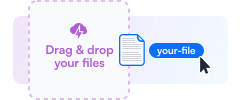
Drag the file onto Tiiny Host, choose your link-name and add a password or custom domain if you want one.

3. Publish and share

Hit publish and your AI-generated page is live on a real URL you can send to anyone.

Features

What else is there?

🤖 Any AI tool

Works with Claude artifacts, Claude Code, ChatGPT, Gemini, Cursor, Lovable, v0 — anything that gives you HTML, CSS and JavaScript files.

⚡️ Drag & Drop

Drop a single index.html or a zip of your whole project. It's live in seconds with no build config or deploy pipeline.

🌐 Custom Domain

Put your AI-built page on your own domain instead of a claude.ai or platform subdomain — the difference between a demo and a professional site.

🔒 Password Protect

Share an early build with a client or teammate without making it public. Add a password before you send the link.

🔄 Easy to Update

Ask Claude for another revision, re-upload, and the same link serves the new version. Nobody needs a fresh URL.

📊 Analytics

See how many people opened your page, where they came from and what device they used — built in, no set-up needed.

Compatible with all AI-Tools
A real URL, not just a preview

Claude

ChatGPT

Gemini

Grok

Co-Pilot

Cursor

What can you publish?

Claude Artifacts

Dashboards, calculators, interactive explainers and mini-apps Claude built as an artifact — moved out of the chat and onto a link you own.

Claude Code Projects

Static sites and front-end builds from Claude Code. Zip the output folder, upload it, and skip the whole hosting setup step.

Landing Pages & Prototypes

Vibe-coded landing pages, client mockups and one-page prototypes that need a shareable link today, not a deploy pipeline.

Internal tools & dashboards

Deploy internal tools, business dashboards, and data visualizations built by AI. Move them from a chat window to a professional link for your team.

Games

Host interactive mini-games, retro clones, and canvas-based experiments built with AI. Share a playable link instantly without any setup.

Resources

Learn more about publishing with AI

What Are Claude Artifacts?

A plain-English guide to Claude artifacts, what the publish button actually does, and how to share what you've made.

How to Code with Claude AI

Get better HTML out of Claude with prompts, workflow tips and the mistakes that produce broken pages.

AI Hosting Explained

Where AI-generated sites can live, and what to look for when you're picking somewhere to host one.

Vibe Coding Guide

How people are shipping real projects by prompting instead of typing — and how to get them online.

Frequently Asked Questions

What does publish artifact mean in Claude?

When you click publish on a Claude artifact, Claude creates a shareable claude.ai link to that artifact and makes it visible to anyone who has the link. It's a quick way to show someone what you built, but it isn't website hosting. The page stays on Anthropic's domain, it stays tied to your Claude account and the conversation it came from, and you can't put it on your own domain or brand it. If you want the thing you built to be a real website, you need to take the HTML out of Claude and host it somewhere you control — which takes about thirty seconds on Tiiny Host.

What does the publish button do in Claude?

The publish button turns a private artifact into a public one and gives you a link on claude.ai you can send to other people. Anyone with that link can open it and, depending on your settings, remix it in their own Claude account. What it does not do is give you a website: there's no custom domain, no password protection, no analytics, and no control over how long it stays up or how it's presented. Publishing to Tiiny Host instead gives you a normal URL, your own domain if you want one, and the ability to update the page without changing the link.

How do I publish a Claude artifact to my own domain?

Open the artifact in Claude and copy its code, or use the download option if the artifact offers one. Save it as index.html on your computer. Then drag that file onto Tiiny Host, pick a link-name, and publish. Your page goes live immediately on a tiiny.site link, and on a paid plan you can point your own custom domain at it in a few clicks. If your artifact is split across several files — separate CSS, JavaScript or images — put them all in one folder with index.html at the top level, zip the folder, and upload the zip instead.

Can I host a website built with Claude Code?

Yes. Claude Code writes files to your machine, so hosting the result is just a matter of uploading them. For a plain static site, zip the folder containing index.html and drop it on Tiiny Host. For a framework project like React, Vue, Astro or Next in static-export mode, run your build command first and upload the output directory — usually dist or build. Tiiny Host serves static files, so anything that compiles down to HTML, CSS and JavaScript works. You don't need to connect a git repository or configure a deploy pipeline, which is what makes it a fast way to check that a Claude Code build actually works in the wild.

Does this work with ChatGPT, Gemini and other AI tools?

It does. Nothing about Tiiny Host is Claude-specific — if your AI tool can hand you HTML, we can host it. That covers ChatGPT canvas exports, Gemini output, Cursor and Copilot projects, and the files you export from builders like Lovable, Bolt or v0. Save the code as index.html, or zip the project folder if there's more than one file, and upload. The publishing steps are identical regardless of which model wrote the code.

Do I need to know how to code to publish AI-generated HTML?

No. The whole point is that you don't. You don't need to understand what's inside the file, install anything, use a terminal, or learn git. If you can save a file and drag it into a browser window, you can publish it. The most common stumbling block has nothing to do with code: your main file has to be named index.html, and if you're uploading a zip, index.html needs to sit at the top level of the folder rather than nested inside another one. Get that right and the rest is a single click.

Can I update the page after I publish it?

Yes, and this matters more with AI-generated pages than most, because you'll almost certainly ask for another revision. Go back to your Tiiny Host dashboard, upload the new file over the old one, and the same link serves the updated version straight away. Anyone you already sent the link to sees the new page next time they open it. There's no need to publish a second site or send out a corrected URL every time Claude tweaks something.

Publish your AI-generated HTML online