Password protection

Toggle on password protection with 1-click protection. Security should be simple.

One-click protection · Easy to customize

Simple protection, your way

Private & on on-brand

1-click protection password protection & customization makes security easy and recognisable for you and your audience.
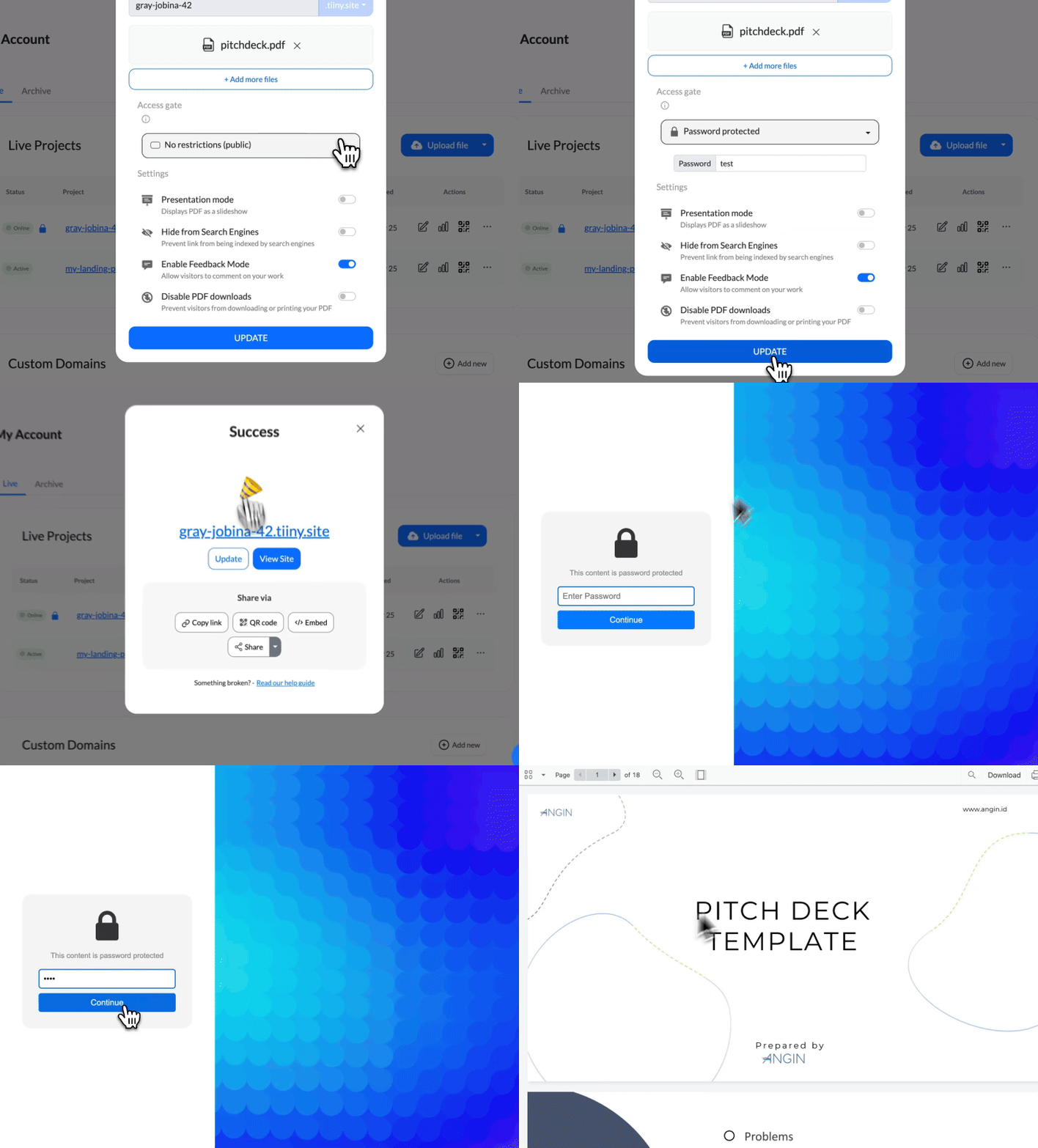
An illustration of secure files protected by a lock.
Simple

One-click protection

Good security shouldn't be confusing. Toggle password protection on and off with a single click to easily control access.
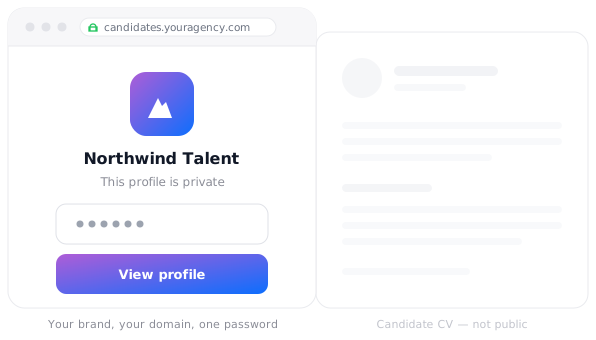
A branded password page with a logo, custom message, and password field.
Customizable

Customizeable login page

Stay on brand by customizing your password page with your logo, messaging and images in just a few clicks.

Frequently Asked Questions

How do I turn on password protection?

Open your page in Tiiny Host, switch on password protection, and set a password. The change takes effect with one click.

Can I customize the password page?

Yes. You can change the text, background, and logo so the password page fits your brand and the rest of your site.

Can I change the password later?

Yes. Return to your page settings whenever you need to update or remove the password. An user that previously had the old password will no longer have access.

Share with confidence

