QR Codes

Automatically generated QR codes for every project. Share your work with zero-hassle.

Free to start · No credit card

Used by 2M+ users & trusted by teams at


Salesforce Airbnb Cushman & Wakefield JLL Nestle Cognizant
Print it once

QR codes made easy

Easily share offline with a QR code that automatically points to your latest version of your project.
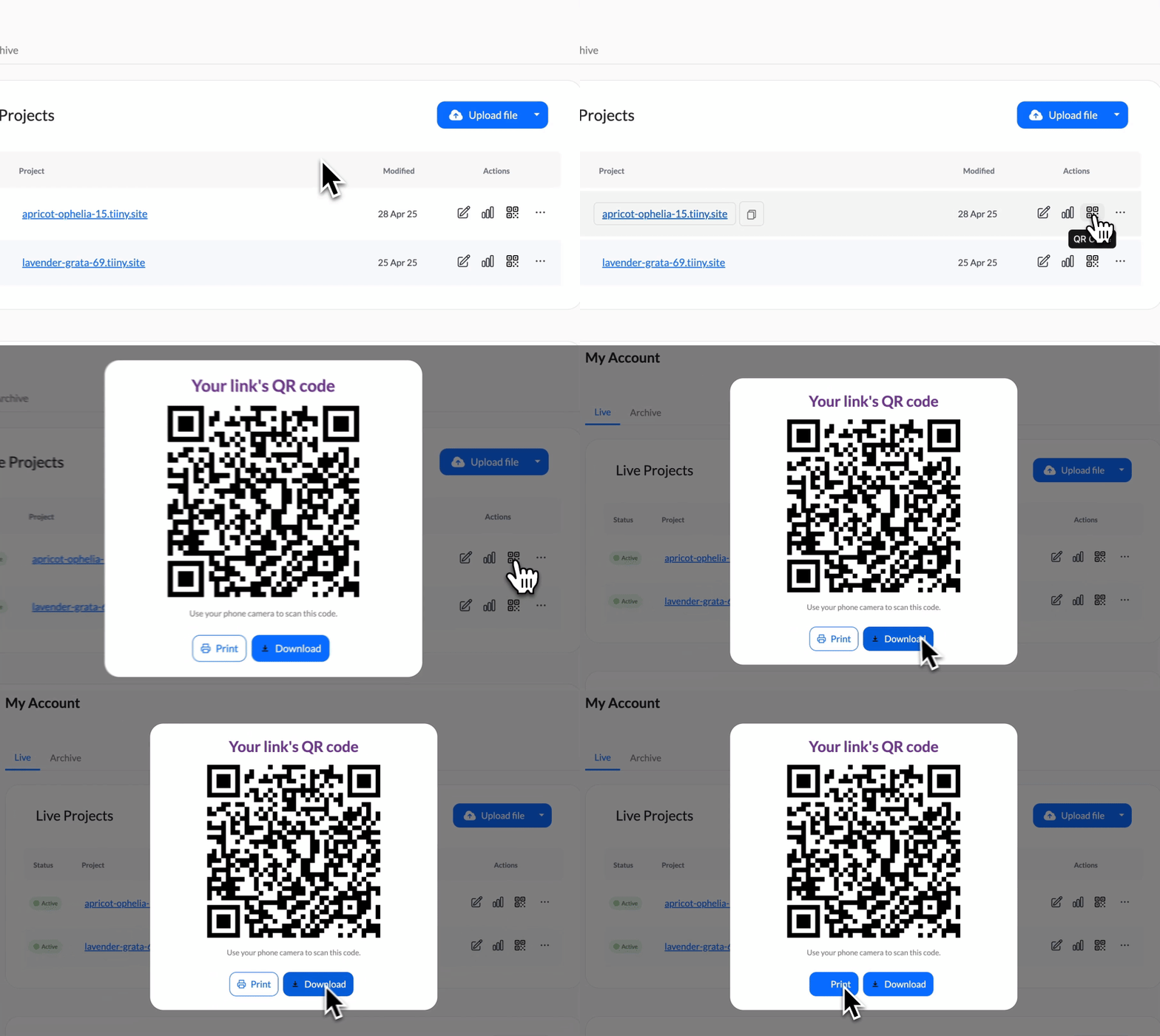
A project publishing on Tiiny Host with its QR code generated automatically beside the link, ready to download.
Automatic

Automatically generated

Each project you upload automatically has a QR code assigned to it that you can download and print to share with your audience.
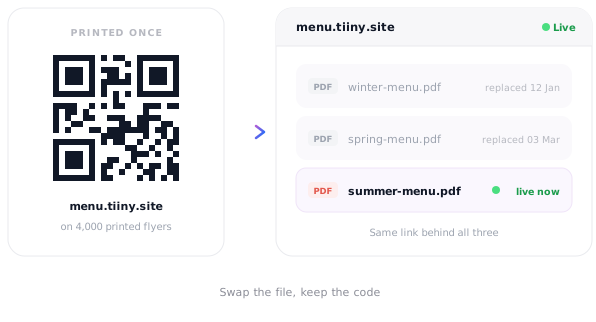
A printed QR code staying the same while the document behind it is replaced with an updated version.
Update proof

Still works with updates

Never need to change your QR code. Update your file or change your whole website, your QR code will always point to the latest updated version.

Where people put the code

Anywhere paper meets something that changes.

Restaurant menu
Restaurant menu Table tent · updated daily
Event programme
Event programme Poster · schedule changes
Product manual
Product manual Packaging · revised versions
Course handout
Course handout Printed sheet · scan to open
Portfolio
Portfolio Business card · always current
Property brochure
Property brochure Window display · price updates

Rave reviews

It's very instant, very quick — and I like that.
★ ★ ★ ★ ★
Jacob Riches Founder, Firebound
Read the story →
I just uploaded my files and the website was live. And that's what I wanted.
★ ★ ★ ★ ★
Yash Bora Finance professional, Berlin
Read the story →
Tiiny worked perfectly for me. I used to host my architectural design portfolio and provided my url on my resume.

★ ★ ★ ★ ★
Zac Zac Architect

Frequently Asked Questions

Do I have to make the QR code myself?

No. A QR code is generated automatically alongside the link when you publish, and you can download it to print. There's no separate QR generator to sign up for and nothing to design.

What happens to a printed code when I update the content?

Nothing — it keeps working. The code points at your link and the link stays the same when you swap the file behind it, so every code already printed shows the new version immediately.

Do people need an app to scan it?

No. They point a phone camera at the code and it opens in the browser. No app, no account and no login, which is the whole point when someone is standing in front of a poster deciding whether to bother.

Can I have a different code for each document?

Yes. Every project gets its own link and its own QR code, so a food menu, a wine list and a specials sheet can each have their own — and they all sit in one dashboard.

Where can I print it?

Anywhere it makes sense — table tents, window stickers, packaging, handouts, posters, business cards, name badges. You download the code and use it like any other image.

Will I know how many people scanned it?

Yes. Scans arrive as visits to your link, so the usual analytics apply — visitor counts, time spent, locations and devices. Use a tracked link if you want to tell one printed placement apart from another.

Publish it once, print the code once