Make edits online

Change what you want, wherever you want, however you want. Our three editors make it easy to edit any part of your your website.

Free to start · No credit card

Used by 2M+ users & trusted by teams at

Salesforce Airbnb Cushman & Wakefield JLL Nestle Cognizant
Three editors, one site

Edit instantly, anywhere

Change anything in seconds. Click and type, modify the code or ask our AI to do it for you.
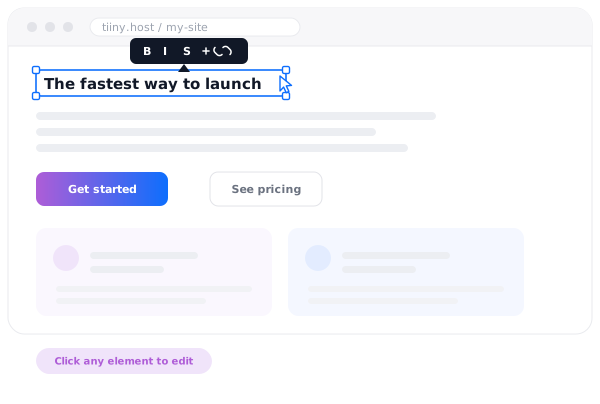
A published page being edited in place, with a heading selected and being retyped directly on the page.
Visual editor

See it, click it, change it

Edit your site from your audience's point-of-view. Thought of a better heading? Forgot to update a price? Had a great idea for a new tagline? Just click, type and hit Publish.
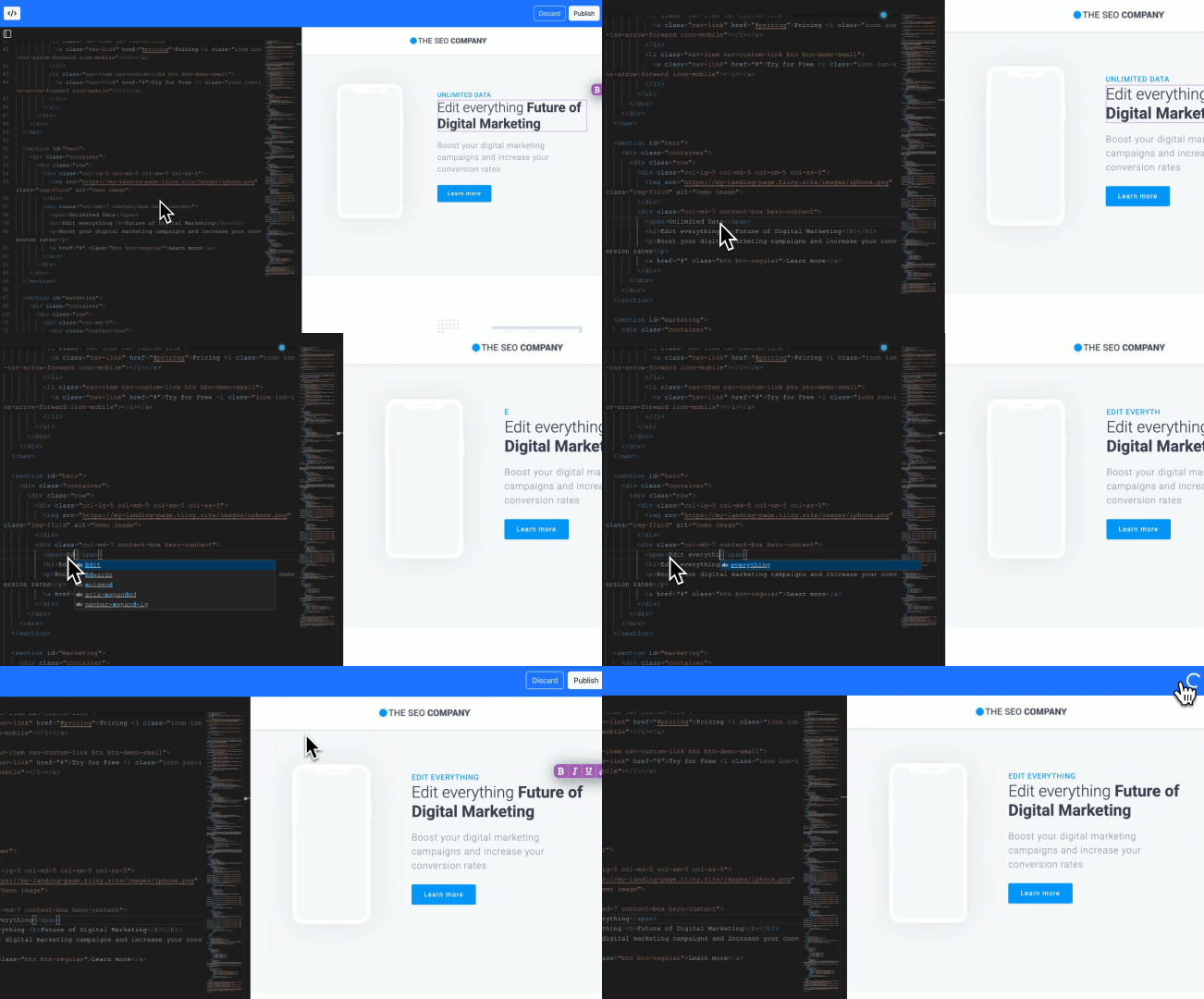
A browser-based code editor with an AI prompt bar, editing a live site with no local checkout.
Code editor

Browser-based code editor

Keep full control but cut the over-engineered pipeline. Edit the HTML, CSS and Javascript right there in your browser.
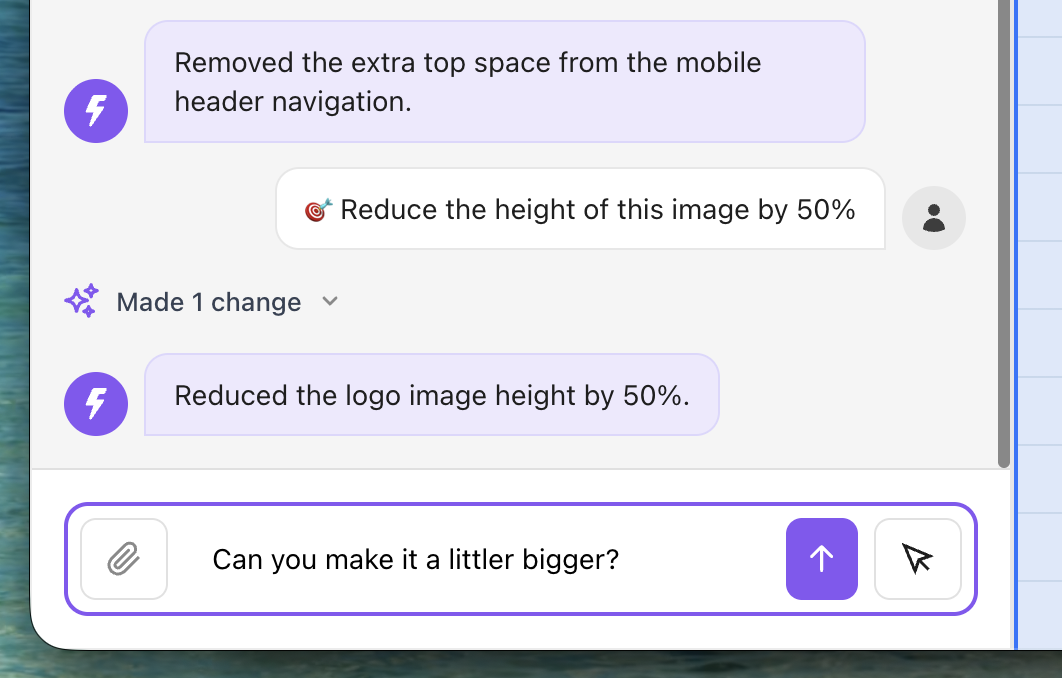
The AI editor chat panel, where a typed instruction is applied to the page and the change is confirmed back.
AI editor

Edit with a prompt

Type a single prompt and go from a loose idea to a rapid edit. Just tell our AI editor what you want to change and let us do the work for you, again and again until it looks right.

What people keep editing

The pages that change most often are the ones worth being able to change quickly.
Campaign landing page
Campaign landing page Copy tweaks between tests
Client proposal
Client proposal Scope and pricing edits
Product one-pager
Product one-pager Updated every release
Portfolio site
Portfolio site New work added monthly
Event page
Event page Times and speakers change
AI-generated microsite
AI-generated microsite Refined after the first draft

Rave reviews

Shocked by the simplicity of getting it up and running, it took me 2 mins exactly to deploy one of client's websites!

★ ★ ★ ★ ★
Khaled Khaled Developer, web25.io
There's no learning curve. It's so easy — you can do everything with one hand. It's ridiculous.
★ ★ ★ ★ ★
Francois Provost Freelance developer
I can create a fully branded HTML in 15 minutes on an LLM and have it live within a few seconds.

★ ★ ★ ★ ★
Tim Thompson Founder, Blenda
Read the story →

Frequently Asked Questions

Do I have to re-upload the whole site to change one line?

No. Open the site in the browser editor and change it where it is. There's no clone, no local build and no redeploy step, and the site updates on the same URL as soon as you save.

Does the link change when I edit a page?

No. The URL stays exactly the same, so anything already sitting in an inbox, an ad or a printed QR code keeps working and immediately shows the new version.

Do I need to know HTML to use it?

No. The visual editor lets you click a heading or a paragraph and retype it, and the AI editor takes a plain description of the change. The code editor is there when you do want the markup, not because you have to use it.

Can I go back if an edit goes wrong?

Previous versions of a site are kept, so you can switch back to an earlier one rather than trying to reconstruct it by hand.

Does this work on a site an AI tool built?

Yes. Whether the files came from Claude, ChatGPT, Cursor, Lovable, Bolt, v0 or your own text editor, once they're published on Tiiny Host all three editors work on them the same way.

What kinds of files can I edit?

The files that make up a published static site — HTML, CSS, JavaScript and the assets beside them. For a PDF or another document, you swap the file instead and the link stays the same.

Publish a page and change it in ten seconds