Shared Projects

Easily share files between each other using a single link - stop wasting time chasing files over email and collaborate better.

Free to start · No credit card

Used by 2M+ users & trusted by teams at


Salesforce Airbnb Cushman & Wakefield JLL Nestle Cognizant
Easier File Sharing

Better than a shared folder

Collaborate using a simple link. Upload & receive files for your workflow and get notified about updates.

A visitor dropping files onto a shared project page without signing in, beside the files already shared with them.
Two-way collaboration

Send & Receive

Collect files and documents from clients for true collaboration.
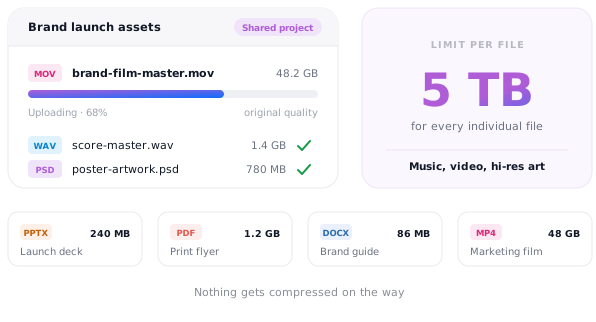
A large video file uploading to a shared project, with a size limit of 5TB shown beside it.
Large files

Size doesn't matter

File size limitations won't stop you. Our mammoth 5TB limit for individual files easily handles music and images so that your presentation, flyer, document or marketing materials keep their rich quality.
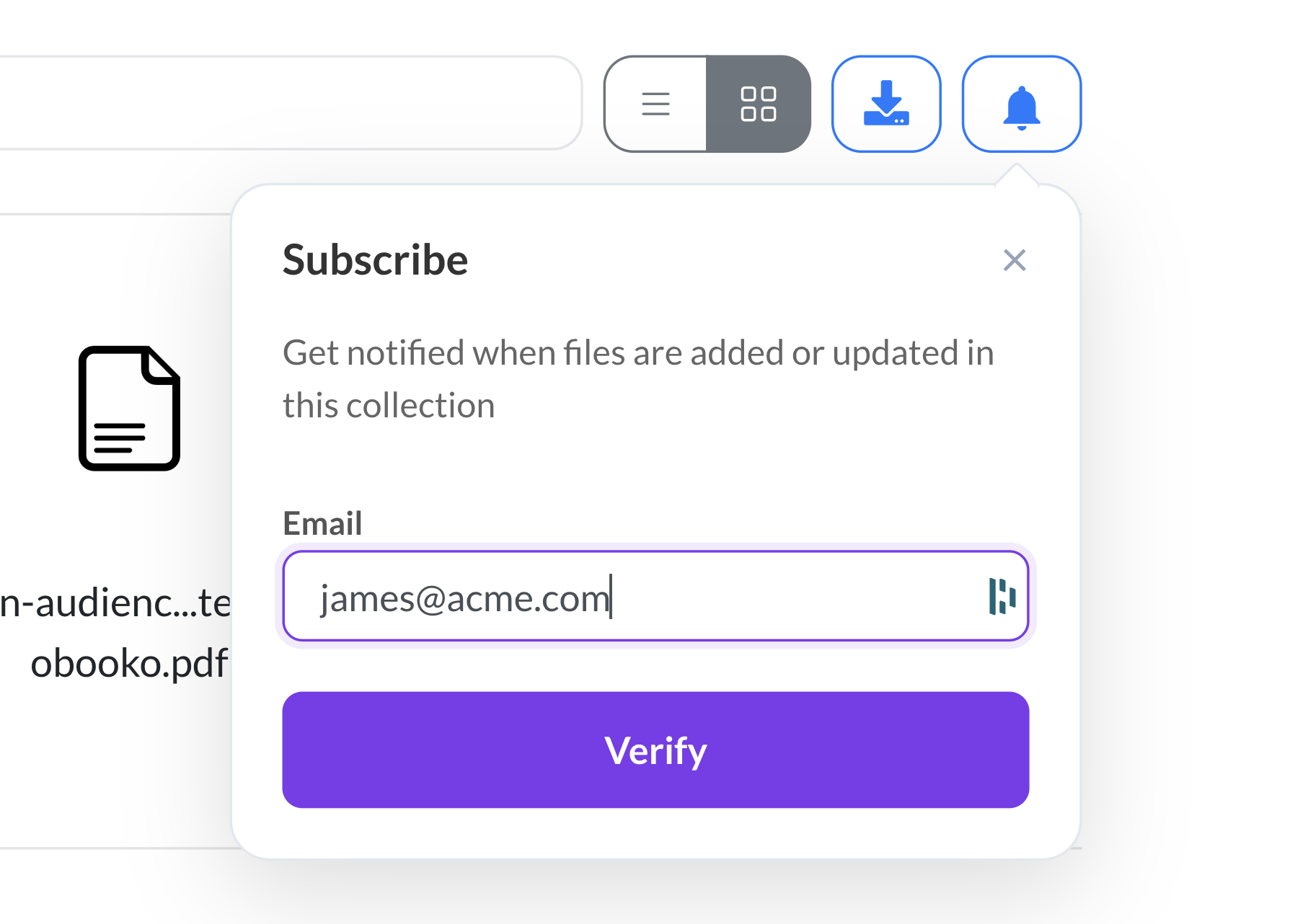
The subscribe dialog on a shared project, where an email address is entered to get notified when files are added or updated.
Notifications

We'll ping you

No hanging around hitting the refresh button. We'll ping you the moment a new file is uploaded, so that you can get on with your work.
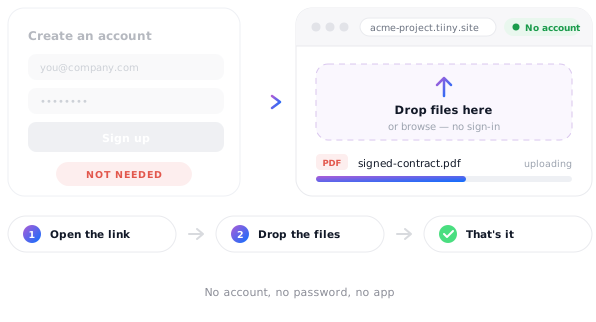
A sign-up form marked as not needed beside a shared project page where a recipient uploads a file straight away.
Easy access

No sign up required

Recipients can upload files without needing to sign up to our platform for frictionless uploading.
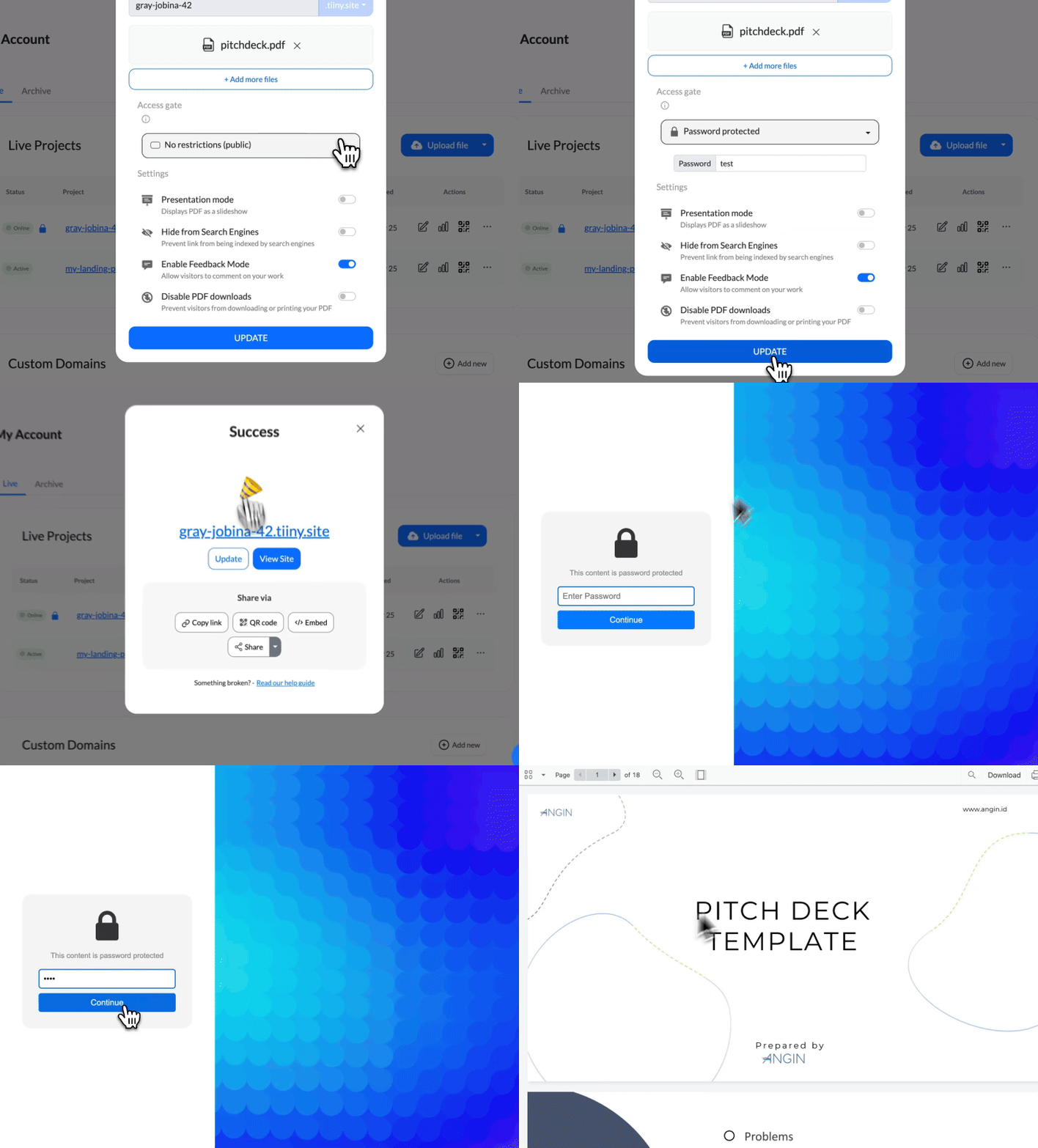
A branded password gate standing in front of a document collection.
Secure

Safe for commercially sensitive materials

Protect your shared project with a password or email gate so that only the right eyes can access it.

What people share both ways

Anywhere a project needs files going out and coming back.

Client project folder
Client project folder Two-way · password protected
Video delivery
Video delivery Large files · upload notifications
Design review
Design review Assets in, feedback out
Onboarding pack
Onboarding pack Documents requested from clients
Photography handover
Photography handover Raw files · no account needed
Agency retainer
Agency retainer One link for the whole engagement

Rave reviews

Shocked by the simplicity of getting it up and running, it took me 2 mins exactly to deploy one of client's websites!

★ ★ ★ ★ ★
Khaled Khaled Developer, web25.io
There's no learning curve. It's so easy — you can do everything with one hand. It's ridiculous.
★ ★ ★ ★ ★
Francois Provost Freelance developer
It's very instant, very quick — and I like that.

★ ★ ★ ★ ★
Jacob Riches Founder, Firebound
Read the story →

Frequently Asked Questions

Do clients need an account to upload?

No. They open the link and add their files. There's no sign-up, no invitation to accept and no password for them to lose, which is the whole reason files actually come back.

How big can an uploaded file be?

Individual files can be up to 5TB, so video masters, raw photography, CAD files and heavy design packs are all fine.

Will I know when a client has added something?

Yes. You're notified when a new file is added to the project, so nothing sits there unnoticed while you wait for an email that already arrived.

Can I keep the project private?

Yes. Add one-click password protection and share the password separately from the link. All uploads and downloads are encrypted with industry-standard TLS/SSL.

Can it look like my company rather than a file service?

Yes. Connect your own domain and add your logo, so the project link and anything on it is branded as yours.

Can clients comment as well as upload?

Yes. Turn on feedback mode and they can leave comments pinned to the page itself, which keeps the notes with the work instead of scattered across a mail thread.

Stop chasing files over email