
- Instagram links in 2026: where each one works
- 1. Give your menu or price list its own link with Tiiny Host
- 2. Add a Link sticker to your Instagram story
- Why can’t I add a link to my Instagram story?
- 3. Add up to five links to your Instagram bio
- 4. Send the link in an Instagram direct message
- 5. Point Instagram posts and Reels to a link
- 6. Put several links behind one with Linktree or Beacons
- Matching each link to the right spot on Instagram
- Common problems with the link in your Instagram bio
- What Tiiny Host adds to an Instagram link
- Tiiny Host pricing for a bio link
- Setting up your links, in order
- Instagram link FAQs
- Can you put a clickable link in an Instagram caption?
- How do I put a PDF menu on Instagram?
- How many links can an Instagram bio have?
- Can I see who clicked the link in my Instagram story?
- Why does my Instagram link open inside the app?
- How do I add a link to an Instagram Highlight?
- Do I need 10,000 followers to add a link to an Instagram story?
A link on Instagram is only as useful as the page it opens, and for most small businesses that page is a menu or a price list. Tiiny Host turns that PDF into a link as soon as the upload finishes, and Instagram gives every account two places to put it: the Link sticker in a story and the Links section of your profile.
I founded Tiiny Host, so I’ll start with making the link there. After that come the places to put it, from stories and your bio to DMs and posts, plus when a link-in-bio tool like Linktree helps.
The Instagram menus described here are the ones in the iPhone and Android apps in November 2026, and Instagram renames them now and then, so a label on your screen may differ slightly.
Instagram links in 2026: where each one works
In 2026, you add a link to an Instagram story with the Link sticker, picked from the sticker tray while you edit the story, then paste the address and post. A link meant to last belongs in Edit profile > Links > Add external link, with room for five on a standard account. For most accounts, a URL written into a caption or a comment can’t be tapped, which is why the menu or price list should get its own Tiiny Host link first, placed where links work.
The six steps and options this guide covers, in order:
- Tiiny Host: a link for the PDF menu, price list or portfolio you want followers to open, ready for a sticker, your bio or a DM.
- Story Link sticker: open to nearly every account, and visible for the 24 hours the story runs.
- Bio links: up to five, shown on your profile for as long as you keep them.
- Direct messages: any link pasted into a chat can be tapped.
- Posts and Reels: clickable for some paying Meta subscribers, while everyone else points followers to the bio.
- Link-in-bio tools: Linktree or Beacons, when one bio link has to lead to many pages.
1. Give your menu or price list its own link with Tiiny Host
Tiiny Host gives a PDF or a small website its own address that opens in the browser, so the menu or price list your bio promises appears after one tap. Making that link is the first job, because every Instagram option below needs something worth opening.
Turning a PDF into an Instagram link takes four steps:
- Drag the PDF from your phone or computer into the upload area on tiiny.host.
- Name the link, for example cafe-menu, with no spaces and no special characters apart from hyphens.
- Publish the PDF, confirming your email address if Tiiny Host asks.
- Copy the link, such as cafe-menu.tiiny.site, ready for Instagram.
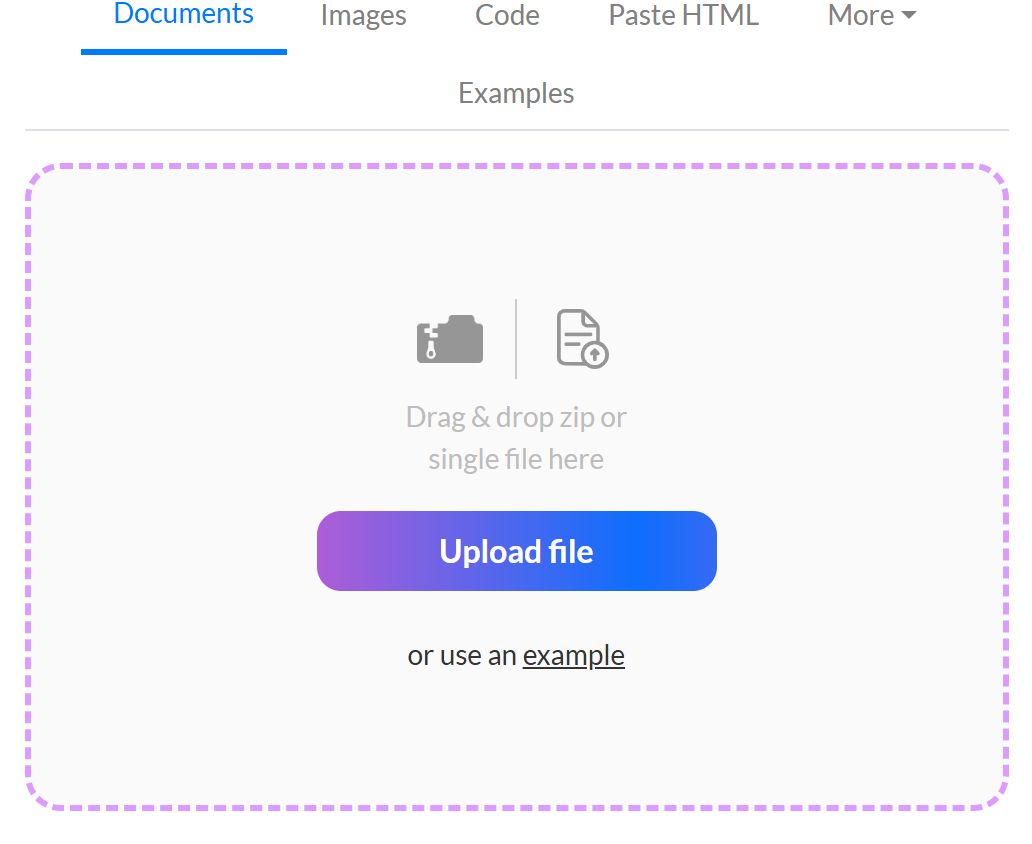
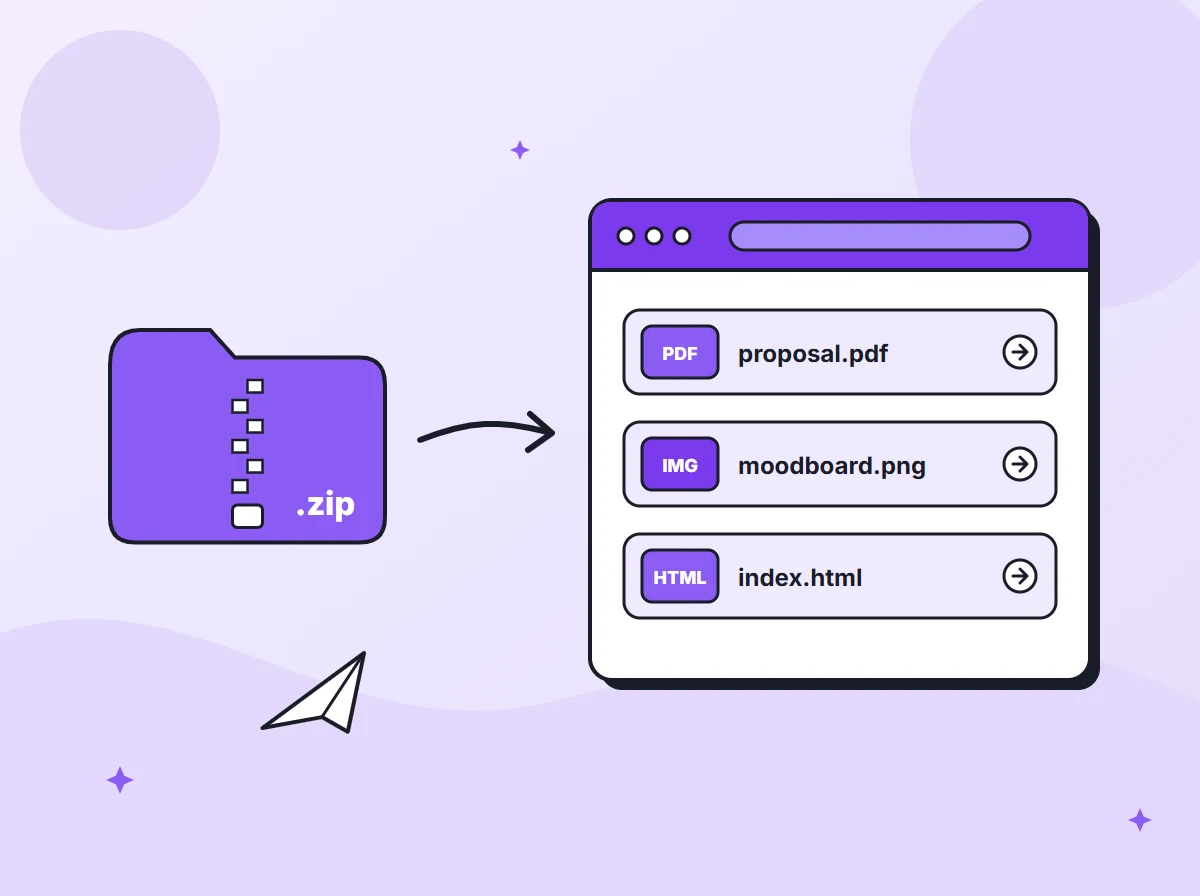
A PDF goes straight into this box, and so does a zipped site if the bio link should open a small website.
On the free plan, a PDF can be up to 0.5 MB and other files up to 3 MB, and the Tiny plan raises both to 25 MB. A menu with food photos can pass the 0.5 MB PDF limit, so based on my experience it’s best to check the file size before uploading. If it’s over, compressing the PDF works, and so does starting on the Tiny plan, which also adds visit numbers.
Followers who tap the link see the page in Instagram’s in-app browser, and the three-dot menu there opens the same page in Safari or Chrome.
Our guides to sharing a PDF as a link and making a URL for a PDF cover the upload in more detail, and the PDF link page lists what a PDF project includes. The same upload works for most things a bio link promises:
- Restaurant menus: our guide to making an online menu goes from a Canva design to a published link, and menu hosting adds a QR code for the tables.
- Catalogs and brochures: the guides to online catalogs and digital brochures cover both, tour operators can start from our travel brochure guide, and catalog hosting shows the upload for shops.
- Portfolios: how to make a portfolio covers what to include, and a PDF portfolio is the quickest format to link from a bio. Illustrators selling commissions can follow the digital art portfolio guide.
- Free downloads for followers: our lead magnet guide compares checklists and e-books as offers.
2. Add a Link sticker to your Instagram story
The Link sticker is the only way to put a tappable link inside an Instagram story, and Instagram opened it to almost every account in October 2021.
To add a link to an Instagram story:
- Start a new story from the plus icon in the Instagram app.
- Shoot the photo or video for it, or select one you already have.
- Open the sticker tray from the toolbar above the image and pick Link.
- Paste your tiiny.site address, or any other web address, and confirm with Done.
- Move the sticker over a clear part of the image. Tapping it switches between its color styles.
- Post the story to Your story.
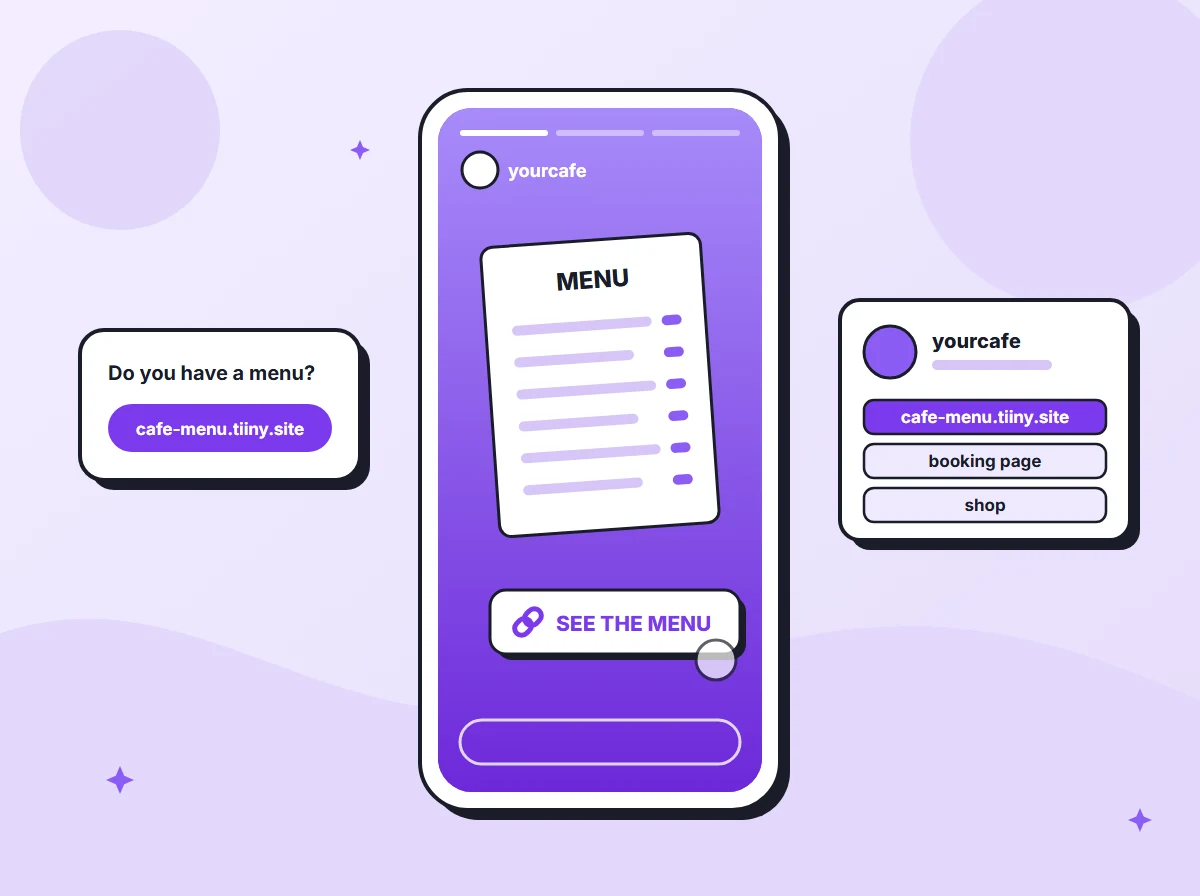
Before tapping Done, Customize sticker text lets the sticker show a short label such as “See the menu” in place of the web address. I’d recommend using it on every sticker, because a label tells viewers where the tap goes.
The Link sticker replaced the swipe-up link, which TechCrunch reported in 2021 had been limited to verified accounts and accounts with at least 10,000 followers. Instagram’s October 2021 announcement then opened the sticker to all accounts, with two exceptions: brand-new ones and those with repeated Community Guidelines violations.
A story disappears after 24 hours. Saving it to a Highlight keeps the story visible for as long as the Highlight exists, so open the Highlight afterwards and check that the link still opens.
Why can’t I add a link to my Instagram story?
The Link sticker is usually missing because Instagram holds it back from new or restricted accounts, or because the app needs an update. I usually work down this list, which runs from the fastest fix to the slowest:
- The sticker is further down the tray: search the tray for “link”, since on some phones the Link sticker sits below the first screen of stickers.
- The app is out of date: install the latest Instagram version from your phone’s app store and start the story again.
- The account is new: Instagram kept the Link sticker back from new accounts when it opened the feature up in 2021.
- The account has a restriction: Account Status, in the app’s settings, lists any features Instagram has limited on your account.
- The story is going to be boosted: Instagram’s boosting help says a story with a Link sticker can’t be boosted.
- Instagram refuses the address: links Instagram treats as spam can be blocked, so test the exact URL on your own phone before posting.
3. Add up to five links to your Instagram bio
An Instagram bio holds up to five links, and those links stay put until you edit them.
To add a link to your Instagram bio:
- Open your own profile and choose Edit profile.
- Under Links, select Add external link.
- Paste the URL, such as your tiiny.site menu link, give it a title if you want one, and confirm with Done.
- Reorder the links by dragging.
You’ll want the link your stories and captions mention most at the top, because your profile shows the first link with a note such as “and 2 more”, and visitors tap it to see the others. TechCrunch covered the change to five links in April 2023, and Meta’s paid subscriptions have since allowed more.
The bio text itself is limited to 150 characters, and a web address typed into that text isn’t clickable, so every link belongs in the Links section.
4. Send the link in an Instagram direct message
A link pasted into an Instagram direct message can be tapped by everyone in the chat, which makes a DM the quickest way to share a link on Instagram with one person or a small group.
Open the chat, paste the URL into the message box and send it. Instagram usually shows a small preview of the page above the link.
Business and creator accounts can store a link they send many times a day, such as the Tiiny Host link to a price list, as a saved reply. I’d normally set one up for whichever document followers ask about most.
5. Point Instagram posts and Reels to a link
Adding a link to an Instagram post works differently, because for most accounts a URL in a caption or a comment stays unclickable text. Posts and Reels send people to a link in these ways:
- “Link in bio” in the caption: the most common approach, with the link at the top of your bio’s Links section.
- A story that shares the post: share the post to your story and add a Link sticker beside it.
- Caption links for subscribers: in March 2026 Instagram began testing clickable caption links for some Meta Verified subscribers, and one tester was told she could add up to 10 links a month. Meta’s help center now describes adding links to posts and reels for eligible public accounts on a Meta One subscription, with a monthly limit.
- A boosted post: a paid boost can send people who tap it to your website, which suits a launch with an ad budget.
6. Put several links behind one with Linktree or Beacons
Link-in-bio tools such as Linktree and Beacons give you one address for your bio that opens a page of buttons, which helps when you have more destinations than Instagram’s five link slots.
Linktree builds a page of buttons with your photo and colors, and Beacons pairs a similar page with tools for selling products to followers. Both have free plans, and if you regularly send followers to more than five places, one of them makes a sensible starting point.
A link-in-bio page points to pages hosted somewhere else, so your Tiiny Host link can be one of its buttons, the one that opens the menu or price list. To design a bio page of your own, our Tiiny Host vs Carrd comparison looks at a site builder that many creators use for one.
Matching each link to the right spot on Instagram
The story Link sticker suits anything time-limited, the bio suits links that should stay up, and a DM suits one person’s request, with a Tiiny Host link able to go in all three.
| Where the link goes | Who can add it | How long it stays | Best for |
|---|---|---|---|
| Tiiny Host link | Any account, anywhere on Instagram | While the project stays published | A PDF or page you host yourself |
| Story Link sticker | Most accounts, apart from new or restricted ones | A day, unless saved to a Highlight | Offers and launches |
| Bio links | Every account, up to 5 links | Until you remove it | Menus and portfolios |
| Direct message | Every account | In the chat | Answering one person |
| Post or Reel caption | Some Meta Verified and Meta One subscribers | With the post | Articles and product pages |
| Linktree or Beacons page | Any account, placed in the bio | Until you remove it | Many destinations behind one link |
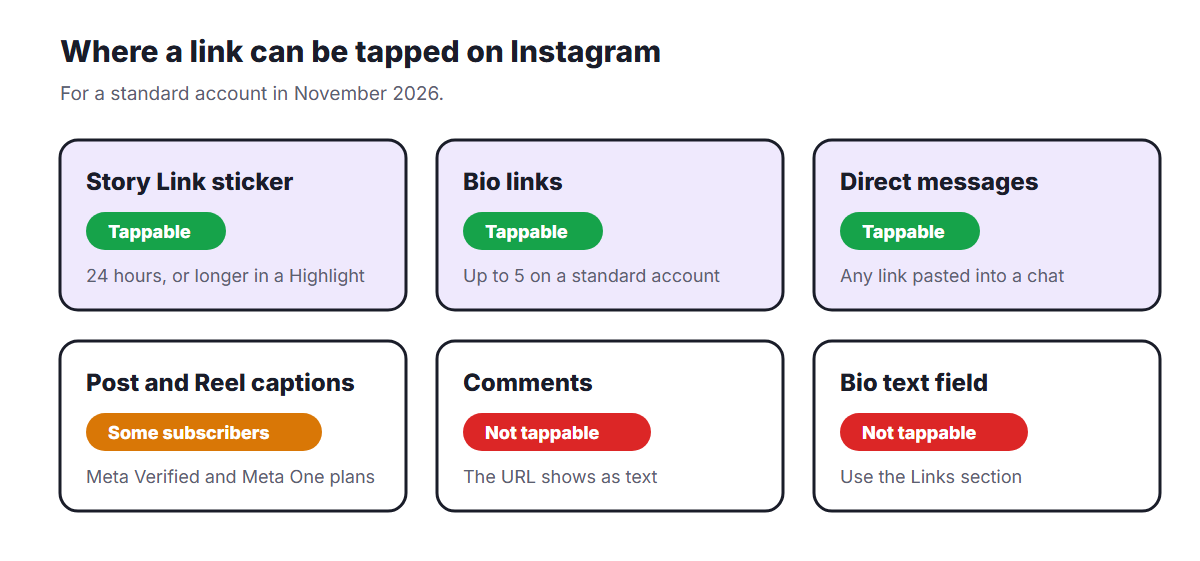
Where a link can be tapped on Instagram for a standard account.
Common problems with the link in your Instagram bio
Getting a link into your bio is the quick part, and most trouble starts after followers tap it:
- A PDF downloads on a phone: a menu shared from cloud storage can ask followers to download the file or sign in before they see a page.
- The bio points at a homepage: followers promised a price list have to hunt for it among the site’s menus.
- A new menu means a new address: replacing the file elsewhere often changes its link, so the bio and every story sticker need editing.
- Direct messages fill with the same request: “price?” and “menu?” arrive daily from people who missed the link.
- Story taps don’t tell you about visits: Instagram counts taps on the sticker and stops there, so you can’t see which story sent people who stayed and read.
- A link-in-bio page holds one useful button: followers tap twice to reach the only thing they came for.
Tiiny Host deals with the file side of that list. The PDF opens in Instagram’s browser at an address that survives every new version, and a tracked link for each story shows which one brought people in.
Accounts that do need many destinations, such as a musician with five streaming services, are well served by a Linktree or Beacons page, with a Tiiny Host link as one of its buttons.
What Tiiny Host adds to an Instagram link
Tiiny Host hosts the file behind your Instagram link, keeps its address fixed through every update, and counts the visits it gets.
A menu PDF that opens without downloading
A PDF on Tiiny Host opens in a viewer in the browser, so a follower reads the menu with nothing to download first.
Several PDFs can share one project on every plan, which gives you a page with a link to each file, such as the menu next to an allergen list.
The same link after every menu change
Replacing the PDF through Update files (the pencil icon) leaves its address untouched, so the bio and any printed QR codes go on working.
Changing the link name is a different action, done in Customize project, and that one does break the old address.
Visits counted for the bio and for each story
Visit counts for each project, along with the countries, referrers and devices behind them, appear in the analytics dashboard on the Tiny plan and above. The post introducing Tiiny Host’s analytics shows what the dashboard records.
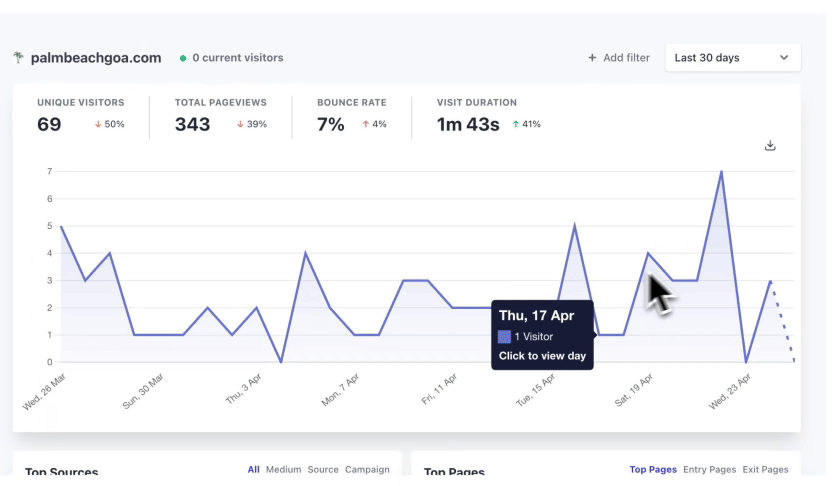
One project’s visitors, page views and visit length.
With a Solo or higher plan, Share & Track gives every place you post its own tracked link, such as the bio and Friday’s story, and the Tracked links tab counts visits for each one. Our guide to tracking links explains how they work, and the link tracking page shows the setup.
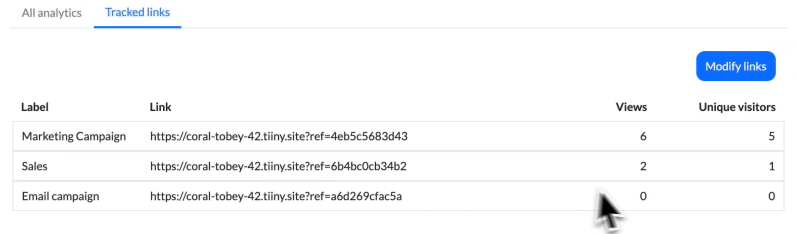
Tracked links with a label for each place the link was posted.
Social sharing link for platforms that flag shared domains
Some social platforms treat links on shared domains with suspicion, and Tiiny Host’s social sharing link exists for those cases. You’ll find it on every plan in the project’s three-dot menu, under Share link > Social Sharing.
Our guide to uploading a PDF to Facebook covers sharing the same file on Meta’s other app.
Custom domains such as menu.yourcafe.com
Solo and higher plans connect a custom domain or subdomain, which lets the bio show your business’s own address.
Printable QR codes for the counter and the shop window
Each project on a paid plan has a printable QR code. Customers who don’t follow you can scan it from a table card or a poster, as our article on the benefits of QR codes describes, and the PDF to QR code guide shows the steps, with a free QR code for a PDF as the quickest start.
Tiiny Host pricing for a bio link
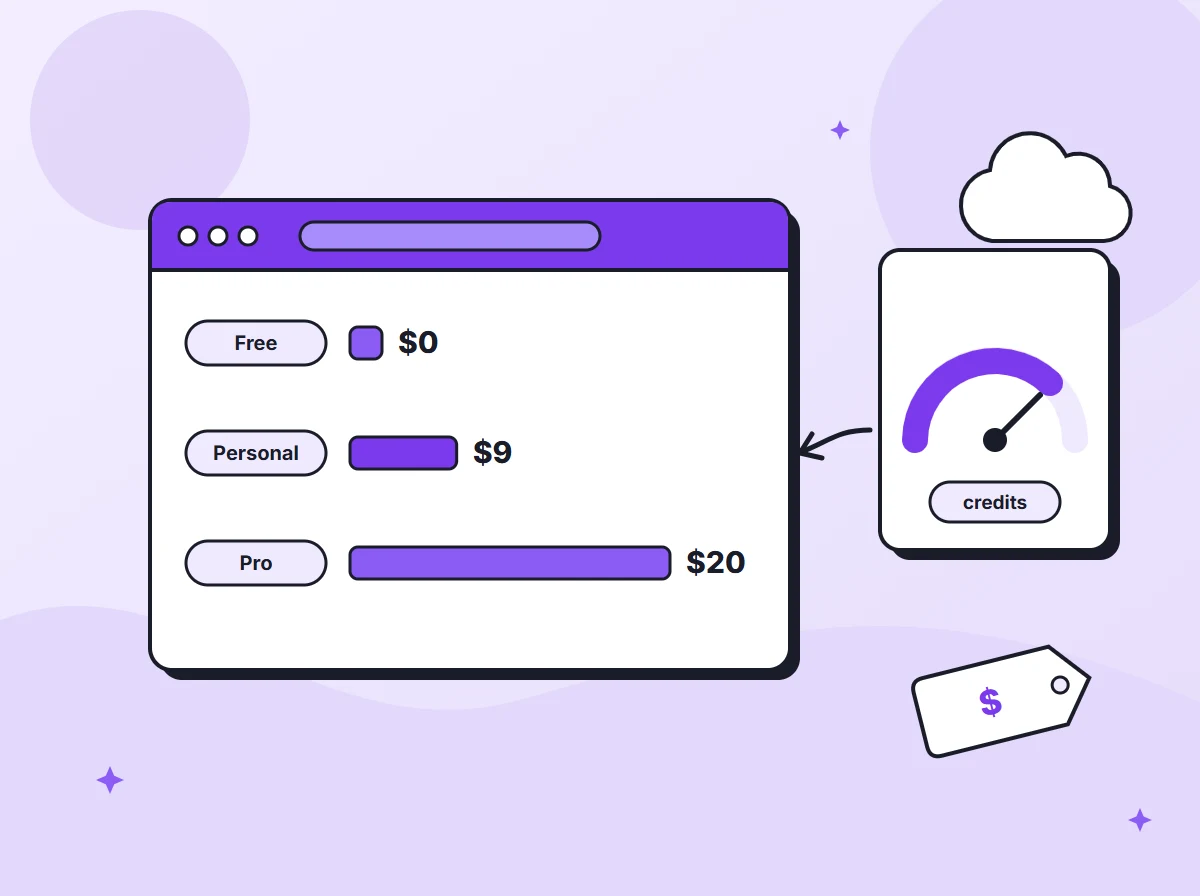
Tiiny Host’s free plan covers a bio link to one PDF of up to 0.5 MB, or to another file of up to 3 MB. Paid plans start at $5 a month with yearly billing.
Each plan in US dollars, as listed in November 2026 on the help center’s plan limits page and pricing page:
| Plan | A month, billed yearly | Billed monthly | Largest file | What it adds for Instagram |
|---|---|---|---|---|
| Free | $0 | $0 | 0.5 MB PDF, 3 MB other files | One live link and the social sharing link |
| Tiny | $5 | $9 | 25 MB | Analytics, QR codes, no banner |
| Solo | $13 | $18 | 75 MB per project | Tracked links, a custom domain, passwords |
| Pro | $31 | $38 | 10 GB across the account | 15 projects and email capture |
| Pro Max | $74 | $89 | 2 TB across the account | Unlimited projects and priority support |
Free accounts get 5,000 visits a month and 3 uploads a day. Video files stay up permanently only on the Pro and Pro Max plans, and a video link on a cheaper plan runs as a one-hour preview.
For a business posting stories every week, the Solo plan is the one I’d pick, since a tracked link per story shows which posts bring people to the menu.
Setting up your links, in order
Here’s the order I’d set things up in for most accounts:
- Upload the menu, price list or portfolio to Tiiny Host and copy its link.
- Put that link at the top of your bio’s Links section.
- Add it as a Link sticker to every story that announces something new, with a short label in place of the URL, and save lasting stories to a Highlight.
- Look at the visit numbers each week and move a different link to the top when your priorities change.
Instagram steps checked against Instagram’s own announcements and help center, and recent press coverage, in November 2026.
Plan prices last checked on 25 November 2026.
Instagram link FAQs
Can you put a clickable link in an Instagram caption?
Caption links are clickable only for some paying subscribers. Instagram began testing caption links with Meta Verified subscribers in March 2026, and Meta One subscribers with eligible public accounts can add a limited number of links to posts and reels each month. Other accounts write “link in bio” and keep the link in their profile.
How do I put a PDF menu on Instagram?
Instagram doesn’t accept PDF uploads in posts or stories, so a PDF reaches followers through a link. Uploading the menu to Tiiny Host gives it an address for the bio or a Link sticker, and our guide to turning a PDF into a link walks through it.
How many links can an Instagram bio have?
A standard Instagram account can add five links to its bio, and Meta’s paid subscriptions allow more. The links go in Edit profile > Links, and the profile shows the first one in full.
Can I see who clicked the link in my Instagram story?
Instagram shows how many people tapped a story’s link in the insights of a professional account, and it doesn’t name them. A tracked link from Tiiny Host’s Solo plan adds visit counts on your side, though visitors stay anonymous there too.
Why does my Instagram link open inside the app?
Instagram opens links in its own in-app browser, which keeps followers inside the app. The three-dot menu in that browser opens the page in Safari or Chrome when a page needs the phone’s full browser.
How do I add a link to an Instagram Highlight?
Highlights take their links from the stories inside them. Add a Link sticker to a story, share it, then add the story to a Highlight from your profile or the story’s menu, and tap the sticker in the Highlight to confirm it still opens.
Do I need 10,000 followers to add a link to an Instagram story?
The 10,000-follower rule ended in 2021 along with the swipe-up link. Since then, any account apart from new accounts and repeat Community Guidelines violators can use the Link sticker.