
- Summary
- Imgur alternatives at a glance
- Key takeaways
- Why people look for an Imgur alternative
- The best Imgur alternative for client and business work
- Free image hosts for Reddit, forums, and quick links
- Image hosts for large GIFs and files
- Image hosts for photographers and developers
- If you used Imgur for its community
- Free vs paid image hosts: what you give up
- Best Imgur alternative by where you share images
- Switching from Imgur: a quick checklist
- What is the best Imgur alternative?
- FAQs: Imgur alternatives
- Imgur alternatives: related guides
- Final verdict
Tiiny Host is the Imgur alternative I’d put first in 2026 if you share images with clients or a team, because each image gets a link that keeps its address when you upload a new version, with visitor analytics and password protection on paid plans.
If you only need free, anonymous links for Reddit or a forum, start with Postimages or ImgBB.
For large GIFs and files, Catbox takes uploads up to 200 MB, photographers will feel at home on Flickr, and developers who serve images on their own sites should compare Cloudinary.
Imgur itself is still fine for some people, and I cover when further down.
Tiiny Host is my company, and I’ve ranked it first for the job it’s built for, client and team sharing, while pointing to other hosts for everything else.
Every fact about the other hosts comes from their own websites and help pages, and I didn’t upload test files to each one.
Prices are in US dollars before tax, and the date I checked them is at the end of this guide.
Summary
- Best for sharing images with clients: Tiiny Host, with a link per image that survives updates, plus analytics and passwords on paid plans.
- Best free host for Reddit and forum posts: Postimages, with 32 MB uploads without an account and no removal for inactivity.
- Best for quick links with forum code: ImgBB, with 32 MB uploads without an account and BBCode ready to paste.
- Best for screenshots and small images: Imgbox, with JPG, GIF, and PNG files up to 10 MB and unlimited storage time.
- Best for large GIFs and files: Catbox, with 200 MB uploads and Litterbox for temporary files up to 1 GB.
- Best for photographers: Flickr, with 1,000 photos or videos on a free account inside a photography community.
- Best for developers: Cloudinary, with 25 free credits a month for resizing and serving images on your own site.
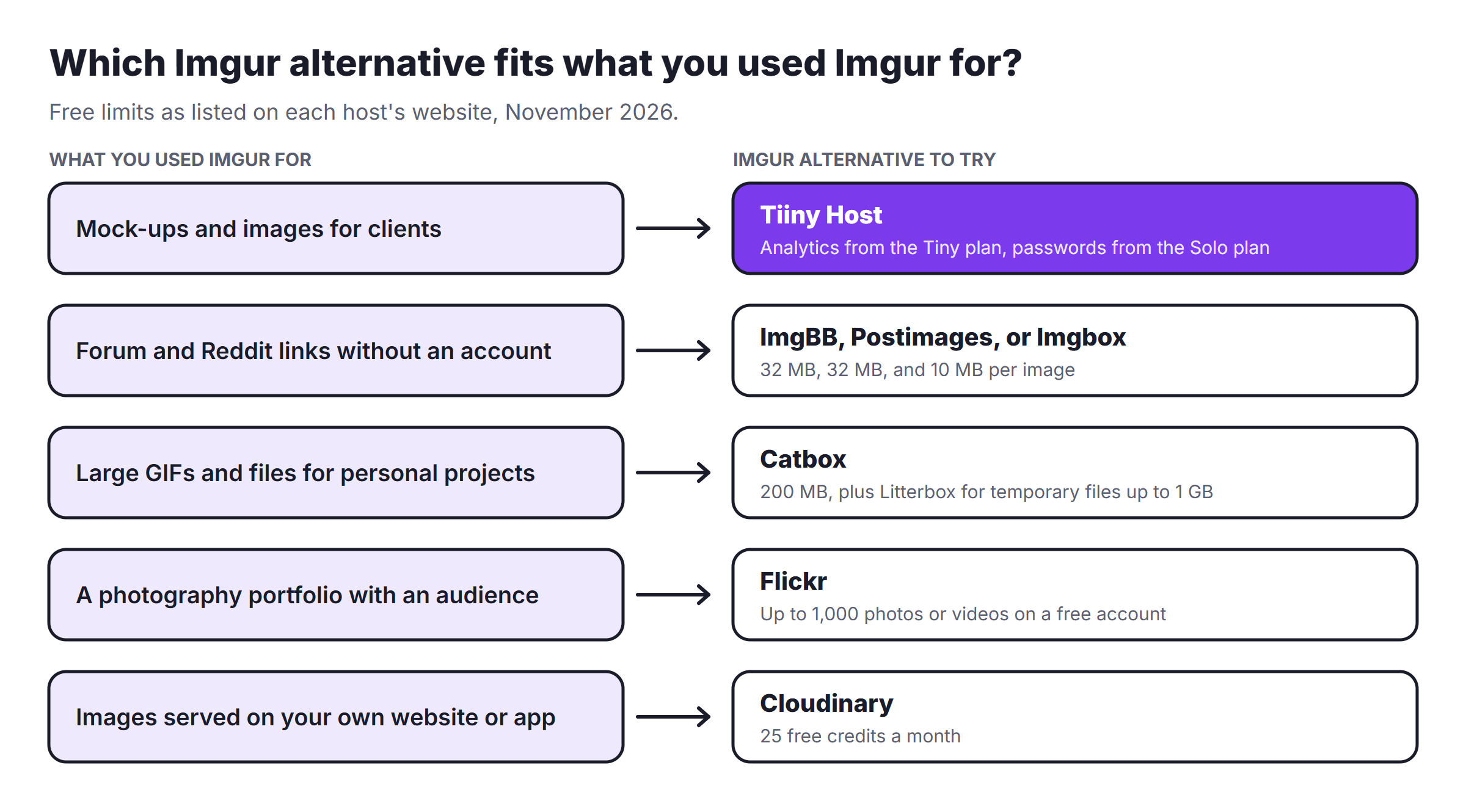
Which Imgur alternative fits each job, based on each host’s published limits.
Imgur alternatives at a glance
| Image host | Free option | Paid price | Best for |
|---|---|---|---|
| Tiiny Host | 1 project up to 3 MB | Tiny from $5 a month billed yearly, or $9 monthly | Client and business work |
| Postimages | 32 MB per image, no account | Premium from $3.49 a month on a 3-year plan, or $14.99 monthly | Reddit and forum posts |
| ImgBB | 32 MB per image, no account | Pro from $3.99 a month on a 3-year plan, or $12.99 monthly | Quick forum links |
| Imgbox | 10 MB per image | No paid plan listed | Screenshots and small images |
| Catbox | 200 MB per file (GIFs 20 MB) | No paid plan; funded by supporters | Large personal files |
| Flickr | Up to 1,000 photos or videos | Pro $11 a month, $82 a year, or $148 for 2 years | Photographers |
| Cloudinary | 25 credits a month | Plus $89 a month billed yearly, or $99 monthly | Developers |
| Imgur (for reference) | 50 MB images, 200 MB GIFs and video | Not covered here | Memes and GIFs outside the UK |
Key takeaways
- Imgur still works for its community: outside the UK, sharing memes and GIFs on Imgur works as it always has, and moving makes sense when one of the changes below affects you.
- UK users have no choice: Imgur has blocked UK access since September 30, 2025, and embedded Imgur images don’t display for UK visitors.
- Client work needs more than a link: Tiiny Host adds visit counts, a tracked link per client, passwords, and pinned comments to the image page.
- Anonymous hosting has close replacements: Postimages and ImgBB both take 32 MB images without an account.
- Free plans keep images for different lengths of time: Postimages doesn’t remove images for inactivity, Catbox removes anonymous uploads after 2 years without views, and Flickr’s free accounts stop at 1,000 items.
- Big files have their own home: Catbox takes 200 MB uploads, though commercial use needs the owner’s approval.
Why people look for an Imgur alternative
Two changes since 2023, plus Imgur’s handling of larger files, explain most searches for an Imgur alternative in 2026:
- The May 2023 content policy: from May 15, 2023, Imgur banned explicit content and began removing old, unused images that weren’t tied to an account (TechCrunch). Images posted anonymously on forums years earlier could disappear, leaving broken embeds behind.
- The September 2025 UK block: Imgur cut off access for users in the United Kingdom on September 30, 2025, after the UK’s Information Commissioner’s Office told Imgur’s parent company, MediaLab AI, that it intended to issue a fine (TechCrunch). Imgur’s UK access notice, still online in November 2026, says UK users can’t log in, view content, or upload, and Imgur images embedded on other sites don’t display for them.
- Compression on larger images: Imgur’s help center says still images over 1 MB from anonymous uploads, or over 5 MB from account holders, are “lossily compressed” to shrink the file, and PNG files over 5 MB become JPEGs.
Imgur’s own upload limits are 50 MB for still images and 200 MB for animated images and video, with videos capped at 180 seconds.
If your audience is on Imgur and none of those changes affect you, I’d normally keep using Imgur with an account, since anonymous uploads were the ones targeted in 2023.
The best Imgur alternative for client and business work
These are the Imgur alternatives for people who send images to someone specific, such as a client or a team, and want to know what happened after they hit send.
1. Tiiny Host: best for sharing images with clients
Tiiny Host turns an image, or a zip of images, into a link you can send to a client, and the address stays put when you upload a new version.
On paid plans, Tiiny Host adds what client work needs on top of the link: visitor analytics from the Tiny plan, and a password screen and a tracked link per client from the Solo plan.
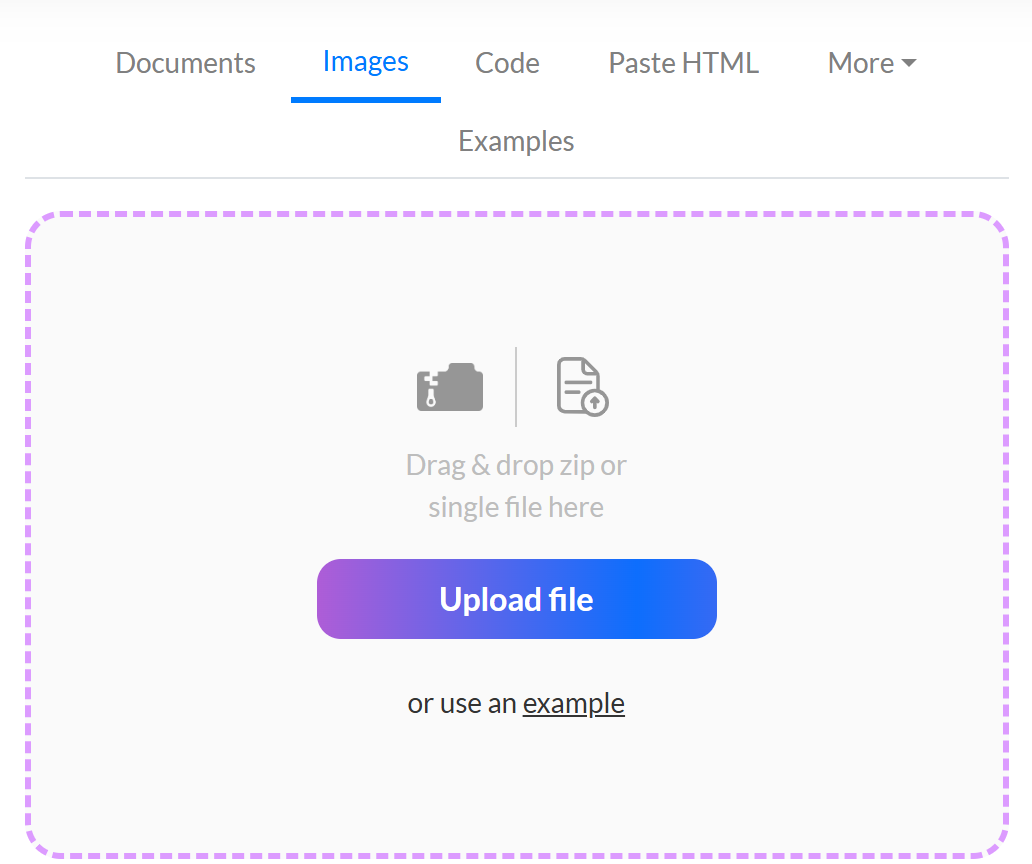
Uploading an image from the Images tab on tiiny.host.
Tiiny Host vs Imgur at a glance
| Feature | Tiiny Host | Imgur |
|---|---|---|
| Price to start | Free plan: 1 project up to 3 MB | Free |
| Largest still image | 25 MB on Tiny, 75 MB per project on Solo | 50 MB |
| GIFs and video | GIFs on every plan; video kept permanently on Pro and Pro Max | 200 MB, with videos up to 180 seconds |
| Access from the UK | Available | Blocked since September 30, 2025 |
| Built for | Sharing work with specific people | Sharing with Imgur’s public community |
Checked in November 2026 on Imgur’s help center and the Tiiny Host help center.
For casual posting, Imgur, Postimages, and ImgBB cost nothing for anonymous uploads, and I’d only pay for Tiiny Host when the job is sending work to clients.
Problems Tiiny Host solves for client work
Freelancers and agencies who send images to clients from public hosts usually run into these problems, and Tiiny Host handles each one:
- You can’t tell if the client opened it: Tiiny Host’s analytics count visits from the Tiny plan, and a tracked link per client on the Solo plan shows views person by person.
- Unreleased designs need a gate: password protection on the Solo plan puts a password screen in front of the image page.
- Feedback arrives scattered: with feedback mode, from the Tiny plan, a client pins a comment to a spot on the page without signing up, and each new comment arrives by email.
- Every revision means a new link: a new version uploaded to the same Tiiny Host project keeps the project link your client already has.
- Design files won’t open for the client: an EPS upload shows as an image on its Tiiny Host link page, and the client needs no design software to view it.
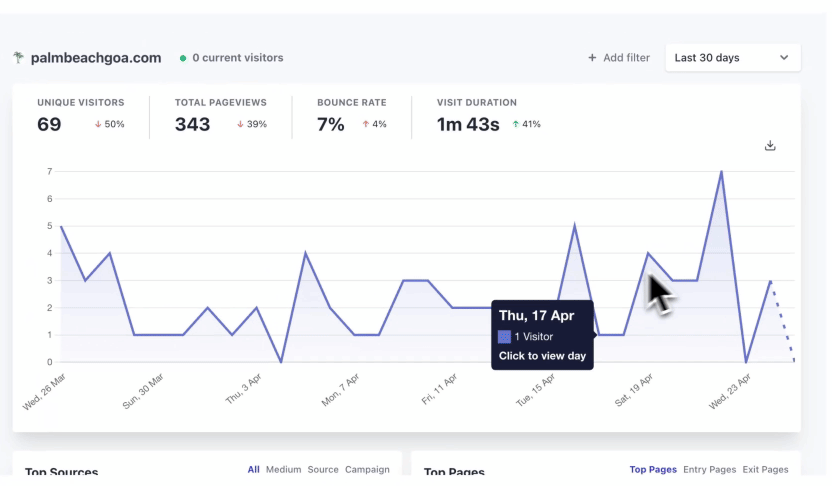
Visitor numbers for a Tiiny Host project.
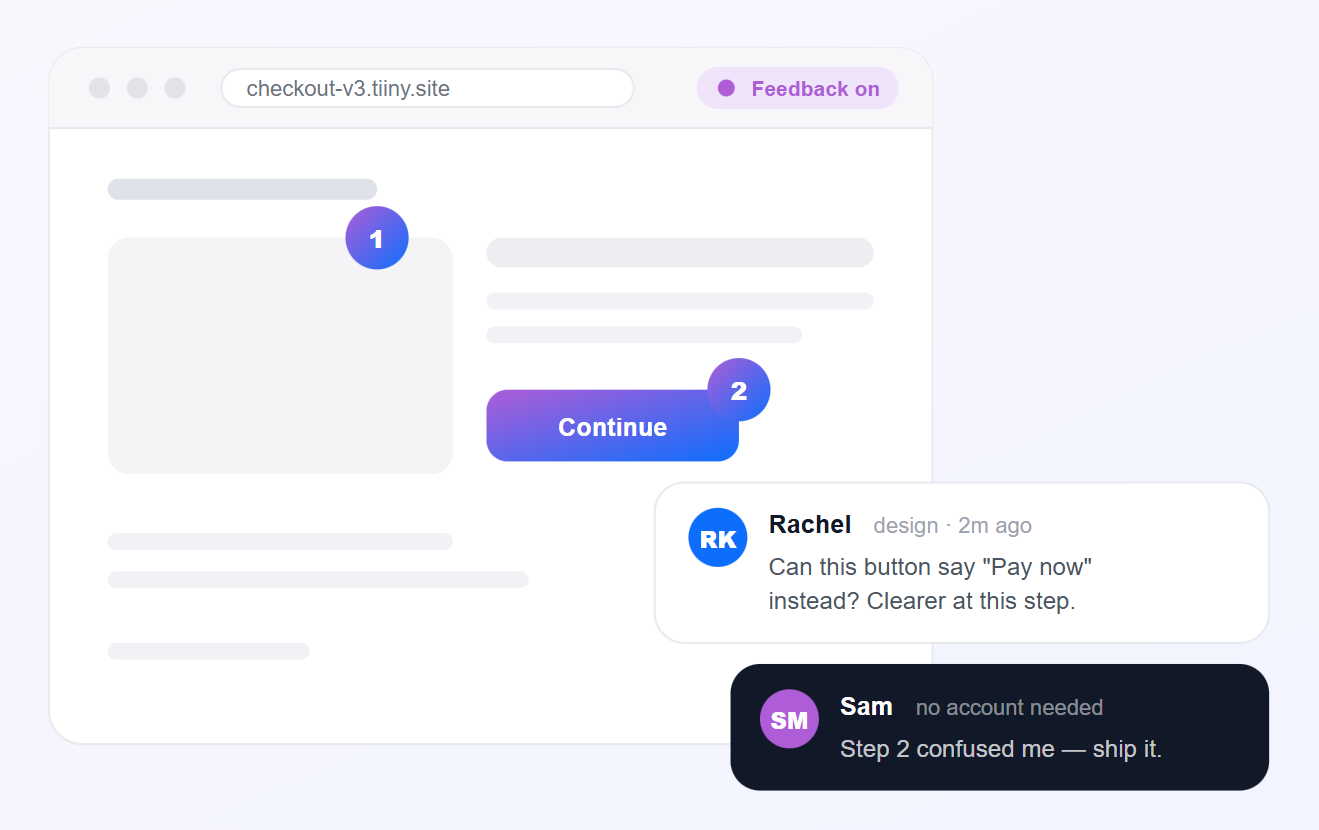
Comments pinned to a design on a tiiny.site page.
Switching from Imgur to Tiiny Host
Upload the images you still send to clients, either one at a time or as a zip, and Tiiny Host gives each image its own link inside the project.
Keep each file name the same when you replace an image, because a single image’s direct address changes if the new file has a different name.
For confidential work, you’ll want to send clients the project page link, since the password screen covers that page and a direct image address can still open on its own.
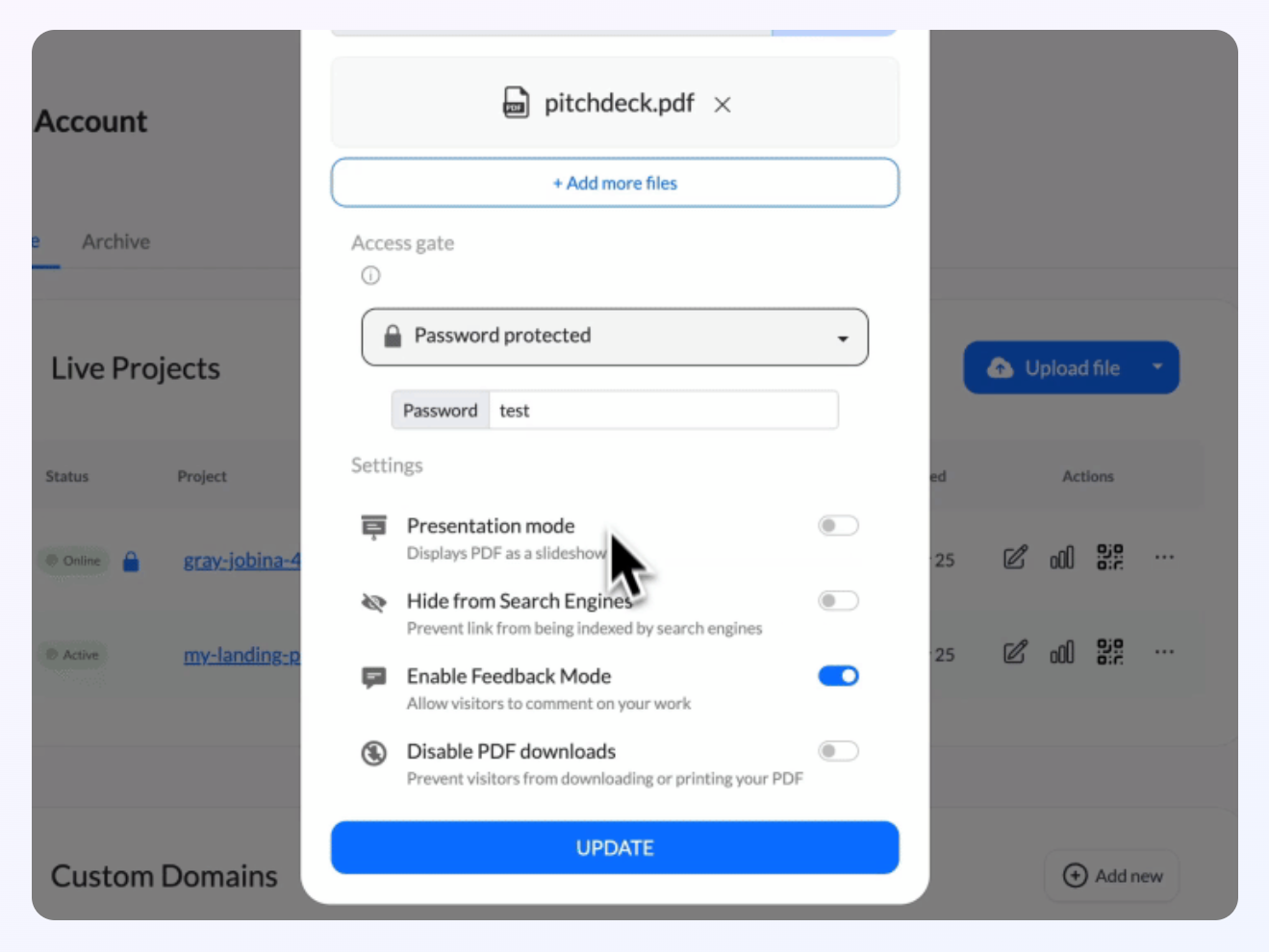
Tiiny Host’s Access gate menu, set to Password protected.
Key features
- JPG, PNG, GIF, WebP, SVG, and BMP images each get a direct file address, and animated GIFs play on the link page.
- Design files such as PSD and AI upload too, and EPS files display as images.
- Several images can share one project as a Document Collection, a page that lists every file with its own link.
- Visitor analytics, QR codes, and feedback mode from the Tiny plan.
- Password protection, custom domains, and tracked links from the Solo plan.
- Unlimited updates a day on paid plans, with the same project link each time.
Pros
- A link built for sending work to specific people, with visit counts and per-client tracking.
- Passwords and pinned comments on the same page as the image.
- The project link stays the same through every revision.
- Opens design files that clients can’t view on their own.
Cons
- With 1 project of up to 3 MB on the free plan, bulk posting belongs on Postimages or ImgBB.
- Analytics and feedback mode start on the paid Tiny plan, and passwords on Solo.
- The password covers the project page and not a single image’s direct address.
- No public gallery or community like Imgur’s.
Pricing
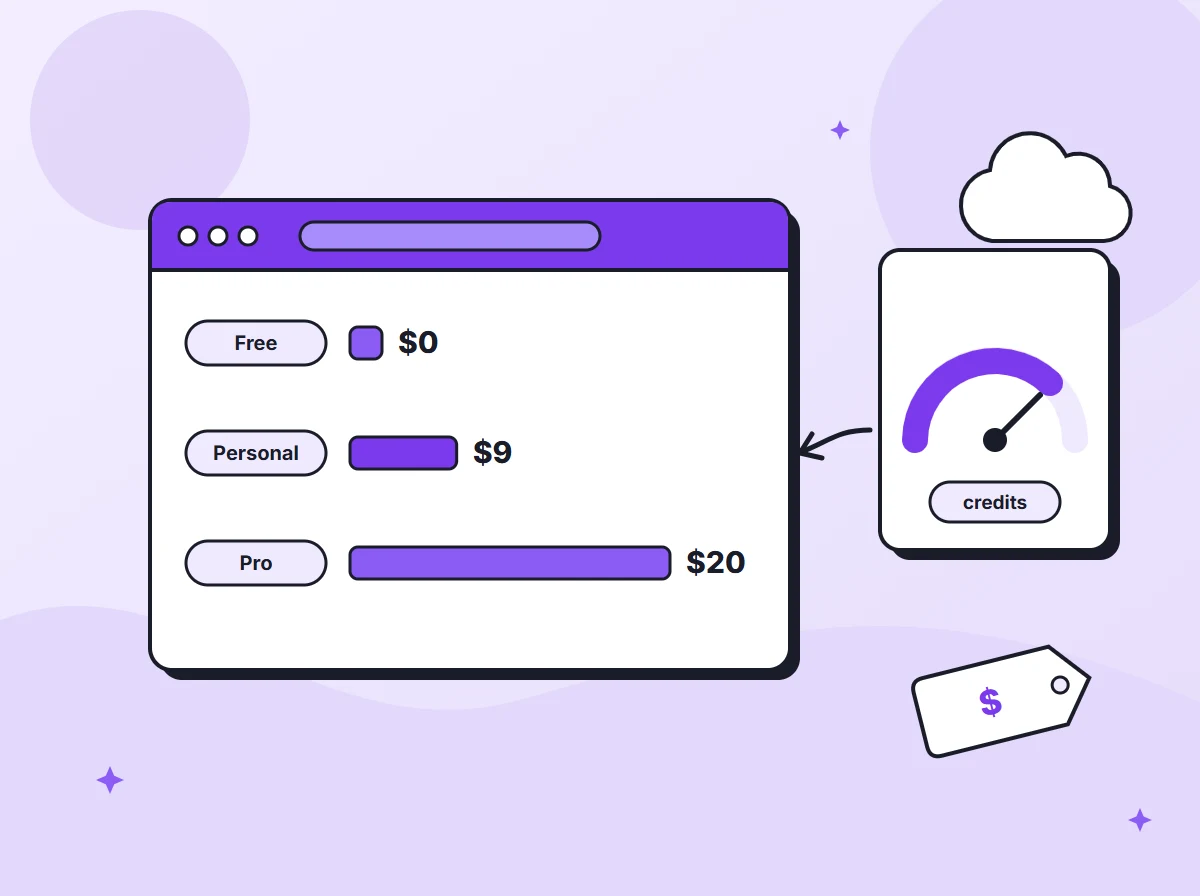
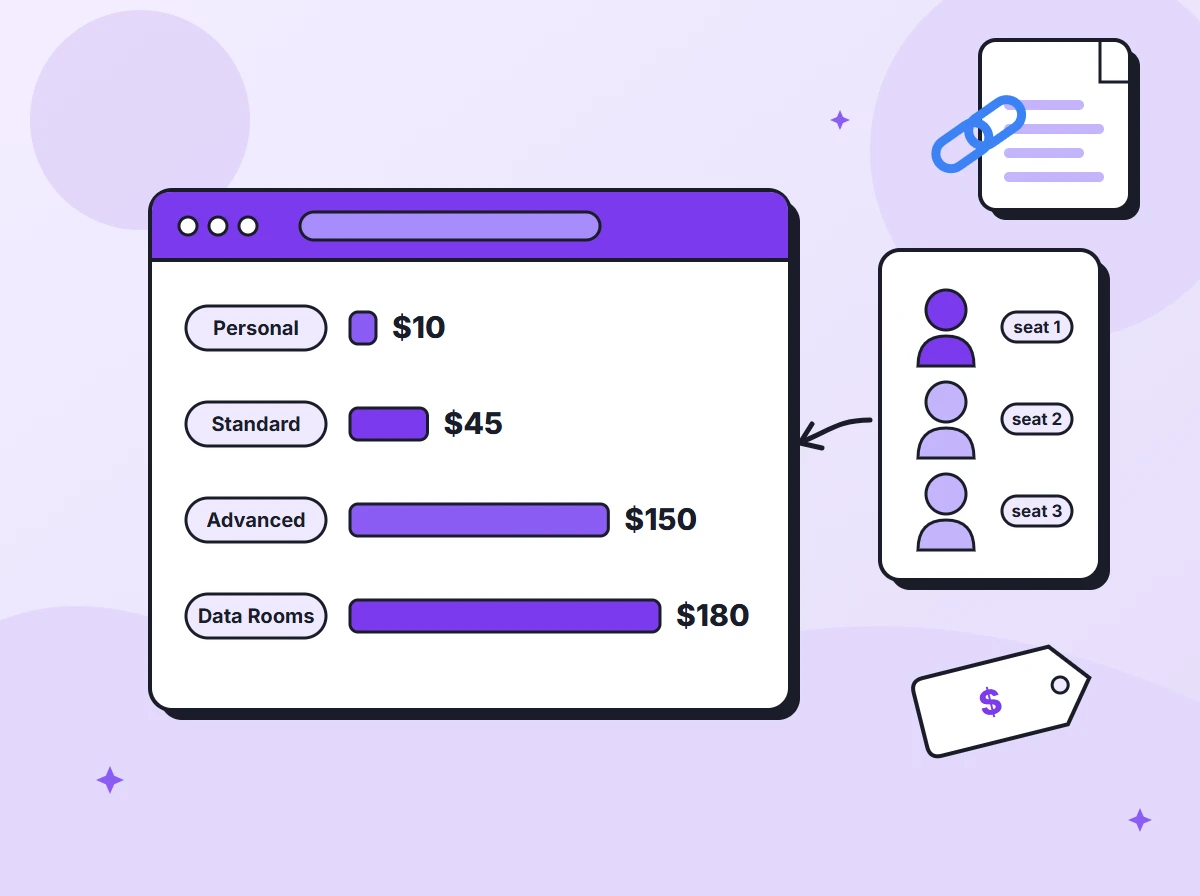
Tiiny Host’s free plan holds 1 project of up to 3 MB, and paid plans start with Tiny at $5 a month billed yearly, or $9 billed monthly:
| Tiiny Host plan | Price a month, yearly billing | Month-to-month price | Projects and upload size |
|---|---|---|---|
| Free | $0 | $0 | 1 project, up to 3 MB |
| Tiny | $5 | $9 | 1 project, 25 MB |
| Solo | $13 | $18 | 5 projects, 75 MB each |
| Pro | $31 | $38 | 15 projects, 10 GB in total |
| Pro Max | $74 | $89 | Unlimited projects, 2 TB in total |
Prices come from Tiiny Host’s pricing plans and plan limits help articles, and every paid plan has a 7-day money-back guarantee.
Based on my experience, the Tiny plan covers a set of client mock-ups, and the Solo plan makes sense once you need a password or a link per client.
Best for
- Freelancers, designers, and agencies sending mock-ups and visuals to clients.
- Teams that need to know whether an image was opened, and by whom.
- UK users who used Imgur for work and lost access in 2025.
Try Tiiny Host free by dragging an image onto the upload box at tiiny.host.
Free image hosts for Reddit, forums, and quick links
Most people used Imgur on Reddit and forums the same way these hosts work: upload an image without an account and copy a direct link once the upload finishes.
2. Postimages: best free host for Reddit and forum posts
Postimages takes images up to 32 MB and 10,000 × 10,000 pixels from anonymous and free-account uploads, and its FAQ says images aren’t removed for inactivity.
Key features
- No account needed to upload.
- Images stay up regardless of inactivity.
- A free account can strip EXIF data such as GPS location, which anonymous uploads keep.
Pros
- Generous 32 MB limit for free.
- Long-term storage without an account.
Cons
- Anonymous uploads keep the photo’s location data, so you’ll want to strip it before posting photos taken at home.
- Replacing an image at the same URL and embedding images in email newsletters are Premium features.
Pricing
Free to use, with Postimages Premium at $14.99 a month, $6.99 a month on a 1-year plan ($83.88), or $3.49 a month on a 3-year plan ($125.64), as listed on postimages.org. Premium raises the limit to 96 MB and removes ads.
Best for
- Reddit and forum posts that need to stay up for years.
3. ImgBB: best for quick links with forum code
ImgBB accepts images up to 32 MB without an account, and after an upload it shows the image as a direct link, as BBCode for forum posts, and as HTML code for a linked thumbnail (ImgBB).
Key features
- A direct link and ready-made forum code, as BBCode or HTML, appear after each upload.
- A free ImgBB account adds albums for organizing uploads.
Pros
- No account needed for a quick upload.
- Forum-ready code without extra steps.
Cons
- Ads on the free plan.
- Replacing an image needs ImgBB Pro.
Pricing
Free, with ImgBB Pro at $12.99 a month, $7.99 a month on an annual plan ($95.88), or $3.99 a month on a 3-year plan ($143.64). Pro removes ads, raises the limit to 64 MB, and adds image replacement and API access.
Best for
- Forum users who paste BBCode and want a link right after uploading.
4. Imgbox: best for screenshots and small images
Imgbox hosts JPG, GIF, and PNG images of up to 10 MB each, with unlimited storage space and unlimited storage time listed on its homepage.
Pros
- Free, with no storage limit.
- Quick uploads for screenshots and web images.
Cons
- A 10 MB cap per image rules out many full-resolution camera files.
- JPG, GIF, and PNG only.
Pricing
Free, with no paid plan listed.
Best for
- Screenshots and web-sized images, while full-resolution photos belong on Postimages or ImgBB at 32 MB.
Image hosts for large GIFs and files
5. Catbox: best for large GIFs and files
Catbox takes uploads of up to 200 MB with no account required, and its temporary service, Litterbox, handles short-lived files of up to 1 GB.
Key features
- Anonymous uploads stay up until they go 2 years without being accessed, and uploads through a Catbox account are permanent (Catbox FAQ).
- Litterbox for temporary files up to 1 GB.
Pros
- The largest free upload limit in this list.
- No account needed.
Cons
- GIFs are capped at 20 MB, and the Catbox FAQ suggests WebM for longer animations.
- Commercial use, such as hosting images for a business or ecommerce website, needs the owner’s approval first.
Pricing
Free, with Catbox funded by its users through donations.
Best for
- Personal projects with large files and GIFs.
Image hosts for photographers and developers
6. Flickr: best for photographers
Flickr is where most photographers go after Imgur, with up to 1,000 photos or videos on a free account, of which up to 50 can be non-public (Flickr’s free account limits).
Key features
- Albums inside a large photography community, where your work gets an audience along with a link.
- Flickr Pro keeps uploads at full resolution, with no monthly upload limit.
Pros
- An audience of photographers as well as a host.
- Pro removes ads from your photo pages and your account.
Cons
- Content over the free limits is at risk of removal, and it’s ideal to count your Imgur library before moving it.
- Pro pricing varies by country.
Pricing
Flickr Pro costs $11 a month, $82 a year, or $148 for 2 years in US dollars plus tax, according to Flickr’s pricing FAQ.
Best for
- Photographers who want a portfolio with an audience.
7. Cloudinary: best for developers
Developers who serve images on a website or app tend to pick Cloudinary, whose free plan gives 25 credits a month without a credit card (Cloudinary pricing).
Key features
- One credit equals 1,000 transformations, 1 GB of storage, 1 GB of image bandwidth, or 1 GB of video bandwidth on the free plan (Cloudinary billing docs).
- Resizing and format conversion through parameters in the image URL.
Pros
- Built for images inside a codebase.
- A free plan with no credit card.
Cons
- More than most people need for sharing a single picture.
- Credits are shared across storage, bandwidth, and transformations.
Pricing
Free with 25 credits a month, and Cloudinary Plus at $89 a month billed yearly, or $99 billed monthly, with 225 credits.
Best for
- Developers serving images on their own website or app.
If you used Imgur for its community
None of these hosts has a public gallery like Imgur’s, and only Flickr comes with a community of its own, built around photography.
If the community is why you use Imgur and you’re outside the UK, I’d keep an Imgur account for that and use another host for client work or anything you need to control.
Free vs paid image hosts: what you give up
- Free and anonymous (Postimages, ImgBB, Imgbox, Catbox): no cost and no sign-up, but every link is public and you can’t see who opened an image.
- Free accounts (Flickr, Cloudinary, Tiiny Host’s free plan): more control over your images, with caps such as Flickr’s 1,000 items, Cloudinary’s 25 credits, and Tiiny Host’s 1 project of 3 MB.
- Paid plans (Tiiny Host, Postimages Premium, ImgBB Pro, Flickr Pro, Cloudinary Plus): bigger files and no ads, plus client tools such as analytics and passwords on Tiiny Host.
Best Imgur alternative by where you share images
- In an email or message to a client: Tiiny Host, for a link you can track and protect with a password.
- On Reddit: Postimages or ImgBB, for a direct link without an account.
- On forums that use BBCode: ImgBB, which gives you the code after each upload.
- In a photography portfolio: Flickr.
- On your own website or app: Cloudinary.
- From the UK: any host on this list, since Imgur is blocked there.
Switching from Imgur: a quick checklist
- Save copies of the Imgur images you still need. UK users can request a copy of their Imgur data through Imgur’s Help Center request form without logging in.
- Check photos for location data before re-uploading, especially anonymous uploads to Postimages.
- Pick a host by file size: 10 MB on Imgbox, 32 MB on Postimages and ImgBB, 200 MB on Catbox.
- Keep file names the same when you replace images on Tiiny Host, because a new file name changes the direct address.
- Update old posts and pages that still embed Imgur images.
- Test each new link where you’ll share it, such as a forum post, an email, or a phone browser.
What is the best Imgur alternative?
Tiiny Host is the best Imgur alternative for sharing images with clients or a team, because each image gets a link that keeps its address through updates, with visitor analytics and passwords on paid plans.
For free, anonymous links, Postimages and ImgBB are the closest match to how Imgur used to work, Catbox handles large files, Flickr suits photographers, and Cloudinary suits developers.
FAQs: Imgur alternatives
Is Imgur blocked in the UK?
Yes, Imgur has blocked access for UK users since September 30, 2025, and its UK access notice was still online when I checked in November 2026.
Imgur’s notice says UK users can’t log in, view content, or upload images, and Imgur images embedded on other websites don’t display for them either.
Did Imgur ban NSFW content?
Yes, from May 15, 2023, Imgur banned what it called “nudity, pornography, & sexually explicit content,” while keeping artistic nudity allowed, as TechCrunch reported at the time.
Can Tiiny Host replace Imgur?
Tiiny Host can replace Imgur for sharing images with specific people, such as clients or a team, with analytics and passwords on paid plans.
Tiiny Host has no public community like Imgur’s, and bulk anonymous posting fits Postimages or ImgBB better than Tiiny Host’s free plan of 1 project.
Is Postimages free?
Yes, Postimages describes itself as free to use forever, with a 32 MB limit per image for anonymous and free-account uploads.
Postimages Premium raises the limit to 96 MB and adds same-URL image replacement and email newsletter embedding.
Where do images stay up the longest?
On Postimages, images aren’t removed for inactivity, and Imgbox advertises unlimited storage time.
Catbox keeps uploads from Catbox accounts permanently, and removes anonymous Catbox uploads after 2 years without being accessed.
Can you upload images without an account?
Yes, ImgBB, Postimages, Imgbox, and Catbox all accept uploads without an account.
Flickr and Cloudinary ask you to sign up before you upload images.
Imgur alternatives: related guides
- Free image hosting on Tiiny Host
- Host PNG images online
- Upload and share GIFs
- Track who opens your links
- Password-protect a page
- Collect feedback on a design
- Put several files on one Document Collection page
- Tiiny Host comparisons
Final verdict
Imgur is still a good place for memes and GIFs if you’re outside the UK and its community is your audience, and switching pays off when the 2023 or 2025 changes affect you or you share work with clients.
For free, anonymous links, Postimages and ImgBB come closest to old Imgur, Catbox handles large files, Flickr gives photographers an audience, and Cloudinary serves images on your own site.
If you send images to clients or a team, Tiiny Host is the one I’d pick: a link that keeps its address through every revision, with visit counts per client and a password when the work isn’t public yet.
Try Tiiny Host free at tiiny.host.
Last updated November 2026.
Prices and upload limits were checked in November 2026 on each host’s own website, with Imgur’s history from TechCrunch and Imgur’s help center, and Tiiny Host’s plans from the Tiiny Host help center.
Image hosts update their rules now and then, so confirm the current limits before moving a large library.