
- Quick answer
- How much does each Netlify plan cost?
- What does a typical site cost on Netlify?
- What happens to your sites when Netlify credits run out?
- Is Netlify free?
- Is Netlify Pro priced per seat?
- Do older Netlify plans cost the same?
- Who is Netlify a good fit for?
- Are you looking for a Netlify alternative?
- Why pick Tiiny Host over Netlify?
- How much is Tiiny Host compared with Netlify?
- Picking a Netlify plan
- FAQs: Netlify pricing
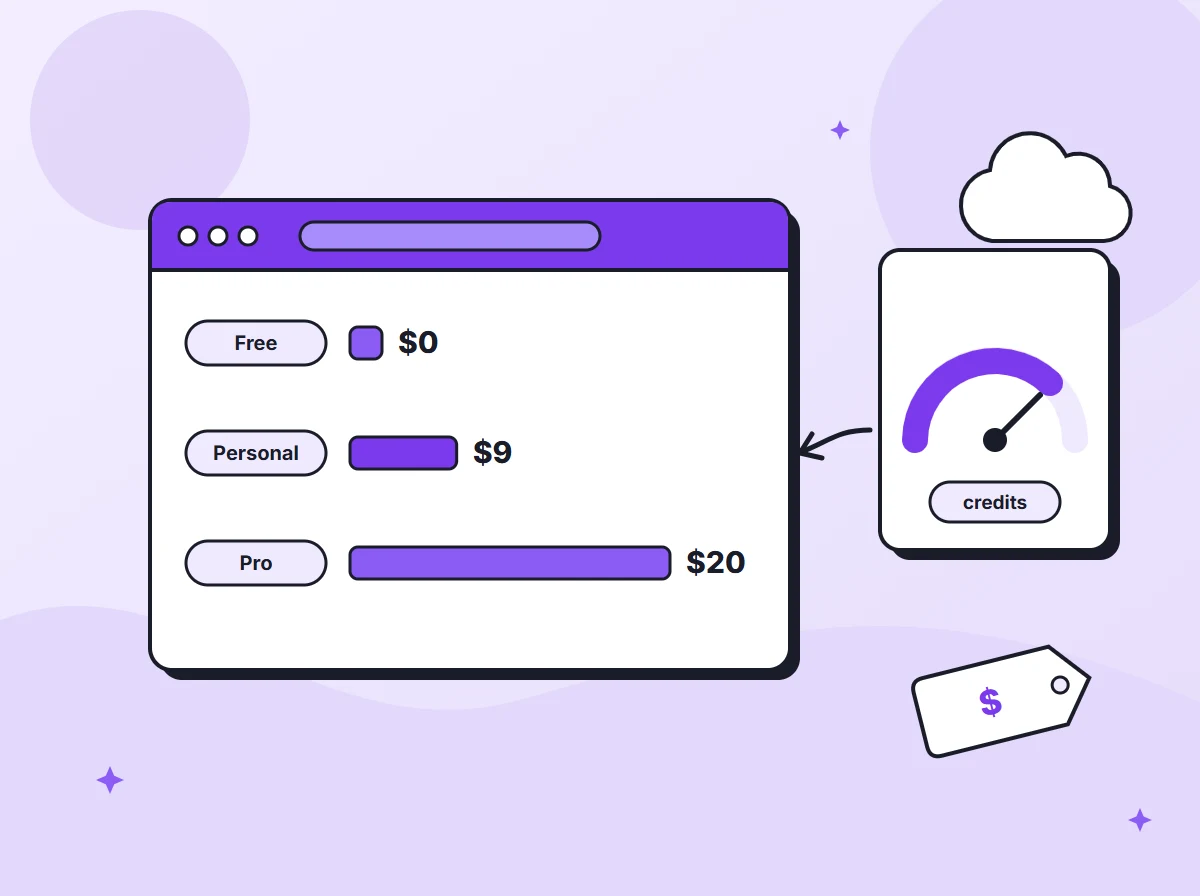
Netlify has a free plan and 2 self-serve paid plans: Personal at $9 a month and Pro from $20 a month, both billed monthly.
Every plan includes a monthly pool of credits, and production deploys, bandwidth, web requests, and compute all draw on it.
I’ll show you what a real site uses in credits and which Netlify plan I’d pick for each kind of project.
I didn’t pay for a Netlify plan for this guide; prices and credit rates come from Netlify’s pricing page and Netlify’s billing docs.
Every new Netlify account has been on these credit-based plans since September 4, 2025.
Quick answer
Netlify’s plans line up like this on monthly billing:
- Free, $0: 300 credits a month as a hard limit, for 1 member, with your own domain included.
- Personal, $9 a month: 1,000 credits a month for 1 member, with extra credits at $5 per 500.
- Pro, from $20 a month: 3,000 credits a month or more, unlimited team members, password protection, and 30 days of web analytics.
- Enterprise, custom price: billed yearly, with a 99.99% uptime guarantee and SSO.
A small static site with light traffic usually stays inside the free 300 credits.
A site you deploy most days needs Personal.
Sharing files and AI-made pages without a credit meter is a different job, and Tiiny Host handles it at a fixed price per plan.
How much does each Netlify plan cost?
Netlify Personal costs $9 a month and Netlify Pro starts at $20 a month for the whole team.
The Free plan costs nothing.
These are the plan cards on Netlify’s pricing page:
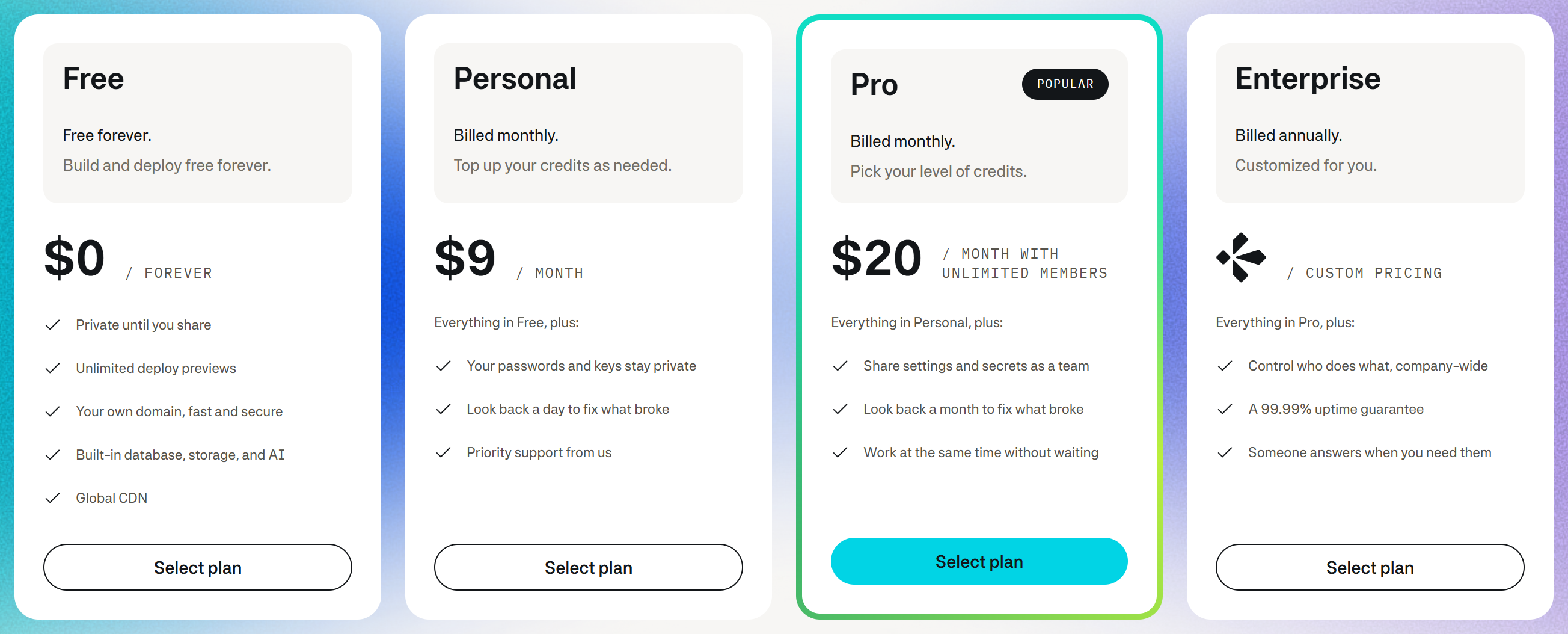
Screenshot of the plan cards on Netlify’s pricing page.
| Netlify plan | Monthly price | Credits each month | Team members | Extra credits |
|---|---|---|---|---|
| Free | $0 | 300, hard limit | 1 | Not available |
| Personal | $9 | 1,000 | 1 | 500 for $5 |
| Pro | From $20 | 3,000 to 20,000 | Unlimited | 1,500 for $10 |
| Enterprise | Custom, billed yearly | Custom | Custom | Custom |
Netlify’s public pricing page shows Personal and Pro with monthly billing only, which leaves no yearly discount to chase.
Pro comes in 5 credit tiers: 3,000, 5,000, 10,000, 15,000, or 20,000 credits a month.
Netlify’s public pages list a price only for the 3,000-credit tier, at $20.
For the larger tiers, the plan card points you to the dashboard.
Credits left over on a Pro tier of 5,000 or more carry into the next billing cycle and expire after that.
The base $20 tier doesn’t carry anything over.
Based on my experience with usage-based hosts, a month of credit use decides the plan more often than the feature list does.
I’d normally estimate the credits before comparing features.
What does a typical site cost on Netlify?
A portfolio updated a few times a month uses about 110 Netlify credits and costs nothing, while a client site deployed most days uses about 650 credits and needs the $9 Personal plan.
Netlify charges every metered feature from the same credit pool, at these rates:
| What you use | Netlify credits | Rough dollar cost at the Pro credit-pack rate |
|---|---|---|
| Production deploy | 15 each | $0.10 each |
| Bandwidth | 20 per GB | $0.13 per GB |
| Web requests | 2 per 10,000 | $0.01 per 10,000 |
| Compute, measured in GB-hours of memory and run time | 10 per GB-hour | $0.07 per GB-hour |
| AI model usage in Netlify’s AI tools | 180 per dollar the model costs | $1.20 per dollar the model costs |
| Deploy Previews and branch deploys | 0 | Free |
| Form submissions | 0 | Free |
| Failed deploys and rollbacks | 0 | Free |
Rates are from Netlify’s How credits work page.
The dollar column converts them at $10 per 1,500 credits, the Pro credit-pack rate Netlify itself uses for conversions.
On April 14, 2026, Netlify doubled the bandwidth rate to 20 credits per GB and the compute rate to 10 credits per GB-hour, and cut web requests from 3 to 2 credits per 10,000, as its pricing changelog explains.
Guides older than that use the old rates.
Web requests pile up faster than visitors.
Netlify counts one for every page, image, script, stylesheet, redirect, and edge function call, and a single page view often loads dozens of files.
I worked out a month of credits for 3 example static sites with those rates:
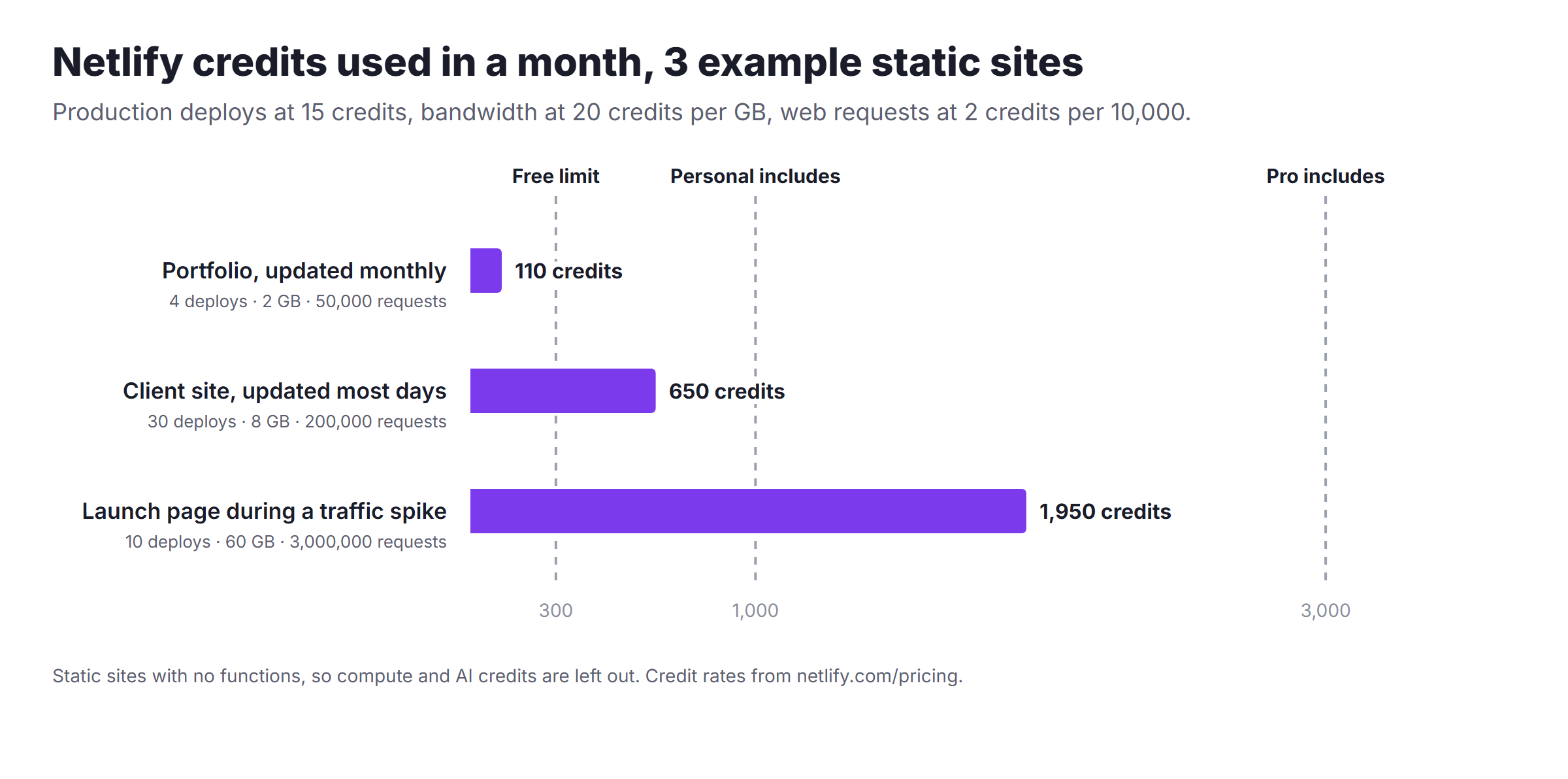
Monthly credits for 3 example static sites, with no functions or AI usage, at the rates on Netlify’s pricing page.
| Example site | A month of use | Netlify credits | Cheapest Netlify plan | Monthly cost |
|---|---|---|---|---|
| Portfolio, updated monthly | 4 deploys, 2 GB, 50,000 requests | 110 | Free | $0 |
| Client site, updated most days | 30 deploys, 8 GB, 200,000 requests | 650 | Personal | $9 |
| Launch page during a traffic spike | 10 deploys, 60 GB, 3 million requests | 1,950 | Personal with auto recharge, or Pro | $19 or $20 |
The launch page is the row I’d study.
Personal falls 950 credits short, and auto recharge would cover the gap with 2 packs of 500 credits for $10, bringing the month to $19.
Pro covers the same month for $20 with 1,050 credits spare.
The tipping point is 2,000 credits: above that, Personal needs a third top-up and costs $24 or more, while Pro stays at $20 up to 3,000 credits.
I’d pick Pro for any month you expect to pass 2,000 credits.
Bandwidth drives that bill: 60 GB accounts for 1,200 of the launch page’s 1,950 credits.
Frequent deploys are the other cost to keep an eye on.
Eight production deploys a day come to 3,600 credits a month, more than Pro’s base 3,000, before a single visitor arrives.
If you work that way, you’ll want to review changes on Deploy Previews, which use no credits, and push to production in batches.
Netlify’s cost calculator suggests a plan once you enter your own monthly numbers.
What happens to your sites when Netlify credits run out?
Every project on the team pauses, including the ones that used very few credits, and stays paused until you add credits or the next billing cycle starts.
Visitors see a “Site not available” page.
All deploys stop, Deploy Previews included, and forms stop taking submissions.
Netlify warns you by email and in the app as usage climbs, with the first alert at 50% of the month’s credits.
A paused team has four ways back:
- Upgrading to a higher plan, which resumes the projects automatically
- Buying a credit pack, on Personal or Pro
- Turning on auto recharge, on Personal or Pro, which adds credits each time the balance hits zero
- Waiting for the next billing cycle and its fresh monthly credits
Auto recharge ships switched off.
Turning it on is a Team Owner’s job, and it applies to every project on the team.
Each top-up is 500 credits for $5 on Personal or 1,500 credits for $10 on Pro, and top-ups keep coming until the cycle resets or someone turns the setting off.
Credits bought through auto recharge or credit packs never expire.
I’d leave auto recharge off on a hobby site, where a short pause does little harm.
On a client or launch site, a day offline costs more than a $5 top-up, and I’d switch it on.
Is Netlify free?
Yes.
Netlify Free costs $0 and can’t bill you, because its 300 monthly credits are a hard limit; when they’re gone, your projects pause until the next cycle.
Netlify’s pricing page and credit-based plan docs list these features on the Free plan:
- 1 member, with unlimited Git contributors on public repositories
- Custom domains with SSL
- Unlimited Deploy Previews
- Functions, Netlify Database, and Blob storage, all drawing on the same 300 credits
- Web analytics and real user monitoring for the current and past day
- New projects that stay private until you publish them
With nothing else using credits, 300 credits cover 20 production deploys a month.
Free accounts can’t buy extra credits.
A busy month on the Free plan ends in a pause.
For a static site with steady, light traffic, I’d say Netlify Free is a solid pick, especially as it covers a custom domain.
Is Netlify Pro priced per seat?
No.
Since April 14, 2026, Netlify Pro’s $20 a month covers the whole team, however many members it has.
Before then, Pro cost $20 per seat, and active Git contributors counted as seats, according to the pricing changelog.
Free and Personal stay single-member plans.
Anyone can still commit to a public repository as a Git contributor at no charge.
Reviewers are free in any number on every plan.
Each reviewer signs in with their own Netlify login to look at projects and leave feedback.
Pro also adds shared environment variables, audit logs with 7 days of history, unlimited Team Owners, and 3 concurrent builds, with extra builds at $40 a month each.
Split across 3 people, Pro comes to under $7 a person each month.
For a development team, that’s good value.
Do older Netlify plans cost the same?
No.
Accounts opened before September 4, 2025 can stay on Netlify’s legacy Free, Starter, or Pro plans at their old prices.
Legacy customers see their plan under Usage & billing in the Netlify dashboard, and Netlify keeps a separate billing FAQ for legacy plans.
Moving a legacy account to credits is permanent, according to Netlify’s docs.
Before switching, it’s ideal to convert your last few months of usage into credits with the rates above.
Guides that quote a monthly bandwidth allowance in GB or a number of build minutes are usually describing the legacy plans.
Who is Netlify a good fit for?
Netlify suits developers who build from Git.
It runs a build on every push and gives each pull request its own Deploy Preview.
Server-side code runs as Netlify Functions beside the site, and a database and file storage come with every plan.
Rolling back to an earlier deploy takes one click and costs no credits.
Each plan allows up to 500 projects, and even the Free plan includes custom domains with SSL.
If your team works from a repository and needs server-side code, I’d keep Netlify on the shortlist.
Are you looking for a Netlify alternative?
Most people who look past Netlify are sharing finished work, and the developer tooling gets in the way.
These are the problems that usually push them to look elsewhere:
- The bill is hard to predict: deploys, bandwidth, and requests all come out of one credit pool, and a busy month can pause every site on the team.
- Each update costs credits: pages built with Claude or ChatGPT can change many times a day, and every production deploy takes 15 credits.
- A Git workflow is too much for a quick share: sometimes all you need is a link to a PDF deck or a single HTML file.
- Clients need a login to give feedback: on Netlify, reviewers have to be approved and log in through the Netlify Drawer before they can comment on a preview.
- A password means upgrading: locking one client site behind a password takes the $20 Pro plan on Netlify.
- You can’t see who opened the link you sent: analytics on Free and Personal keep a short history, and there are no tracked links for each person you send to.
- Reports should collect emails first: marketers want readers to confirm an email address before a guide or report opens.
Tiiny Host is built for publishing and sharing finished work, and the next section takes those problems one at a time.
Netlify stays ahead on builds.
Tiiny Host publishes built files and doesn’t run a build command, so you’ll upload or commit the output folder, such as dist or build.
Netlify Free also includes a custom domain, which Tiiny Host offers from the Solo plan up.
For a team of 3 or more, Netlify Pro’s unlimited members cost less than Tiiny Host’s Pro plan.
Tiiny Host plans have their own monthly visit and bandwidth allowances, listed in the plan tables further down.
Our guide to the 9 best Netlify alternatives covers more hosts for apps and files, and Tiiny Host vs Netlify Drop compares drag-and-drop publishing on both.
Why pick Tiiny Host over Netlify?
Tiiny Host charges one fixed price per plan and adds sharing tools Netlify doesn’t have, such as comments from reviewers without an account.
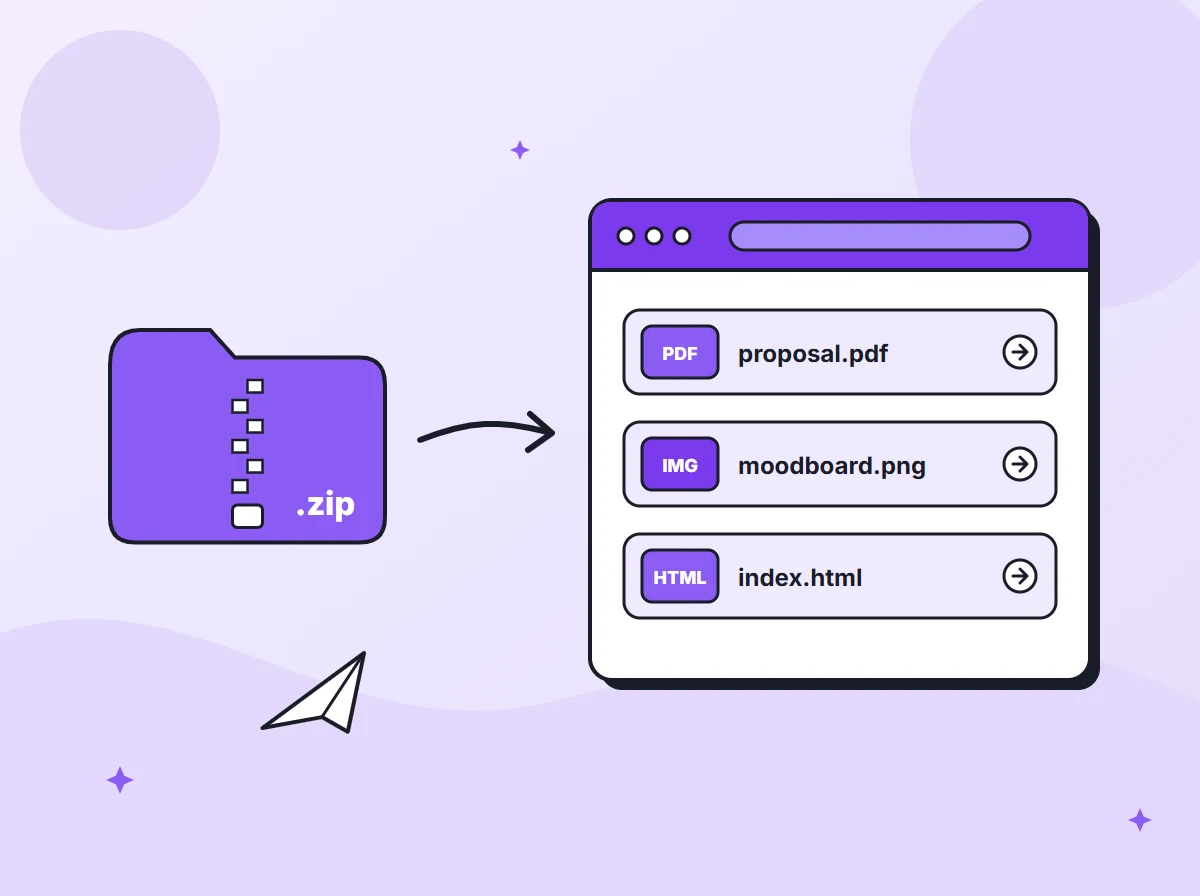
On tiiny.host, the upload box accepts one file or a whole zipped site and turns it into a link.
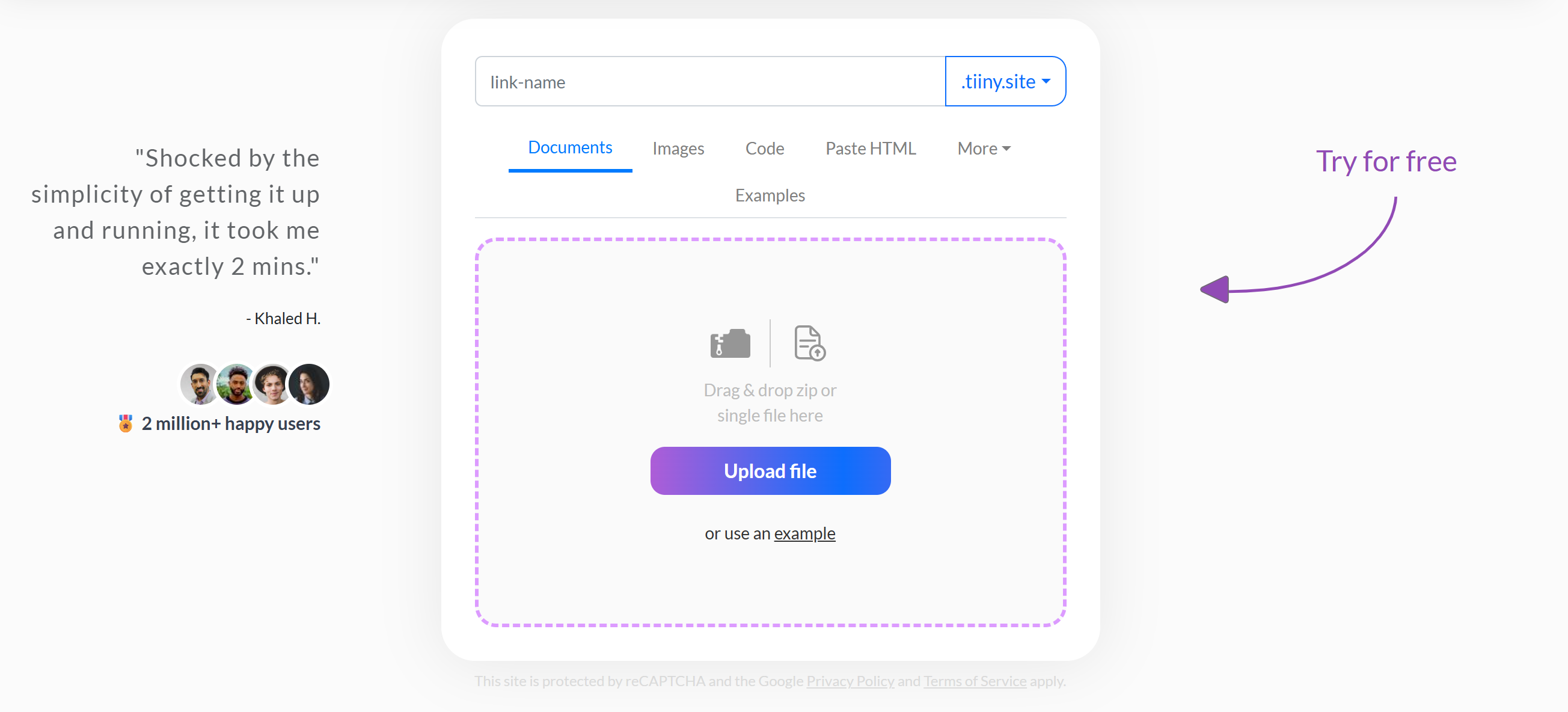
The upload box on tiiny.host, where a file or zip becomes a live link.
A fixed price you can plan around
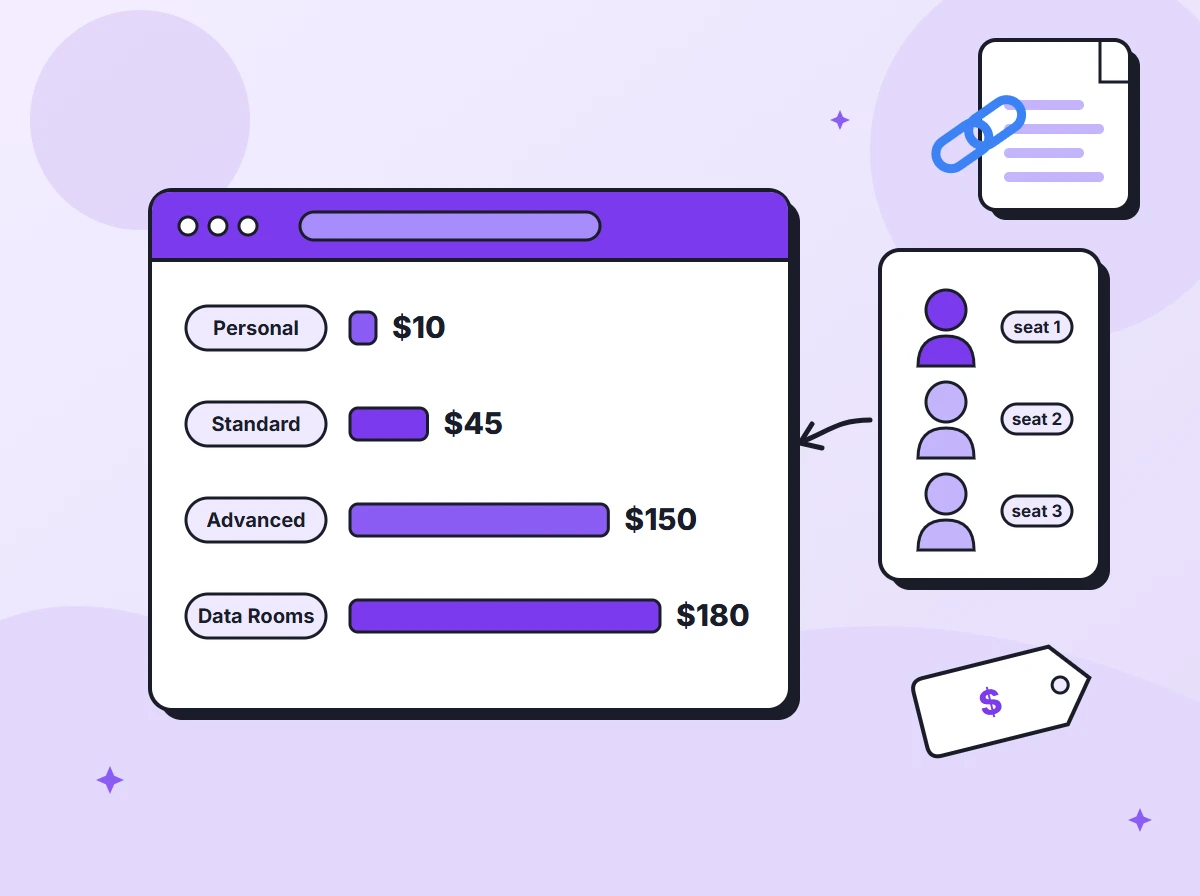
Each Tiiny Host plan has one monthly price, with no credits or top-ups.
From the Tiny plan up, publishing an update uses no allowance at all.
Unlimited updates for AI-generated pages
On the Tiny plan and above, you can upload and update as often as you like, and the link stays the same.
A page that changes 10 times a day costs the same as one that changes once a month.
Pages made with Claude or ChatGPT publish as live sites on every plan.
An AI tool connected through Tiiny Host’s MCP server can publish a project and keep updating it without leaving the chat.
Free-plan projects made this way stay up as one-hour previews.
PHP, Node.js, and Python apps run on the Tiny plan and above.
Drag-and-drop sharing, with GitHub when you want it
Every plan, including the free one, publishes an HTML file or a zipped site from the upload box, and PDFs get a shareable link the same way.
For developers, GitHub deploys work on every plan too: each push to your default branch updates the site.
On the free plan, those updates count toward the 3 uploads a day.
Your plan’s size limit applies to a repository, and 75 MB is the most any repository can be.
Client feedback without an account
Feedback mode, from the Tiny plan up, lets clients pin comments to a spot on a web page or PDF without creating an account.
New comments arrive in your inbox.
With feedback mode on, each comment stays pinned to the part of the page it’s about:
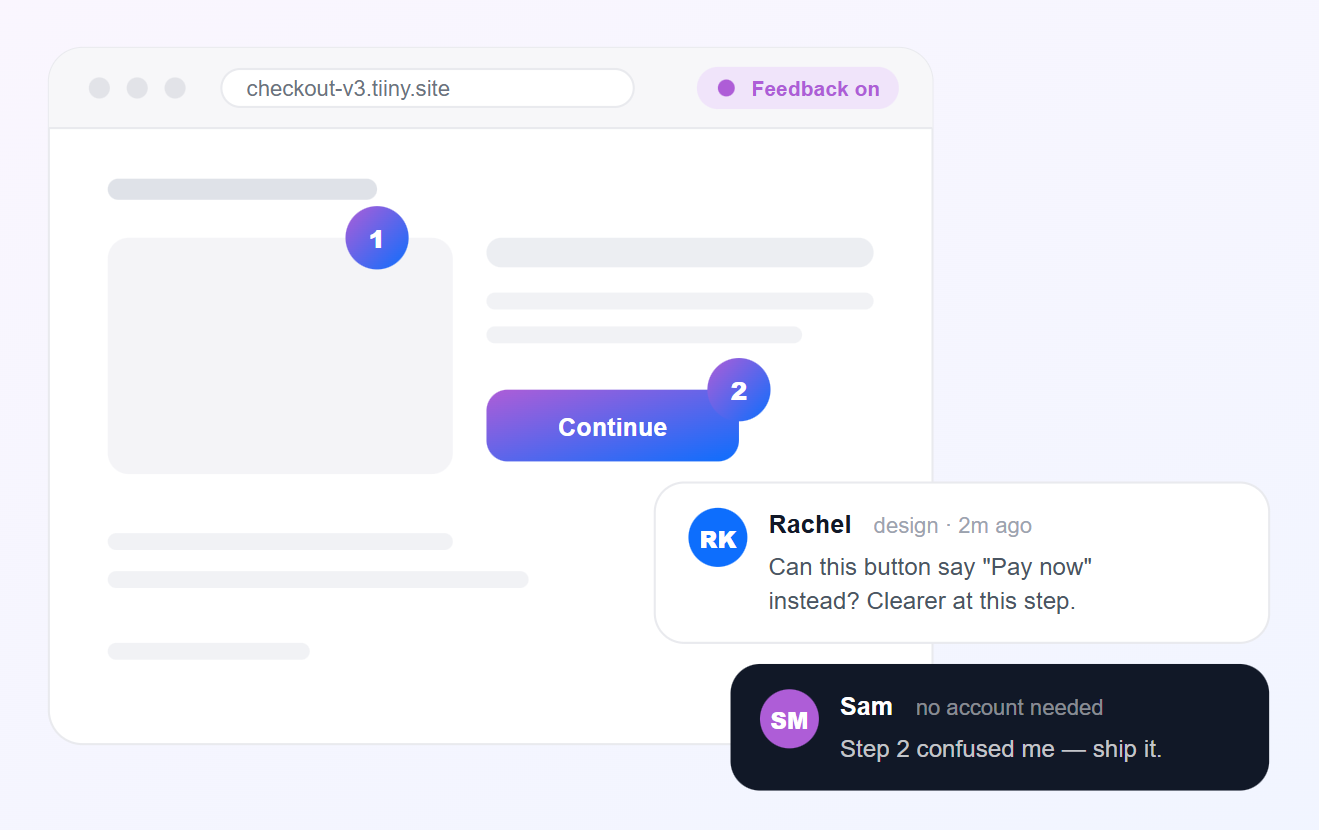
Pinned comments on a tiiny.site page, from the feedback mode page on tiiny.host.
Passwords from $13 a month
Password protection comes with the Solo plan, at $13 a month billed yearly or $18 billed monthly.
Netlify puts site-wide passwords on the $20 Pro plan.
On Tiiny Host, the password goes on from the project’s settings, under Access gate:
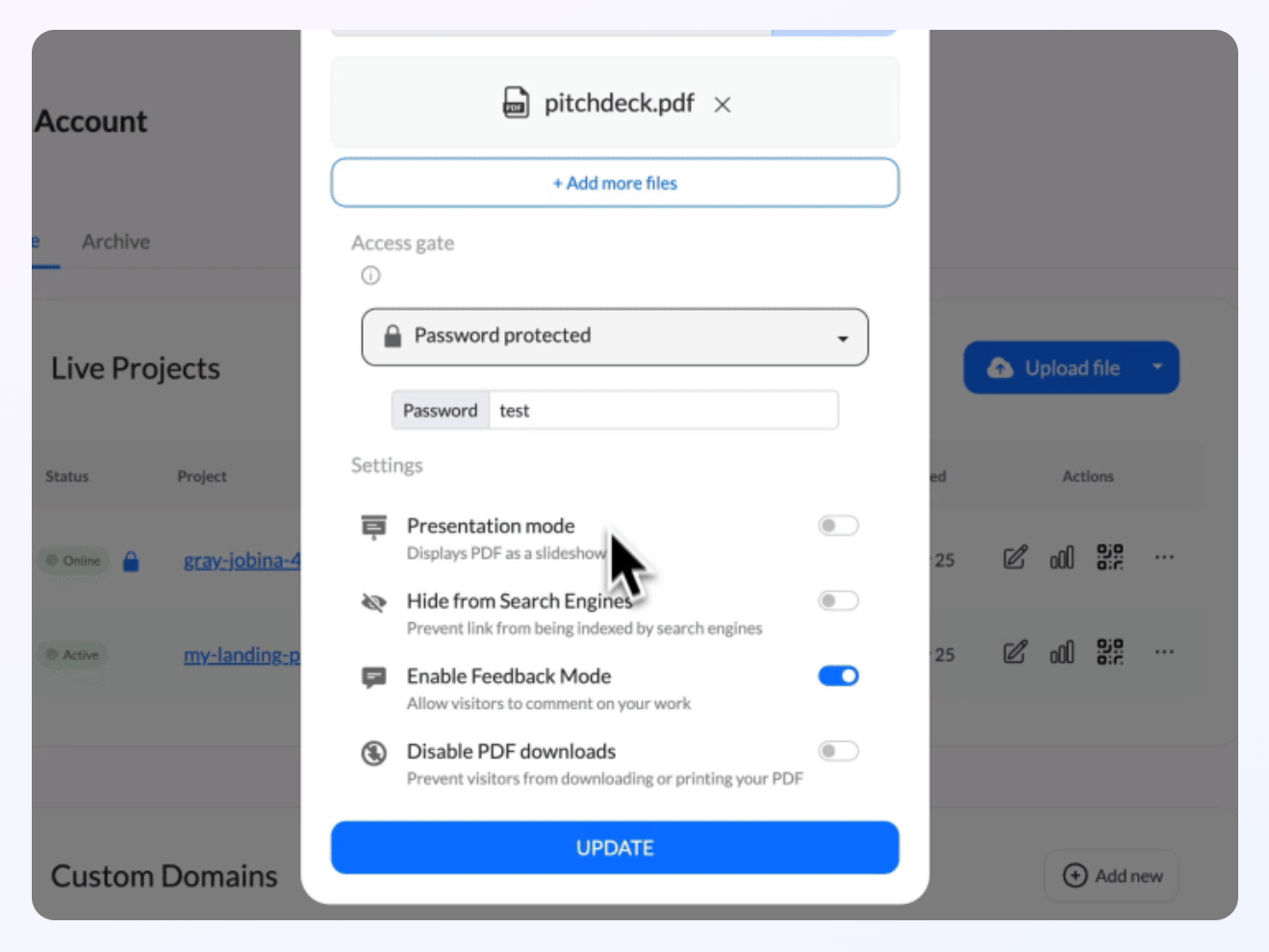
The Access gate setting in a Tiiny Host project, switched to Password protected.
Visitor stats and per-person links
Analytics on the Tiny plan and above show visits, locations, sources, and devices with no code to add.
The Solo plan adds a tracked link for each person you send to, and every project gets a QR code from the Tiny plan up.
The analytics dashboard opens from the chart icon next to each project:
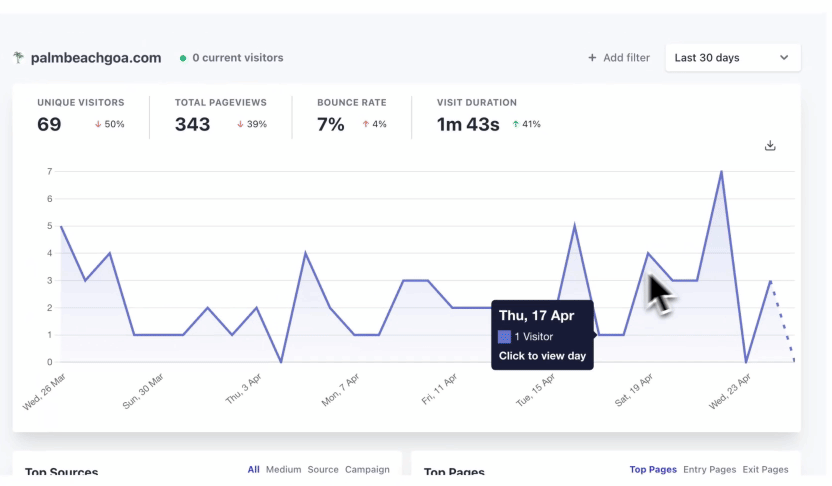
Visitor analytics for a site hosted on Tiiny Host, over the last 30 days.
Tracked links appear on their own tab, with views and unique visitors counted for each link:
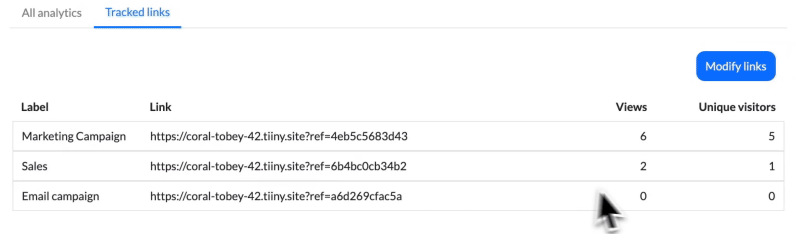
The Tracked links tab, with one link for each campaign or contact.
Verified email gates
On the Pro plan and above, Capture emails asks each visitor to confirm an email address before the page opens.
With Email protect, only the addresses you approve get in.
How much is Tiiny Host compared with Netlify?
On yearly billing, a paid Tiiny Host plan costs between $5 and $74 a month; month to month, the range is $9 to $89, and there’s a free plan too.
Prices are per account.
The tables draw on 2 Tiiny Host help center articles, pricing plans and plan limits:
| Tiiny Host plan | Price a month, yearly billing | Month-to-month price | What it adds for sites |
|---|---|---|---|
| Free | $0 | $0 | GitHub deploys and free SSL, with 3 uploads a day |
| Tiny | $5 | $9 | Unlimited uploads, analytics, QR codes, feedback mode, apps, and no Tiiny Host banner |
| Solo | $13 | $18 | Custom domains, passwords, tracked links, and page-by-page PDF stats |
| Pro | $31 | $38 | Capture emails and Email protect, with room for 2 team members |
| Pro Max | $74 | $89 | Unlimited projects and the highest visit and bandwidth limits |
Each Tiiny Host plan also sets a monthly allowance for visits and bandwidth:
| Tiiny Host plan | Projects and storage | Monthly visits | Monthly bandwidth |
|---|---|---|---|
| Free | 1 project, up to 3 MB | 5,000 | 5 GB |
| Tiny | 1 project, 25 MB | 10,000 | 10 GB |
| Solo | 5 projects, up to 75 MB each | 100,000 | 50 GB |
| Pro | 15 projects, 10 GB in total | 500,000 | 100 GB |
| Pro Max | Unlimited projects, 2 TB in total | 1,000,000 | 200 GB |
Yearly billing takes 44% off the Tiny plan and 17% to 28% off the others.
Every paid plan has a 7-day money-back guarantee.
I matched 6 common needs to the lowest-priced plan that covers each one:
| What you need | Cheapest Netlify plan | Cheapest Tiiny Host plan |
|---|---|---|
| A static site on a free address | Free, $0 | Free, $0 |
| Your own domain | Free, $0 | Solo, $13 billed yearly or $18 monthly |
| A password on the whole site | Pro, $20 | Solo, $13 billed yearly or $18 monthly |
| Updates many times a day at no extra cost | No plan; each production deploy uses 15 credits | Tiny, $5 billed yearly or $9 monthly |
| Comments from reviewers who don’t sign up | No plan; Netlify Reviewers use a Netlify login | Tiny, $5 billed yearly or $9 monthly |
| A team of 3 or more | Pro, $20 with unlimited members | Pro, $31 billed yearly or $38 monthly, plus a fee for each seat after the second |
A solo site that changes often or needs a password costs less on Tiiny Host.
A development team that wants unlimited seats and Git builds pays less on Netlify Pro.
Picking a Netlify plan
My pick for each situation:
- A hobby site or portfolio with a few deploys a month: Netlify Free, custom domain and all.
- One developer whose site deploys most days: Netlify Personal at $9 a month, good for up to about 1,000 credits.
- A team or a busy month: Netlify Pro from $20 a month, which adds site-wide passwords and costs less than Personal once a month passes 2,000 credits.
- An uptime guarantee and SSO: Netlify Enterprise, on a custom quote.
- Shared files and AI-generated pages at a fixed price: Tiiny Host, from $5 a month.
Last updated November 2026.
Sources: Netlify’s pricing page and Netlify’s docs for Netlify, and the Tiiny Host help center for Tiiny Host.
Netlify and Tiiny Host both update their plans from time to time, so confirm prices on each pricing page on the day you sign up.
FAQs: Netlify pricing
Is there a yearly plan on Netlify?
Not for Personal or Pro.
Netlify’s pricing page lists both as billed monthly, and Enterprise is the only plan billed yearly.
Can you pay for Netlify without a credit card?
Only on Enterprise.
Netlify’s self-serve plans take credit cards, and Enterprise customers can also pay by ACH or wire transfer, per the FAQ on Netlify’s pricing page.
What do Deploy Previews cost?
Creating a Deploy Preview or branch deploy costs nothing.
Traffic to a preview still counts as web requests, at 2 credits per 10,000.
Are form submissions free on Netlify?
Yes, on every credit-based plan since April 14, 2026.
Before that change, Netlify took 1 credit per submission.
If your host has no built-in forms, our guide to adding a form to a static website covers other options.
How do I cap my Netlify bill?
On Free, the hard limit does it for you.
On Personal and Pro, leave auto recharge off: the bill stays at the plan price, and the team pauses if credits run out.
For Agent Runners, Netlify also has an AI spending cap that blocks new agent runs once it’s reached.
Is there an open source discount?
Yes.
Netlify’s Open Source plan gives qualifying projects production deploys at no credit cost and unlimited members.