- What is a Lead Magnet?
- 8 Types of Lead Magnets You Should Try to Capture Leads (Ranked by Conversion Rate)
- What Makes a Lead Magnet Actually Work? The 5 Non-negotiables to Make a Good Lead Magnet
- How to Create a Lead Magnet in Under 30 Minutes
- Best Lead Magnet Examples by Target Audience Type
- Common Lead Magnet Mistakes People Make and How to Fix Them
- FAQs: What is a lead magnet?
- From Lead Magnets to Revenue
There are a lot of people who might be visiting your website. And there is a way you can convert these visitors into a customer.
This is when you can offer them something that keeps them around. In exchange for this content, they provide you with their email or some other contact information. The very first step to your sales funnel is right here.
The offering is a lead magnet. A simple way to get the attention of your visitors, grow your email list and start generating leads.
In this guide, we will understand what a lead magnet is. I will walk you through how you can create a lead magnet in about 30 minutes and start sharing it.
Time to build your first lead magnet!
What is a Lead Magnet?
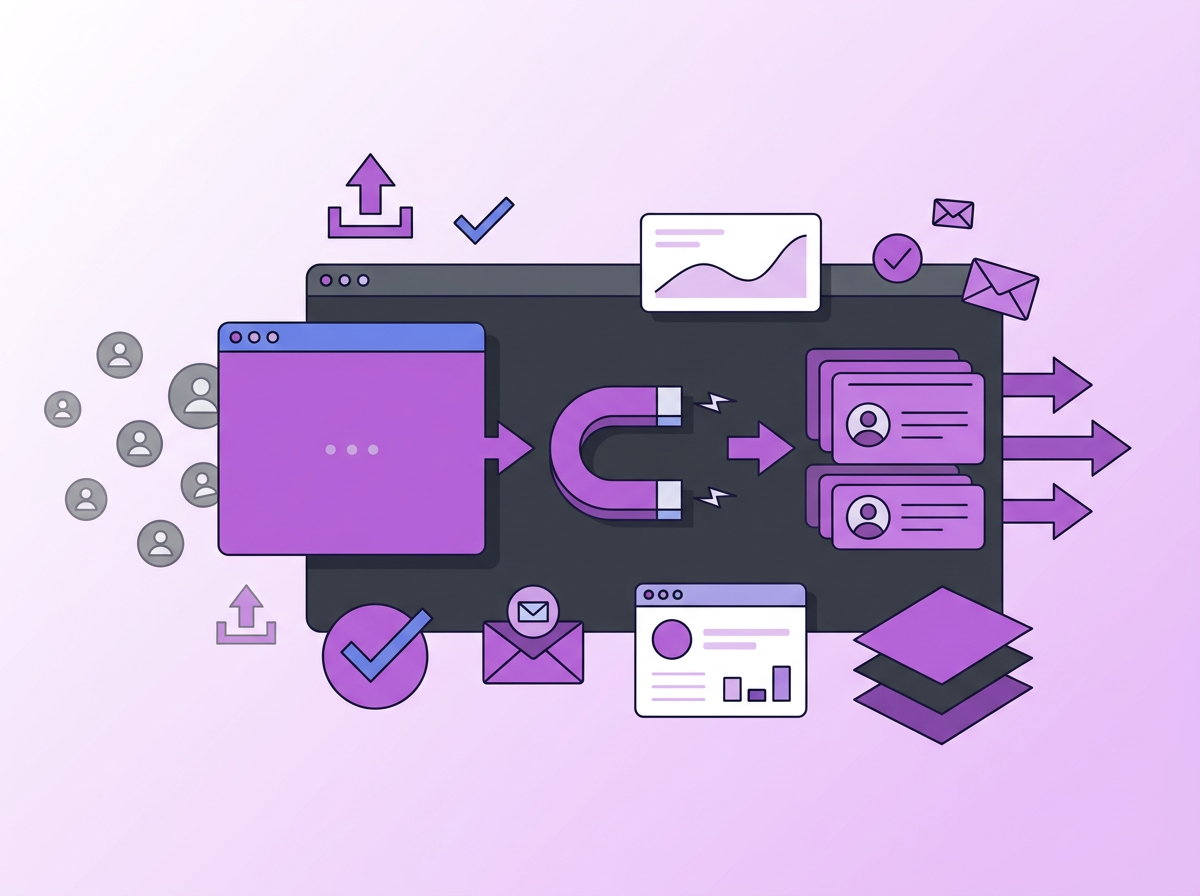
A lead magnet is a piece of content or offer you present to a potential customer in exchange for their contact information. Lead magnets could be a PDF guide, a template, a free trial, a consultation call or a webinar. The goal of an effective Lead Magnet is to give them value first, capture the sales lead by collecting their contact information and nurture them into becoming a loyal customer.
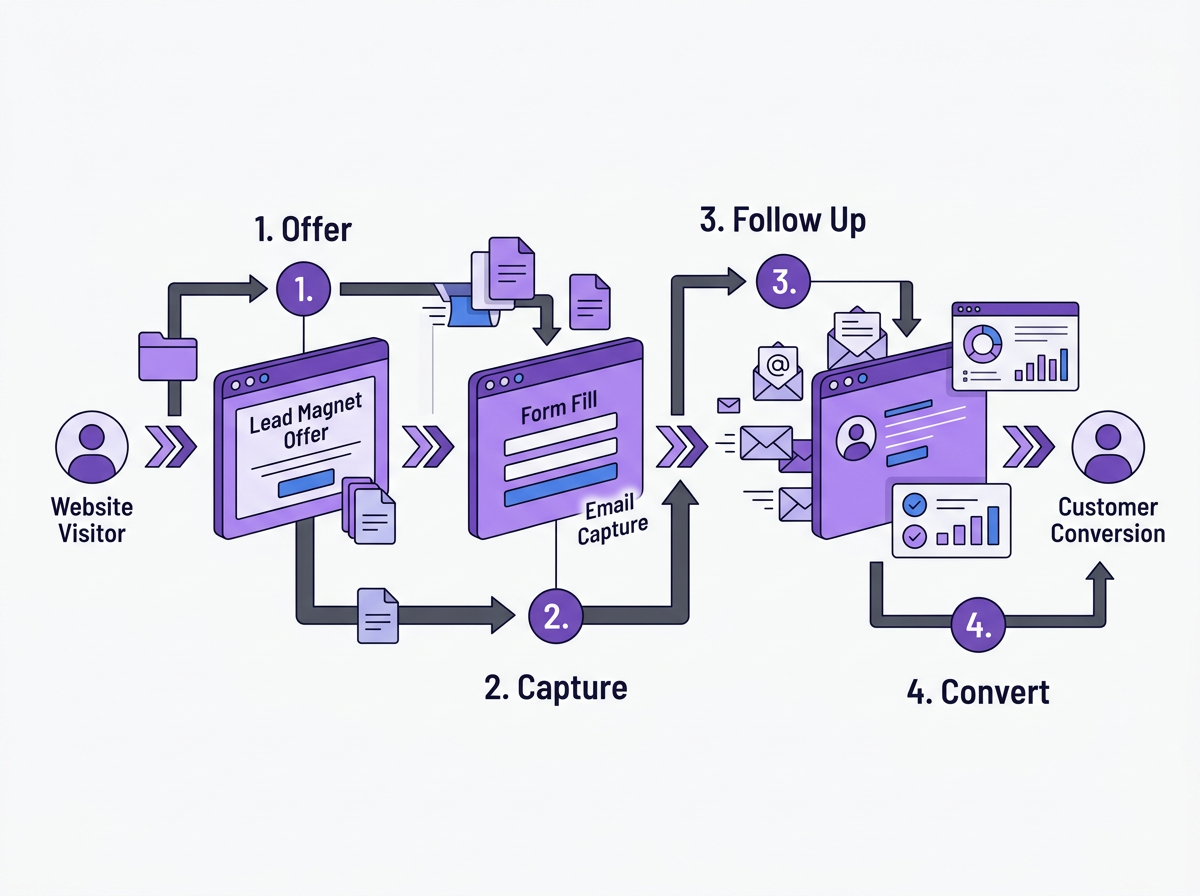
The Effective Lead Magnet Exchange - What You Give vs What You Get
A lead magnet can unlock the way for you to interact with your prospects directly. Someone might land on your website but not be ready to purchase.
This is where the magnet works.
Your website could offer a solution, give our data and information through some reports or teach a new skill in exchange for their contact details.
You can ask for the customer’s contact information, like name and email address. You can have more fields, like their occupation, too. But the fewer fields you have, the easier it is for people to fill in the forms.
As soon as you hear about giving a solution for free, the mind wanders to “freebies”. You know if you give out freebies, you do not ask for anything in return.
A lot of people also think it is gated content, which a lead magnet can be. The difference is that any gated content doesn’t need to target potential customers, but a lead magnet, which is gated, has to target prospects to convert them to paying customers.
The terms often get mixed up for people, but you can easily remember the difference:
| Term | What It Is | Does It Target Prospects? |
| Lead Magnet | Valuable content exchanged for contact info | Yes, designed to convert |
| Gated Content | Any content placed behind a form | Not necessarily |
| Freebie | Content given with no ask in return | No |
Lead Magnets do sound simple, but it actually has high conversion power.
A very simple example is a French tutor who wants more students to purchase the course.
- Create a social media post stating that she is a French tutor and has courses for students.
- People who are interested might check out her website.
- On the page, they see that the tutor offers a 3-day free course that teaches basic conversational French.
- She lets potential students sign up using forms and get their contact information.
- After the free course completion, she could drop an email to these students about her beginner’s certification course.
That’s basically how lead magnets work. Now, you can apply the same theory to a SaaS product, marketing agencies, content creators or freelancers.
Why is Email the most preferred information to collect?
You can have thousands of followers on social media, but if the platform goes down, so does your profile. If there are changes to the algorithm, your visibility decreases. Social media channels like Instagram, LinkedIn and X are good for social interaction, but you never know when they go down.
If you collect emails in the database, though, it cannot go away. They are yours. And that’s why it’s the most reliable way to build a long-term connection.
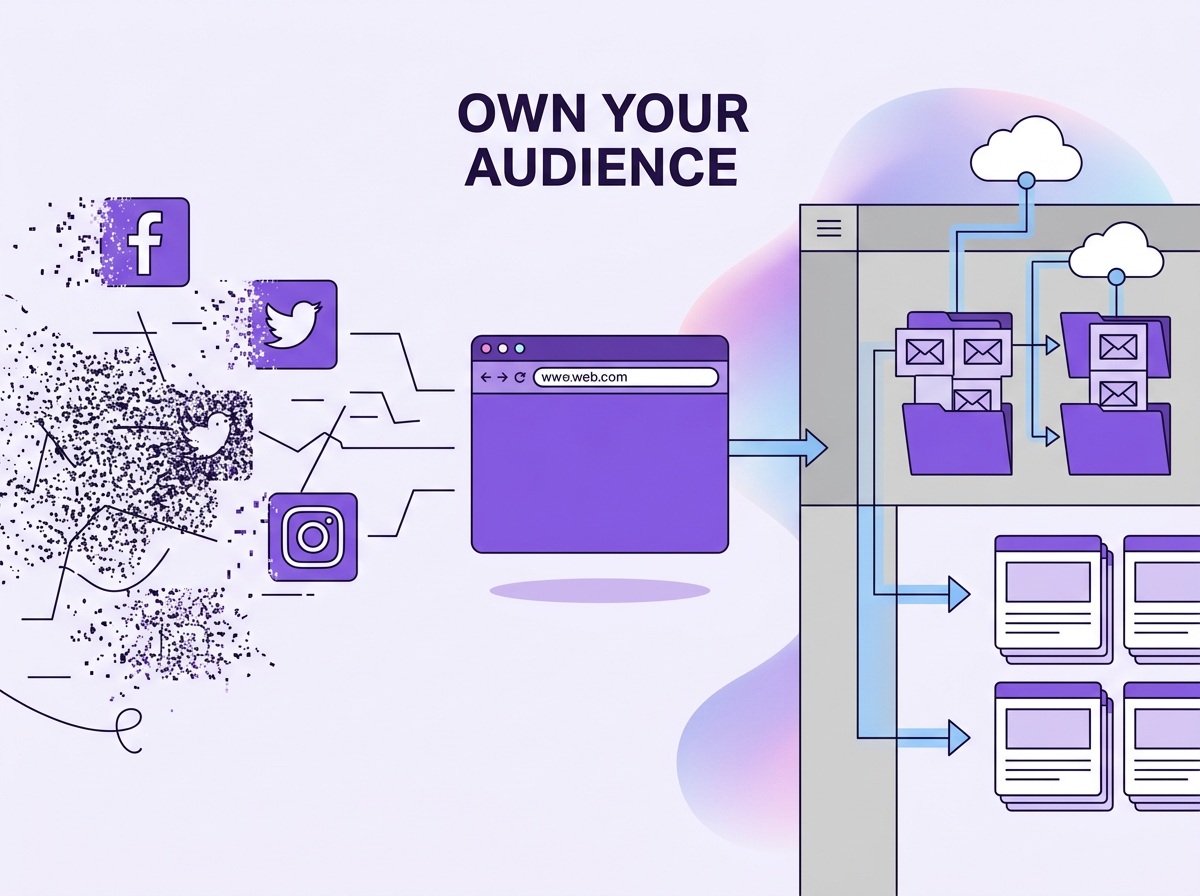
Now that you know what a lead magnet is, let’s see why generic lead magnets have stopped working and which ones actually work.
Why Lead Magnets Work and Why Generic Ones Are Failing in 2026 to Get Potential Customers
The psychology behind this is just reciprocity. When someone gives you something valuable, you feel a pull to give something back.
For the longest time, companies and marketers would use only e-books as lead magnets. I don’t think people would read a 47-page guide which nobody finishes.
According to McKinsey research, companies using relevance-driven personalisation generate 40% more revenue. So specificity works much better for conversion. Your lead magnet does not have to be a book.
The lead magnet is to solve one specific problem for a subset of the target audience. The faster they get to win, the greater the chance the lead magnet converts the audience.
So you can make a checklist, a template to complete a task or a quiz that gives results after a few questions. People also enjoy video content, so a short video crash course or bite-sized email newsletter works well, too.
Let’s see some lead magnets that can actually help you out.
8 Types of Lead Magnets You Should Try to Capture Leads (Ranked by Conversion Rate)
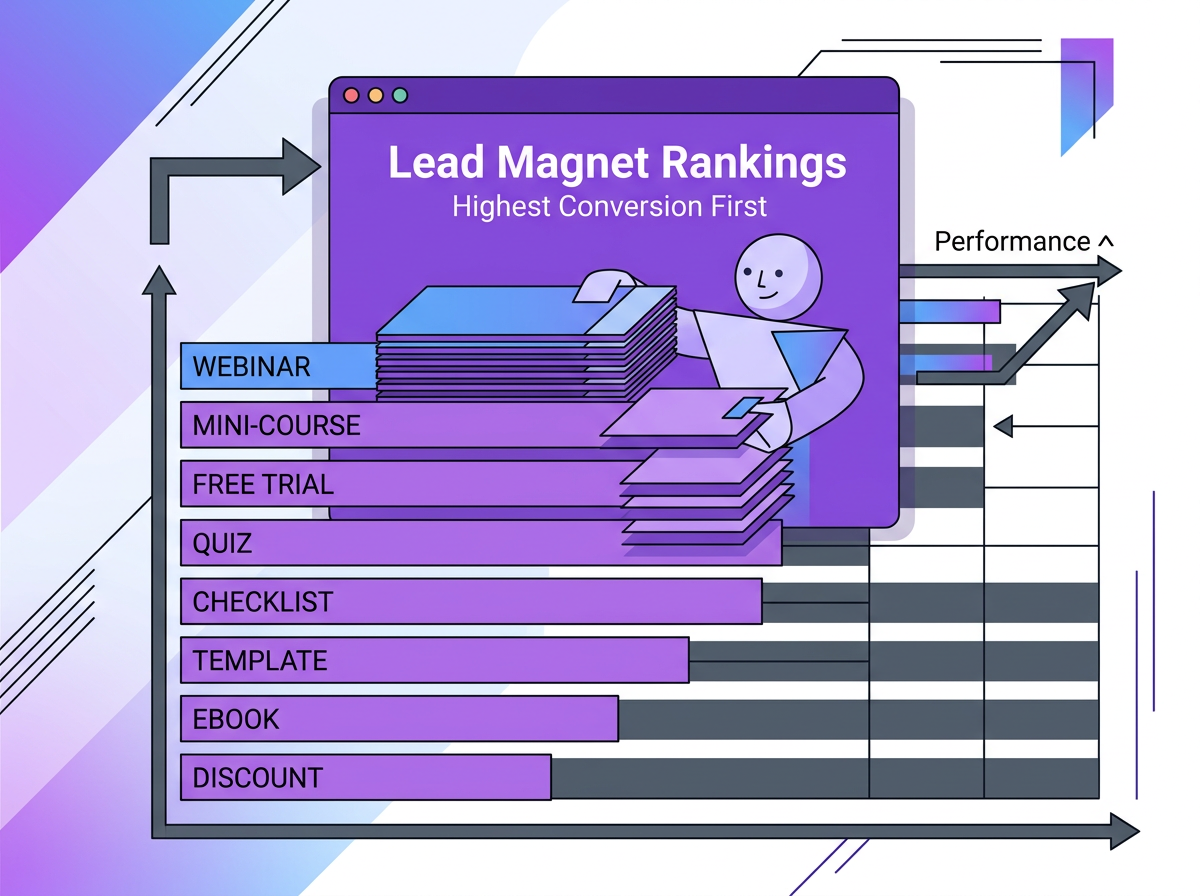
There are lists of types of lead magnets out there, but I want you to get started with the best one. Based on data from MailerLite’s analysis of more than 41,000 forms, here are 8 lead magnet ideas that you should try.
There are also build times and average conversion rates for all of these formats.
| # | Format | Avg. Conversion | Build Time | Best For |
| 1 | Mini-course / Challenge | ~27.4% | 3–8 hours | Coaches, SaaS, B2B |
| 2 | Interactive Quiz / Tool | ~26.4% | 2–5 hours | Marketing, health, and finance |
| 3 | Ebook / Guide | ~24.6% | 4–12 hours | B2B, agencies, SaaS |
| 4 | Checklist / Cheat Sheet | ~23.2% | 30–60 min ★ | Universal |
| 5 | Template / Swipe File | ~22% | 1–3 hours | Freelancers, agencies |
| 6 | Webinar | ~20–22% | 4–8 hours | SaaS, consultants |
| 7 | Free Trial | High intent (variable) | Setup only | SaaS products |
| 8 | Discount / Exclusive Access | ~18–20% | 1 hour | E-commerce, memberships |
Learning Resources (Mini-Courses) has the highest Conversion (~27%)
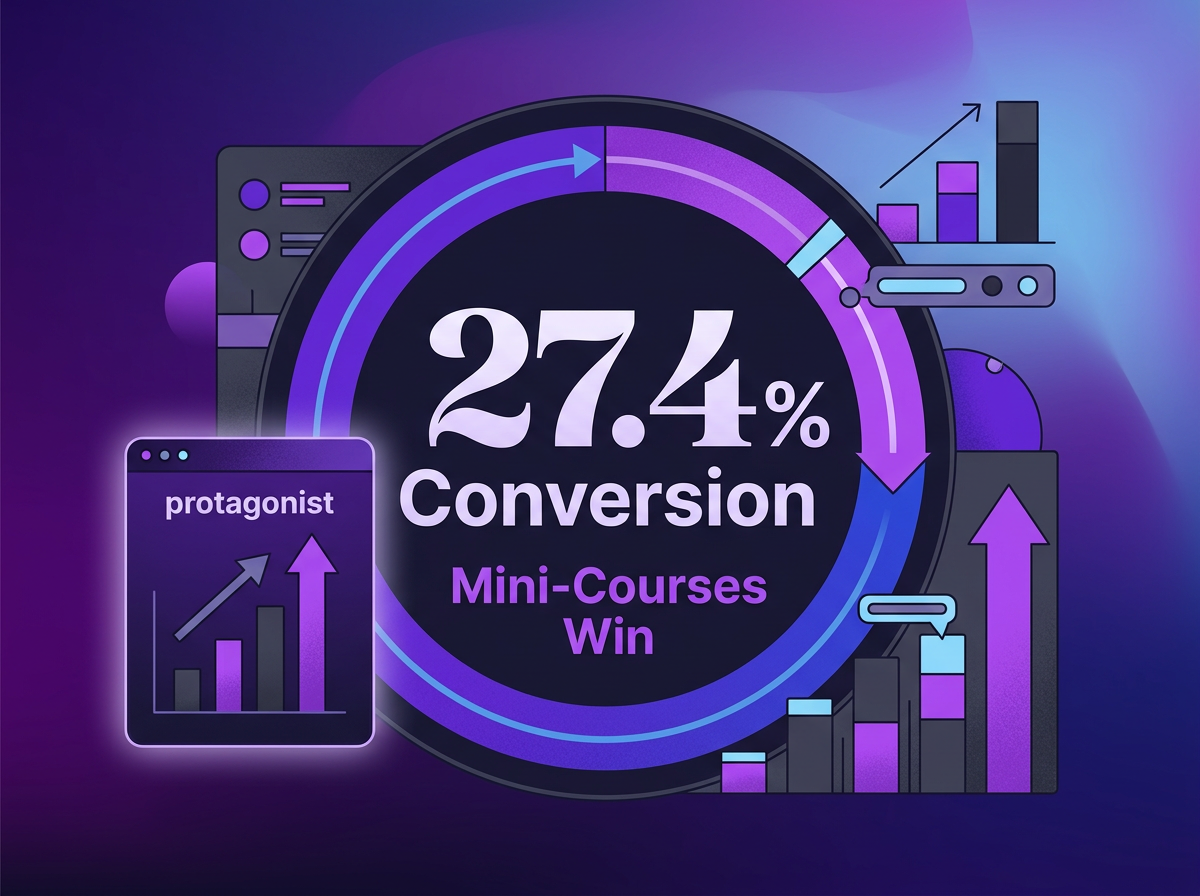
Mini courses are among the best educational lead magnets and drive the highest conversions. They make the readers stop and get bite-sized information every day. People see your name repeatedly, engage with it, and associate it with a certain activity.
A 7-day mini course on setting up the first sales funnel would be a good start.
People love challenges. I always see people posting about their progress in the 75 Hard challenge or productivity challenges. These challenges are not there to deliver information but to create a habit.
A 5-day email challenge which makes you send a cold email every day to get hired.
Both of these make you do small actions that bring satisfaction at the end of the course or challenge.
This would be best for: Coaches, Consultants, B2B SaaS, Educators.
Build time: 3-8 hours
Make sure your lessons are no more than 300 words each day. Also, just one call to action per day.
Interactive Quizzes, Tools and Calculators (~26%)
With interactive tools and calculators, the viewers do not have to read through words. That feeling of participation leads to conversion.
- A quiz like “What type of freelancer are you?”
- A pricing calculator to set up your website
- A visual guide to figure out brand colours and tone for your company
Best for: Marketing, Health, Finance and E-commerce.
Build time: 2-5 hours
You can use tools like Typeform and Interact to create forms and apps, and publish them online.
When you create the quizzes, don’t gate the quiz or the tool itself. Let people interact with the lead magnet you’ve created. Once you have to give the output or result at the end, that’s when you gate it. To get the result, they will give their email address.
Ebooks and Guides (~25%)
An eBook or guide is content that dives into a specific niche topic in great detail. It can have cover topics end-to-end with the intention to teach something to the reader.
I do not want to read long guides full of text. If there are guides that teach me a niche topic, I’m in. If you include the right reports and analyses in your books, people will love reading them.
A guide like “The B2B Founder’s Guide to Cold Outreach” would be much more niche than “The Ultimate Guide to Cold Outreach”. That way, you could target B2B founders rather than confusing people.
Best for: B2B, Agencies, SaaS Companies and Creators
Build time: 4-12 hours
An underrated move is making your guide as a web page so people can access it anytime. Tools like Beacon and Tiiny Host can help you format the guides and get them online.
Checklists and Cheat Sheets (~23%)
This is actually one of the lead magnets you can create today.
With checklists, you create a mini-challenge for people to win. It tells people to do things and get things done.
Imagine you have a hosting platform, and a marketer has created their first landing page. If you have the checklist, “10 Things to Keep in Mind while Publishing your landing page,” it would make them interested in it.
Cheatsheets also give you shortcuts and bits of information in a short amount of time. A good example would be “All the shortcuts in Canva to make your design easy.”
Best for: Every industry, literally.
Build time: As quick as 30 minutes
You can always teach something new to a new audience with checklists and cheatsheets. Make sure you keep it to one page so people can skim through easily.
Templates and Swipe Files (~22%)
A checklist tells people what to do, but a template pre-fills most of the task for them. With templates, you finish step one for them. They do not have to worry about what to do; they can just follow along.
You can create templates like.
- 8 best cold email templates to land your first job
- A 30-day calendar to post on your social media
Swipe files are collections of examples, copies, or references that you can create for templates or share on their own.
Best for: Freelancers, Agencies, Copywriters and Marketers.
Build time: 1-3 hours
Make sure your templates allow quick edits or copy-pasting so people can start using them quickly.
Webinars (~20-22%)
You can organise live webinars or stream pre-recorded webinars.
Live webinars let you interact with your prospects in real time. This lets you build trust directly. You can also have pre-recorded webinars that people can opt in for and watch at their own pace.
A company selling its AI Resume Builder could teach everyone how to create a portfolio to get hired. In the same webinar, they can also show how the task would be easier with their product.
With the audience sitting for longer, you have more time to gather feedback or convert these leads into customers.
Best for: SaaS companies, consultants, and Coaches.
Build time: 4-8 hours
Free Trials
Free Trials do not have a fixed conversion rate. They attract a variety of people.
- Prospects who are confused about paying a certain price for features.
- People are trying to know more about your product
Companies generally offer a trial window, a free sample or certain free credits. This opens the door to experimentation and a better understanding of the product.
Even with a lot of clicks on the free trial, you might not get customers if your product doesn’t catch their attention. Before you start trials, polish your products.
Best for: SaaS products with demonstrable value.
Discounts and Exclusive Access
Now you are not giving something for free in exchange for their contact details; a well-timed discount works like a charm.
Many e-commerce brands show a pop-up asking for your email address for a discount. Now, these might not work actively, but if a high-intent buyer comes to the page, the probability of them purchasing increases.
If I am on a website purchasing a domain name and they show a pop-up offering a 10% discount on a subscription, I would happily give my email address there.
This would be best for E-commerce brands, membership communities or product launches.
Build time: 1 hour
A discount works best when the visitor already has an intent. Use other lead magnets and rely on discounts when someone is already near the buying stage.
Well, now you know what type of lead magnets there are. It’s time to check which one actually works the best.
What Makes a Lead Magnet Actually Work? The 5 Non-negotiables to Make a Good Lead Magnet
The format of your lead magnet matters. But you do not want to sit at 5 downloads for a swipe file you created for hours.
Let’s see a few things you can keep in mind when creating your effective lead magnet.
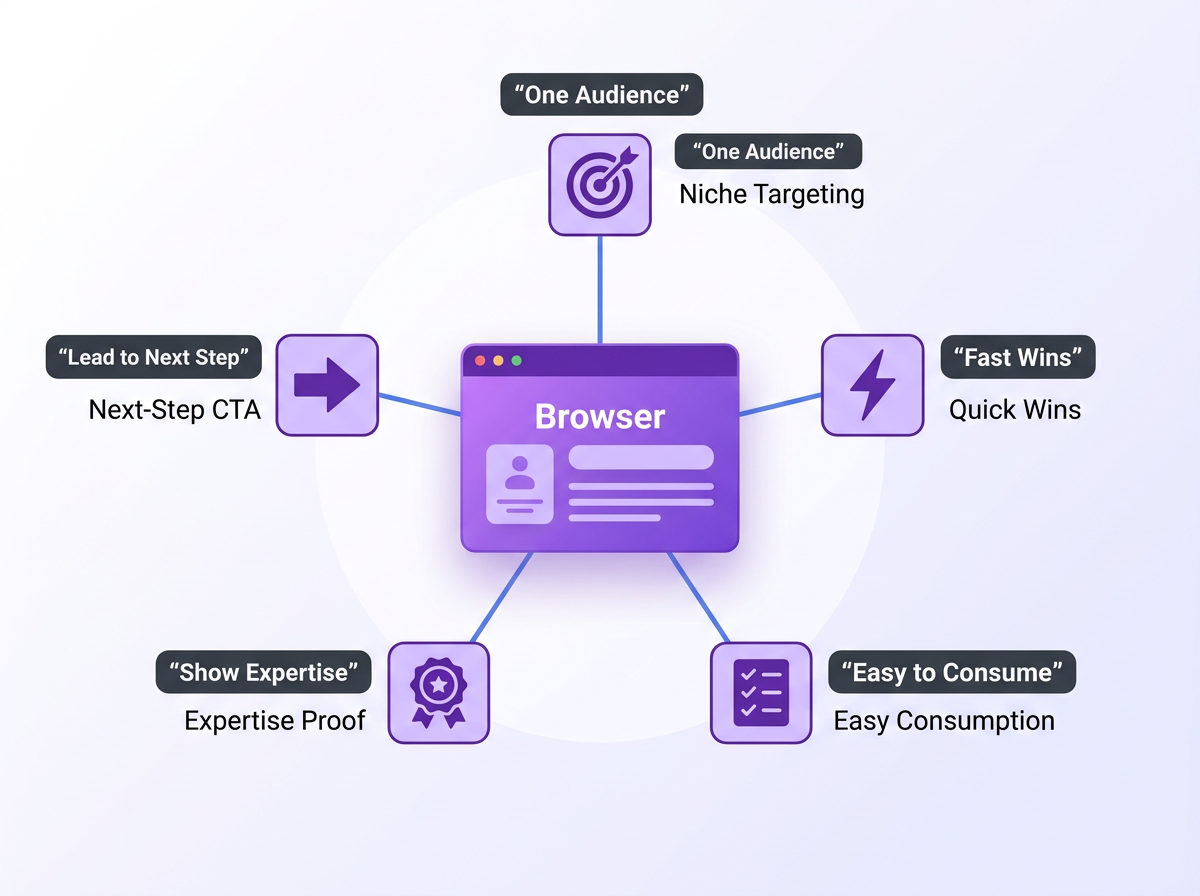
1. Solve the problem for one specific person
This actually is a very common mistake. Marketers create lead magnets, but they are focused on a common ground.
A checklist targeted to designers, “7 things that should be present in every designer’s portfolio,” would be of much higher impact than just one targeted to working professionals.
The working professionals get confused about who the exact target is and end up not filling out the opt-in form. If you are targeting designers, writers and developers, consider making different lead magnets for each of them.
2. Make your prospects win fast
Let your audience win fast. Deliver immediate value through your lead magnets. Nobody wants to read 40 pages of a guide to not remember what they read on the first page.
Instead, by the end of your checklist, they have the first draft of their email ready to be sent. Or the Swipefile gives them insights on what type of Subject line actually works, it would give them a sense of satisfaction.
The feeling of achieving something will build their trust in you, making it an actual high-conversion lead magnet.
3. Make it easy to consume immediately
Complete your lead magnet resources in as few scrolls as possible. If you want more pages, have easily readable text. Convert longer pieces to bite-sized newsletter if necessary.
The faster they complete, the more people realise that you are there to teach and not waste their time. So they would want to hear more from you.
4. Prove your expertise
The lead magnet you present out there is an example of what it would be like to work with you. If they do not get output from the free item, the purchase won’t feel valuable for them. Present and give all your knowledge.
3. Lead it to the next step
Keep in mind that the lead magnet serves as the initial pull. This is where your lead magnet integrates with your broader email sequence. Once the prospect is at the door, you have to make them move to the next step.
Include some sort of call to action at the end of your lead magnet. It can be a call with engineers, a free trial or a product tour with team members.
If you keep these few things in mind, the path from lead magnet to revenue would be short.
You know a lot about Lead Magnets now. It’s time that we create one. I will guide you on how you can create a lead magnet in less than 30 minutes, and you can just follow along.
How to Create a Lead Magnet in Under 30 Minutes
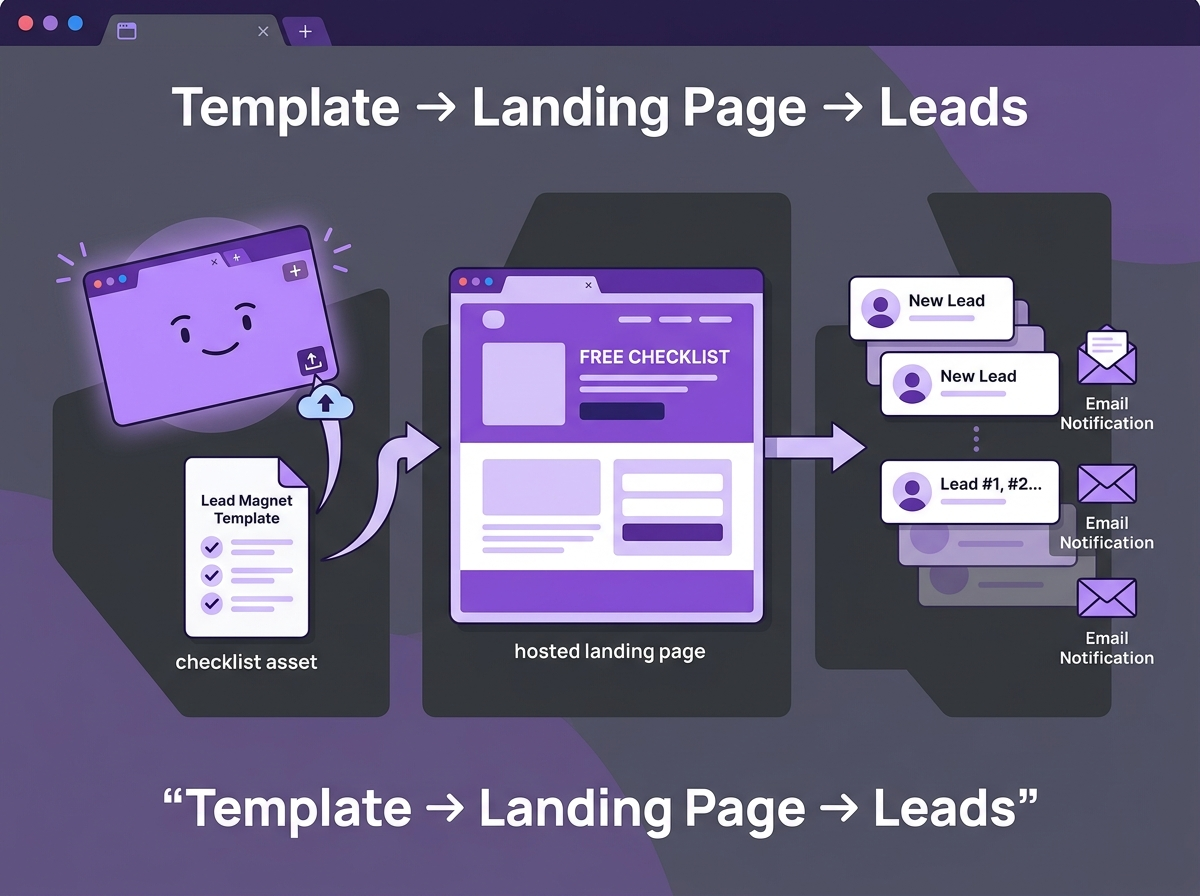
You don’t need to sit and worry about what exactly you need to put out. Let me give you a step-by-step guide on what to do and how much time it would take for you to finish each step.
Step 1: Pick the Right Format For Your Timeline
Pick up a format which you can start preparing today. You need to start getting into execution mode. So, instead of focusing on creating something new and impressive, you can reuse your content.
First, you can consider picking up one of the following:
- 30 minutes: Checklist or Cheat sheets
- 2 hours: Template or swipe file
- Half a day: Short eBook or email course introduction.
If you have blog posts, you can convert them into one of the other formats. If not, you can look at the analytics and results presented to you and start compiling them as a cheat sheet or email course.
You can use tools like Canva, Google Slides or Google Docs to create checklists, cheat sheets or templates. You can use tools like Tiiny Host to publish a short eBook or MailChimp to send your email course.
Step 2: Define the One Problem You Are Solving (5 Minutes)
Now, you have to target your lead magnet to solve one problem or to just a set of people.
Answer these questions:
- Who is this for, specifically?
- What is your target audience struggling with?
- What outcome will they have once they go through the chosen lead magnet format?
For example, the answers could be:
- Copywriters
- Sending out cold emails to get clients
- Send out their first cold email to start getting leads
Once you have thought through, name it. You know, “10 Cold-Email templates to start getting leads as a freelance copywriter” would convert higher than “Cold Email Templates”.
Now that you know how to name it, we can start creating it.
Step 3: Build Your Lead Magnet (15-20 minutes)
You can work with a designer or start with templates on one of the sites to help you build your template. Once your work has been compiled or you have selected the blog, here’s how you can convert it:
-
Checklists and Cheat sheets: Canva offers many free one-page templates for creating checklists, lead magnets, or cheat sheets.
You can choose a pre-made checklist template and just fill in the content. For a cheat sheet, you can add images and write text next to them. - Ebooks: Tools like Beacon will let you pick smart templates and add your content. You can also add all the content from a blog to a Word document and convert it into a PDF.
- Quizzes: Typeform and Interact let you drag and drop questions and gate the results behind an email field.
Rather than working on how beautiful it looks according to design, focus on readability. You can always take out time later to beautify the document.
Step 4: Get it Live with a Professional URL (5 minutes)
You don’t have to stop at just creating. It’s time we take the lead magnet live so it can just start working.
The thing is that if you share these files directly, you get weird links. If you upload a PDF to Google Drive and share the link, you get something like:
https://drive.google.com/file/d/1BxYourUglyLongTokenHere/view?usp=sharing
Other cloud storage services offer a similar link as well. You get pop-ups to log in or request access prompts, too. It doesn’t look professional when shared with an audience. Here are some options you can check out:
| Option | Reader Experience | Friction | Time to Live |
| Google Drive | Login required, ugly URL | High | 2 min |
| Dropbox | Account prompt on mobile | Medium | 2 min |
| Your CMS | Embedded page (needs dev access) | Low, but slow to set up | 30–60 min |
| Tiiny Host | Branded live URL, opens instantly | None | Under 1 min |
Tiiny Host makes it easy for you to get your PDFs or other lead magnet sites online.
- You just go to the homepage
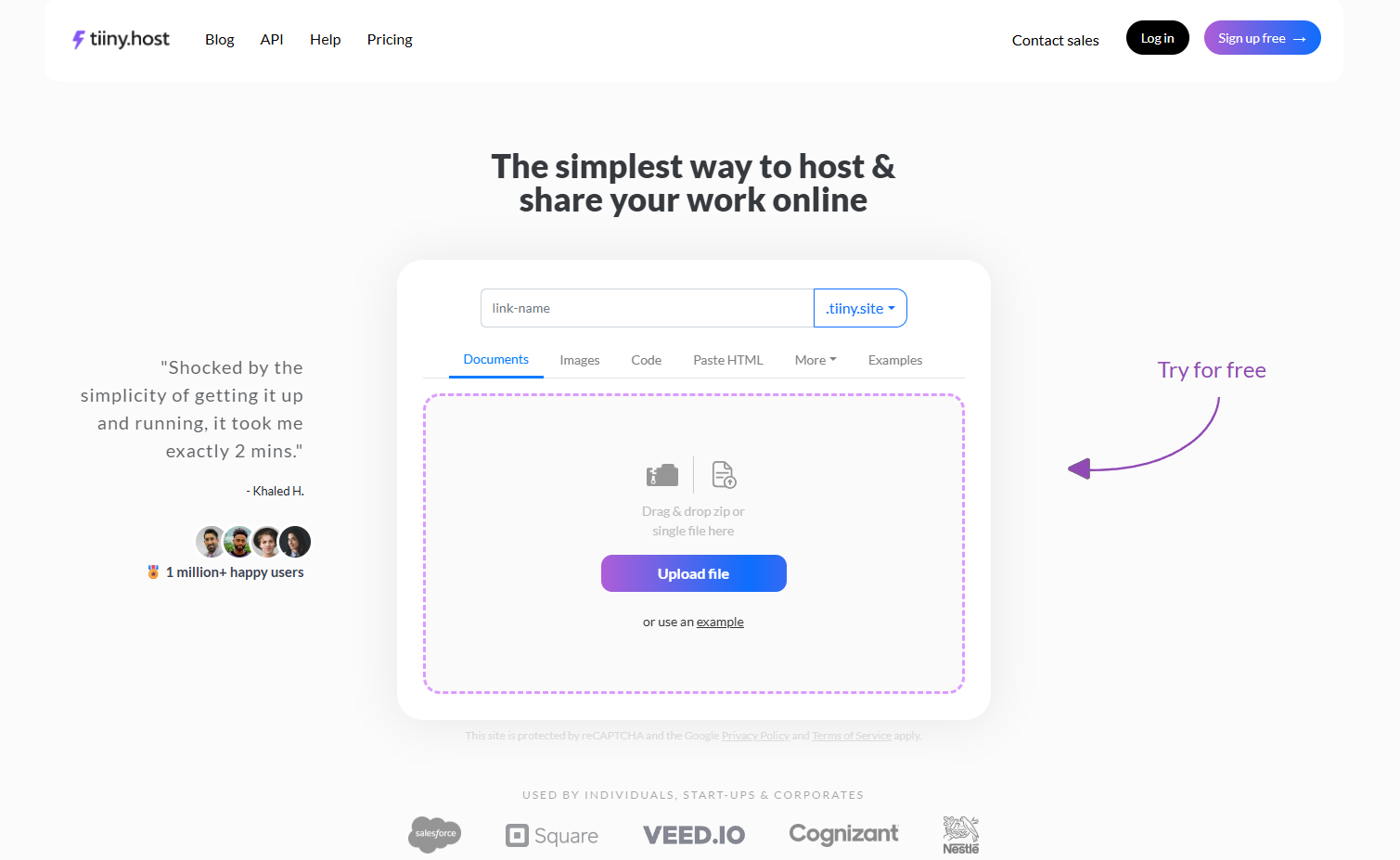
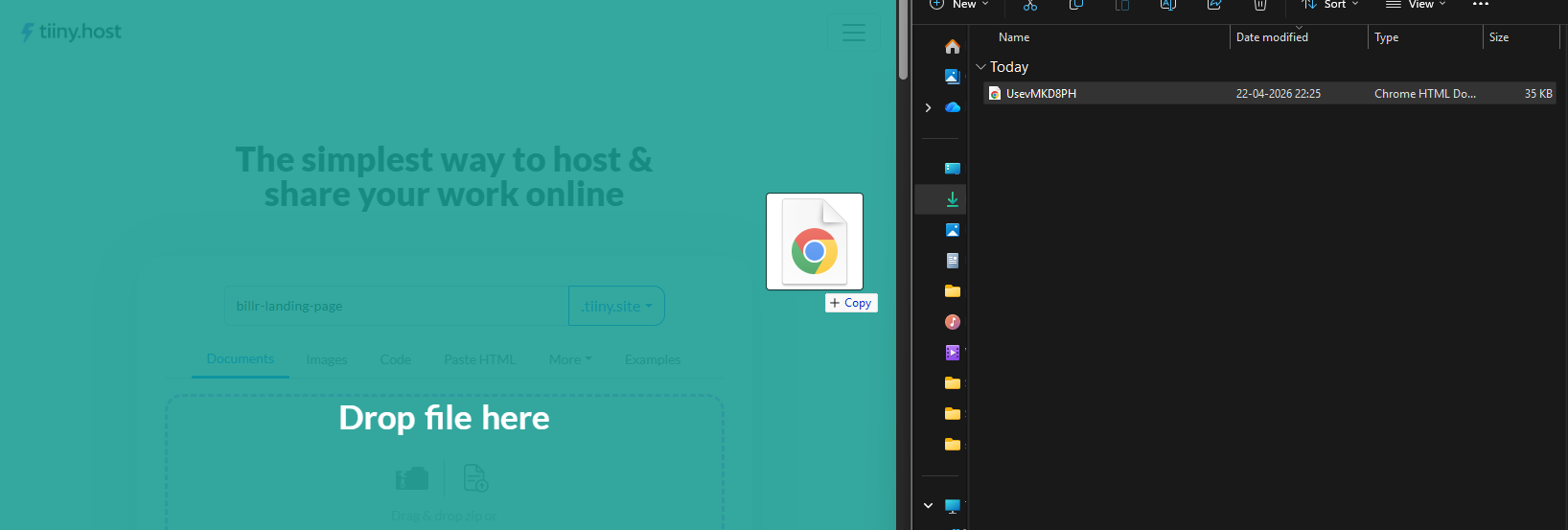
- Upload your file
- You can connect a custom domain
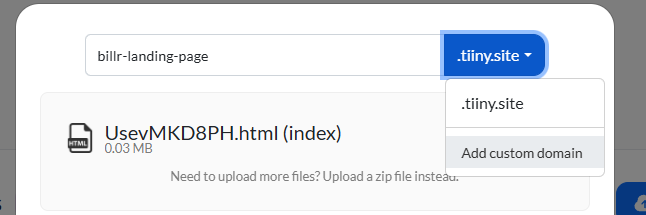
- Hit publish and your lead magnet will be live to share
You get a branded URL, and also, viewers do not need to log in or download anything.
You can paste the URL into the opt-in form or thank you page. You can also use it in a welcome email or the DMs.
Step 5: Set Up the Delivery Email (5 minutes)
Now that your lead magnet is set up, there is only one thing left. Get the lead magnet to the people. You do this by sending the email.
Whenever someone goes to your landing page and fills out the opt-in form, they should get an email. You can use tools like MailChimp, Kit, Flodesk or any other tools. When they submit the form, it should trigger an email.
The email should have the following:
- A Welcome or Thank You note
- Deliver the link within the first few sentences. Don’t let the link go below the first fold of the email.
- Give them a little brief of the lead magnet, and also set expectations
- Include one clear call to action
Once people get their first email, you can send a few more follow-ups to make a loop. The sequence for most email loops is:
- Welcome and Delivery
- Educational Value
- Product Highlight
- Social proof
- Limited Time Offer.
You can do these with the Welcome email sequence. Then, you can set up loops each time someone signs up for a different kind of lead magnet.
The guide has taught you everything about lead magnets until now. You know the types and how to create one, too. One thing that can still confuse you is which format might be an exact fit for your audience. Here’s a breakdown for you!
Best Lead Magnet Examples by Target Audience Type
You do not need to sit and figure out which type of lead magnet would work for which audience. Here are some lead magnet examples which could get you more leads and reach your potential customers.
| Audience | Best Format | Example Lead Magnet | Why It Works |
| Freelancers and Consultants | Template, Checklist, Swipe File | “5 Email Templates That Get Client Replies in 24 Hours” | Saves time immediately, speaks directly to their pain |
| Agencies | Benchmark Report, Audit Checklist | “The 5-Point Social Audit You Can Run in 10 Minutes” | Positions the agency as the expert, generates qualified conversations |
| Creatives and Educators | Resource Guide, Email Course | “30 Free UI Component References” is a live, browsable page | No download required, works like a mini portfolio |
| Small Business Owners | Discount, Checklist, Quiz | “Table for 2: Our Best Date Night Menu Picks” PDF | Mobile-friendly, local, shareable |
| SaaS Founders | Free Trial, ROI Calculator, Mini-course | “Calculate How Much You Are Losing on Manual Reporting” | Puts a number on their pain and makes the product feel urgent |
| E-commerce Brands | Discount Code, Quiz, Lookbook PDF | “Find Your Skin Type in 60 Seconds. Get 15% Off Your First Order” | Personalised result plus an immediate purchase incentive |
| Restaurant and Food Businesses | Recipe PDF, Seasonal Menu, Pairing Guide | “Our 5 Most-Requested Recipes, Made for Home Kitchens” | Extends the brand experience beyond the visit, drives repeat loyalty |
| Non-Profits and Community Orgs | Impact Report, Volunteer Guide, Event Toolkit | “How to Run a Community Fundraiser in a Weekend, Step-by-Step Complete Guide. | Empowers the audience, builds emotional connection with the mission |
| Marketers and Growth Teams | Swipe File, Playbook, Audit Template | “The 20-Point Landing Page Audit You Can Run in 15 Minutes” | Immediately useful, signals deep expertise, generates inbound conversations |
Common Lead Magnet Mistakes People Make and How to Fix Them
Mistake 1: Building Something nobody wants
The most polished checklist will not save a lead magnet if it doesn’t serve a purpose for users.
If this is happening, you didn’t make your lead magnet specific to answering a niche question. Well, the other thing is you have built something people might not be searching for.
Go to Google, Reddit, or other community forums to find what people are asking.
Mistake 2: Making it too long
If given a choice, what would you choose? A page you can look at and check things out quickly, or a 47-page eBook which tells you the same thing as the checklist.
Make the winnings quick. You need to win their trust.
Mistake 3: Hosting it the wrong way
A Google Drive is not a professional delivery method. You need a way for people to stay on a professional link and follow through. Your lead magnet should be delivered in a clean way and should be openable on any device.
You can use tools like Tiiny Host to get clean, branded URLs and share with people.
Mistake 4: Not Following Up
Your lead magnet is the starting page. You get their contact details when they access the content. Make sure you set up a loop sequence to follow up with your potential customers. Send them exclusive offers or discounts too.
If you don’t follow up, you’re missing your chance.
Mistake 5: Not Updating your Lead Magnet
If you create a guide right now in May 2026, the information you used there might get outdated by October 2026. Make sure you go back to them and regularly update them. There might be broken links or old branding that you can fix.
You don’t want anyone to use old statistics, because it would create distrust. So don’t forget to set up reminders.
FAQs: What is a lead magnet?
What is an example of a lead magnet?
A lead magnet can be of any format:
- A checklist
- A template
- An eBook
- A free trial or free sample
- A cheat sheet
- A Webinar
- A short course
- Or A discount
The best lead magnets are based on value, along with the format.
- A freelancer can have “5 Email Templates That Win Client Replies” as a lead magnet.
- A SaaS company can offer a 14-day free trial.
- A tutor can have a free mini-course.
What is the difference between a lead magnet and a free trial?
A lead magnet is any content or resource that is given in exchange for contact information. A free trial gives access to the product itself. A free trial can be a lead magnet, but it isn’t always. A free trial can work for products, but content-based lead magnets create more value across all business types.
Do lead magnets still work in 2026?
Yes, but the generic eBooks do not work anymore. The more niche the lead magnets are, the more people they attract.
Website visitors would look for valuable insights and content that help them learn new things. Checklists that lead people to an outcome, interactive quizzes and mini-courses built to target a niche audience outperform time-consuming guides.
The more relevant information that people get, the faster the chances of increasing conversions become.
How do I know if my lead magnet is performing well?
Start tracking three metrics for any new leads coming in:
- Opt-in conversion rate on your landing page
- Delivery Email open rate
- Lead Quality
An average of 20-30% is a strong benchmark for conversion rate on a landing page. A good delivery email open rate is around 40-60%. Always check they are not landing in spam. The quality leads would help you get sales faster and get immediate value.
If the conversion rate is low, you can start A/B testing with different content on the landing page. If you are not getting ideal leads, your top funnel is targeting the wrong audience.
For lead quality, consider a basic lead scoring approach. Assign points for behaviours such as email opens, link clicks, and return visits.
Leads who engage after downloading are more likely to convert than those who do not interact.
Once you keep these in check, you create a great lead magnet that attracts leads.
How long should a lead magnet be?
Make the lead magnet short while still being valuable. While you don’t want a long eBook, you can create a short eBook or swipe file. The most important thing is the type of content you write and its quality.
Aim for something a reader can finish in 10 minutes and get an outcome from. That would be ideal for most lead magnets.
If you create a long eBook or guide, make sure to write it on a niche topic. This makes the lead magnet much more meaningful.
From Lead Magnets to Revenue
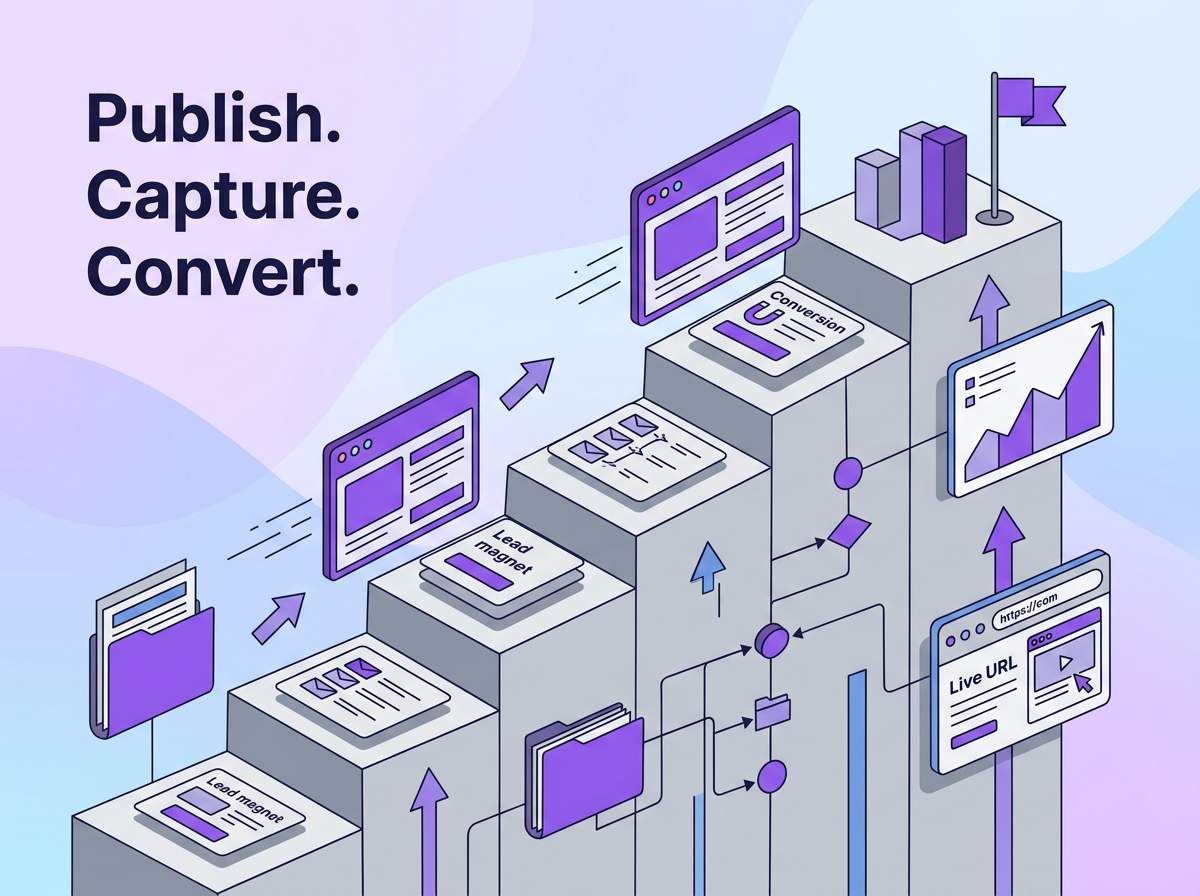
A lead magnet can be one of the most reliable lead generation tools for generating leads. It only becomes reliable when it is built to attract potential customers by answering their specific questions, writing content that is easy to understand, and providing genuinely useful content.
Three things to remember:
- Pick the type of lead magnet format based on conversion data, not convention. Try to use formats like checklists and interactive tools.
- Remember to start working and get the lead magnet live. The one you publish now will give you time to iterate rather than one you publish next month.
- Once created, start talking about the lead magnet. Embed it on your website. Mention it on social media and spread the word.
With these in mind, you can start creating and sharing your lead magnet and get the conversions in.
You can share your Lead Magnets in under a minute with Tiiny Host. Go give it a try.
All conversion rate data sourced from MailerLite’s analysis of 41,000+ opt-in forms. Personalisation-to-revenue statistic sourced from McKinsey & Company. Build time estimates are written by testing out different forms of content, but they might vary for you.