Upload your menu or event document and get a shareable link with a QR code in seconds.
Free to start · No credit card
Used by hospitality teams at

Get a QR code menu in seconds
Turn your PDF menu into an easy to access QR-code menu with few clicks
QR codes
Generate a QR code for your menu
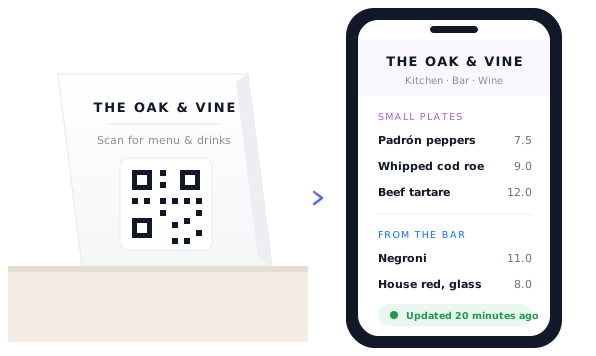
Upload your menu and generate a printable QR code in seconds for tables, windows, bars or the takeaway counter. Just scan the code to open, no app required.
Autogenerated QR codes
Downloadable
No app required
No sign-up, no login
Group menus
Upload multiple menus together
Create a menu collection for food, drinks, wine and specials. Accessible from a single link or QR code.
Single link for all menus
Works on any device
Upload in any format
Appears on Google
Update anytime
Change a price without reprinting
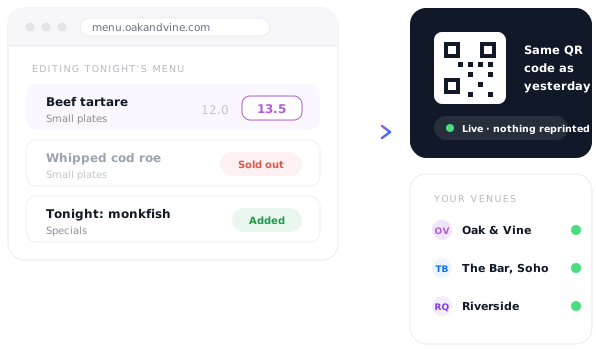
Update your menu in seconds from your phone. Every table's QR code updates instantly - same link, no reprints.

Make updates easily
Prices updates in seconds
Edit from anywhere
What restaurants and bars publish on Tiiny
Everything a diner reads before they order, on a link that's never out of date.
Food menuPDF · QR on the table
Wine listPDF · scan at the bar
Tonight's specialsWeb page · changed daily
Drinks & cocktail listWeb page · updated nightly
Takeaway menuPDF · QR on the counter
Events & private hireWeb page · email capture
I just uploaded my files and the website was live. And that's what I wanted.
There's no learning curve. It's so easy — you can do everything with one hand. It's ridiculous.
★ ★ ★ ★ ★
FPFrancois ProvostFreelance developer
Shocked by the simplicity of getting it up and running, it took me 2 mins exactly to deploy one of client's websites!

★ ★ ★ ★ ★
KKhaledDeveloper, web25.io
Frequently Asked Questions
Do I have to make the QR code myself?
No. A QR code is generated automatically alongside the link when you publish, and you can download it to print on table tents, a window sticker or the takeaway counter. There's no separate QR generator to sign up for and nothing to design.
Do diners need to download an app?
No. They point their camera at the code and the menu opens in their browser. No app, no account, no login — which matters when someone is sitting down hungry and deciding whether to bother.
I already have my menu as a PDF. Can I just use that?
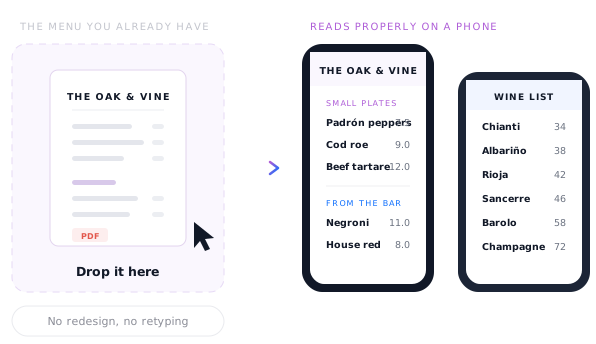
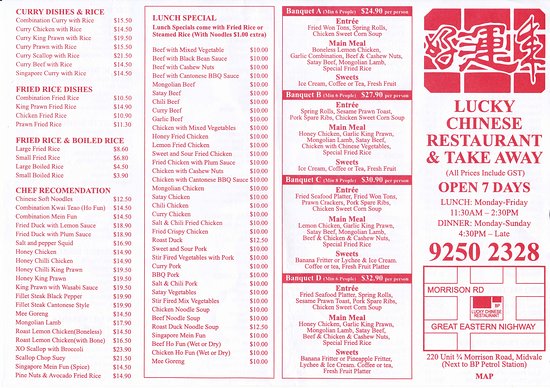
Yes. Upload the same PDF you send to the printers and it becomes a page that reads properly on a phone, with a link and QR code attached. Your designer's work stays exactly as it is — nothing gets rebuilt and nothing gets retyped.
What happens when prices change or a dish sells out?
Update the menu and you're done. The link stays identical, so every QR code already printed on every table shows the new version immediately. This is the whole argument against printing — a reprint costs money and a week, an update costs a minute.
Can I have separate menus for food, drinks and wine?
Yes. Each one gets its own link and its own QR code, so you can put the wine list on the bar and the food menu on the tables. They all sit in one dashboard, which also means lunch, dinner and Sunday menus can live side by side.
Can I manage more than one venue?
Yes. Every site gets its own link and QR code and they all sit in one dashboard, so a small group can update several venues without visiting any of them. Our Pro plan supports teams, which helps when a manager also needs access.
Will my menu show up on Google?
It can. Your menu becomes a real web page rather than a file buried in a delivery app, so it can be indexed and found by people searching for you. Pages load fast, which both diners and search rankings care about.