- Why are people leaving Netlify in 2026?
- Which are the Best Alternatives to Netlify in 2026?
- Tiiny Host: Best Netlify Alternative for Non-Developers
- Cloudflare Workers & Cloudflare Pages: Best Free Hosting for Dynamic Websites
- GitHub Pages: Best for Docs and Portfolios Already on GitHub
- Vercel: Best for Next.js applications
- Firebase Hosting
- Render
- Railway
- Coolify
- AWS Amplify
- What to Check Before Your Switch
- The Verdict: Which Netlify Alternative Should You Choose?
- Frequently Asked Questions about Netlify Alternatives in 2026
Since September 2025, every new Netlify account runs on a credit-based pricing system and when the credits run out, your site stops working. This is what has made the so many developers move away from the platform and look for Netlify alternatives.
Developers look for tools where they can have pricing they can predict. Non-technical individuals also want tools that can give them an easy user experience. The best tool depends on the if you want to publish a file or a full-stack application.
To find the best alternatives for hosting websites and files, I’ve tested and researched 9 alternatives you can use instead of Netlify in 2026.
TL;DR
- Tiiny Host is the best alternative for non-technical individuals and anyone who quickly wants to host their AI applications, files or static sites without touching code.
- If you are looking for a similar developer experience, Vercel is a good option for full-stack applications and GitHub Pages for static websites.
- For any heavy-workload websites, choose Cloudflare Pages as it has a generous free tier with unlimited bandwidth.
- Firebase Hosting, Railway, and Render are good alternatives for any applications that need a backend and databases.
- For a free open-source alternative, you can check out Coolify.
Why are people leaving Netlify in 2026?
The major reason is their shift to credit-based pricing. Netlify now uses credits for deploys, bandwidth, compute, and requests. On free plans, you get 300 credits per month and then you have to pay to unlock features along with credits. As you move up the paid tiers, you get more credits per month to spend on your projects.
Once the limits are crossed, your website gets paused until next month. On paid plans, you can purchase extra credits or keep the auto-recharge on to keep the site live. This deludes the point of having a fixed price system because for apps that scale and have to be rebuilt multiple times, the credits included in the plan will be used up quickly. Then you have to purchase more credits to continue your work.
Netlify’s Credit-based pricing
Any account created after 3rd September 2025 only works with a credit-based system. On the free plan, you get about 300 credits a month and each production deploy uses 15 of them.
In April 2026, Netlify refined the Pro plan to $20/month with unlimited team members. You don’t pay for additional seats, but all members in the team use credits from the same pool of credits.
| Plan | Price | Credits per month |
| Free | $0 | 300 (hard limit) |
| Personal | $9/month | 1,000 |
| Pro | From $20/month, unlimited members | 3,000, with tiers up to 20,000 |
| Enterprise | Custom | Custom |
Netlify has higher Pro tiers that include 5000 credits for $33 and up to 20,000 credits for $126 a month. If you have leftover credits in any month, they will roll over to the next one for tiers of 5000 credits and above.
The Netlify UX being harder for non-developers
Further, the setup and the dashboard are much simpler for developers, but non-devs have to get a grasp of the tool before using it. That can become a blocker too, especially if someone just wants to deploy a static website portfolio or upload a project they made using Claude.
Which are the Best Alternatives to Netlify in 2026?
The top alternatives to Netlify would be Tiiny Host, Vercel, and Cloudflare Pages, based on the experience of beginners and non-technical individuals. You can also check out the comparison between all tools tested out:
| Tool | Best for | No-code upload? | Free plan | Paid from |
| Tiiny Host | Sharing a file or finished site with no code | Yes: drag and drop HTML, ZIP or PDF | 1 project, 3 MB uploads | $5/month |
| Cloudflare | High-traffic static sites | Yes, you can upload files or connect your Git-based application. | Unlimited static bandwidth, 500 builds a month | $5/month (Workers Paid) |
| Vercel | Next.js apps | The preferred method is Git-based deployment but you also have Vercel Drop to do direct upload. | Hobby plan, personal and non-commercial use only | $20 per seat/month |
| GitHub Pages | Docs and portfolios already on GitHub | No: needs a GitHub repo | Free for public repos; not for commercial sites | $4/month (GitHub Pro, for private repos) |
| Firebase Hosting | Apps that need a backend and logins | No: command line | Spark plan, 360 MB of data transfer a day | Blaze plan, pay as you go |
| Render | Full-stack apps with databases | No: Git | Hobby plan; services sleep, free database expires after 30 days | $25/month plus compute |
| Railway | Apps that need managed databases | No: Git or command line | 30-day trial with $5 credit, then $1/month in credits | $5/month (includes $5 of usage) |
| Coolify | Self-hosting on your own server | No | Free and open source; you pay for the server | $5/month (Coolify Cloud) |
| AWS Amplify | Teams already on AWS | Partly: manual drag-and-drop deploy | Free plan with 15GB served and 1000 build per minutes | Usage-based |
Tiiny Host: Best Netlify Alternative for Non-Developers
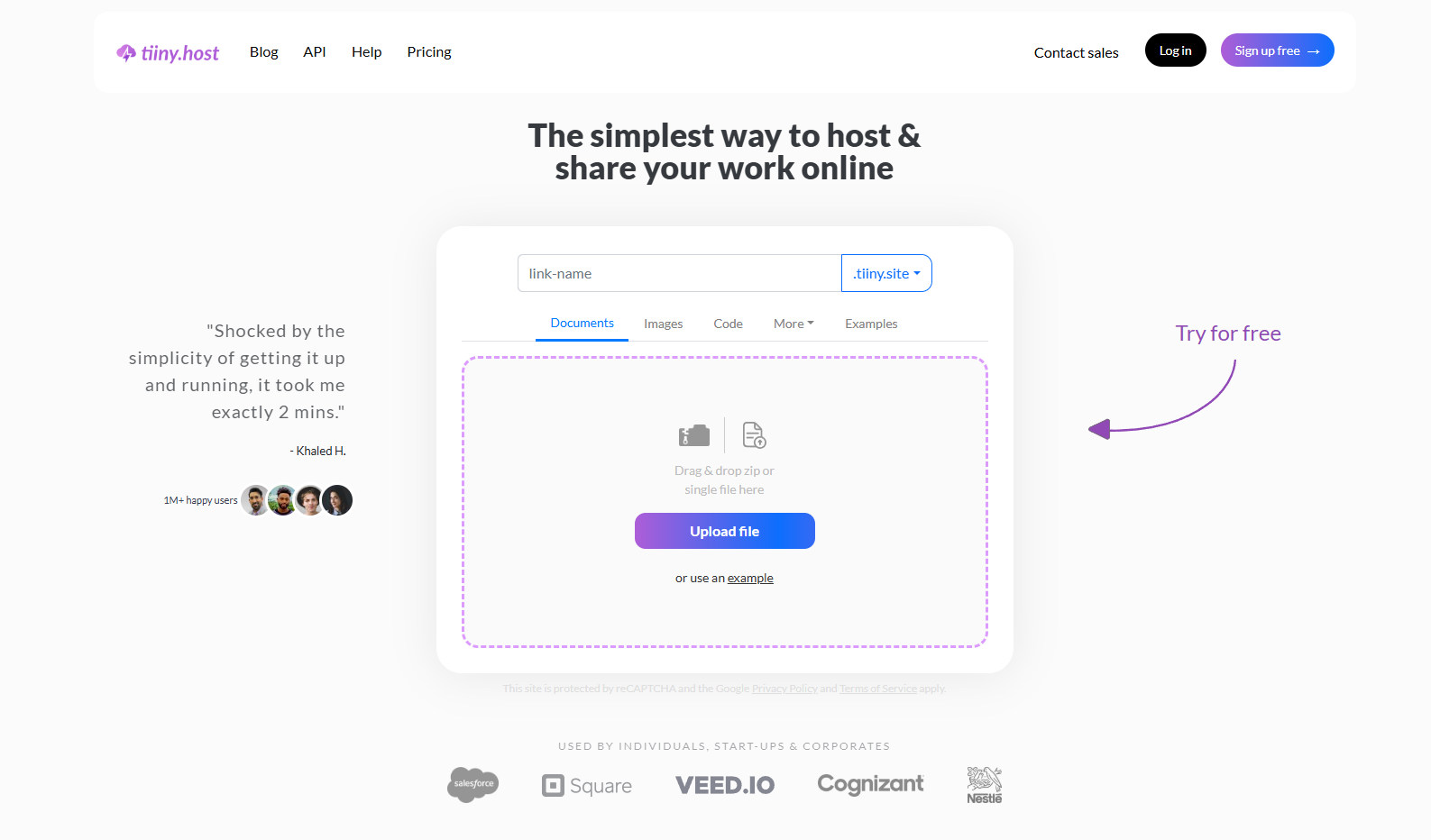
Tiiny Host is for anyone who already has their work ready, whether you are a marketer, student, or building with AI, and want to share your work without having to worry about any technical configuration.If you’ve worried about unfamiliar settings and dashboards that don’t make sense, you don’t have to with Tiiny Host.
Tiiny supports 50+ file formats like HTML, PDFs, images, and PHP files to be uploaded and shared as a website.
You can host:
- Proposals and annual reports to save, organize and share
- Website portfolios or PDF portfolios
- Slide decks for your presentations
- MVP websites to take feedback from
- AI-built websites, documents, images or projects
and much more.
Here are some more features of Tiiny Host:
Get a website from any file
As mentioned before, Tiiny supports more than 50 file formats. You can host your static websites of HTML, CSS and JavaScript, and you canturn your PDF into a website. Then, you can share this link with anyone so they can access and see it.
This is useful for teams to get feedback on the work. For marketers and freelancers, it can be used to share files with clients to get feedback and update easily. Researchers can use it to share findings and research papers, keep all their files in one place, and share them with a custom-named link.
Password-protect your important files
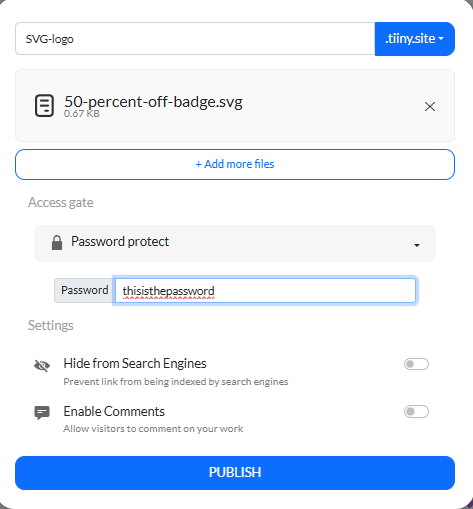
You do not have to work with access settings, approve anyone or wait for anyone’s emails.
Share the password with people that you trust and they will be to access the files.
On Pro plan, you can also add email capture for your files so whoever visits also has to add their email before accessing the file.
Access analytics without third-party integrations
Tiiny Host has built-in analytics, available from the Tiny plan, so you can track views and visitors for your website. You do not have to think about integrating any other tools or code in order to check the analytics. This also helps you check views on different pages and iterate on them based on the analytics.
Tiiny Host MCP
We also make it easy for you to create and upload projects using AI for you. You can build websites using Tiiny Create, where you can choose from options and don’t even have to write prompts.
Developers and AI builders can connect the Tiiny Host MCP to their AI Assistants to get their websites live directly from the chat. Your AI assistant will become your development and deployment assistant too once you connect the MCP.
Send Large Files over the Internet using Tiiny Host.
Email providers and storage solutions often have storage limits. You also cannot easily send large files through different social media platforms. With Tiiny Host, you do not have to worry about file compatibility or file size issues.
Tiiny Host makes it easy to send large files and videos. You can share files larger than 2GB or even 2TB if you move to the Pro Max plan using email, or you can share videos using just a link.
Platforms like Instagram do not allow files like PDFs, Docs, and Excel files, but you can use Tiiny to host these and share them.
Tiiny Host Pricing
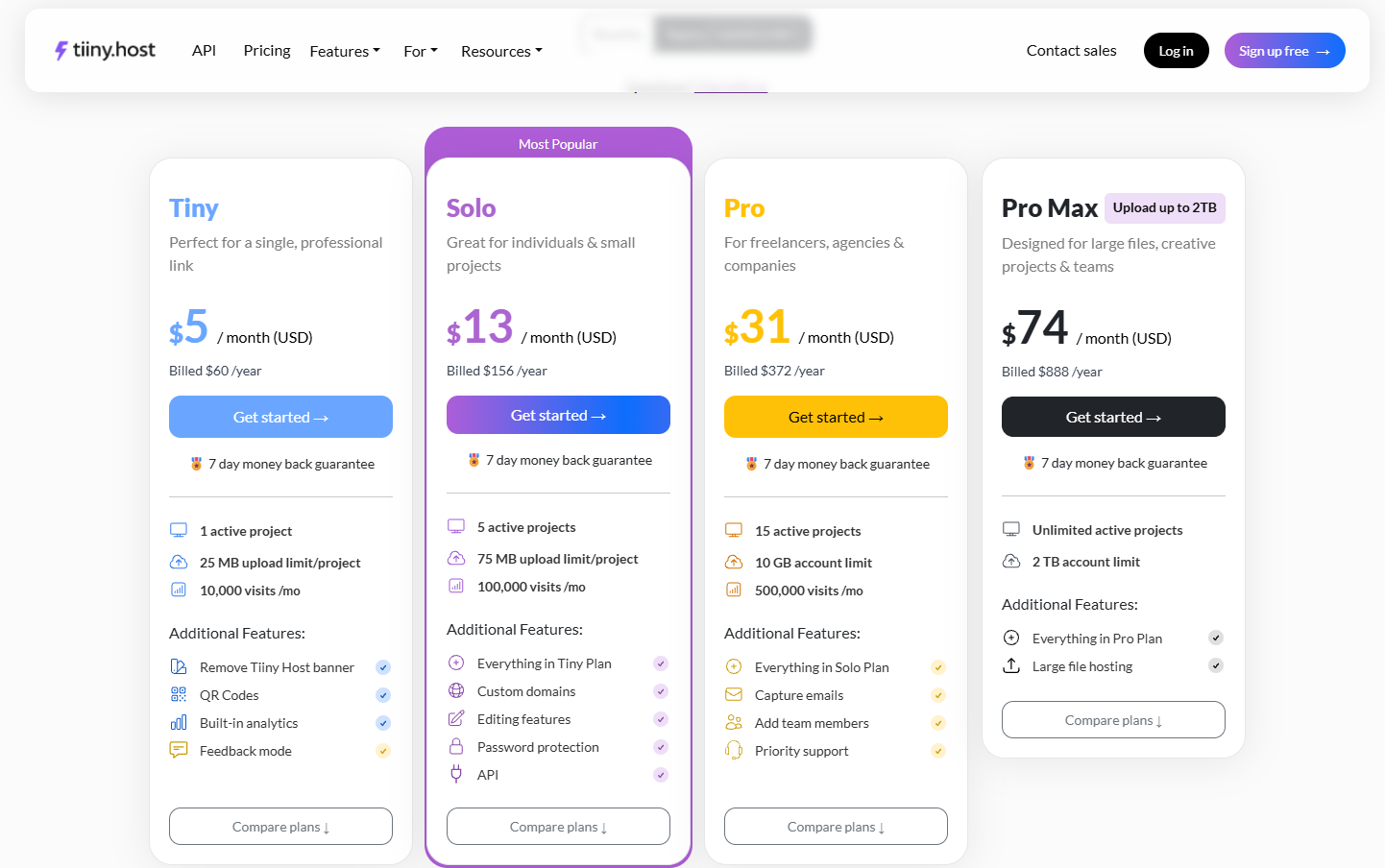
Tiiny Host lets you upload one project for free. With this, you can test out all the basic features of the tool to make further decisions. On the free version, you get 5GB bandwidth with 5000 visits per month.
- Tiny Plan ($5/month): Perfect for students and developers wanting to share their projects. 10,000 visits, 10GB bandwidth, built-in analytics, feedback mode, and QR codes are included in this plan.
- Solo Plan ($13/month): If you have to work with more than one file, this is the most affordable plan for anyone. 5 files, 100K visits, 50GB bandwidth, custom domain, link tracking, and password protection are some features that get added when you upgrade to the Solo Plan.
- Pro Plan ($31/month): Small teams can use this plan to edit, organize and store their files. This plan adds 15 active projects, 500K visits, 100GB bandwidth, email capture, enabling/disabling PDF downloads, and priority support, on top of features from all other plans.
- Pro Max ($75/month): The Pro Max plan is for storing and sharing large files and for design agencies. You get unlimited active projects and 2TB of storage on this plan, plus all the features from other plans.
Pros:
- Easiest for deployment for developers and non-developers alike as there is no need of git, build step or command line.
- Free SSLfor all your websites and files.
- Built-in analytics for your projects.
- You can build with Tiiny Create, publish from an AI assistant through the MCP or upload from your code editor.
- Quick to set up, and the dashboard is easy to navigate.
- You get a customized subdomain without a chunky URL, and you can also attach your own subdomain.
Cons:
- There are a few instances when Tiiny might not be the right case for you: Your website needs a database or server-side rendering
- Features like password protection and a custom domain need a paid plan.
Cloudflare Workers & Cloudflare Pages: Best Free Hosting for Dynamic Websites
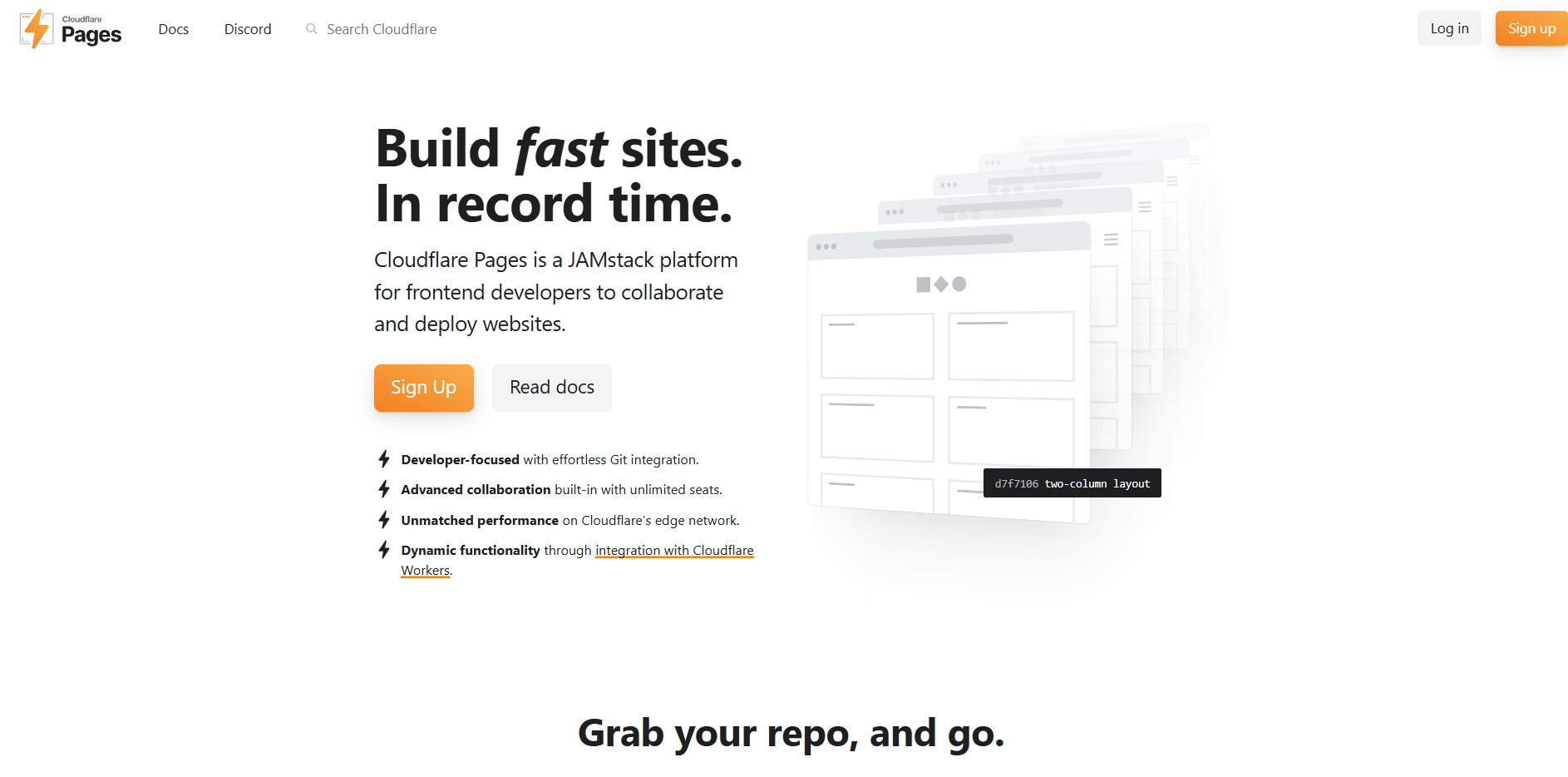
Cloudflare gives you two options to host your websites. It offers options to host static websites through Cloudflare Pages and server-side-rendered, high-traffic websites through Cloudflare Workers sites.
Cloudflare Pages has been used for the longest time to deploy static websites, but you do not see the Pages option as much anymore. Workers allows you to deploy both dynamic and static websites and is being promoted by Cloudflare much more now.
Workers has features for developers like scheduled tasks, logs and gradual rollouts. Even on the free tier, the sites are served through Cloudflare’s CDN, which keeps the apps very fast
All workers come with built-in storage and server-side deployment needs, including D1 (managed SQL database), R2, KV, and Durable Objects.
Pros:
- Unlimited static asset requests: You don’t bear any cost for traffic spikes on your project. Static asset requests are free and unlimited on every plan.
- Unlimited bandwidth: Cloudflare has unlimited bandwidth on the free plan, so you don’t get charged for data transfer.
- DDoS protection: For any project that is uploaded through Cloudflare, DDoS protection gets added.
- Room to grow: Any static website published through Pages or Workers can then be moved to a dynamic site without leaving the platform.
Cons:
- The dashboard is not beginner-friendly: When you log in and open the dashboard, the options aren’t obvious for you to select and start working with. When I was trying to navigate, I couldn’t find Cloudflare Pages anywhere. It is hidden as a small sentence below the Workers options.
- Direct Upload is one-way: If you upload a project as a drag-and-drop file, it cannot be switched to Git later.
- Code rewrite: If you have an app that writes to disk, the code migration may also need a rewrite. As there is no filesystem, SQLite would not work. You need to add support for D1 and Wrangler.
- Build and Project caps on Pages can become problematic for bigger teams or larger deployments. The free plan includes 500 builds a month, supports one build at a time and up to 100 projects per account.
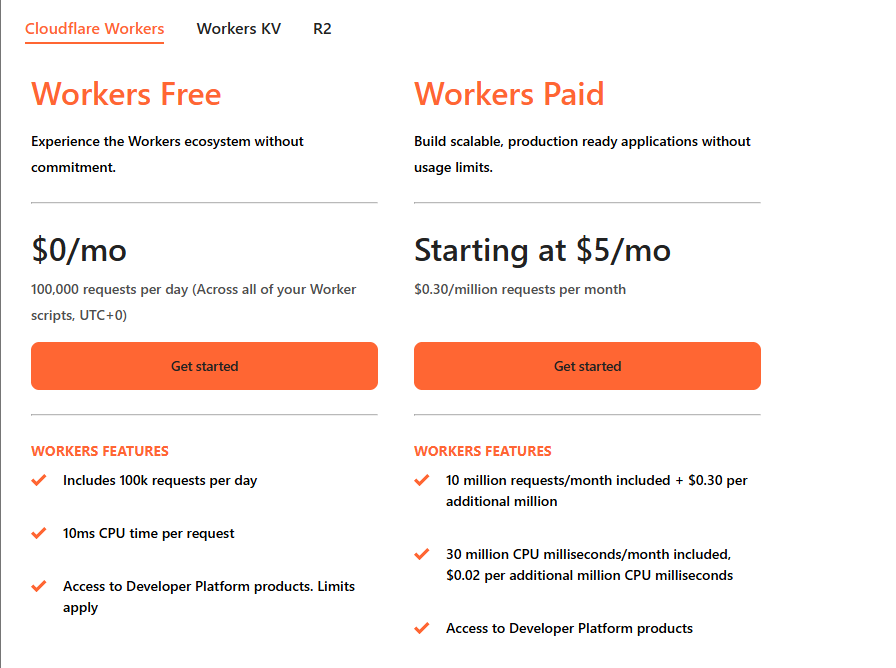
Cloudflare Pricing
Cloudflare has a generous free tier for all your needs, but the paid version for Workers starts at $5/month.
GitHub Pages: Best for Docs and Portfolios Already on GitHub
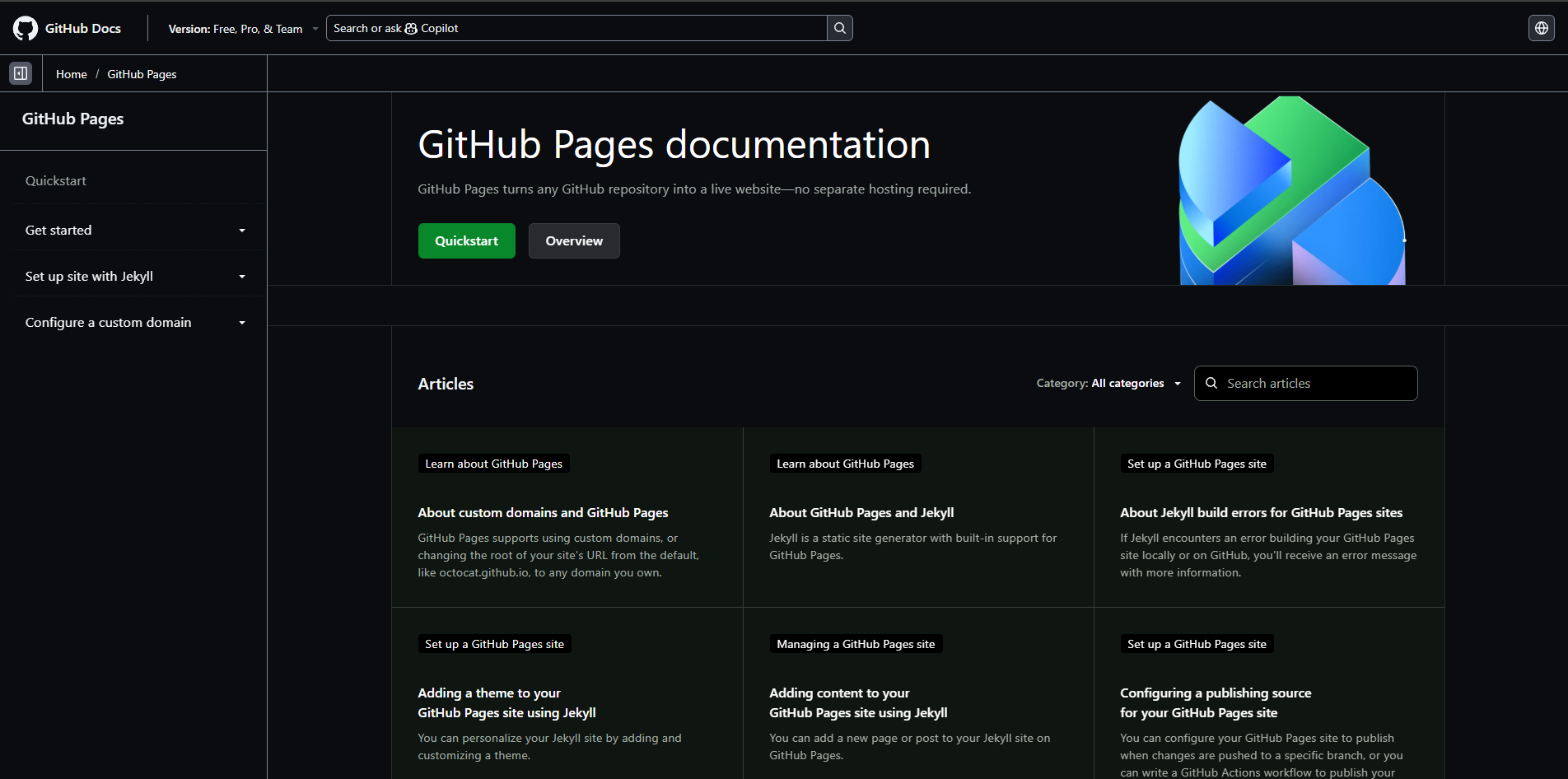
GitHub Pages is a good alternative for static sites if you are familiar with and used to the Git and GitHub ecosystem. If your docs and websites live on GitHub, it might be a good tool to try out.
GitHub Pages publishes HTML, CSS and JavaScript from your repository and gives you a github.io subdomain. It has built-in support for Jekyll, but you can also use other static site generators.
I think for anyone just starting out their GitHub journey or learning development, GitHub Pages is the way to go. It was the same for me, but a few months in, I realized other tools like Tiiny, Vercel or Cloudflare, made deployment much easier.
The configuration and time taken to deploy are more than with other tools, and if you are using it for the first time, it would be difficult to navigate through the steps.
Pros:
- It has free hosting for public repositories.
- If you already use GitHub and are familiar with Pages, it might be easiest for you to use.
- Great for documentation and portfolios that change frequently.
Cons:
- You cannot deploy a website from a private repository on free plan.
- There are some soft limits by GitHub that cap sites at 1GB, 100GB bandwidth per month and 10 builds an hour.
- You cannot use commercial businesses like a SaaS or e-commerce site using GitHub.
- There is no password protection or built-in analytics present.
- It is a developer-focused tool, so you cannot drag and drop a file and publish it online. You have to go through a deployment workflow from uploading code to publishing it as a website.
- If you want to work with static site generators like Hugo, you need a custom GitHub Actions workflow.
Pricing
- Free for public repositories
- Publishing from a private repository would require a paid GitHub plan, like Pro or Team.
Vercel: Best for Next.js applications
Vercel is a cloud platform built by the team behind Next.js. You would often hear people compare Netlify and Vercel because they present a similar deployment process. For framework apps, APIs and serverless functions, Vercel might be the best option for you.
Vercel uses Git-based deployments and gives you a preview link for every change you make. It has zero-configuration support for frameworks like Next.js. Vercel has Vercel Drop that allows you to upload and publish sites without Git and the command line. For storage, there’s Vercel Blob for files and you can connect database from providers in Vercel’s Marketplace.
The dashboard becomes a bit too technical once you upload your files. And if you are just working with a static file, you will see options that you don’t even have to work with.
Pros:
- Preview deployments for every change allow you to check updates before they go live.
- The limits for free apps are pretty generous; you do not have to worry about your website spinning down at a small scale.
- It is easier than GitHub Pages to deploy your sites.
Cons:
- The free plan is for non-commercial use only. If your project makes money, you have to pay for the Pro version.
- Password Protection gets expensive on Vercel. First, you have to upgrade to the Pro plan, and there is $20/month additional charge for every protected project.
- If your startup grows, the costs climb up easily too. Once you move from the free to Pro version, the costs get difficult to predict.
Pricing:
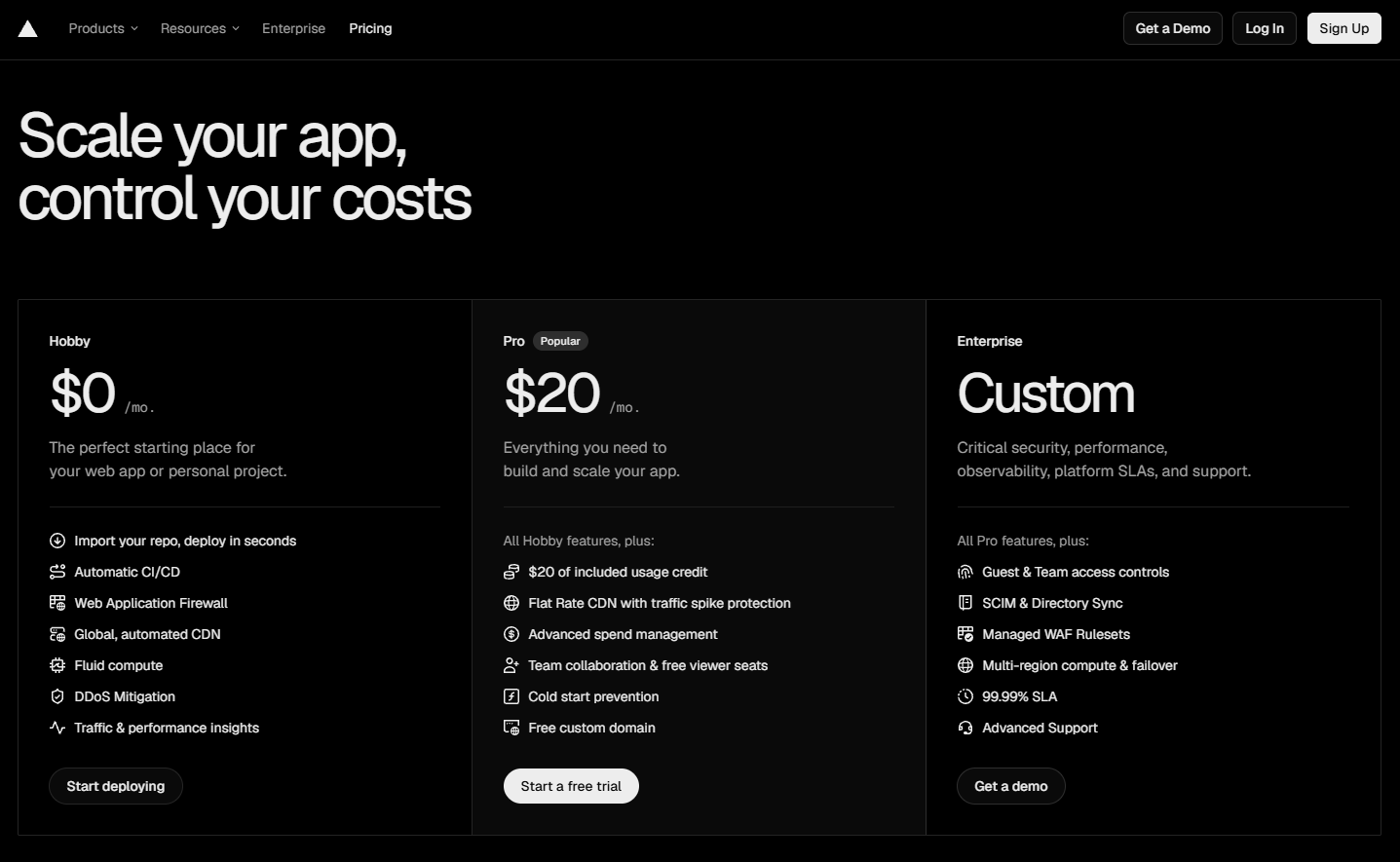
- The Hobby plan is free for personal and non-commercial projects.
- Their Pro plan is priced at $20/month and gives you additional features like a custom domain, cold start prevention, and using the website for commercial use.
Firebase Hosting
Firebase Hosting is Google’s hosting for web apps. If you already use Firebase tools, you might want to check this one out. Firebase Authentication (for logins) and Firestore (a database) live in the same dashboard as your hosting, so all your tools stay in the same place.
For server code, Firebase also offers Cloud Functions and App Hosting. You can use the dashboard and also the Firebase command-line tool.
Pros:
- You can start with the free Spark plan and don’t have to add payment methods to use Firebase.
- Your frontend, database and backend are all in one place; they share a project and a dashboard.
- On Spark, Cloud Firestore includes 1GiB of storage, 50,000 reads, and 20,000 writes a day, and Authentication covers 50000 monthly active users as well.
- It is quick to set up, and your site is served over Google’s CDN.
Cons:
- The hosting allowance is small on the free plan; it only allows 360 MB of data transfer a day.
- If you want to work with server code, you will need the Blaze plan (their paid plan).
- There are no drag-and-drop options for the tool, so you have to work with the command line tool.
- Vendor lock-in is the biggest issue with Firebase Hosting. Your data and logins are tied to Firebase’s own product; it becomes difficult to switch to another application or tool.
Pricing:
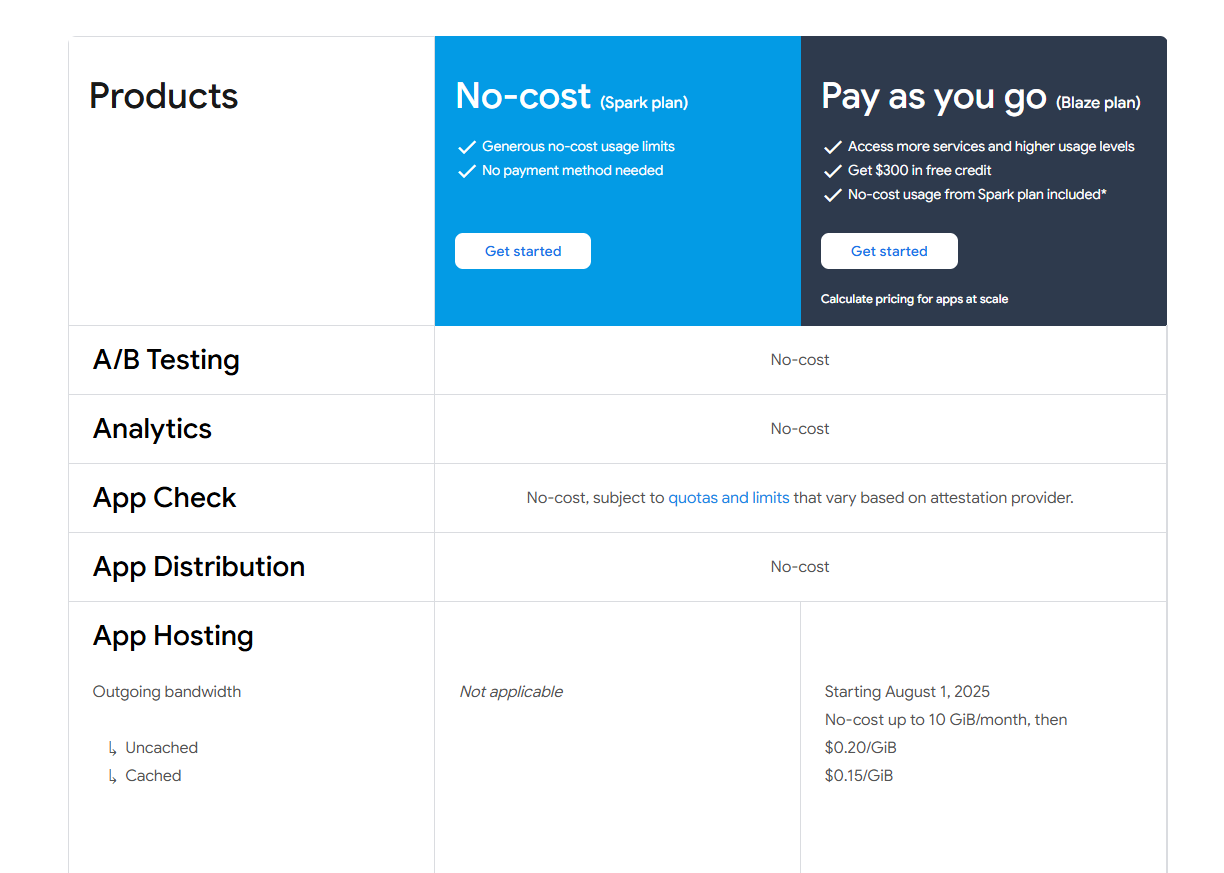
There are two plans on Firebase Hosting: the Spark plan and the Blaze plan. The Blaze plan has a pay-as-you-go model, so you pay when you use something. So when your product scales, the price can start piling up faster.
Render
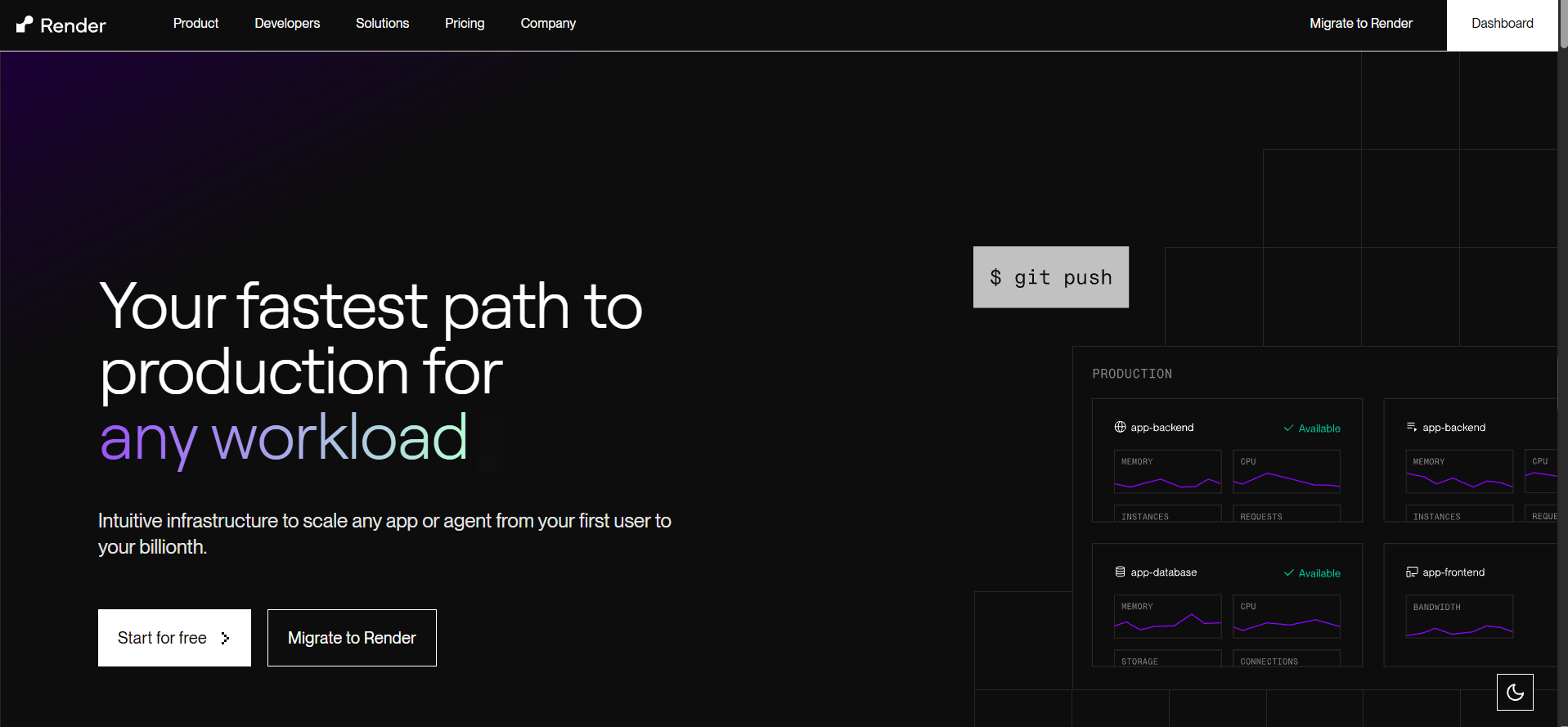
Render is a cloud platform for web services, databases and static websites. You can connect a Git repository, and it will build on every push for you.
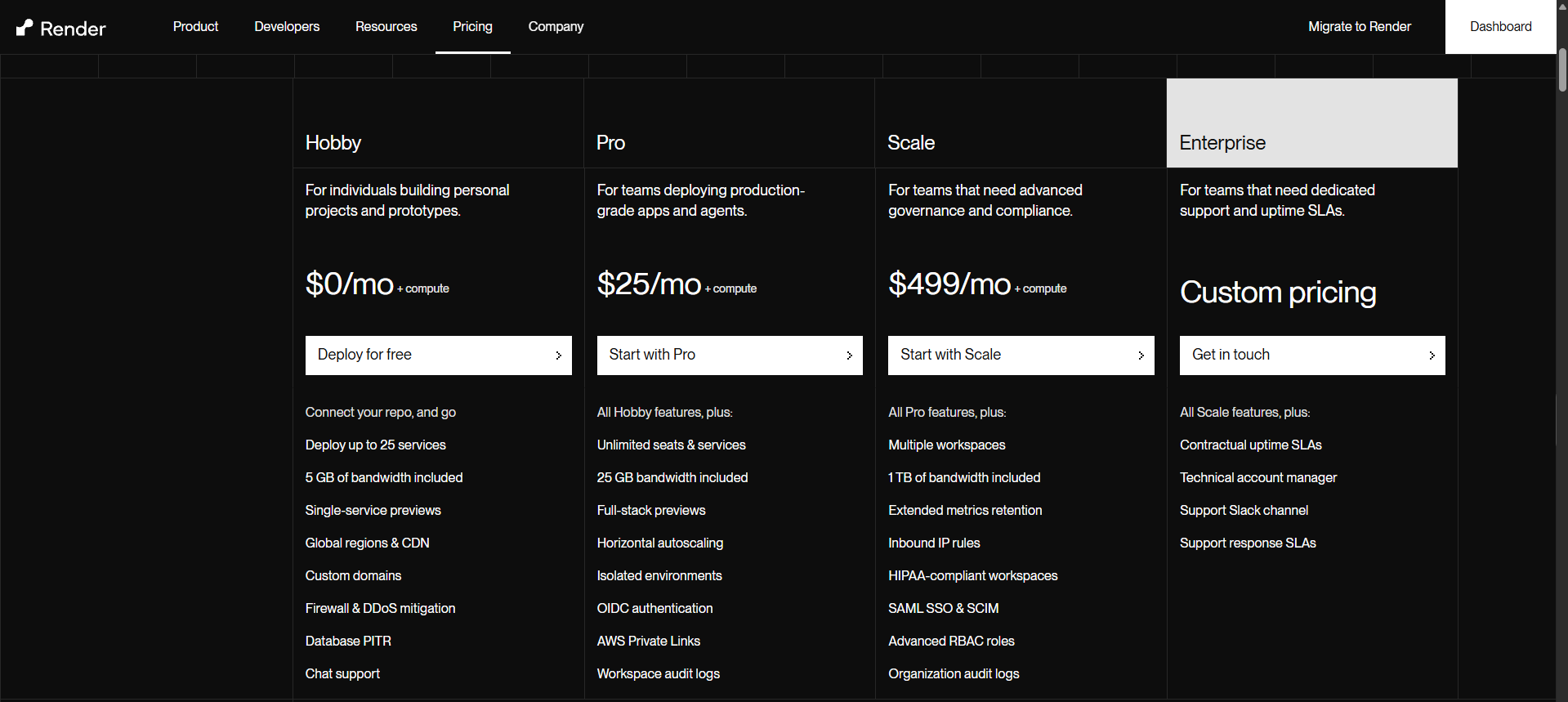
Render starts at $0/month, but it charges for the compute used. Their paid plan unlocks new features for you, but compute is charged separately on other plans too.
Pros:
- Your backend will live in the cloud without you having to worry about any server.
- It has a simpler workflow to process, and the pricing is better when compared to Heroku and AWS for managing services, databases and cron jobs.
Cons:
- The free tier doesn’t come with a persistent disk, so anything your app saves to server is lost when it restarts
- On the free version, the services sleep when there is no traffic, so the instances spin down, and if anyone visits the website, they are likely to get an error or a Render-branded page.
- The free database is temporary and expires 30 days after it is created. So, if you forget your deployment, your databases will also go away.
Pricing:
- The Hobby Plan on Render starts at no cost and is ideal for individuals or anyone just starting out.
- Then there is the Pro Plan, which costs $25/month. At this monthly price, it is a little more expensive than other applications that have similar plans like Railway.
- Their Scale plan starts at $499/month, and then there are custom prices for the enterprise.
The pricing is more expensive than others on this list, and you get charged for compute additionally on top of the monthly price for the upgrades.
Railway
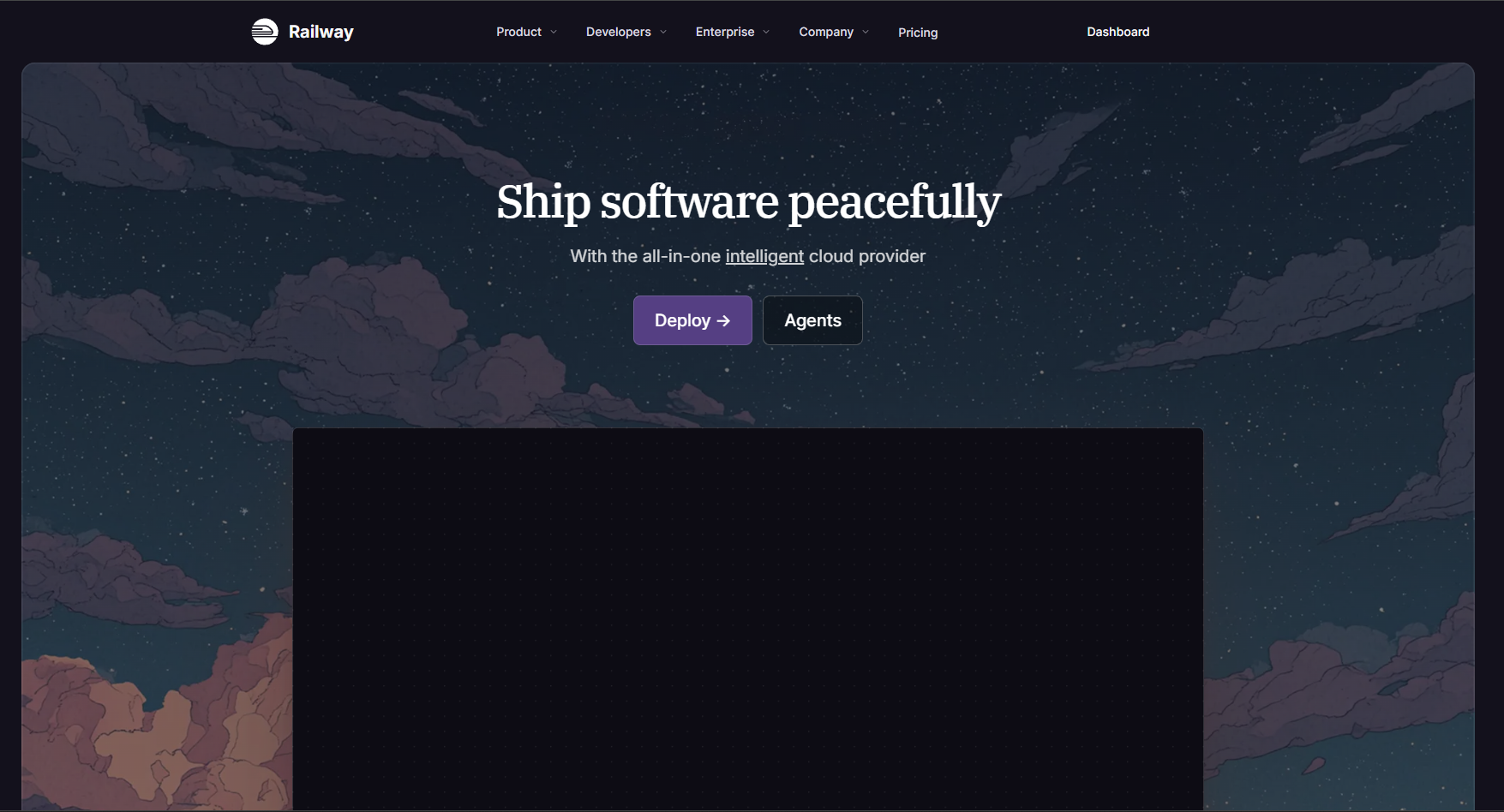
Railway works on the model of pay-as-you-use. You get charged for the memory and CPU for every second that you use it. This means if you have a smaller app or API, bills can be extremely low, but I can also imagine unexpected spikes as you add users.
Railway lets you add managed databases, including PostgreSQL, MySQL, MongoDB, and Redis-compatible storage. It also has persistent volumes, which gives your app a disk to save file for restarts.
Pros:
- You pay only for what you use, and billing happens by the second.
- You can mount a volume, and your code runs unchanged without you having to worry about any kind of data loss.
Cons:
- You get a free trial of 30 days with a $5 credit, but after that you have to move to one of their paid plans because otherwise you only get $1/month.
- There are no options for access controls and project migration as of now.
- It is a developer- and tech-team-focused platform, and other users might face issues learning the app.
- Even with paid plans, you could run out of credits quickly if you use any AI features present on the dashboard.
Pricing:
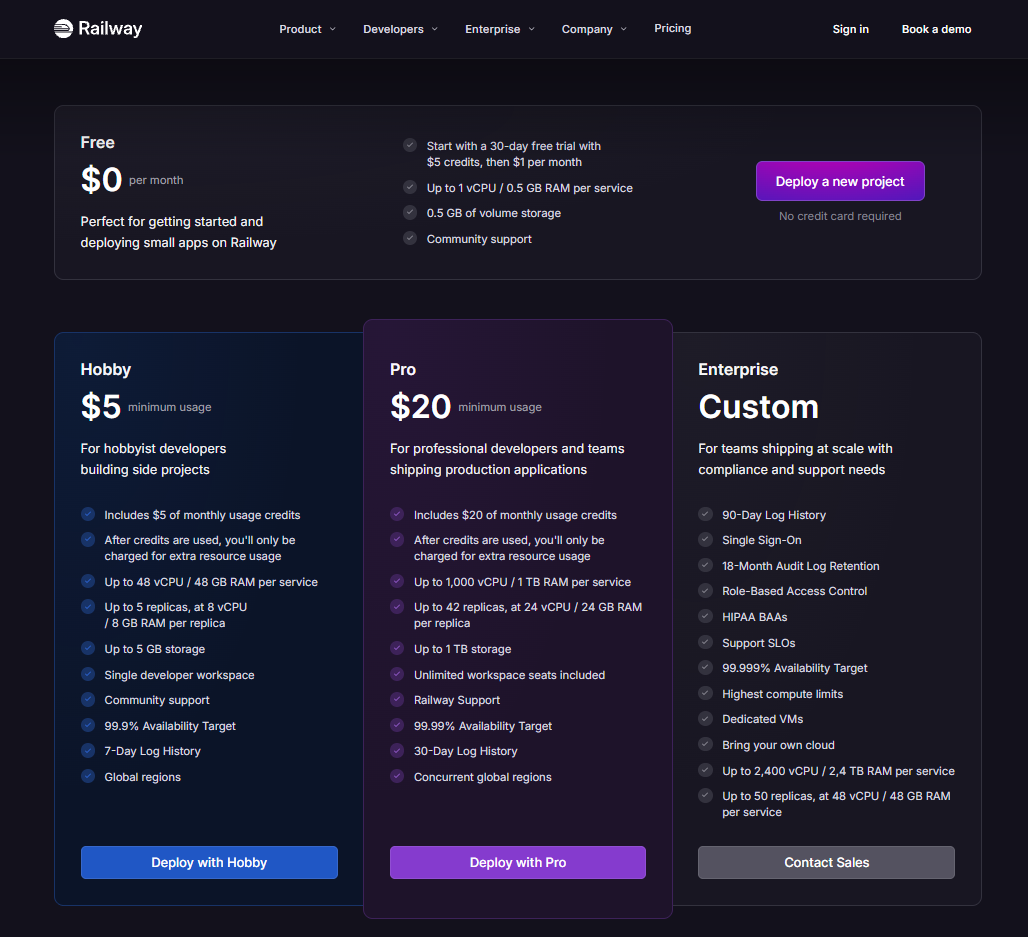
- Railway has 30 days of free trial that gives you $5 of crediits and then of $1/month.
- The Hobby plan starts at $5/month, and you get $5 worth of usage credits, after which you have to pay an additional amount for the resource usage.
- The Pro plan is at $20/month; you can increase storage and CPUs to use for your products. If your product needs a lot of services to be run, this might be the plan for you.
Coolify
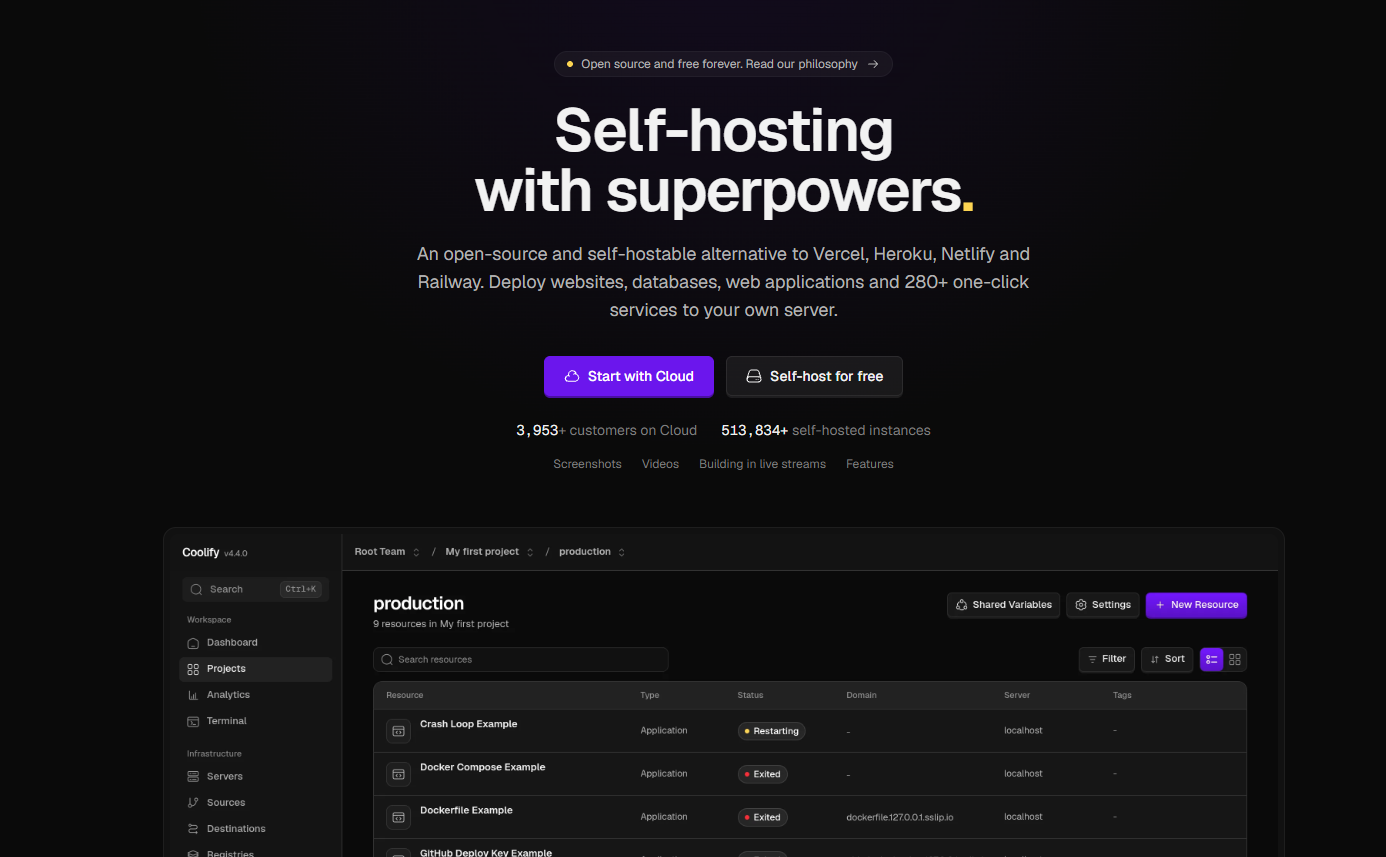
Coolify is open-source software that you can install on your server. With Coolify, you own everything from front-end, back-end, and databases without any dependency or vendor lock-in.
Coolify gives you a self-hosted dashboard for deploying apps from Git and has automatic detection for a lot of frameworks like Next.js. It also supports persistent volumes for apps that write to the disk. For the server, you can bring one from the provider you choose.
If you are new to hosting and choosing your first tool, I would recommend that you try other platforms before you choose to set everything up on your own.
Pros:
- There are no platform bills. You pay for the server that you bring, but Coolify has all features for free.
- You can use a server as your own computer or run an instance in the cloud. The management is in your hands.
- It has a large and active community with over 60,000 stars on GitHub. This community can help you with your issues and even support you when needed.
Cons:
- Basic built-in monitoring for your deployment. You need to add tools for error tracking and uptime monitoring yourself.
- Maintenance also remains with the user; you have to update the version of Coolify to get the latest updates, and you are also responsible for maintaining the website.
- The setup takes a lot of time. When I was trying Coolify, it took me over an hour to set up my server and other dependencies before even Coolify was involved.
- Your server needs enough memory to run Coolify. I first tried a smaller DigitalOcean server but the setup kept crashing and I had to switch to 2GB version for Coolify to set up.
Pricing:
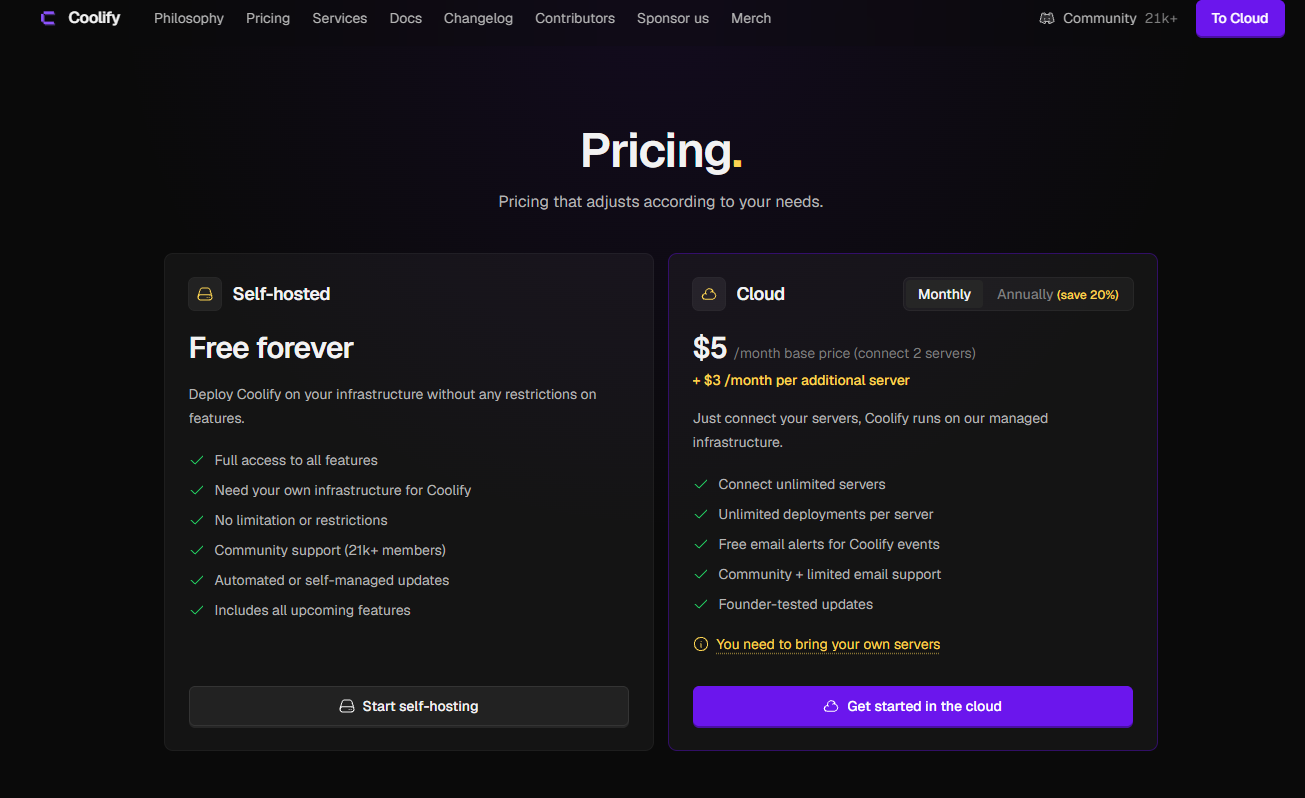
Coolify is open source and free for all software. You get to use all the features for free, but you need your own infrastructure to run it. Otherwise, you can use a cloud to run your Coolify and apps.
Coolify has also started a $5/month Cloud version subscription where your Coolify runs on their server, but you still need to bring in servers to run your own apps.
AWS Amplify
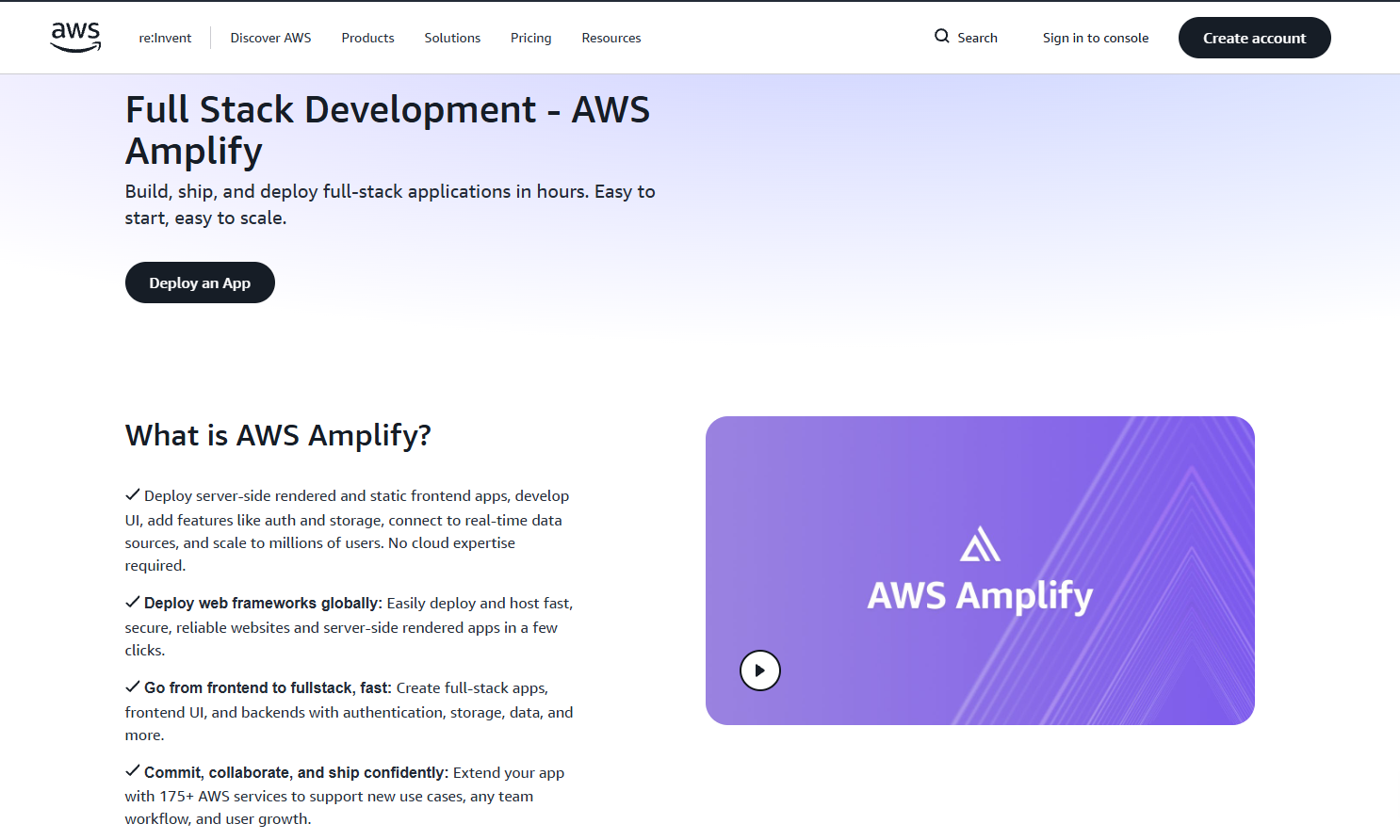
AWS Amplify Hosting is Amazon’s hosting for all types of applications, static websites, small apps or larger apps. Most individuals and companies use Git based deployment for AWS, but it also has a manual deployment option where you can drag and drop your websites.
It supports Git-connected deploys from GitHub, GitLab, and Bitbucket. With AWS Amplify, you can use Cognito for logins, DynamoDB for data and Lambda for functions. There can be multiple sites per project, and each comes with an SSL certificate.
Pros:
- No per-seat pricing; the whole team can work without paying for different seats.
- If your company already uses AWS for backend, you can use Amplify so your data, app and logins can live in one place.
Cons:
- You need an AWS account before starting, and the console has much more than simple hosting, which can confuse beginners and people who are just starting out.
- The costs can keep growing with traffic. An example on their own site says that an app with 10000 daily users, when updated twice a month, can cost about $66 per month.
- The security for your app comes with an additional price; the firewall costs $15 per app every month.
- The learning curve is difficult when working with AWS. The console is cluttered, and billing can be difficult to follow.
Pricing:
AWS also has a pay-as-you-go model where you have to spin up instances and servers yourself. You can get an estimate of the cost for your infrastructure using their pricing calculator.
What to Check Before Your Switch
If you want to move a static website, that would be easier to switch. You can just drag and drop your file to Tiiny Host or upload to Cloudflare Pages. If you have a website that has frameworks, a database, and server-side rendering, you would have to take care of a few more things before you switch.
- Netlify Forms: The forms are a feature on Netlify, so when you migrate to another host, you have to look for a replacement, which could be provided by the host, or you have to use some other integration.
- Redirects: Netlify uses a _redirects file, and so do a few other hosts like Cloudflare Pages, but always check with other hosts too.
- Functions: If you have used Netlify functions, they have to be rewritten for the new platform’s format.
- Stored data: If your app writes to disk, you have to check where the new host keeps data and configure it properly.
-
Your domain: Make sure to point the DNS of your domain at the new host and wait for the SSL certificate to be issued.
The Verdict: Which Netlify Alternative Should You Choose?
The best Netlify alternative depends on one question now. Are you deploying an app or just need to publish a website and share a file?
Choose Tiiny Host if you want:
- Quick deployment for a file or to host a website.
- You don’t have to worry about learning anything technical or Git.
- You want to share work with your client or team members with just a link.
If you’re deploying an app, choose Vercel for Next.js or Cloudflare of high-traffic static sites. If you need backend and database, you can checkout Render, Railway, Firebase or AWS. If your site lives in GitHub, you can use GitHub Pages and if you would want to run everything yourself, go with Coolify.
If you have a file ready, get it live using Tiiny Host right now.
Frequently Asked Questions about Netlify Alternatives in 2026
Is Netlify still free in 2026?
Yes. There is the Netlify free plan at $0, and it gives you 300 credits a month. It has a hard limit, so you won’t be charged, but if you run out of credits, your site will experience downtime.
What is the best alternative to Netlify for non-developers?
The best Netlify alternative for non-developers would be Tiiny Host. You get a simple dashboard that everyone can work with. There are no build steps or command-line steps you have to get familiar with. You only need your file, and you can get started.
What is Netlify Drop, and is there an alternative?
Netlify lets you host your files without Git and the command line. You upload or drag and drop your file, and you get a link to share with your audience, colleagues or team members. Once you upload it, though, you have to deal with the Netlify dashboard, which is very developer-centric. You can use Tiny Host, Cloudflare Pages and AWS Amplify as an alternative.
Is there a free alternative to Netlify?
Yes, if you want to host a static site or a file, you can check out Tiiiny Host. If you have a server-side rendering website, you can use Cloudflare Pages.