- TL;DR
- What is Drag-and-Drop Website Hosting?
- What are the Best Drag-and-Drop Website Hosting Platforms in 2026?
- Tiiny Host
- Netlify Drop
- Cloudflare Drop
- Vercel Drop
- Static.app
- EdgeOne Makers Drop
- GitHub Pages: Repo-based Hosting
- Best Drag-and-Drop Website Builders of 2026
- Which Drag-and-Drop Website Host Should You Choose?
- Fixing Common Drag-and-Drop Hosting Problems
- Drag Your File and Get Hosting
- FAQs
You have a website ready; maybe you built one using an AI tool or coded one yourself (the probability of the second is quite low, but I’ll give you the benefit of the doubt), and now you just want it online. To get your website online quickly, you search for drag-and-drop website hosting tools and just find builders. Well, not anymore! I tested and found drag-and-drop website hosting platforms to help you get your website live.
There are two different types of drag-and-drop when you search online. There are website hosts that let you host your pre-built websites, and some website builders allow you to drag-and-drop components to build a website.
In this guide, I have focused on drag-and-drop website hosts but also briefly covered the best drag-and-drop site builders so you can choose the tool for your needs. For each, I looked at the setup, cost and how easy it is to update.
TL;DR
- If you have your website files or HTML ready, you can host it using Tiiny Host and get password protection and analytics built in.
- If you want your projects are already on Cloudflare, Vercel or Netlify, you can use Cloudflare Drop, Vercel Drop or Netlify Drop. They are the quickest ways into the platform.
- If you want built-in forms, you can use Static.app but it has no free plan.
- You can drag and drop files to GitHub, but you cannot publish directly, and you have to work with a repository.
- If you want a test link, you can try out EdgeOne Makers Drop.
- If you want to design a site from scratch, you can use website builders like Wix, Squarespace, Hostinger or WordPress.
What is Drag-and-Drop Website Hosting?
Drag-and-drop website hosting lets you drop your files into the browser and publish them without Git or the command line. Hosts like Tiiny Host let you take the files you already have online but there are builders like Wix and Squarespace that let you design a site by dragging blocks and then host it.
| If you… | You need | Examples |
| Already have an HTML file, folder, ZIP or PDF | A drop-and-drop host | Tiiny Host, Static.app, Cloudflare Drop, Netlify Drop |
| Want to design a site from an idea | A drag-and-drop builder | Wix, Squarespace, Hostinger, WordPress.com |
Most drag-and-drop hosts are made for static sites, so you can have HTML, CSS, and JS files that look the same to everyone. If you need storage, user logins and database or backend services, your site would be a dynamic website and a developer platform might be better.
What are the Best Drag-and-Drop Website Hosting Platforms in 2026?
| Tiiny Host | Netlify Drop | Cloudflare Drop | Vercel Drop | Static.app | EdgeOne Makers Drop | |
|---|---|---|---|---|---|---|
| Best for | Non-developers sharing pages and files | Quick drops with a path into Netlify | Free instant previews | Projects already on Vercel | Simple sites with forms | Free hosting on your own domain |
| What you drop | HTML, ZIP, PDF, folders | Folder or ZIP | Folder or ZIP | File, folder or ZIP | ZIP, HTML, folder | Files or folder |
| Account to go live | Yes, a free account | No, but claim within 1 hour | No, but claim within 1 hour | No, but claim within 1 hour | Yes, during upload | No, but register within 1 hour to keep it |
| Updating | Upload over the old files; same URL | Go to the project on Netlify dashboard and then upload files . | Becomes a Workers project in your Cloudflare account | Drop new folder in the project or connect Git. | Dashboard, or sync a folder with the Static Sync app | Drop a new build to replace the live version |
| Custom domain | Solo plan | Yes, free after claiming | Yes, after claiming | Free on Hobby (up to 50 per project) | Paid plans | Free |
| Password protection | Solo plan | Pro plan ($20/month) | Access control after claiming | Pro, $20/month per project | Per page | Yes |
| Analytics | Tiny plan | 1-day retention on Free; 30 days on Pro | Observability after claiming | 50,000 events/month on Hobby | Paid plans | Not listed |
| Free tier | 1 site, 3 MB (0.5 MB PDF), 5,000 visits/month, banner | 300 credits/month | Workers Free plan, static asset requests are free and unlimited | Hobby, non-commercial use only | 7-day trial, 1 site, 50 MB | 25 MB per file, up to 40 projects |
| Paid from | $5/month | $9/month (Personal) | $5/month | $20/month per seat (Pro) | $5/month | Free |
| URL your visitor sees | yourname.tiiny.site | Netlify subdomain | workers.dev address | vercel.app subdomain | Static.app subdomain on free | yourproject.edgeone.app |
All prices were checked in November 2026.
Tiiny Host
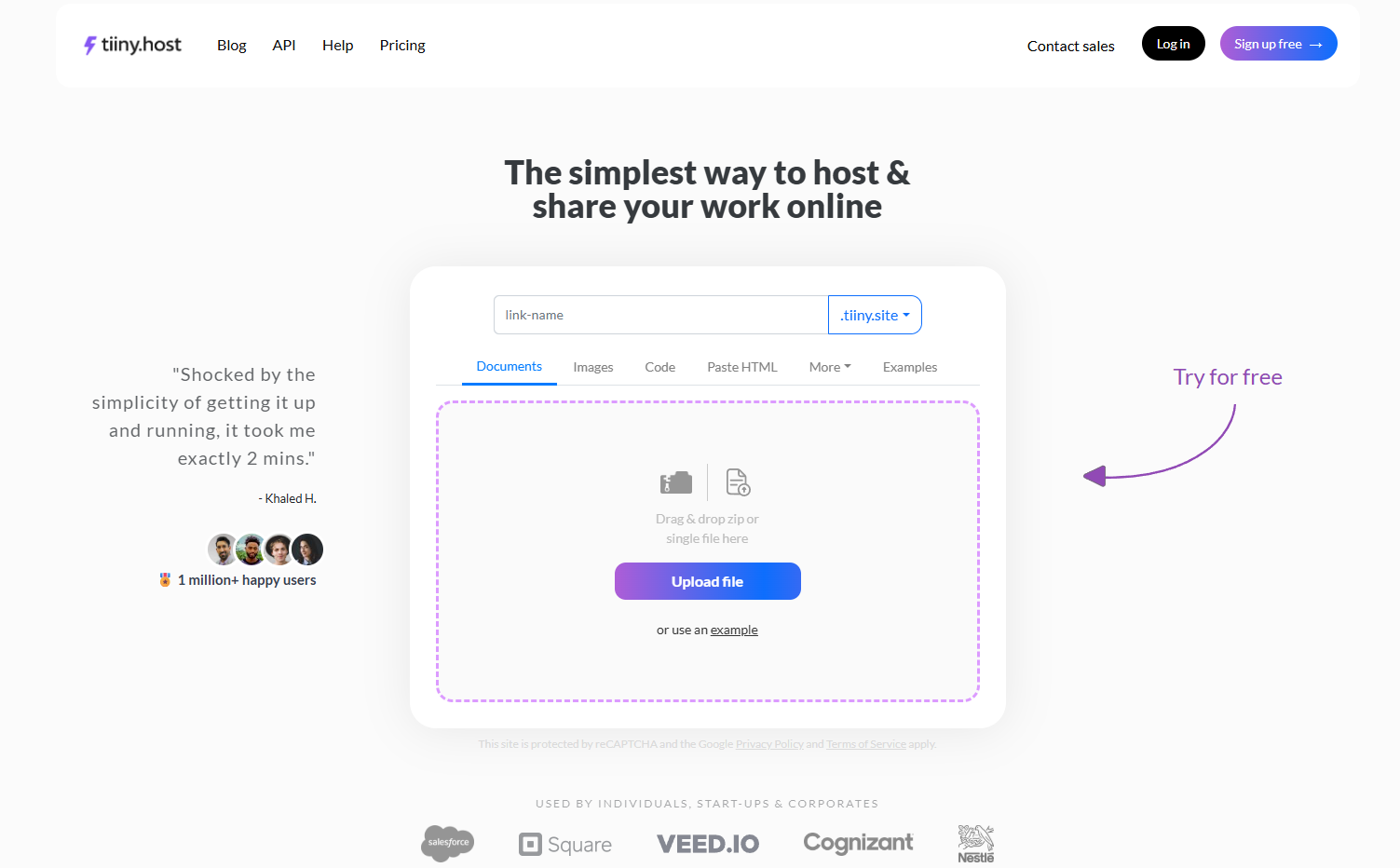
Tiiny Hostis built for everyone: marketers, students, small businesses and AI builders who need to get their website online quickly. You can drag and drop an HTML file, folder, or ZIP in the browser and publish your website without Git or the command line. You can also upload a PDF to share it as a website using Tiiny Host.
Tiiny Host is built with non-developers in mind, so it is easy to get your website live. But we also want to make it easy for developers to get their side projects live so they can focus on building.
Here are some features Tiiny Host comes with.
Password Protection for your website
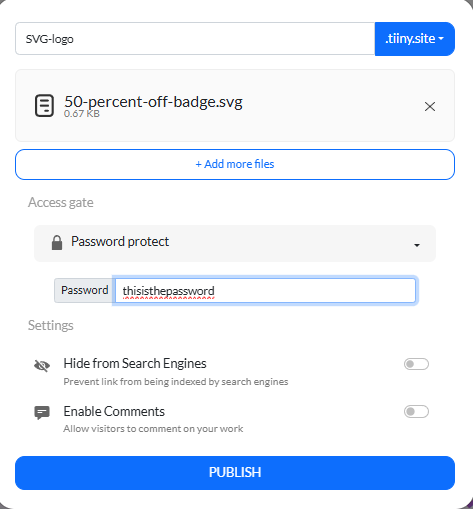
You can turn on password protection for your website so only people with the shared password can access the site and view the content.
This is really helpful for anyone who has client work and wants to keep things private. Freelancers and colleagues can use the feature to share internal work or client work. Marketers can use it to set different passwords for different campaigns and share them with the right people.
Built-in analytics
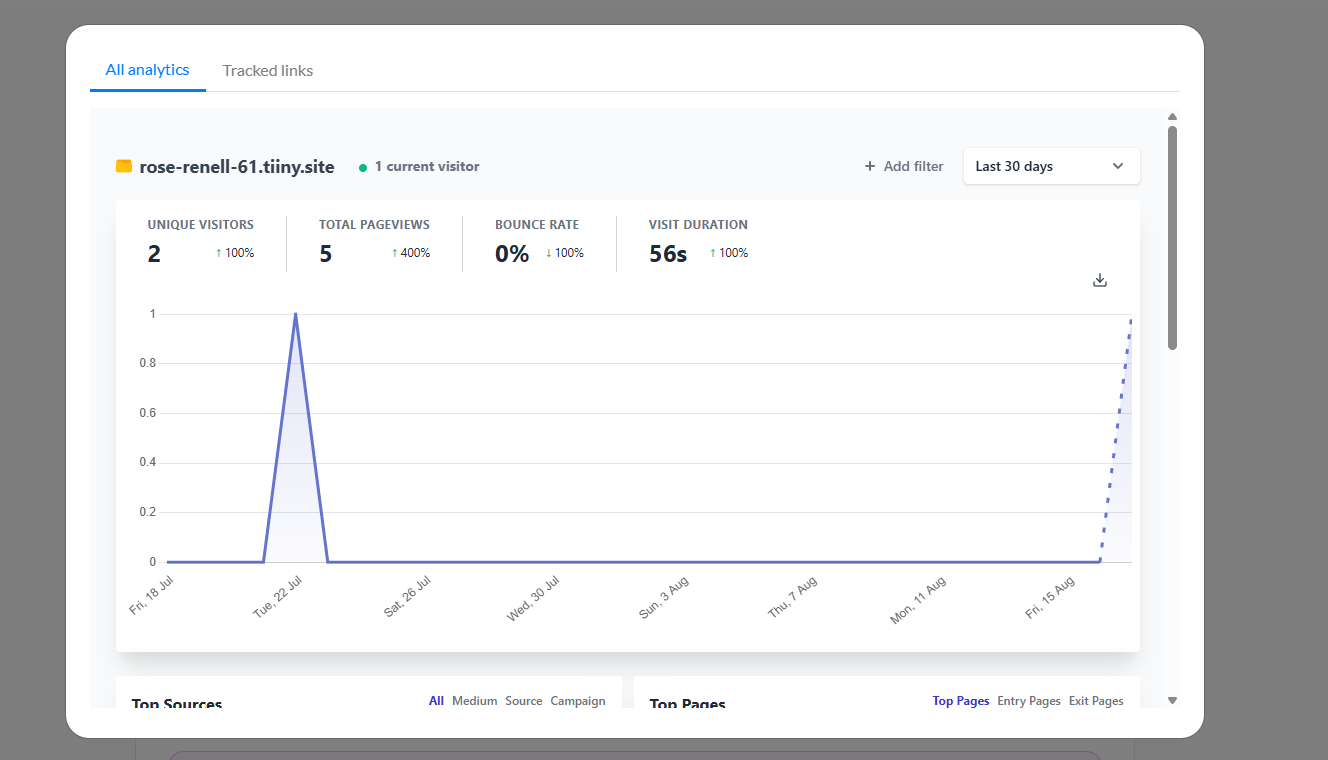
You get built-in analytics for the websites published without integrating any third-party applications. You can view the analytics from the dashboard to see views and visitors. This can help you curate and edit the content for the best engagement.
Access Control
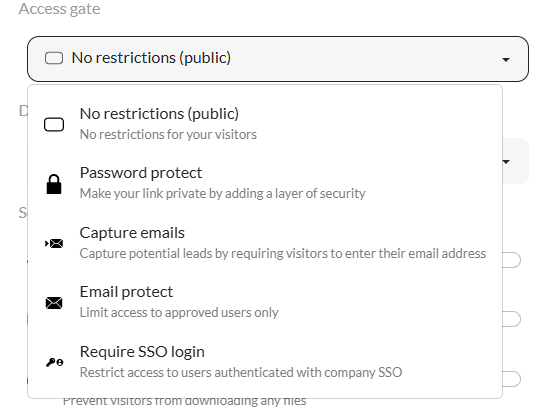
Besides password protection, you can control access to your website in other ways.
- Email Approval: Add a list of approved email addresses, and only they can access the website.
- Capture Email: You can capture the emails of everyone who opens the link so you have a list of people who opened the site, which can also be potential leads.
- SSO login: If you enable SSO login, only employees and team members who log in will be able to see the content of the site.
In-browser Editor
Once you drag and drop your files, you don’t have to worry about connecting to Git, working in your device editor, or re-uploading files. The in-browser editor can help you with that. There is an AI editor where you write your requests, and it makes the changes. If you would rather edit the code by yourself, you can do that too in the HTML editor and viewer..
Add Custom Domain to Your Website
With Tiiny Host, you already get a custom subdomain like yourname.tiiny.site, so you don’t have to worry about a random string website link. You can personalise the link name when you publish and edit it later. If you have a custom domain, you can attach it to your website too.
Get Tracking Links
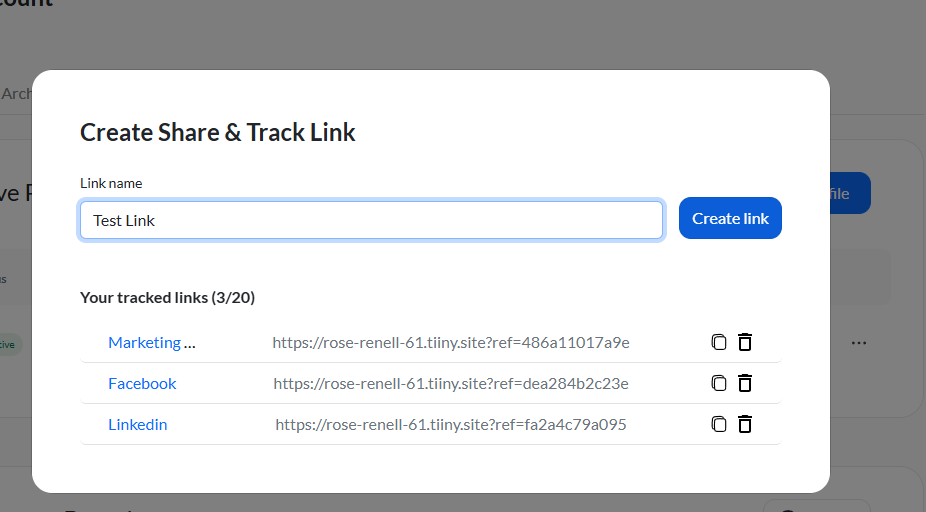
You can create tracking links with UTM tags, short labels added at the end of the link that help track analytics for a particular tag. For example, if the UTM tag is facebook for a Facebook marketing campaign, you can see how many visits came from Facebook on the dashboard.
Best for
- Marketers who want to create campaigns and manage the landing page, analytics, link tracking and access controls all from one dashboard.
- Code exported from AI tools, because you can just drop the file and the site goes live.
- Students and developers building their portfolios can host them on Tiiny and share with recruiters.
- Photographers, Designers and Marketers can host their decks and portfolios on Tiiny as well by uploading HTML or even uploading a PDF to convert it to a website directly.
- Small business owners who want to increase their visibility can host their small business website.
- If you want to keep just one link and add, edit or delete, you can manage your website from Tiiny’s dashboard.
- Get feedback on your prototypes because visitors don’t need to download a new app to be on the team to give feedback.
Avoid if
- You have a dynamic website that works with different frameworks and needs server-side rendering.
- If you are an enterprise that needs managed database systems and server-side management.
Ready to get your website live? Drop your files and get your website live in a few seconds.
Pricing
Tiiny Host has a varied range of plans that can accommodate everyone’s needs. We have plans that let students and early developers get a free website live and share it. There are affordable plans for solo devs, marketers, agencies, teams and even enterprises.
| Plan | Price | What you get |
| Free | $0 | 1 site, 3 MB uploads, 5,000 visits and 5 GB bandwidth a month |
| Tiny | $5/month | 25 MB uploads, visitor analytics, QR codes, version history |
| Solo | 13/month | 5 sites, 75 MB uploads, your own domain, password protection, code editor, API access |
| Pro | $31/month | 15 sites sharing 10 GB, email capture, team members, priority support |
| Pro Max | $74/month | Unlimited sites, 2 TB of storage |
And also, every plan comes with a 7-day money-back guarantee.
Netlify Drop
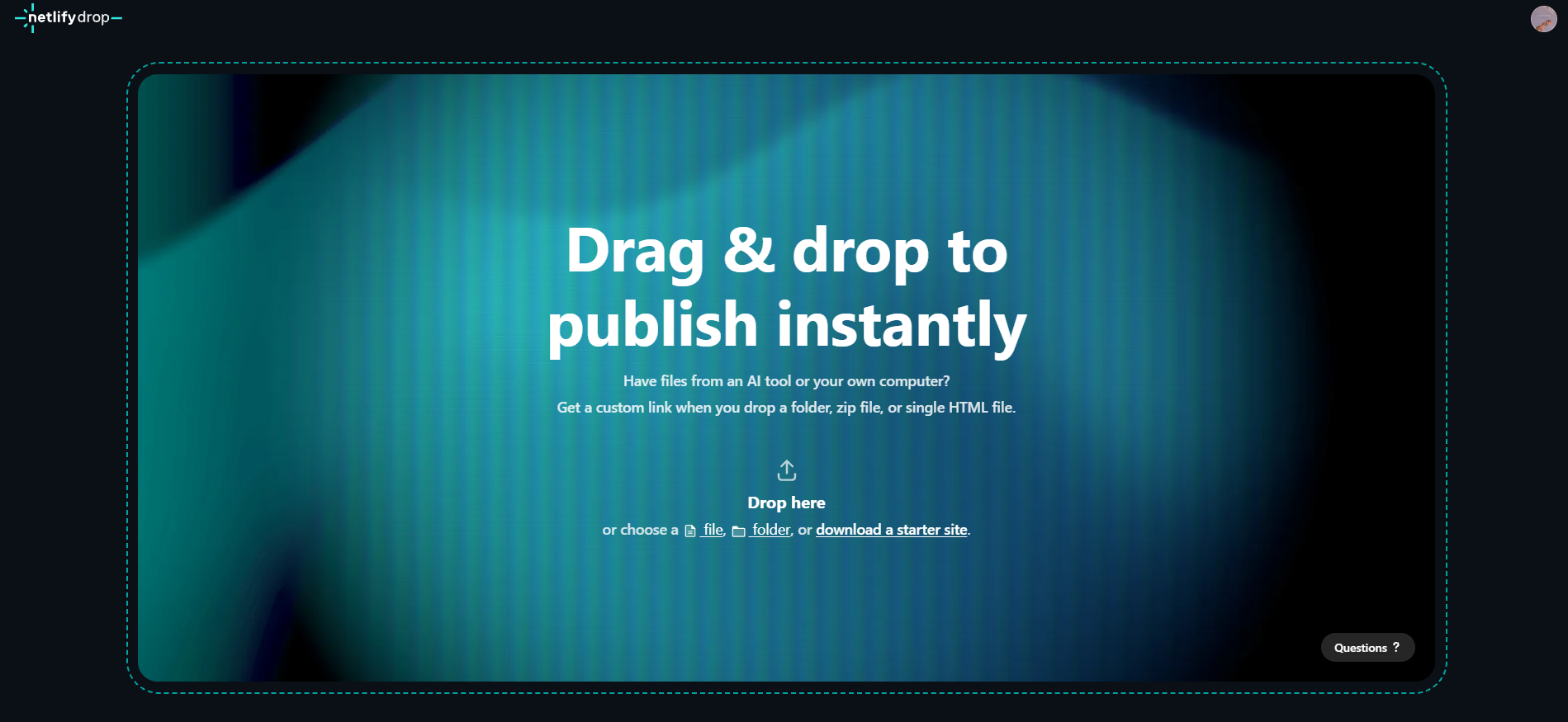
Netlify Drop has been around for long and it is one of the fastest ways to get into the Netlify ecosystem. When you upload through Netlify Drop, you get the Netlify dashboard to work with.
Drop is meant for static sites only. The dashboard is the one you get when you upload a project on Netlify, which can become a little too technical and complex for non-developers. Also, Netlify recommends keeping drag-and-drop folders around 50 MB and 10MB for single files. For anything bigger, they want you to switch to a command-line tool.
Best for
- Developers who want to quickly deploy right now and work with the Netlify Git workflow later.
- Projects that need automatic builds for frameworks.
Avoid if
- You want password protection at an affordable price. You have to get the Pro plan ($20/month) to enable password protection.
- You want to work with a simpler dashboard and UI.
- Your upload is very large. It is not easy for everyone to use command-line tools.
Pricing
Netlify uses a credit-based system, and the free plan limits you to 300 credits. Then you can move to paid plans, which offer more credits. If the credits you get are spent out, your site will go down.
| Plan | Price | What you get |
| Free | $0 | 300 credits a month (hard limit), custom domains, 1-day analytics |
| Personal | $9/month | 1,000 credits a month, 7-day analytics |
| Pro | From $20/month, unlimited members | From 3,000 credits a month (tiers up to 20,000), 30-day analytics, password-protected sites |
| Enterprise | Custom | Custom credits, SLA, SSO and dedicated support |
Also Read: Tiiny Host vs Netlify Drop
Cloudflare Drop
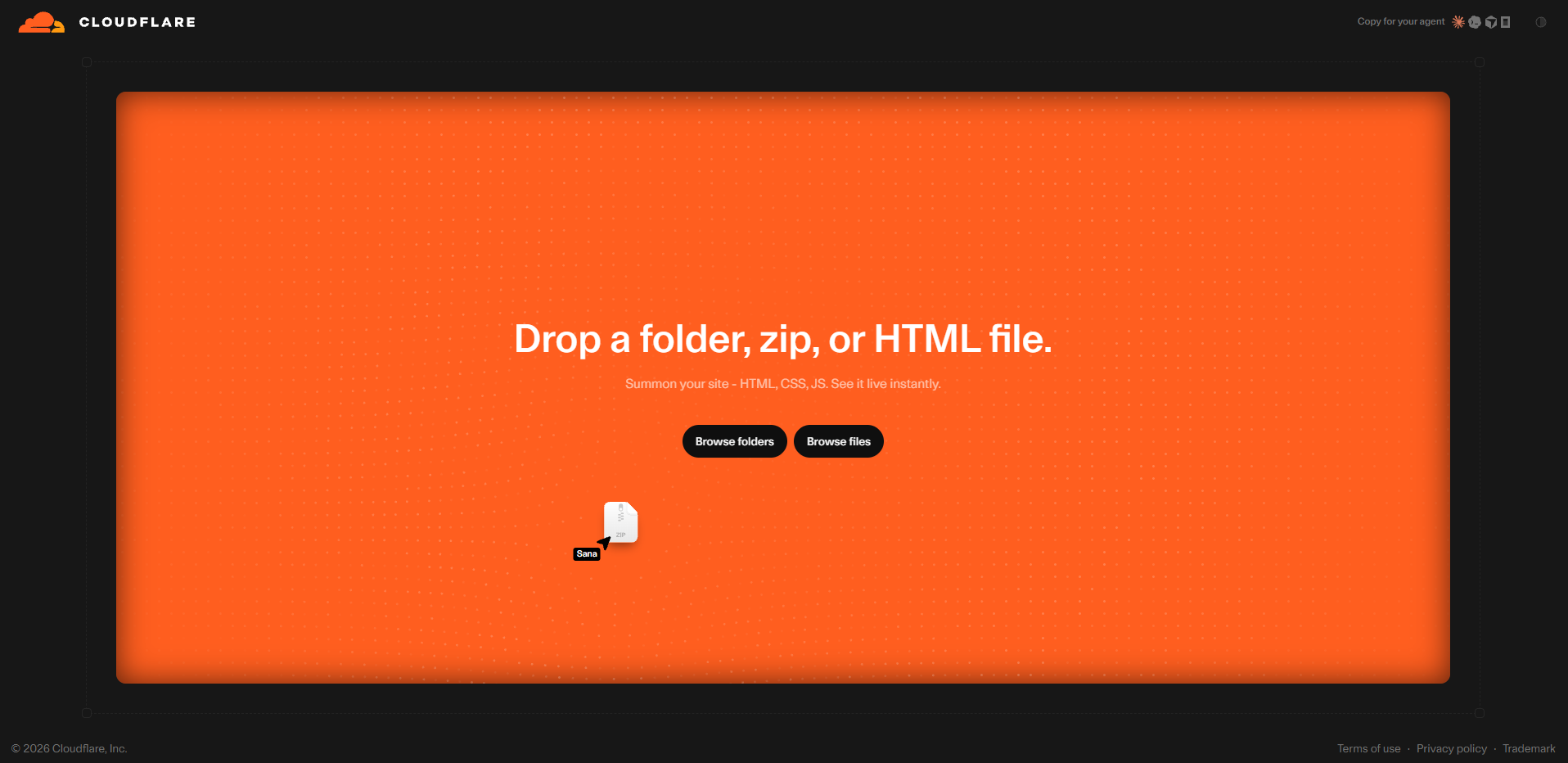
Cloudflare launched Drop on 8th July 2026. It is very similar to how Cloudflare Pages are, but here you drag and drop directly. You upload your ZIP or static files and get it live. If you drop a file without logging in, it only stays live for an hour. You can claim it by logging in your account and can add a custom domain and access controls.
Best For
- Testing a page or sharing a quick draft for feedback with the team.
- Developers who want Cloudflare’s free tier where requests to static files are free and unlimted.
Avoid if
- You want a less complicated dashboard to manage the website.
- You just want to get a file from AI or a chat assistant and host it directly, the dashboard and updating the site can become a little difficult.
Pricing
Cloudflare has a good free plan, so you can use it for your work. Your site runs on Cloudflare Workers, and the paid version starts at $5/month.
Vercel Drop
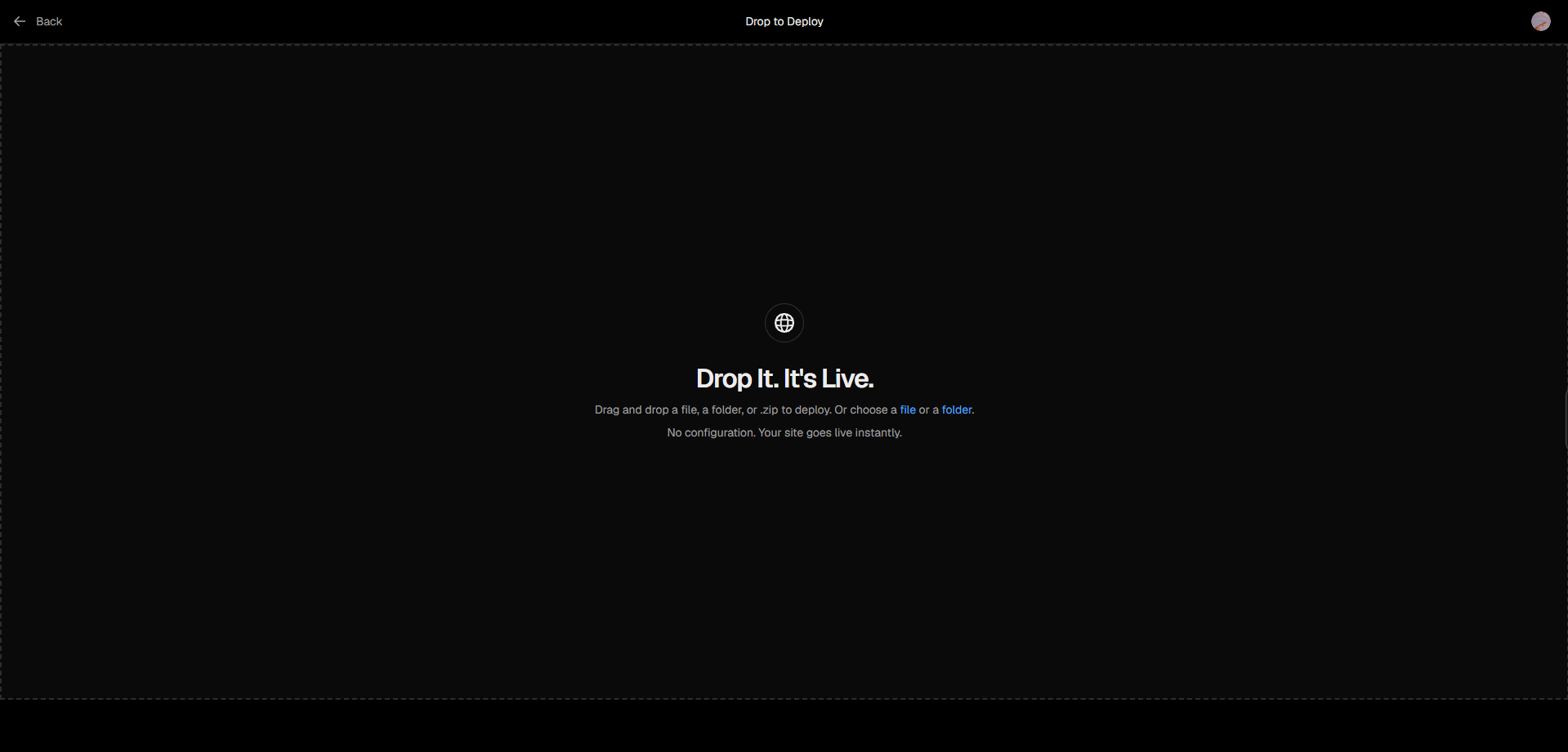
Vercel launched its Drop in June 2026 to let people get their exported code live faster. Vercel Drop is the fastest way to get into the Vercel ecosystem. Drop lets you upload your file or folder and works with both static sites and framework projects.
One really good thing about Vercel Drop is that you don’t particularly need an index.html to get your webpage live; it lets you choose which page to load. Since October 2026, you can upload your website without an account, but it stays live only for an hour.
It is a great choice for any teams that are already using Vercel for their work. For anyone just wanting to upload a webpage or a basic website, the developer dashboard might become a little tricky to navigate.
Best For
- Framework projects or code exported from AI tools; they are built automatically.
- Personal projects on the free Hobby plan.
Avoid if
- You’re publishing client or business work for free. The free plan is for non-commercial use only.
- You need password protection. There is no option to add a password on the free plan, and on the Pro plan, it costs $20 a month per protected project.
Pricing
Vercel’s free version is suited for any personal projects that you might have, but for any commercial use, you have to switch to the $20/month plan.
| Plan | Price | What you get |
| Hobby | $0 | Personal, non-commercial projects |
| Pro | $20/month per seat | Commercial use, more included usage, team features; extra usage billed on top |
| Password protection | +$20/month per project | Add-on on Pro; not available on Hobby |
| Enterprise | Custom | Custom limits and support |
Static.app
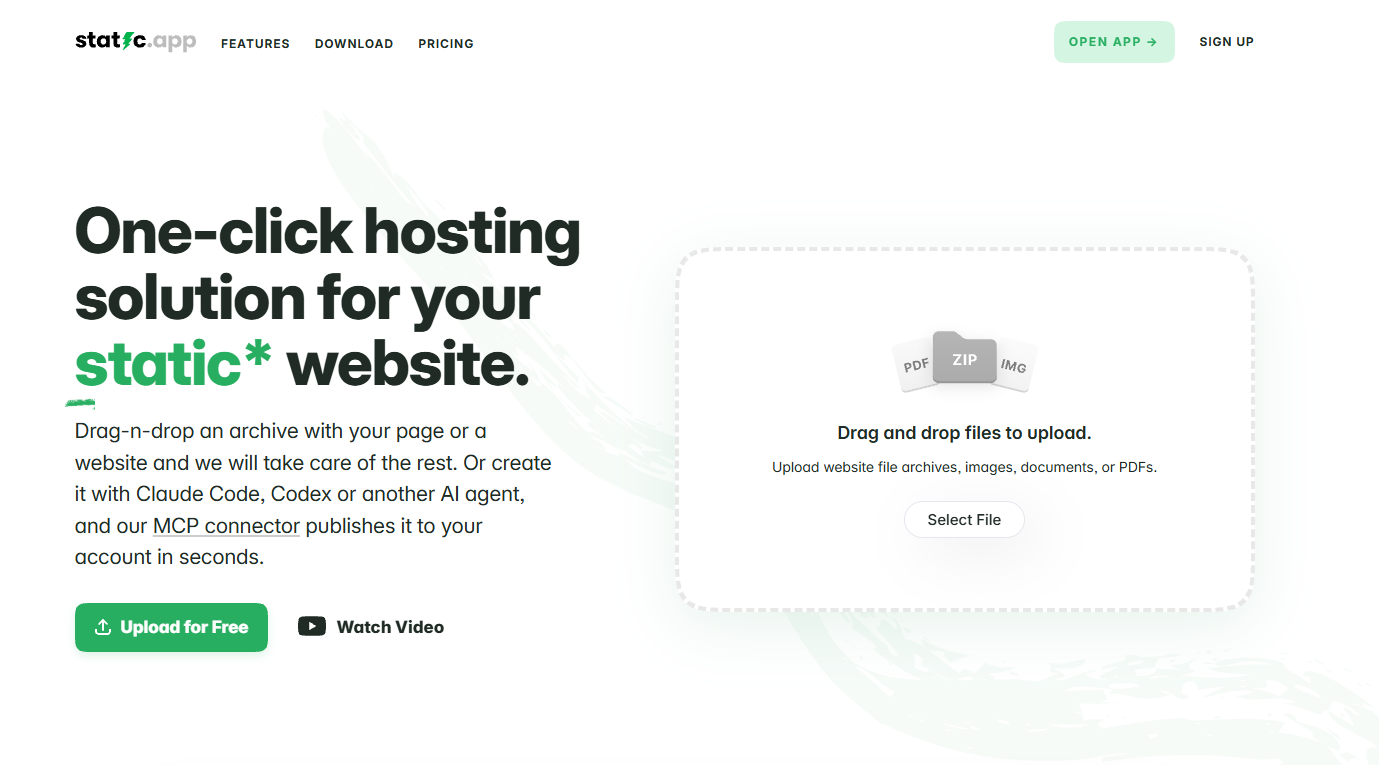
Static.app is a drop-and-drop host from Designmodo. You can drop your ZIP or HTML files and get a live website. It lets you have website forms, visitor analytics and workspaces for your websites and clients.
Static.app does not have a free plan to offer, though. It offers a 7-day trial, then requires a paid plan.
Best for
- Simple sites that need built-in forms.
- Keeping a local folder synced online, using their Static Sync desktop app.
Avoid if
- You want to publish a project for free. There are no free plans, unlike most other tools in this list.
- Your site needs a database or server-side code.
- You want to sync local folders online on Windows because Static Sync app is only available on Mac.
Pricing
| Plan | Price | What you get |
| Free trial | $0 for 7 days | 1 website, 50 MB storage, free subdomain |
| Starter | $5/month | 2 websites, 500 MB, custom domains, analytics, forms, workspaces |
| Medium | $10/month | 7 websites, 3 GB, 1 team seat |
| Large | $15/month | 30 websites, 10 GB, 3 team seats, 3 backup slots |
EdgeOne Makers Drop
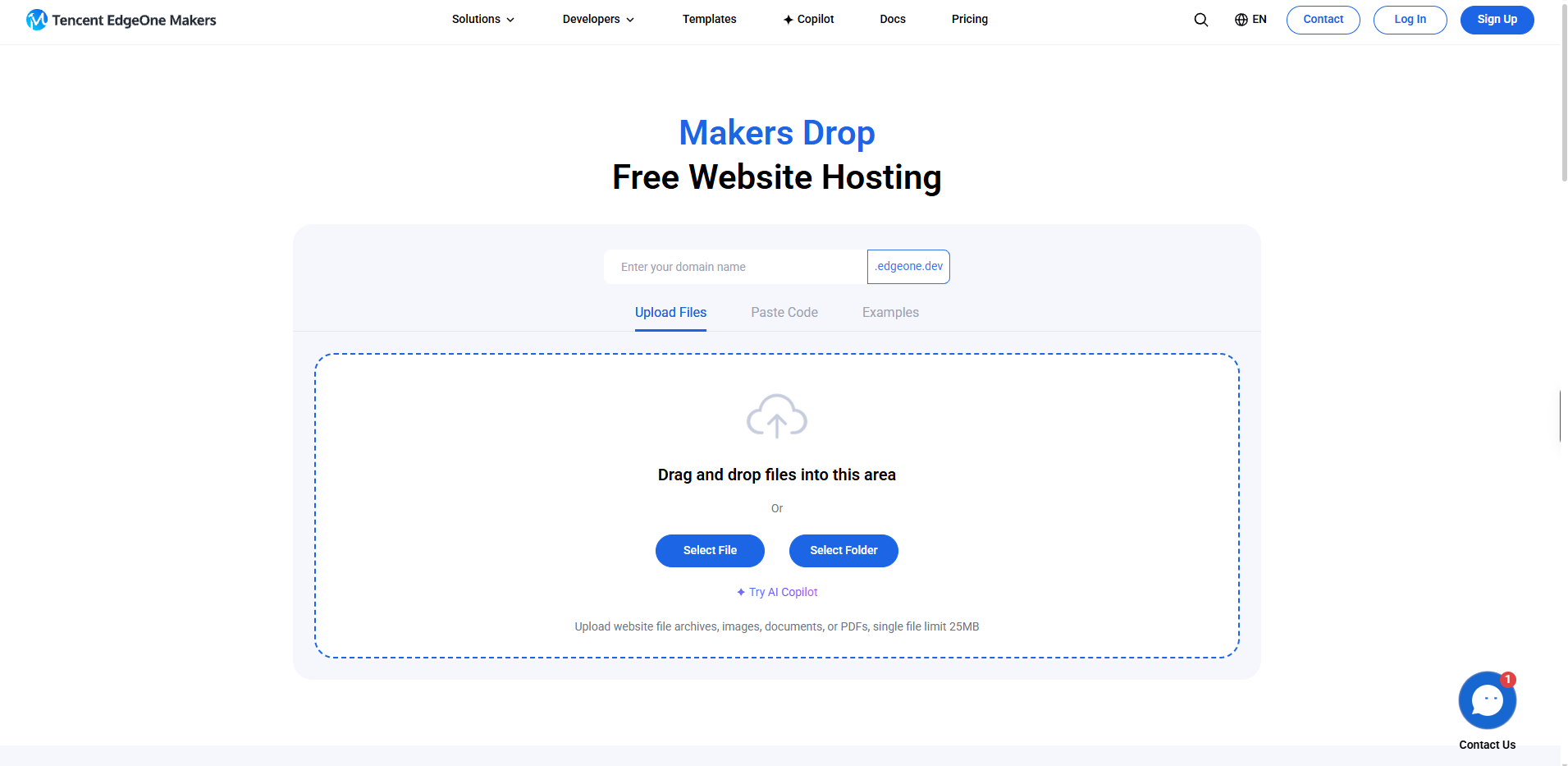
EdgeOne is Tencent Cloud’s edge platform, and Makers Drop is their drag-and-drop hosting. It launched as Pages Drop in September 2025 but has now been renamed.
You can upload your files and folders and get them live with an edgeone subdomain. You can try to publish without an account, but that link lasts for only an hour unless you register.
Developers who have tested it report faster speeds in mainland China, where hosts like GitHub Pages are slower, but there aren’t many reports from other parts of the world. The team has said that the free version might get more limits as they introduce commercial plans.
It is best for sites with visitors from mainland China. But as terms seem to be changing, it is best to avoid it if you don’t want the hassle of updating your plan.
Pricing
| Plan | Price | What you get |
| Free | $0 | Permanently free, according to EdgeOne, with a global CDN, functions and storage |
| Business | Contact EdgeOne | Custom quotas and priority support |
GitHub Pages: Repo-based Hosting
GitHub Pages is a popular free static site host, and a good choice if you already know Git and GitHub. It isn’t really a drag-and-drop host, though. You can drag files into a repository on GitHub’s website, but you still need the repository, the right folder structure and Pages settings before you get the link.
This one can be really tricky and complicated for beginners or for anyone just wanting to get a website live. Uploading files will either require you to use Git or manually manage paths if you upload directly.
On free GitHub account, you cannot host website from any private repository so everyone can see your files. If you have a quick website to spin up or have a file from an AI tool, you can just use one of the drag-and-drop options instead.
Read: Tiiny Host vs GitHub Pages
Best Drag-and-Drop Website Builders of 2026
If you want to build a website from scratch, you can work with drag-and-drop website builders.
Drag-and-Drop Website Builders give you a blank canvas or a template through which you can build your website. You can create the website using drag-and-drop components and then edit them using the built-in design tools as per your style and requirements. To host the same website once built, you might have to upgrade to one of the hosting plans of the tool.
Earlier this year, I worked on an article that compared theBest No-Code builders and AI Website Builders, and here are some of the top drag-and-drop website builders I found while testing that and some new ones I tested recently.
| Wix | Squarespace | Hostinger Website Builder | WordPress.com | |
| Free option | Free plan with Wix ads, no custom domain | 14-day free trial, no card needed | No free plan | Free plan |
| Entry plan, billed yearly | Light, $17/month | Basic, $19/month | $2.99/month on a 4-year contract | Personal, $4/month |
| Editor Style | Free form; you can place elements anywhere | Section-based templates | Grid-based templates | Block editor |
| Best for | Design freedom | Polished portfolios | Lowest entry price | Plugins and blogging |
| Trade-off | Free plan shows Wix branding | Prices rose in July 2026 | Promo price needs a long contract, then renews higher | More to learn than a pure builder |
Wix
Wix gives you a free-form canvas and lets you place things as you like. It also comes with a lot of pre-built templates and Wix AI. Paid plans run from $17 to $159, which makes it less ideal for budget-conscious builders. The free website builder is great for testing, but it also shows Wix ads, so be mindful of that.
Squarespace
Squarespace has been loved by photographers and creatives for a long time. Prices rose from $16/month to $19/month on annual billing in July 2026, making it more expensive than Wix.
Hostinger
Hostinger’s drag-and-drop website builder offers the lowest price in the website builder category. It starts at only $2.99/month, but you need to get the four-year contract for that. That means you get locked in for 4 years. If you go for month-to-month, it costs around $11.99/month.
Wordpress
WordPress.com starts at $4/month and is also an affordable builder, but it has a steeper learning curve than modern website builders. The dashboard isn’t very beginner-friendly, and you might have to spend more time figuring things out than building. As of April 2026, every paid plan can install plugins, which was limited to Business plans before.
If you already have a website created, going to a drag-and-drop builder means you have to rebuild everything. You can just use a drag-and-drop host instead to get your files live.
Which Drag-and-Drop Website Host Should You Choose?
Choose Tiiny Host if you
- Have an HTML, ZIP or PDF ready to be published as a website.
- Need password protection, analytics and a built-in editor for the static site you upload.
Choose Netlify Drop or Vercel Drop if you.
- Are familiar with and use the Netlify or Vercel ecosystem already.
- Have websites that may turn into a full developer workflow or have server-side rendering features in future.
- Have framework projects that need build steps.
Choose Cloudflare Drop if you.
- Want to use Cloudflare’s free plan for your websites.
Choose Static.app if you
- Want built-in forms for your website
- Don’t need a forever free option
Choose EdgeOne Makers Drop if you
- Are comfortable relying on a newer product with changing terms.
Fixing Common Drag-and-Drop Hosting Problems
Blank page or “Page not found”
Your main page needs to be named index.html and needs to be in the top level of your file structure. If you add it in a subfolder, it might not work. Most drop hosts look for an index file to serve it to the audience.
Images and Styles Not Loading
Ensure that you have linked the images and files properly. If you have HTML, CSS and JS files, make sure you have zipped all the files together in the right file structure. If you have moved or renamed files, you should also edit that in your HTML file.
Your link stops working at some point
Netlify, Cloudflare, Vercel, and EdgeOne’s drops expire if you do not claim them. You have to create an account and claim them.
Drag Your File and Get Hosting
Drag-and-drop web hosting is the easiest way to get your static sites online. If you already have a finished file, skip the website builders. Choose one of the drag-and-drop publishers and start sharing the link.
Things to Do Next
- Pick the host that fits your budget and setup.
- Upload your file and check the final link on your phone.
- Add a custom domain and password if needed.
Is your finished file in your downloads folder right now? Upload it to Tiiny Host for free and get a live link.
FAQs
How do I host a website I made with an AI builder?
Download the website files from ChatGPT, Claude, Bolt or any other AI builder you use. It can be a single HTML file or a ZIP folder. Drag and drop them on one of the website hosting sites like Tiiny Host, Netlify Drop or Vercel and get it online.
Is drag-and-drop hosting good for SEO?
Dragging and dropping your files doesn’t hurt the rankings for your website on its own. The content, page title and how fast the page loads also matter. The host you choose can help you a little bit. Static files load fast, and every host gives you free HTTP and HTTPS, which can be helpful. Hosts like Tiiny can help you set the title and meta description for the file to improve ranking.
How do I host a website on GitHub without using Git?
You can upload files to the website, but you may need to nest them manually. But you still need a repository, and to update files, you might have to use Git too. If you’d rather skip that, you can choose a host that lets you drag and drop your files.
Can I host a ZIP file as a website?
Yes you can. If you have used different files for HTML, CSS and JS, it is recommended that you ZIP all of them together. Just make sure your index.html stays at the top level inside the ZIP.