
- What makes an AI landing Page builder worth using in 2026?
- The 7 Best AI Landing Page Builders in 2026
- Honorable mentions for AI Landing Page Builders
- How to Publish Your AI Landing Page in Seconds
- Step 1: Export your AI-generated Landing Page
- Choosing the Right Setup For Your Use Case
- FAQs: AI Landing Page Builders in 2026
- Can AI build a landing page for free?
- How long does it take to publish an AI-generated landing page live?
- What’s the difference between an AI landing page builder and an AI website builder?
- Do I need a developer to publish an AI-generated landing page?
- What AI landing page builder is best for small businesses?
- Getting More From Your No-Code Landing Page builder
- Your Next Campaign Page Starts Here
The moment a visitor ‘lands’ on your landing page, they decide if they want to scroll or not.
To keep them engaged, you need good design, good copy and a clear CTA at the very least.
If you are a marketer juggling multiple campaigns, you don’t have to rely on the whole team anymore. And if you are making your first ever landing page, you can get 90% of it made before lunch.
There are a lot of AI landing page builders that can help you ship your campaigns fast. So I went into testing mode.
I spent a week trying out different tools to find the best AI landing page builder. Some of them got me a page ready in 60 seconds, while I was staring at my screen for 12 minutes for others.
I tested the speed, page quality, and price, and now I will walk you through them. Once you find the match, I’ll show you how you can easily publish and share your page in under 2 minutes.
Let’s go prompt to URL!
What makes an AI landing Page builder worth using in 2026?
You know, when you search online, there are a ton of options you can get. They are usually a mix of an AI landing page builder and an AI website builder.
A website builder will help you create all the pages for your product, company, or yourself. Unlike websites, A standalone landing page is like a front door where you get introduced to the product or services.
This is where your customer lands and then decides if they want to check out more about you or not.
Right, so, how exactly do you choose a good landing page builder from all the options? I have got you covered for that.
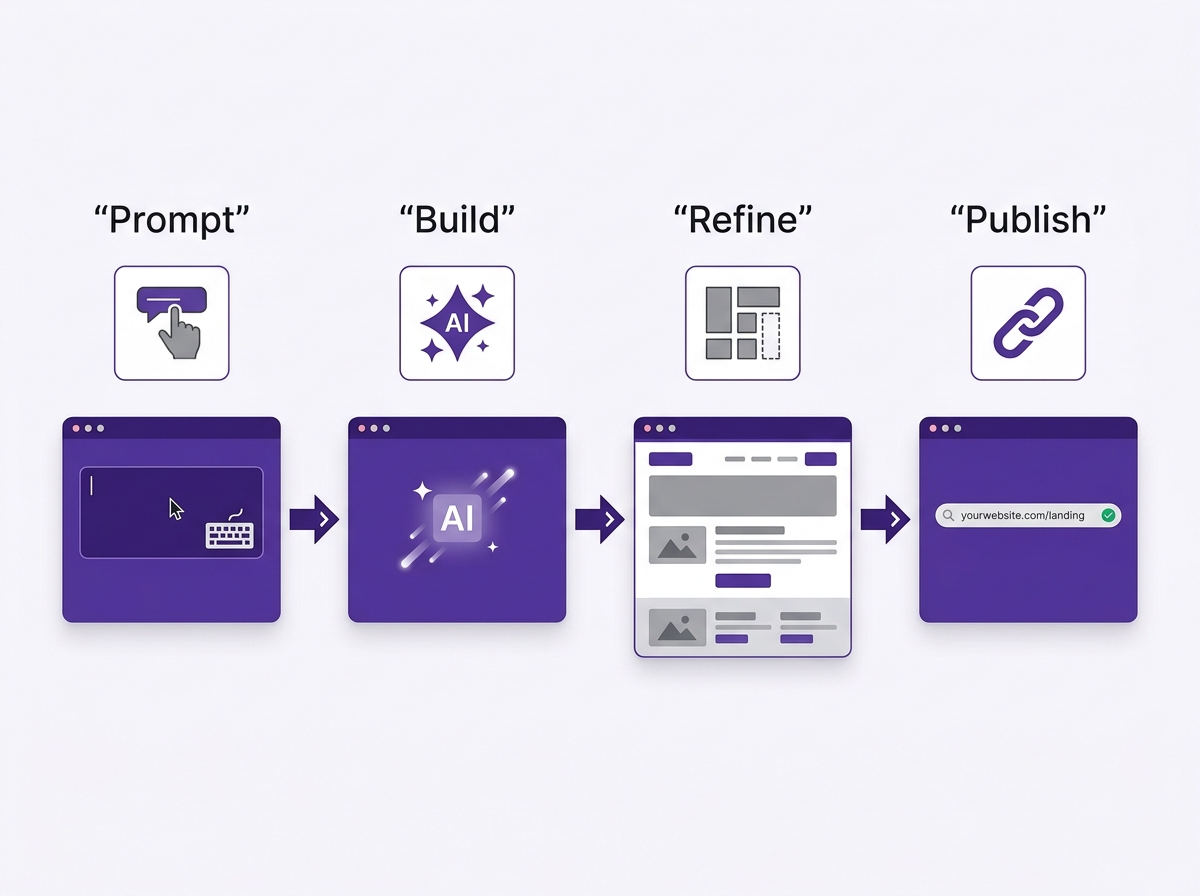
Here are a few things to look out for:
First generation page quality
The less time you spend with the editor refining, the faster your launch will be.
When you choose a tool, you want the prompt to page time to be fast. Also, the first-generation quality is near perfect. The more you sit re-prompting, the more time it takes to get your page live.
Good quality means:
- The sections you have mentioned are present. Suppose you mentioned making a Hero section, a section showcasing features and one for testimonials. Well, all of these should be there.
- The contrast of background and text is accessible to everyone. High contrast would mean a lighter background (e.g. white) with dark font color (e.g. black, dark green or dark blue).
- The copy is pre-filled, or there are placeholders for you to quickly fill in.
If you have this one, working further becomes easier. So always look out for a builder who gives you a good result along with a good prompt.
Awareness of conversion
The AI will generate what you ask it to. All the sections that you mention. The thing that matters the most is that AI is context-aware.
A good AI landing page builder isn’t only a design tool. The builders should use a conversion rate optimisation (CRO) tool
CRO basically means ways to improve the page so visitors take the action you want them to take. Like signing up, downloading something, clicking a certain video or adding an item to the cart.
With more awareness, AI would create CRO optimized pages, and you would have to spend less time on it.
Export Flexibility
What are you going to do if, once the page is made, you cannot share it with people?
Many AI builders out there can give you fast results. That might lure you in. But some of these builders do not let you take the HTML output or website file outside the platform.
You get forced to pay for the tool to work any further. So before you choose, check that you can take your page live.
Speed to live URL
It’s time to get the landing page live. You are one step forward in marketing the product. You can get the live URL if the platform supports direct publishing to the web. Otherwise, you need to export the files and get them hosted easily.
See that you choose a tool or a set of tools that takes prompting to generate and publish the HTML files in only a few steps.
The experience at the visitor level
You can get the page quality right, the sections right, and publish them. But it wouldn’t be helpful if the visitor who sees it is not intrigued by it.
Check for the contrast for accessibility. Check how the landing page design looks on different devices. Also, put yourself into the shoes of readers and scan the page.
Once you find a builder that stands true to all of this, you can easily start creating your landing page. Some builders have landing page templates, while all of them will let you build landing pages from scratch.
We tested out different AI landing page builders, with the same prompt and same end goal, to find the best ones for you. Let’s take a look at them.
The 7 Best AI Landing Page Builders in 2026
To find out the best AI landing page generator, I measured five things for each tool.
- AI copy quality
- Design output
- Mobile Rendering
- Export options
- Total time from prompt to live URL
To test this out, I gave the prompt to create a landing page to capture leads for a fictional SaaS app named ‘Billr’ for freelancers.
Here is the prompt I used:
“Build a lead capture landing page for Billr, an invoicing tool for freelancers who are tired of chasing payments and want to get paid faster without dealing with complicated software.
The page should include:
- A hero section with a headline, one-line subheadline, and an early access signup form (first name + email + CTA button that says “Get Early Access, It’s Free”)
- A problem section: 3 pain points freelancers face with invoicing today (late payments, manual follow-ups, unprofessional-looking invoices)
- A features section with 3 key benefits (auto-send invoices, payment reminders on autopilot, get paid via card or bank transfer in one click)
- A short product teaser with a dashboard mockup or placeholder image
- A social proof section with 2–3 short testimonials from freelancers (designers, developers, copywriters)
- A final CTA section with urgency (“Join 1,200 freelancers already on the waitlist”)
- A simple footer
Tone: Keep the sentences direct, a little cheeky. It was written by a freelancer for freelancers. Colour palette: light mode, with a green or teal accent to signal money and trust. No navigation menu. Single scroll page. Mobile responsive.”
Let’s get to building now!
LeadPages
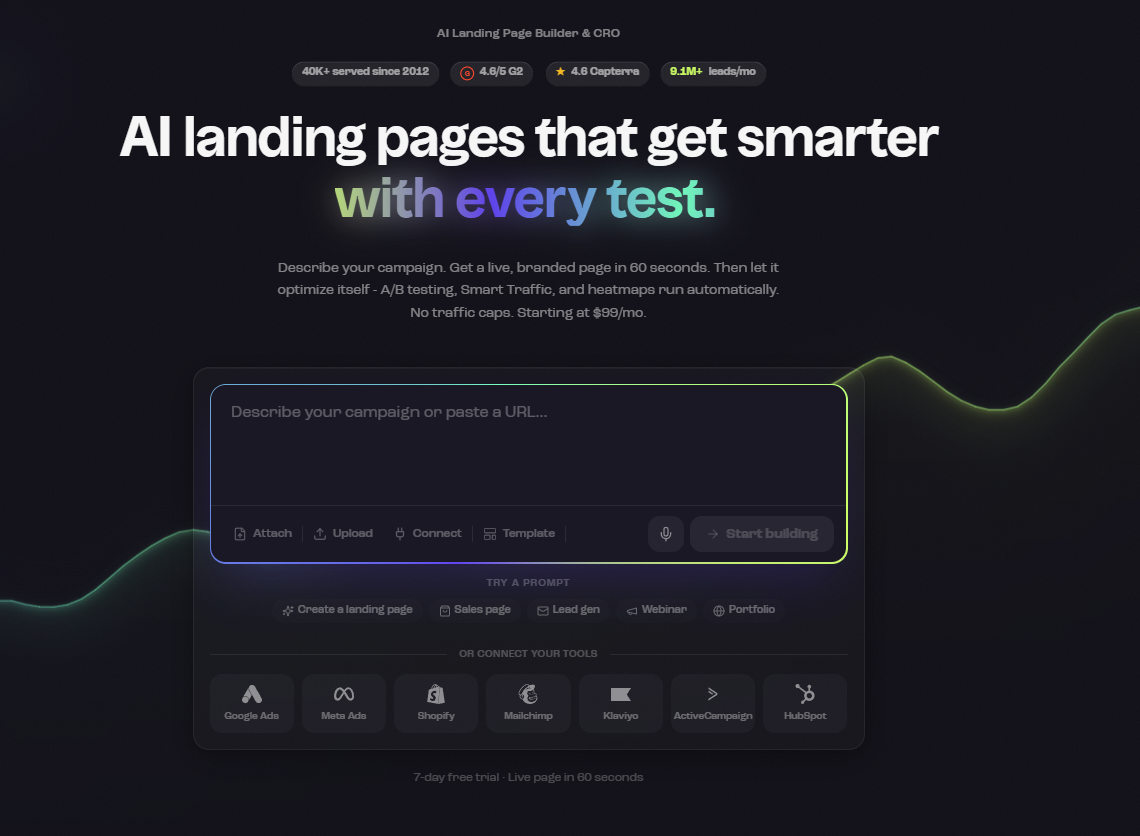
When I opened Leadpages, I felt a bit overwhelmed because there were too many things. A lot of buttons, a lot of text. But I think I may have judged the book by its cover.
Right from when I logged in, I could easily figure out what to do.
You are welcomed by the chat assistant, who lets you start with the prompt. Hit enter. The assistant will start building the page.
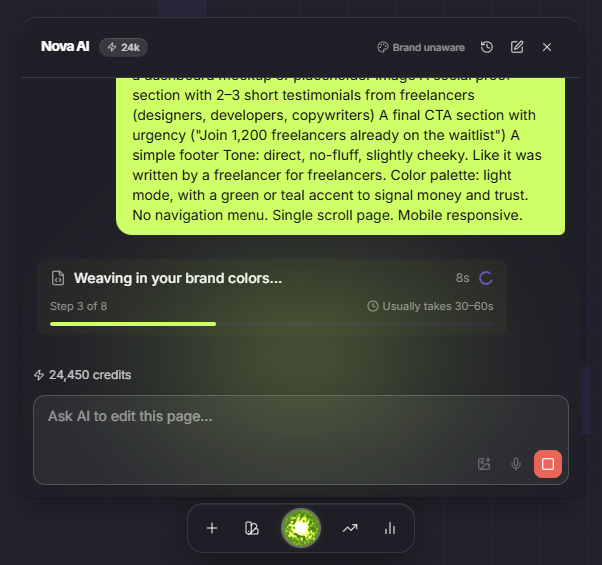
The page was ready within 60 seconds, which was surprising to me too! And the quality was very good that it could be directly published.
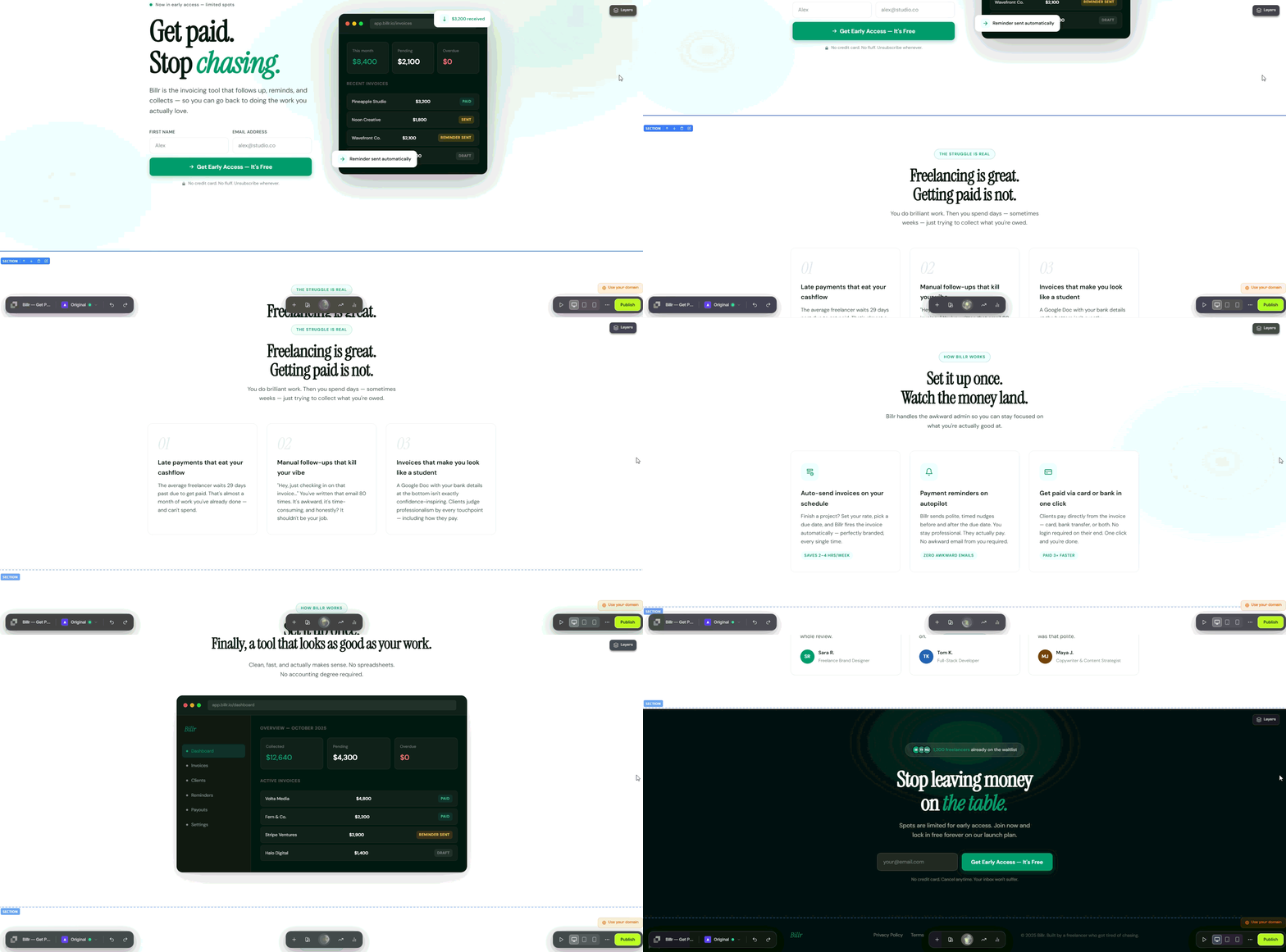
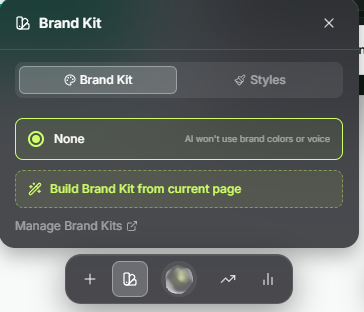
All the instructions I gave were followed, the tone and the colors too. You can also add your brand assets here to get the tool familiar with your brand identity.
Apart from following the instructions, the tool also generated UI mockups to place on the page automatically. That meant I did not need help from the design team either.
LeadPages also allows A/B testing and personalisation features. You can test out different headlines, CTAs or any other elements too.
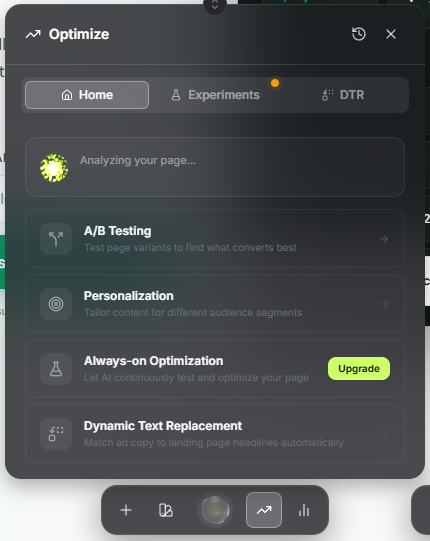
I felt that the tool had a lot of features, which can be a bit overwhelming. Once you get used to the interface, these tools can be really useful.
Who would it be best for? I would say if you are a social media marketer or a solo force behind marketing and lead generation, Leadpages can help you create landing pages in no time.
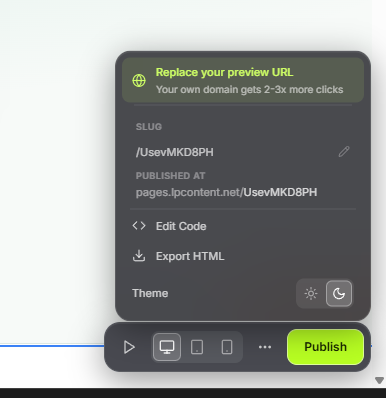
Leadpages is also one of the tools that lets you export the code. You can download it, make changes later if needed, and publish it through other hosts.
The plans start at $99/month, but there is a free trial you can opt for. Also, apart from the AI builder, they also have 200+ landing page templates where you can personalise content and copy. If you choose one of the paid plans, a custom domain name is also included in that.
Verdict on this: You should definitely give it a try, at least use it in the free trial. There are a lot of features you can explore like A/B testing, responsiveness and rewriting copies using Leadpages’ AI before committing to it.
| AI Quality | ★★★★★ |
| Conversion Awareness | ★★★★☆ |
| Export Flexibility | ★★★★☆ |
| Speed to Live URL | Fast |
| Price From | $99/month |
Framer
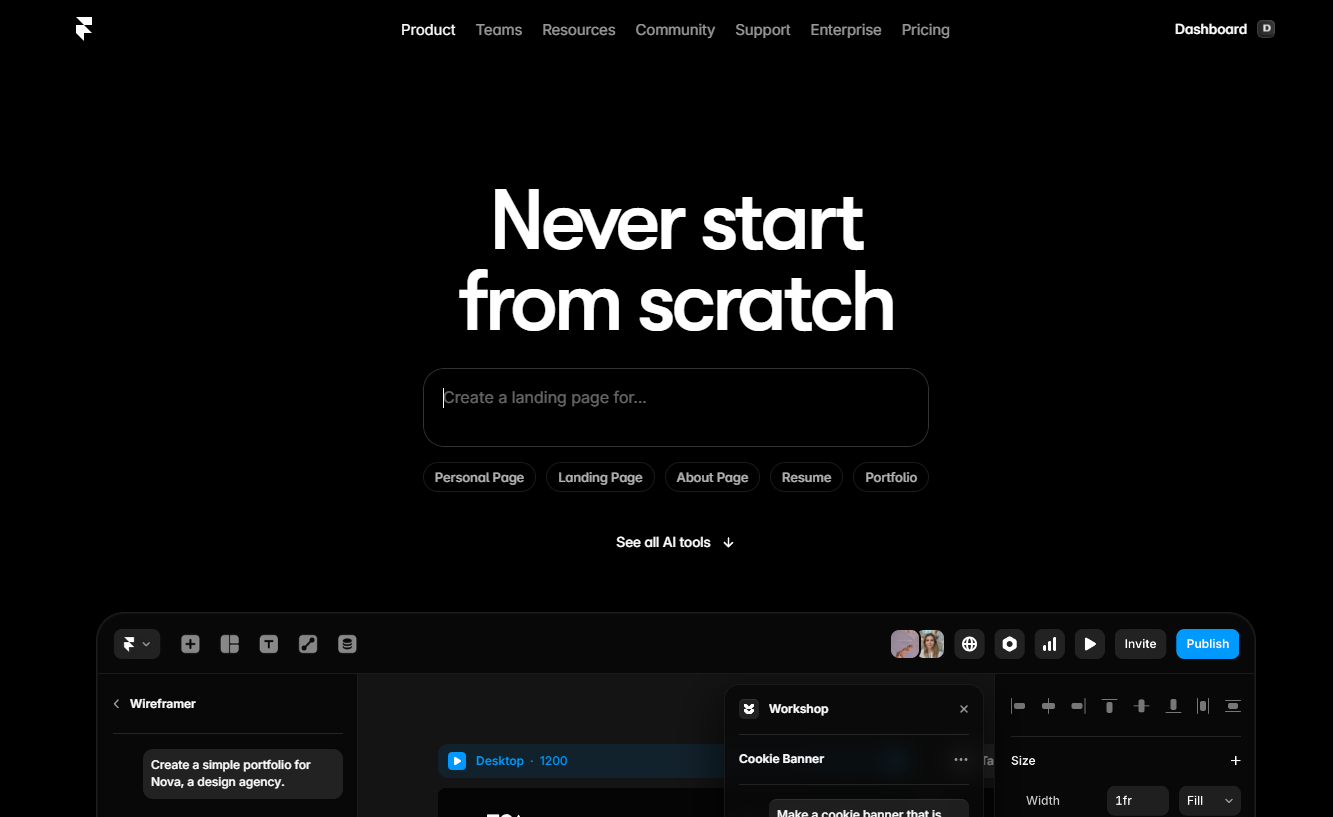
Framer is not a new name if you’ve worked with designs and development. Framer’s AI is Wireframer, and you can access it from the “Insert” section.
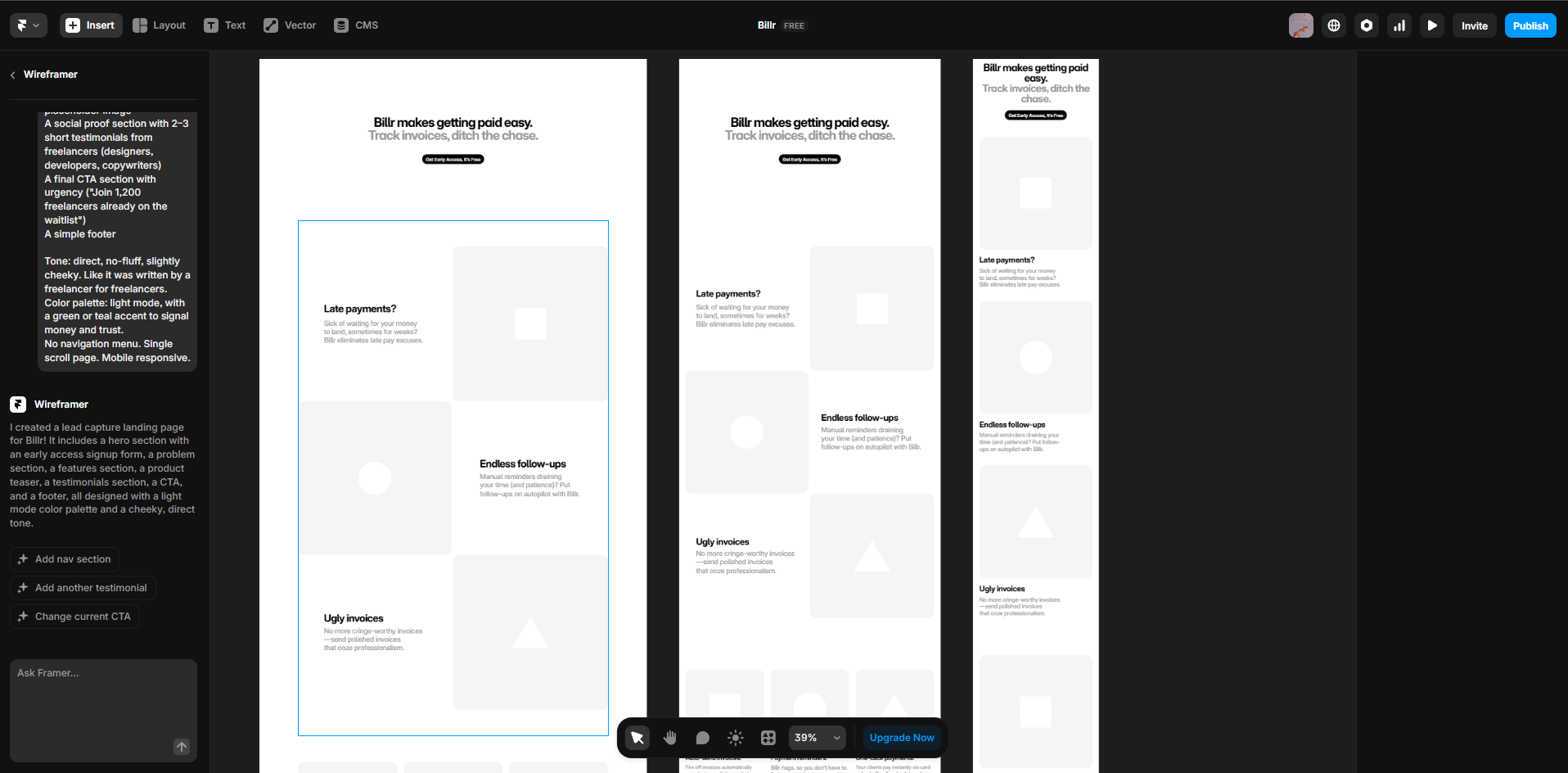
Once you click on the button, you can just input the prompt there. The output is clean, and you get an optimised version for different screen sizes like desktop, tablet and phone. You get the sections, copy, and buttons too.
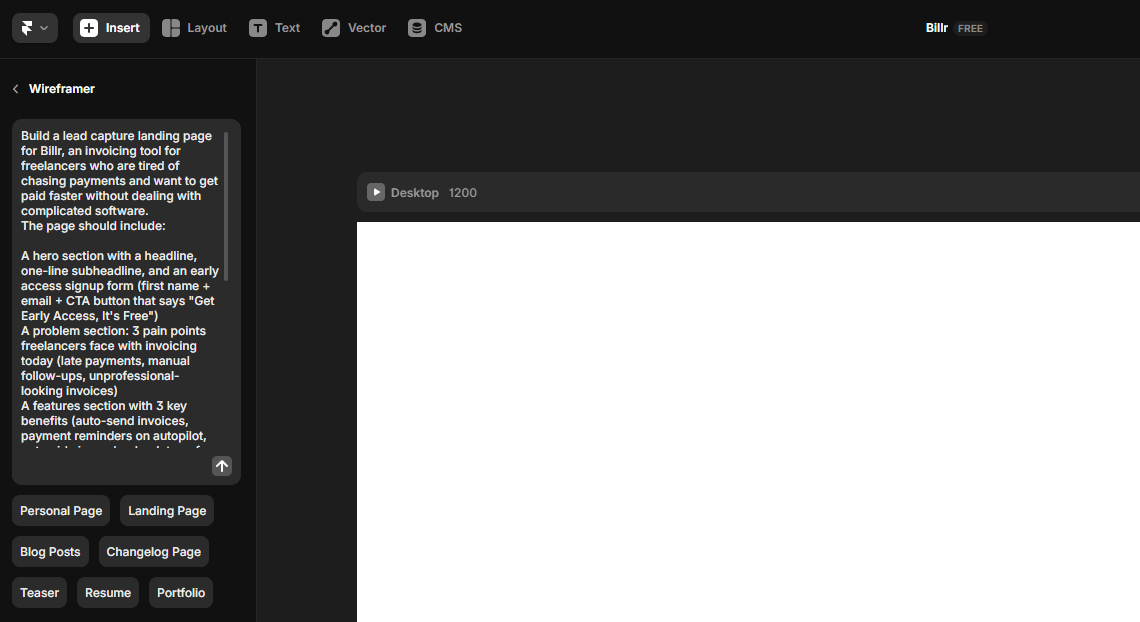
It does not create mockups for your images or elements needed, which can be a barrier if you are not a designer. For any changes in the layout needed, you can just drop a message again in the AI chat and the changes will be made.
It took about a minute to get the layout ready. The landing page design was very clean and a very good starting point but not a version I could publish directly.
If you are familiar with generative AI tools like Gemini or ChatGPT, you could use them to generate pictures and add them to your Framer website. Wix has also partnered with Visual Electric where you can install the plugin and generate the images on the framer page.
It would be an amazing tool for designers or agencies who want granular control over the design.
There are no native A/B testing or personalisation options here, so you have to make the iterations yourself and track them. The tool is very design-first and not CRO focused. On top of that, there is no native support to export the code. There are some plugins that can help you download certain elements.
Verdict on this: If you are a designer or have a designer, you can rely on Framer to quickly build the initial layout and then work on it. You can use the AI in the free version but note that connecting a custom domain requires a basic paid plan.
| AI Quality | ★★★★★ |
| Conversion Awareness | ★★★☆☆ |
| Export Flexibility | ★★☆☆☆ |
| Speed to Live URL | Fast (in-platform) |
| Price From | Free / $15/month |
Landingi
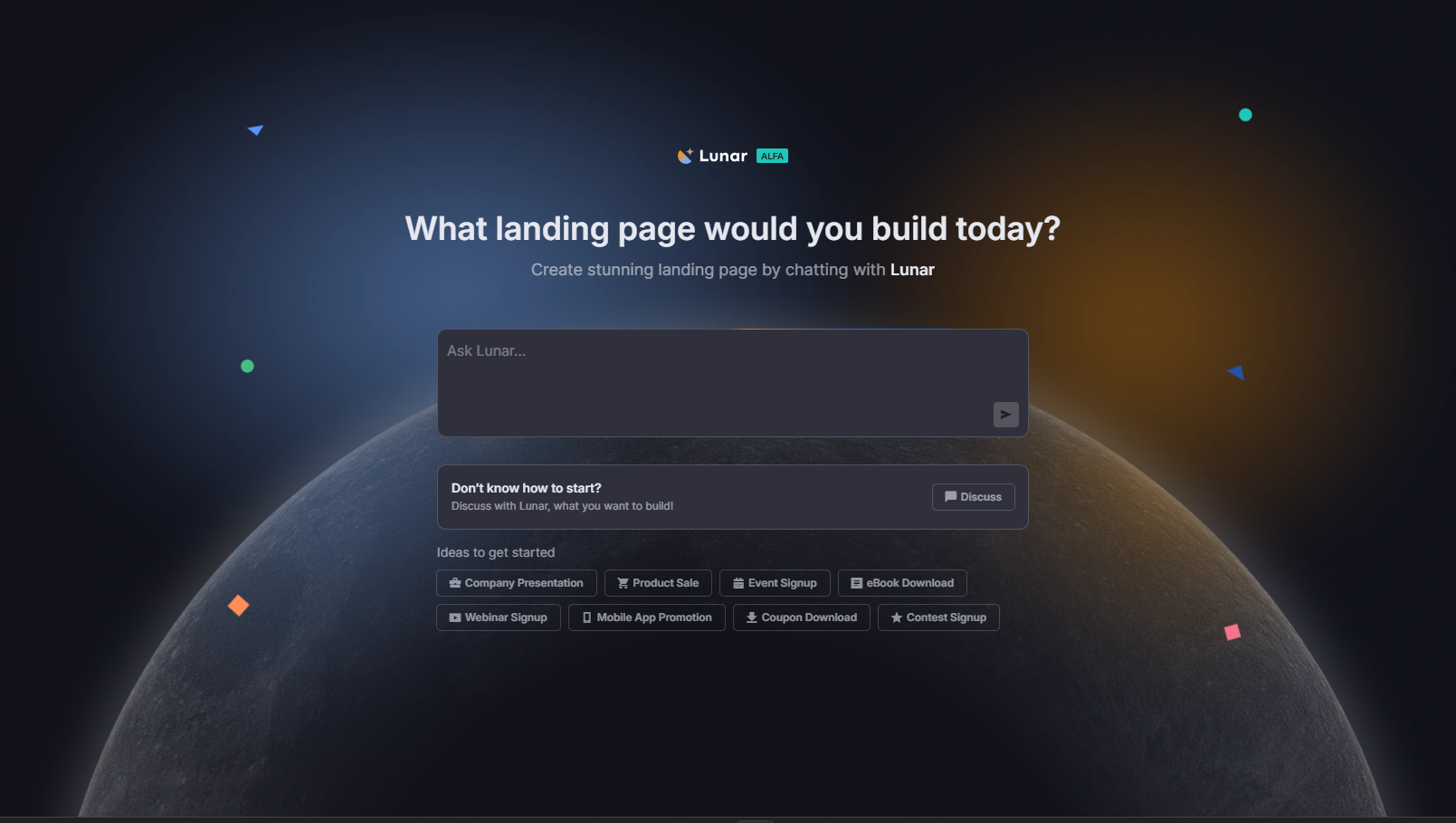
Landingi also had a very intuitive workflow. You land on the AI chat, where you can prompt and start working with the no-code landing page builder. The initial few steps are very similar to those of Leadpages.
You do get a planning stage where the AI page generator gives all the details about what is to be built.
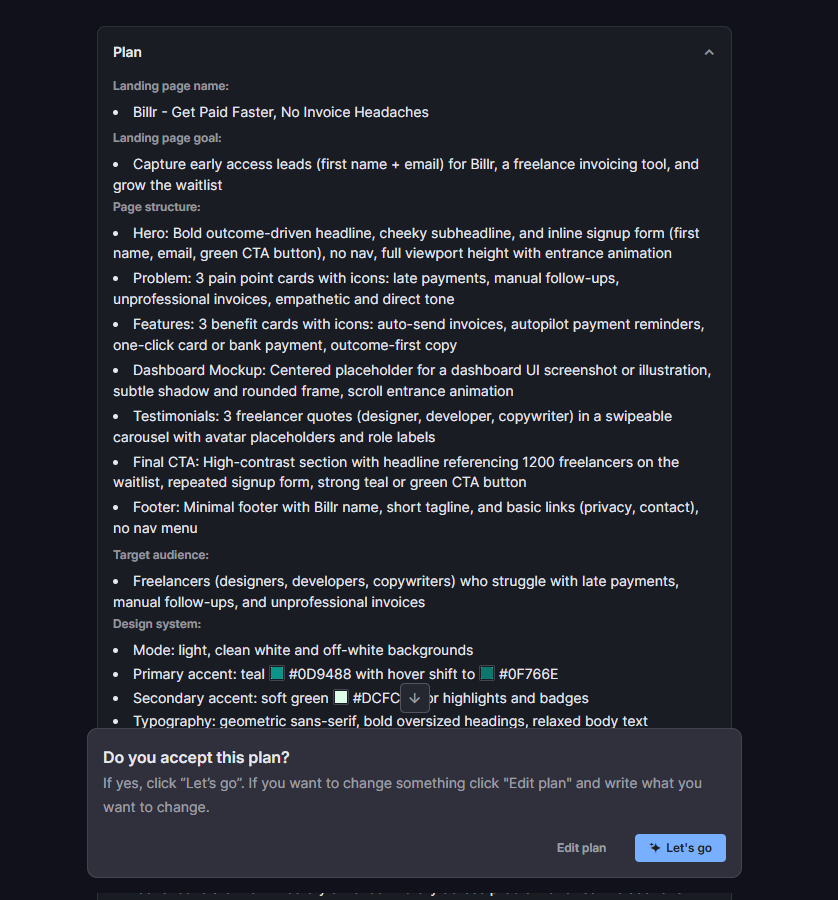
Out of all the tools I tested, Landingi is one of the slowest at generating output. The output is good enough to build upon. You could easily iterate too, without the output changing too much from the first generation.
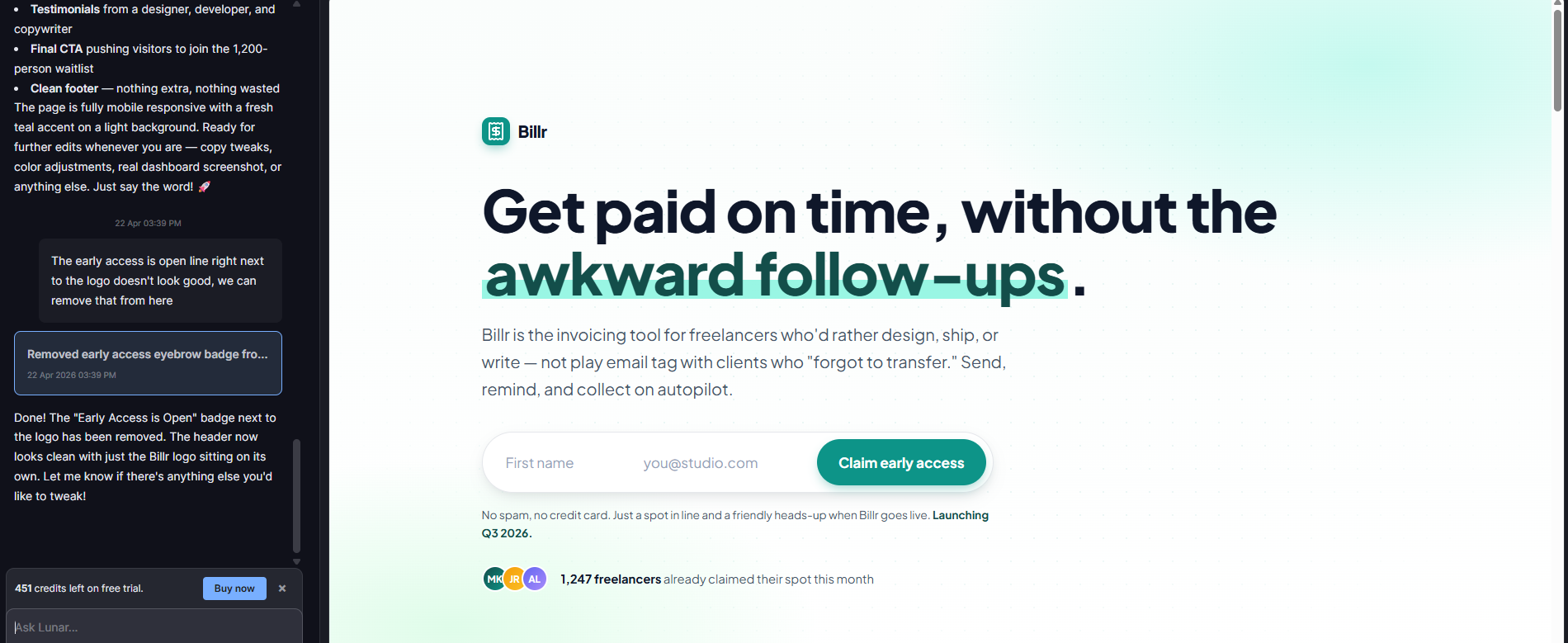
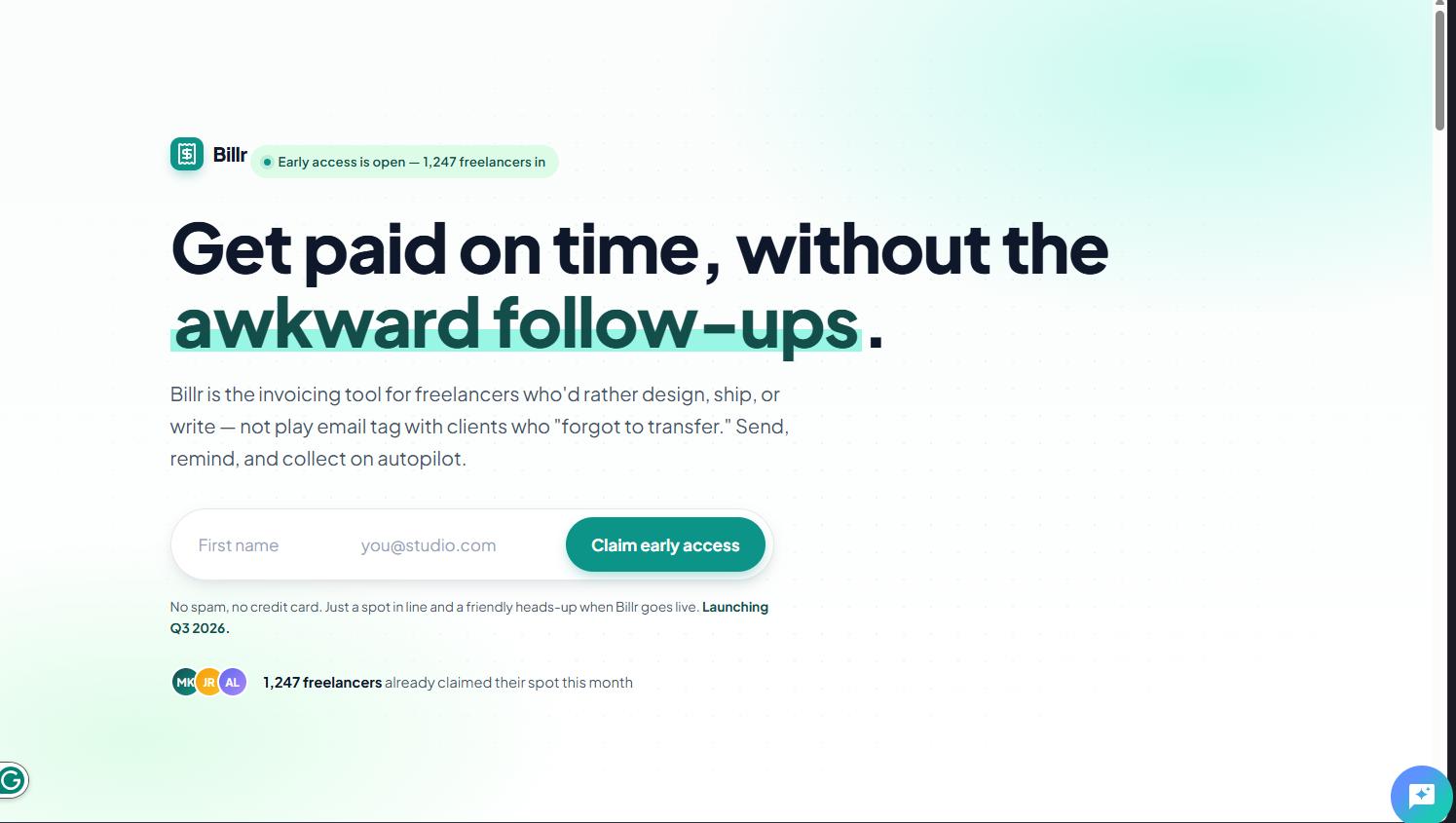
It built mockups for the images and filled in the copy, but the quality didn’t seem good enough to publish as is.
Landingi has introduced Smart Sections that update the same elements across pages automatically, without you having to do it manually.
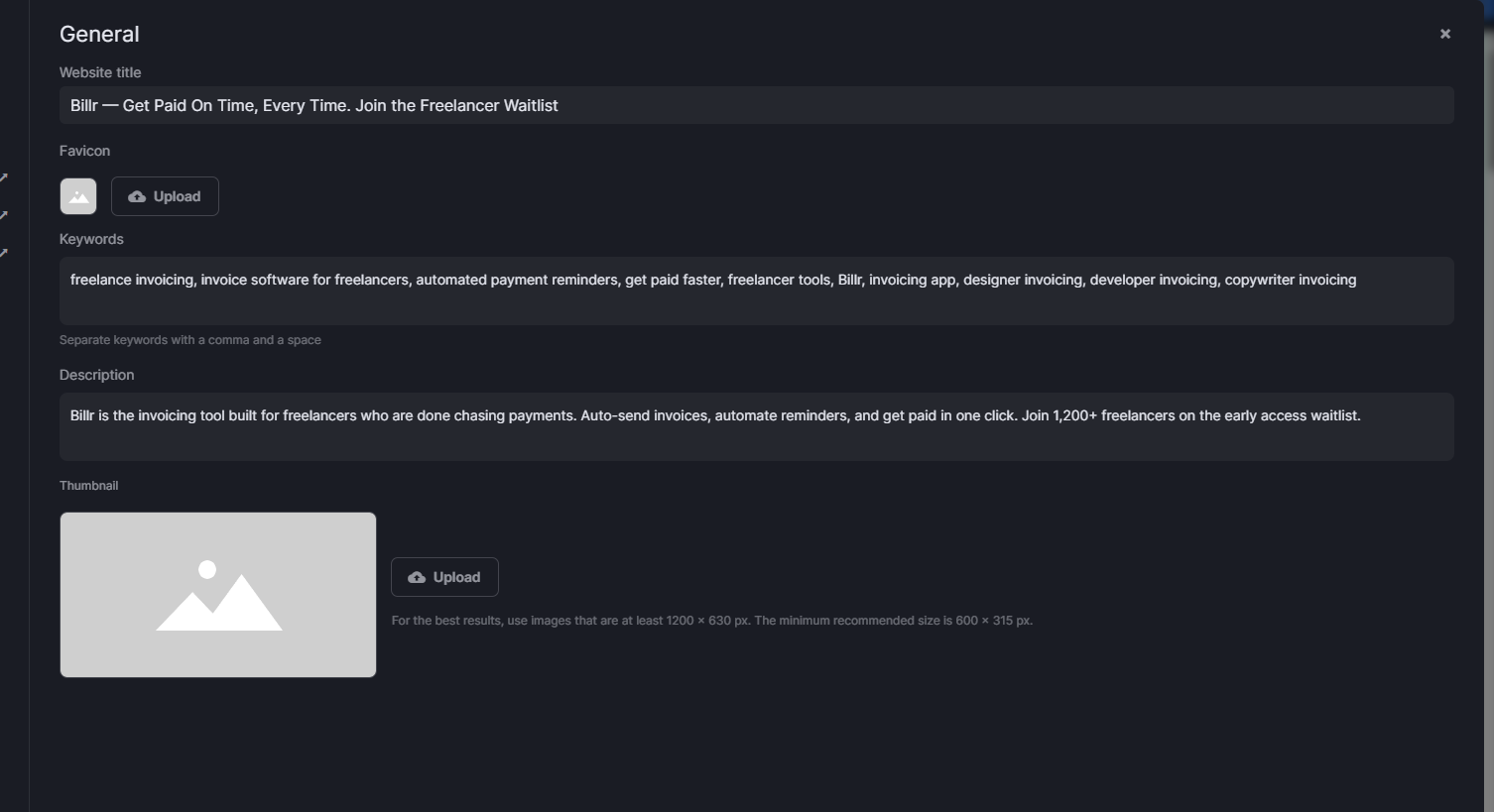
One of the standout features would be EventTracker, where you can see where the visitors clicked or spent more time at. Another thing was that the marketing analytics dashboard is amazing. The AI writing assistant will write meta tags and descriptions for your website.
For me, the thing that would need some work would be the mobile layout generation. Sometimes you have to tweak the elements on your own. For marketers and social media managers, mobile design is important too.
On top of this, you cannot export the code either so you have to publish directly from the tool.
Verdict on this: Landingi takes a bit more time to get to the final output. The pricing, however, starts as low as $24/month (when purchased annually), so you might give it a try according to the price. If you have some more budget, you can check out other tools.
| AI Quality | ★★★☆☆ |
| Conversion Awareness | ★★★★☆ |
| Export Flexibility | ★★☆☆☆ |
| Speed to Live URL | Moderate (1.5–2 min) |
| Price From | $24/month (annual) |
Wix AI
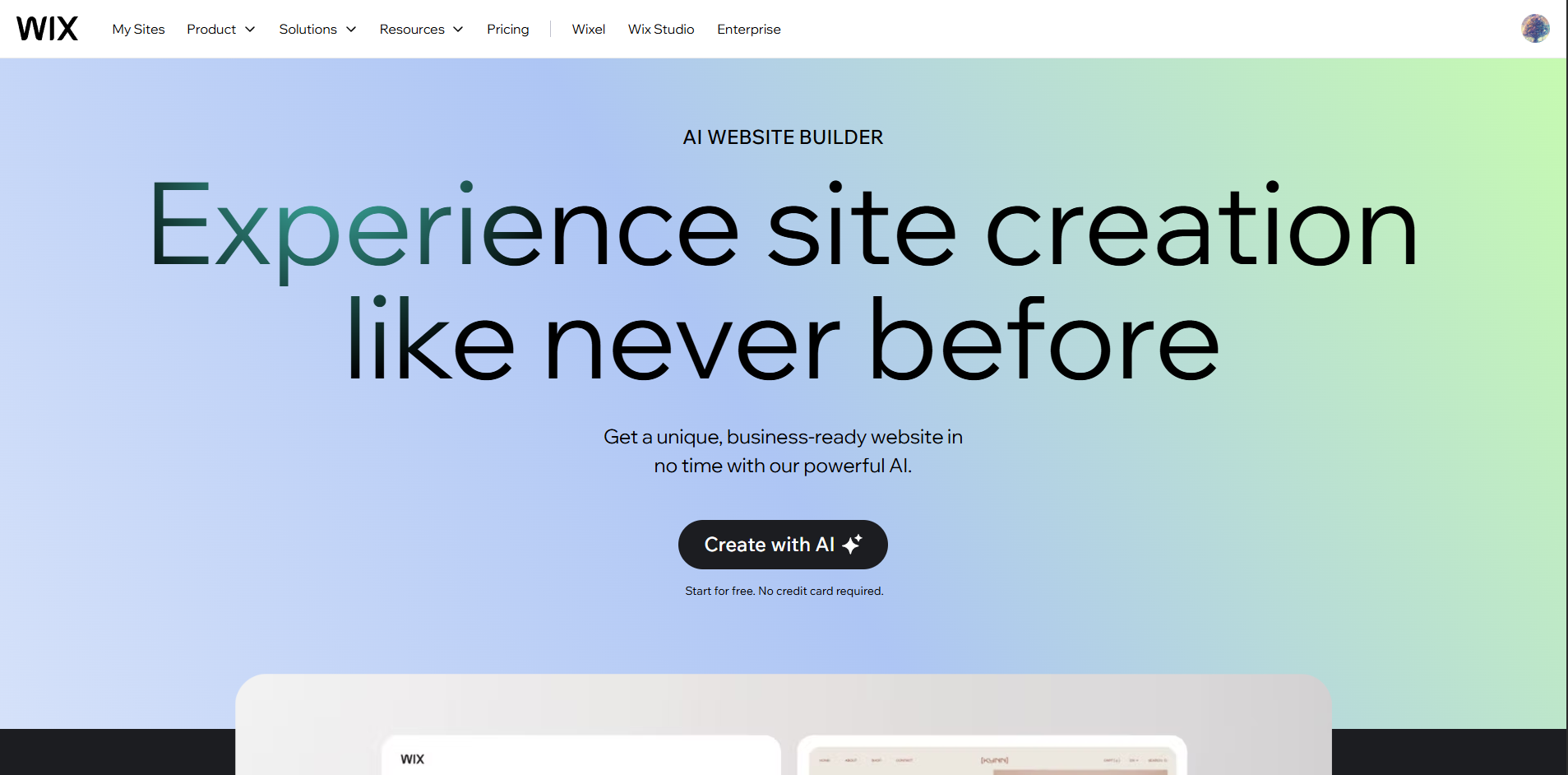
If you have never built a website before, Wix AI is here to help you out. Wix has a huge library of landing page templates.
Also, Wix AI has introduced the new chat-based AI builder. In comparison to other builders, the initial process is very detailed.
The chatbot made sure to ask about the goal with the landing page, the type of people to target and much more before actually moving to the next step.
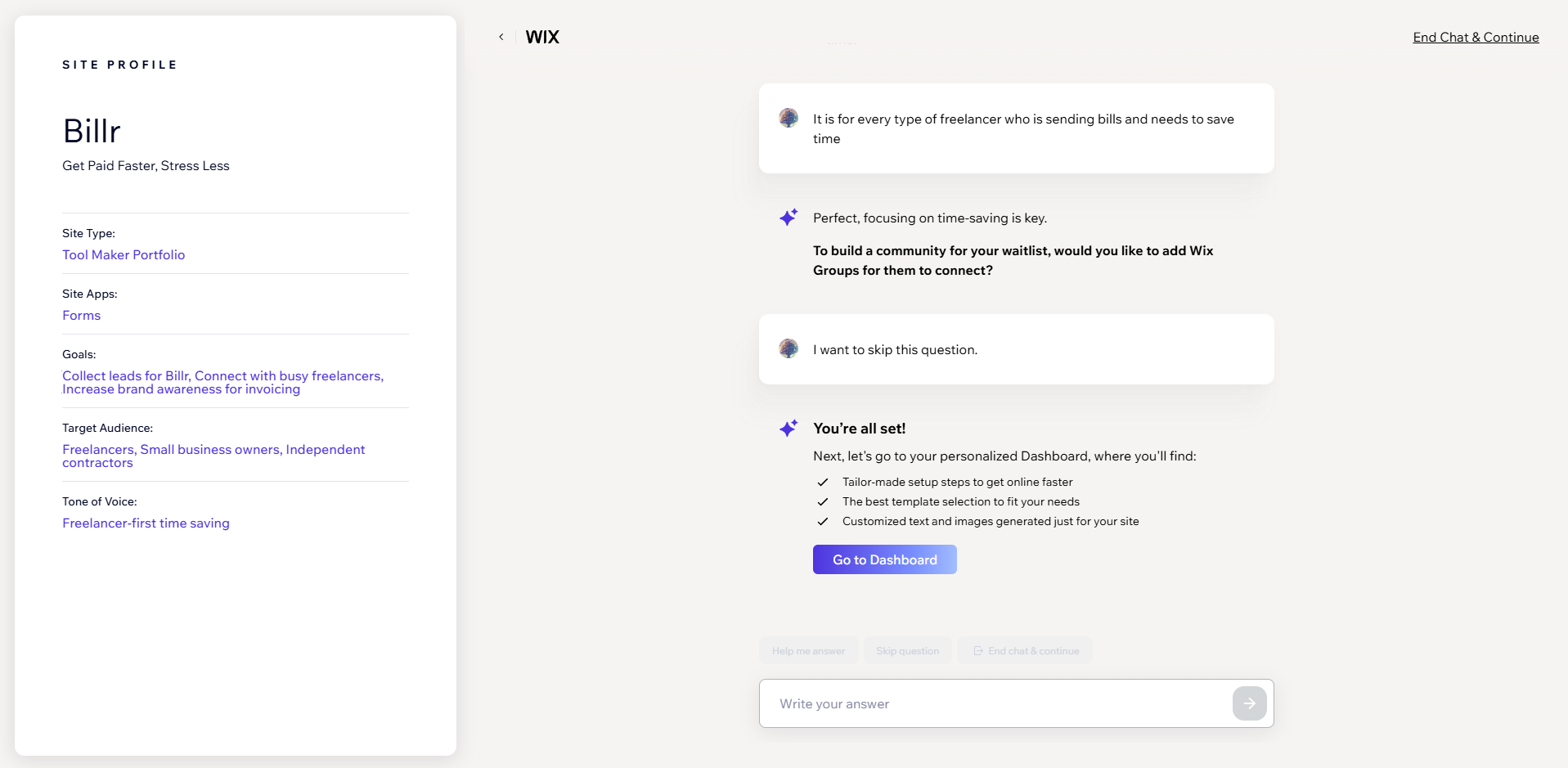
Then, an evaluation was made, and finally, you move to the editor, where Aria chat assistant helps you out.
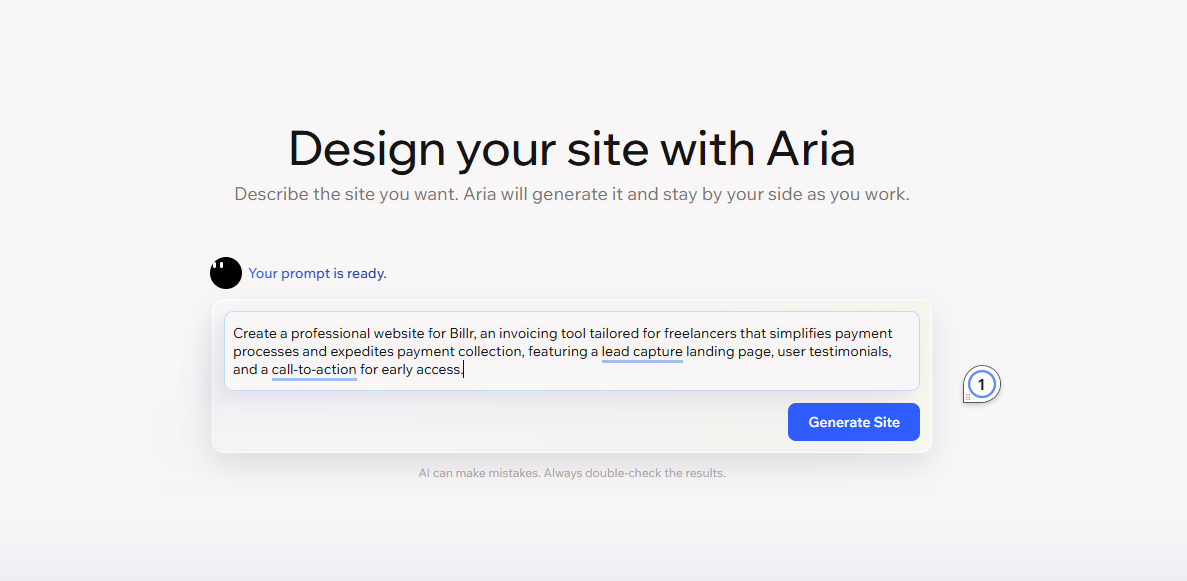
Most of the work is done by AI, and then finally, you get the page.
Wix AI missed out on the brand colours, which I mentioned in the prompt. For this, you would have to manually change colors or prompt multiple times. Overall, it would just increase the time to get final page live.
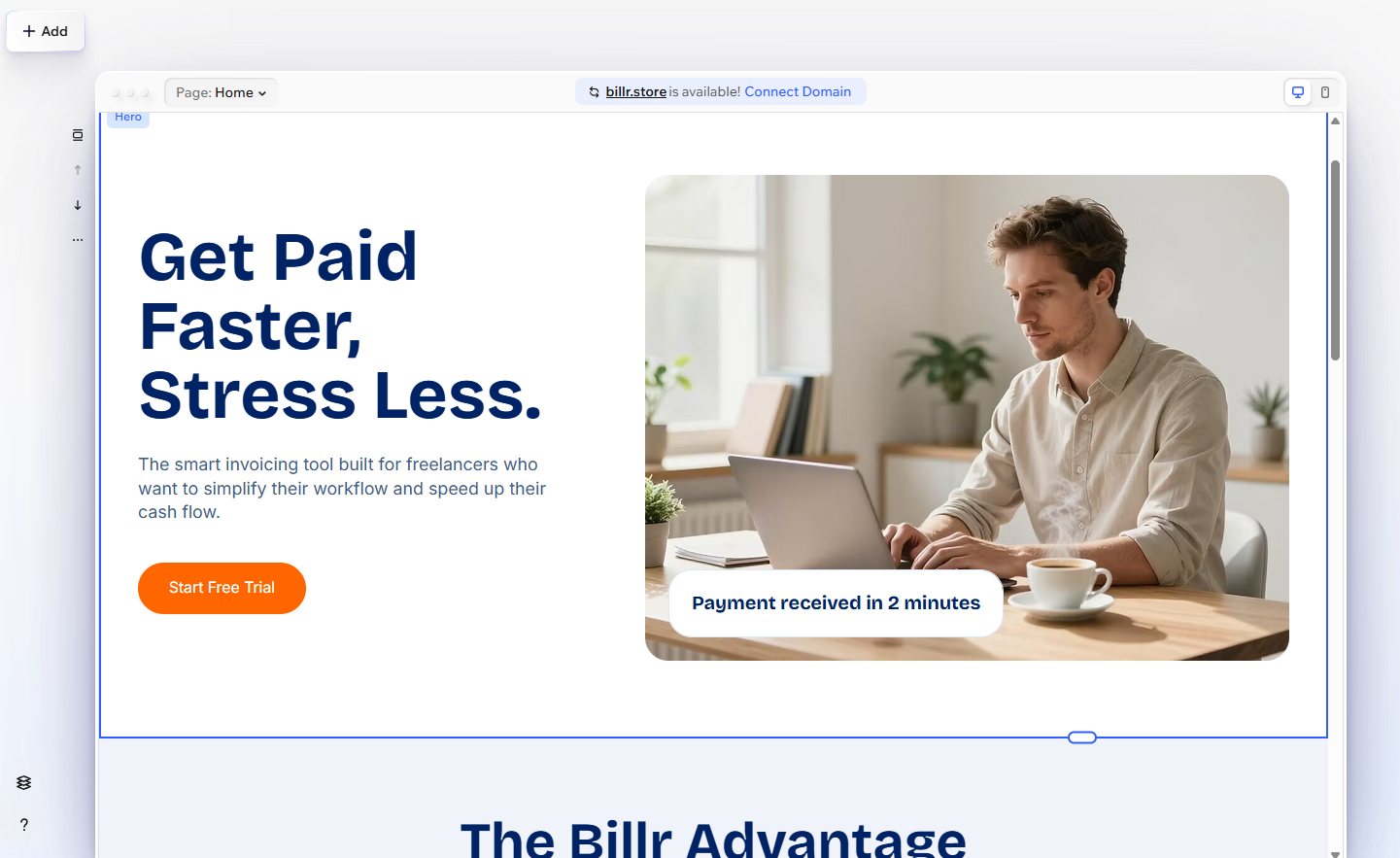
You go through two different AI chats, which get a little confusing. The transition between the AIs could be a little different. There are no A/B testing or personalisation features here. And Wix doesn’t support exporting your files either.
Verdict on this: If you are a beginner and want to test out builders, you might want to try this but otherwise, the quality of AI is much better in other tools like Leadpages.
| AI Quality | ★★★☆☆ |
| Conversion Awareness | ★★☆☆☆ |
| Export Flexibility | ★☆☆☆☆ |
| Speed to Live URL | Fast (in-platform) |
| Price From | Free / $17/month |
Unbounce
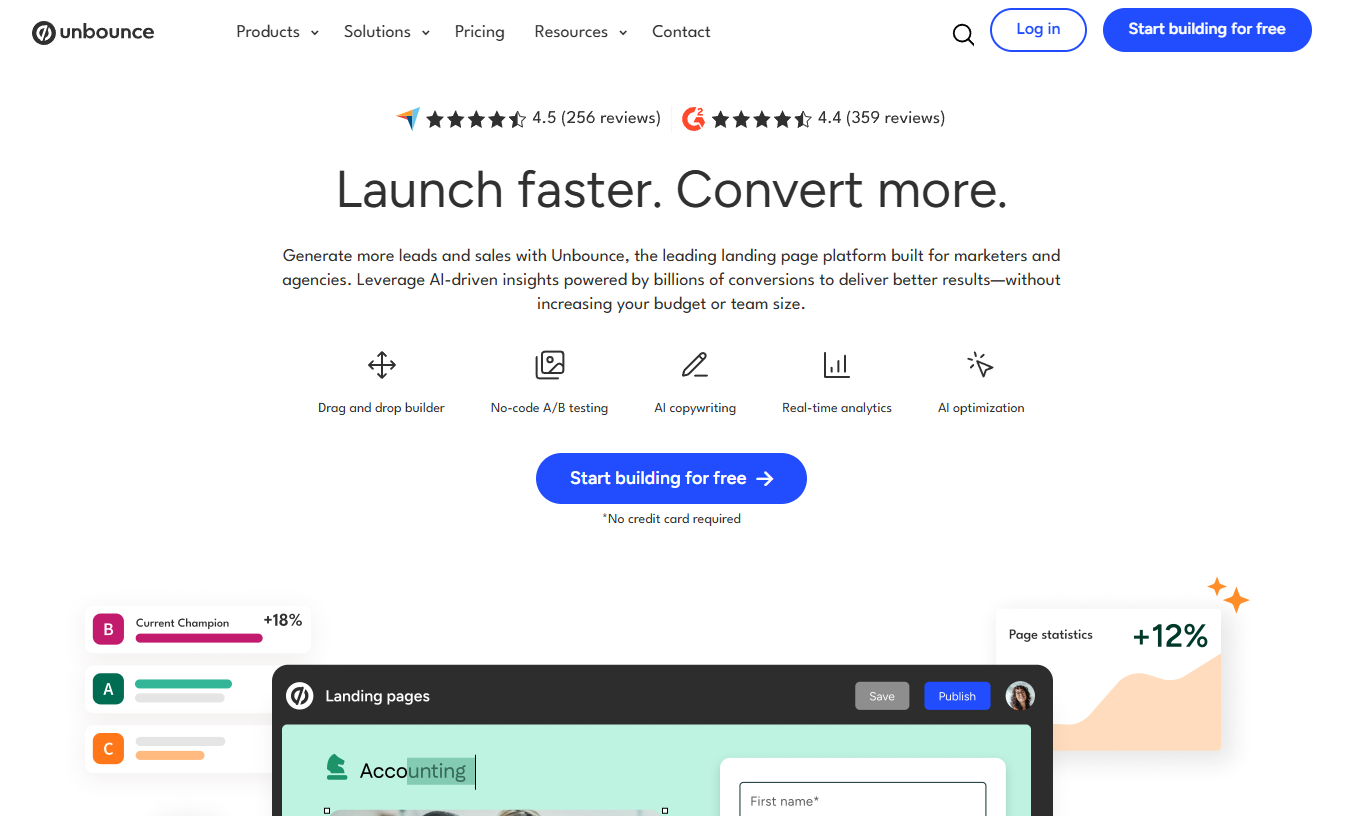
Unbounce has been in the landing page game longer than anyone. According to updates published in March 2026, they have been iterating on Smart Builder and Smart Traffic.
On the free tier and early paid tiers, you do not have access to many of their AI tools. According to their blog, copy carries more weight in converting people, and they have been working to improve their AI copywriting, too.

With Unbounce’s advanced features like Smart Traffic, you do not need to set up A/B testing; your visitors are routed to different variants based on their behaviour.
Their machine learning is very strong, and their reports show a 30% increase in conversions.
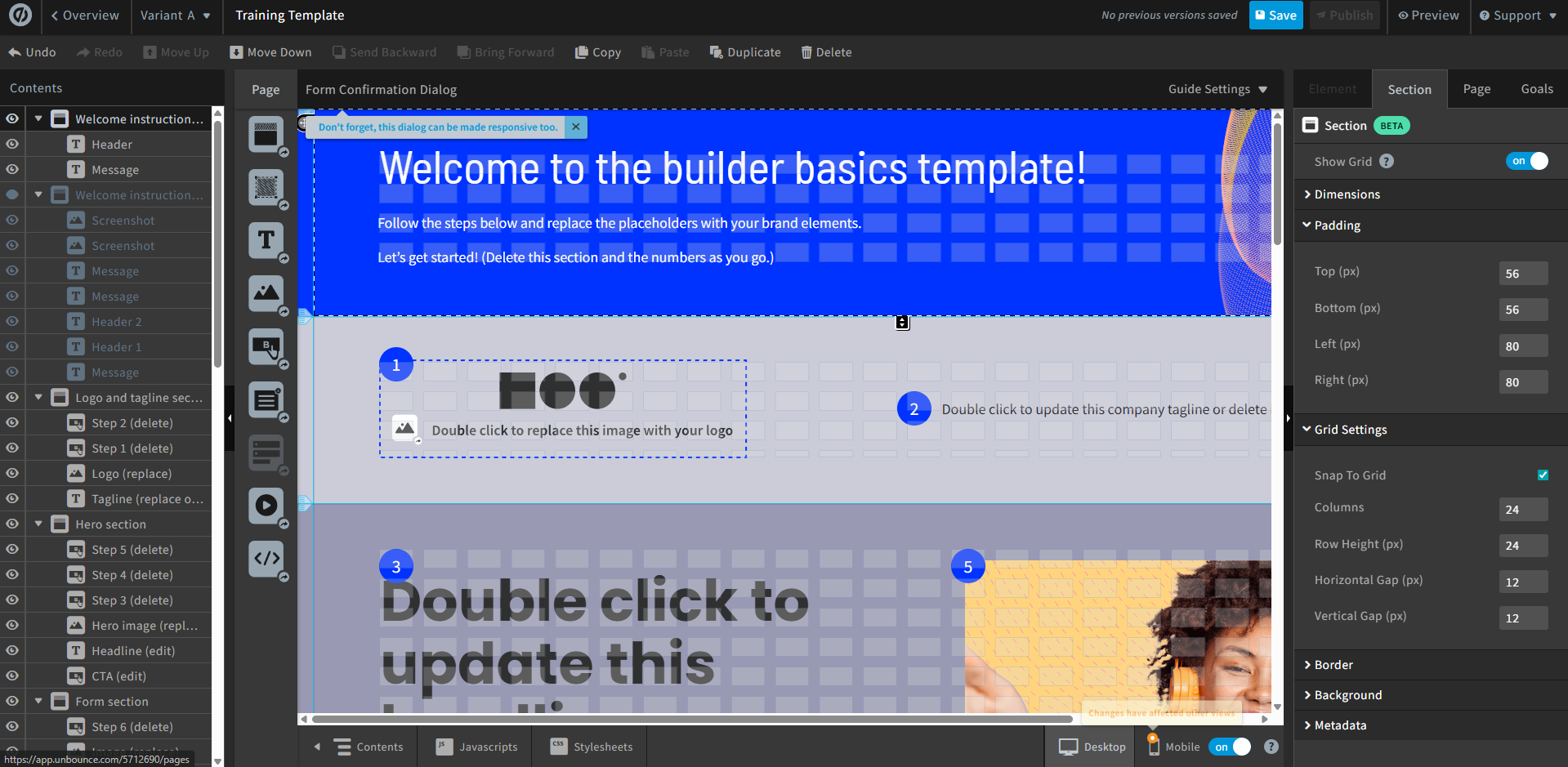
One downside is that you cannot export your site from Unbounce’s servers. Also, as a beginner, if you browse Unbounce for the first time, the editor seems very confusing. There is a certain learning curve to it to work on.
Verdict on this: If you have a budget to spend on ads as well as on campaigns, Unbounce is your premium landing page tool to go to! If you are a marketer working on ad campaigns and with a lot of visitors, you should spend time learning it.
If it’s just a few landing pages here and there, you can try other AI landing page generators.
| AI Quality | ★★★★☆ |
| Conversion Awareness | ★★★★★ |
| Export Flexibility | ★☆☆☆☆ |
| Speed to Live URL | Moderate |
| Price From | $22/month (for basic annual plan) |
Instapage
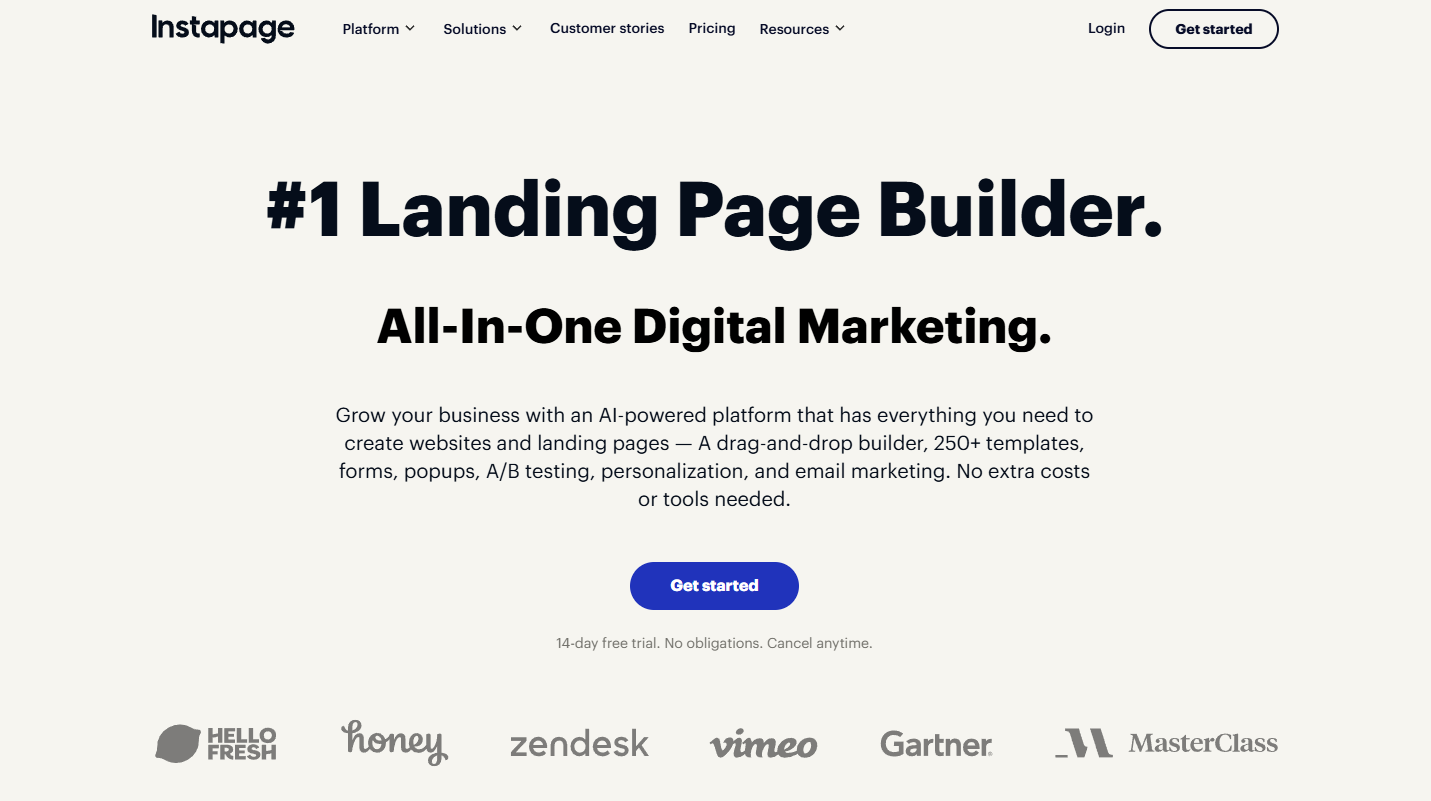
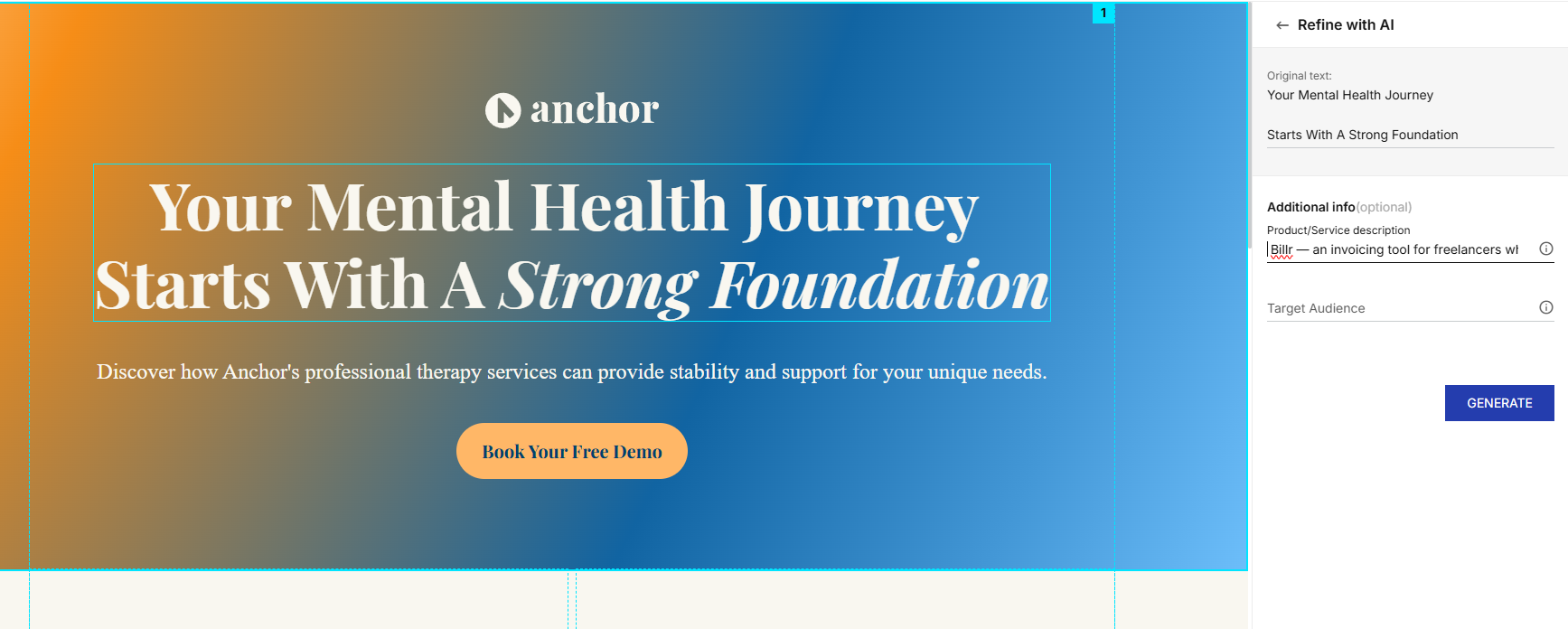
Instapage itself doesn’t have AI generation, so you cannot create a prompt-to-live URL with this one. Rather than that, it focuses on personalisation of the text to target your ideal customers.
Instapage offers a drag-and-drop editor that lets you create blocks from scratch to build your page. It has AdMap, which connects ad campaigns to their landing pages. It also has Global Blocks, which let you split content across multiple pages with a single block.
Like Unbounce, Instapage is also an enterprise tool. Their AI optimisations are really powerful for creating high-converting landing pages, but the experience still feels like 2022.
Verdict on this: If you are a big marketing agency or large business owner where you have to run a lot of ads on social media, you can invest in a tool like Instapage.
This will give you high-intent copies, allow personalization for visitors and also a better campaign dashboard.
| AI Quality | ★★★☆☆ |
| Conversion Awareness | ★★★★★ |
| Export Flexibility | ★★☆☆☆ |
| Speed to Live URL | Slow |
| Price From | $79/month (annual) |
Manus AI
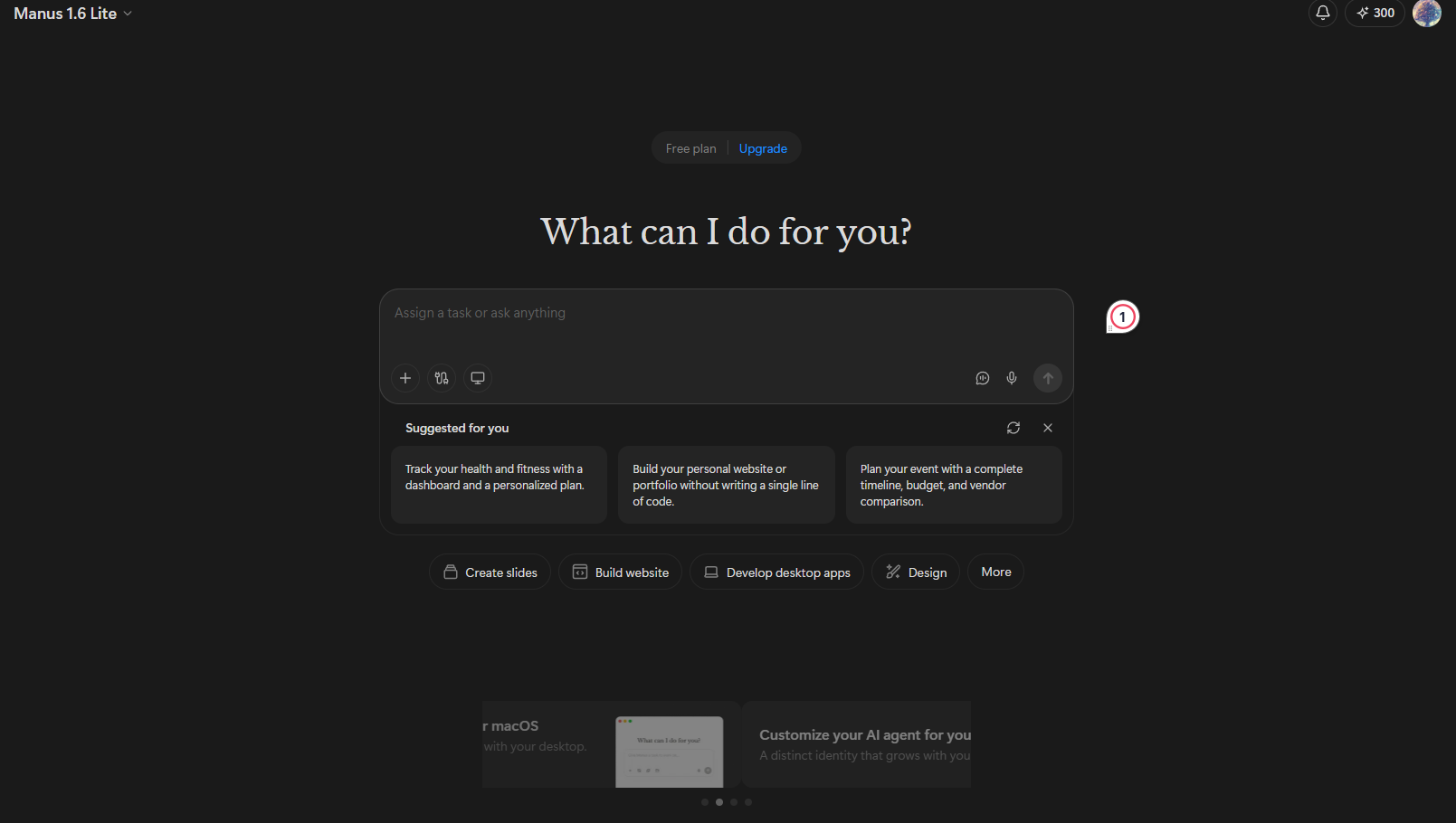
Well, Manus is for technical users or developers. It was acquired by Meta in 2026. Manus is not really just a landing page builder. It is more like an agent that can help you with multiple tasks.
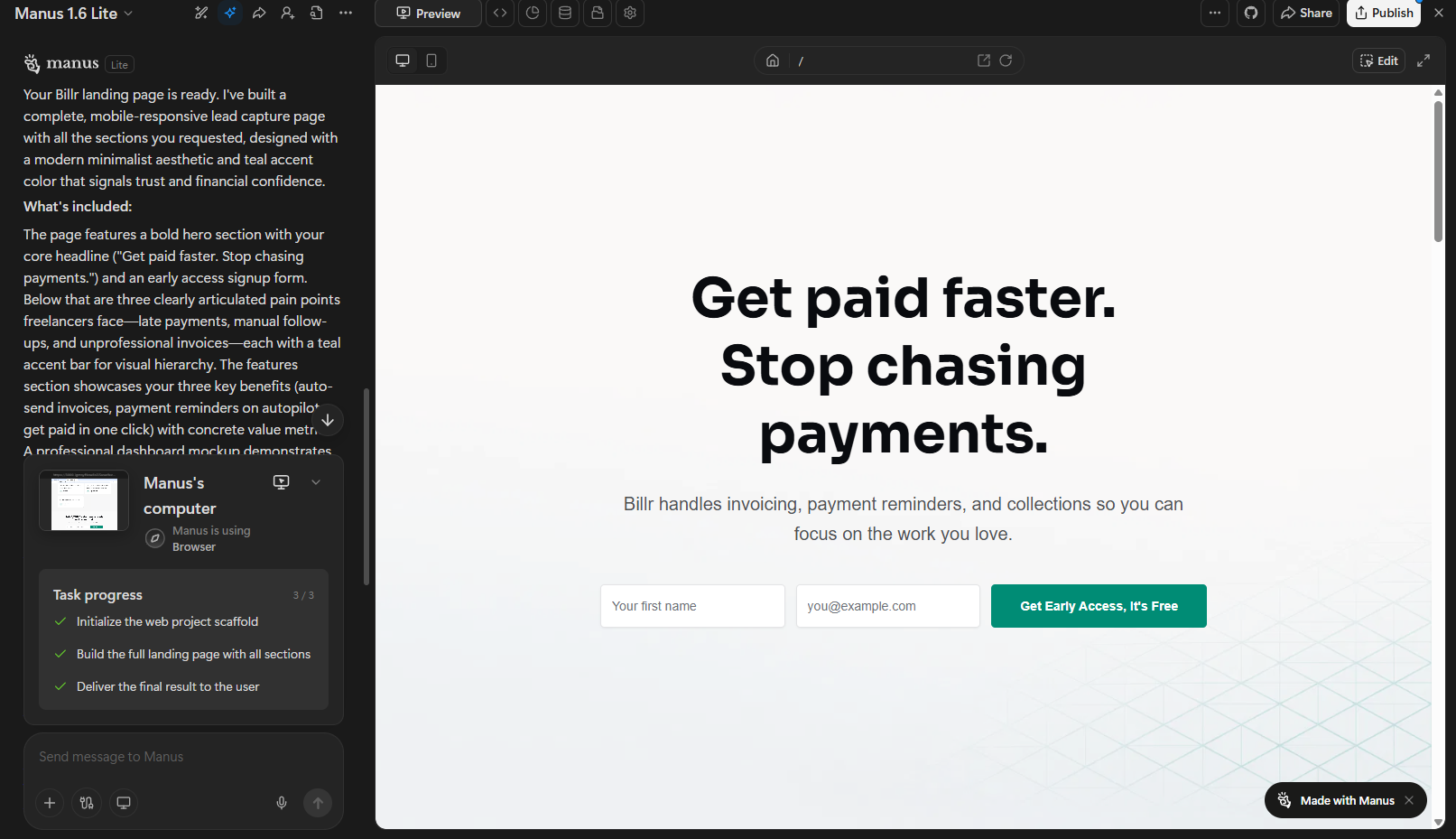
When you describe your landing page to Manus, you don’t just get the page. You actually get the frontend, backend, databases, user authentication and even payment integrations.
When I put my lead capture prompt in it, it took a long time to create the page. If I just wanted a simple page like that, I could have used other AI building tools. Tools which would let me have more control over marketing campaigns.
Manus AI would be more useful for people who want to build product workflows or product demos.
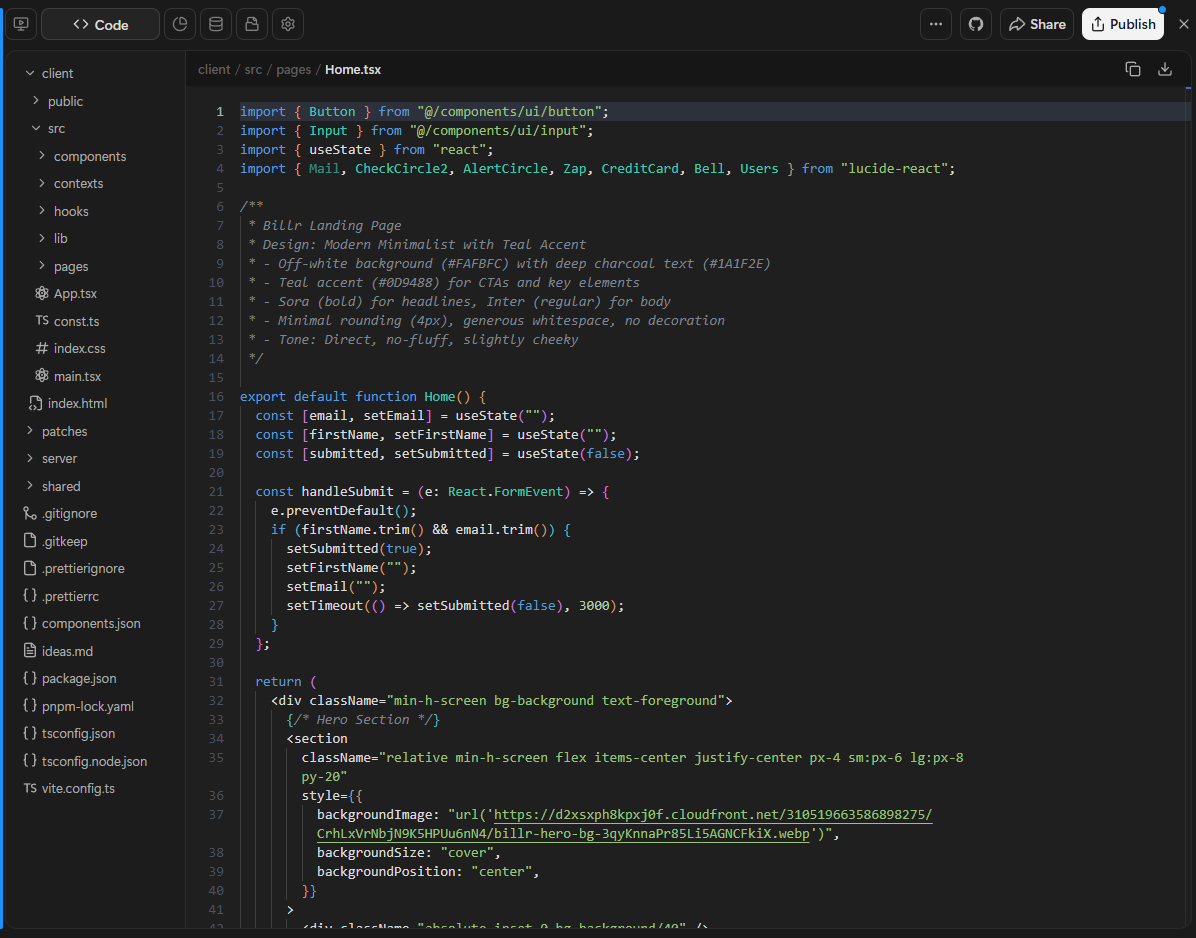
It’s very different from other tools here, but you can download, export and get full control over the code when you use Manus AI.
There is a free plan which gives you 300 credits and then you need to purchase the $20/month plan to optimize landing pages, like adding SEO. Again, it took about 12 minutes and multiple manual approvals to create the page. In that time, I would rather make landing pages using other tools.
Verdict on this: If you are a developer and want to create web pages or products with control over code, this might be the tool for you.
| AI Quality | ★★★★★ |
| Conversion Awareness | ★★★☆☆ |
| Export Flexibility | ★★★★☆ |
| Speed to Live URL | Variable (up to 15 min) |
| Price From | Free / $20/month |
Honorable mentions for AI Landing Page Builders
There were some more tools I tried but they didn’t make it to the top 7 list. They do deserve a mention, though.
Claude AI
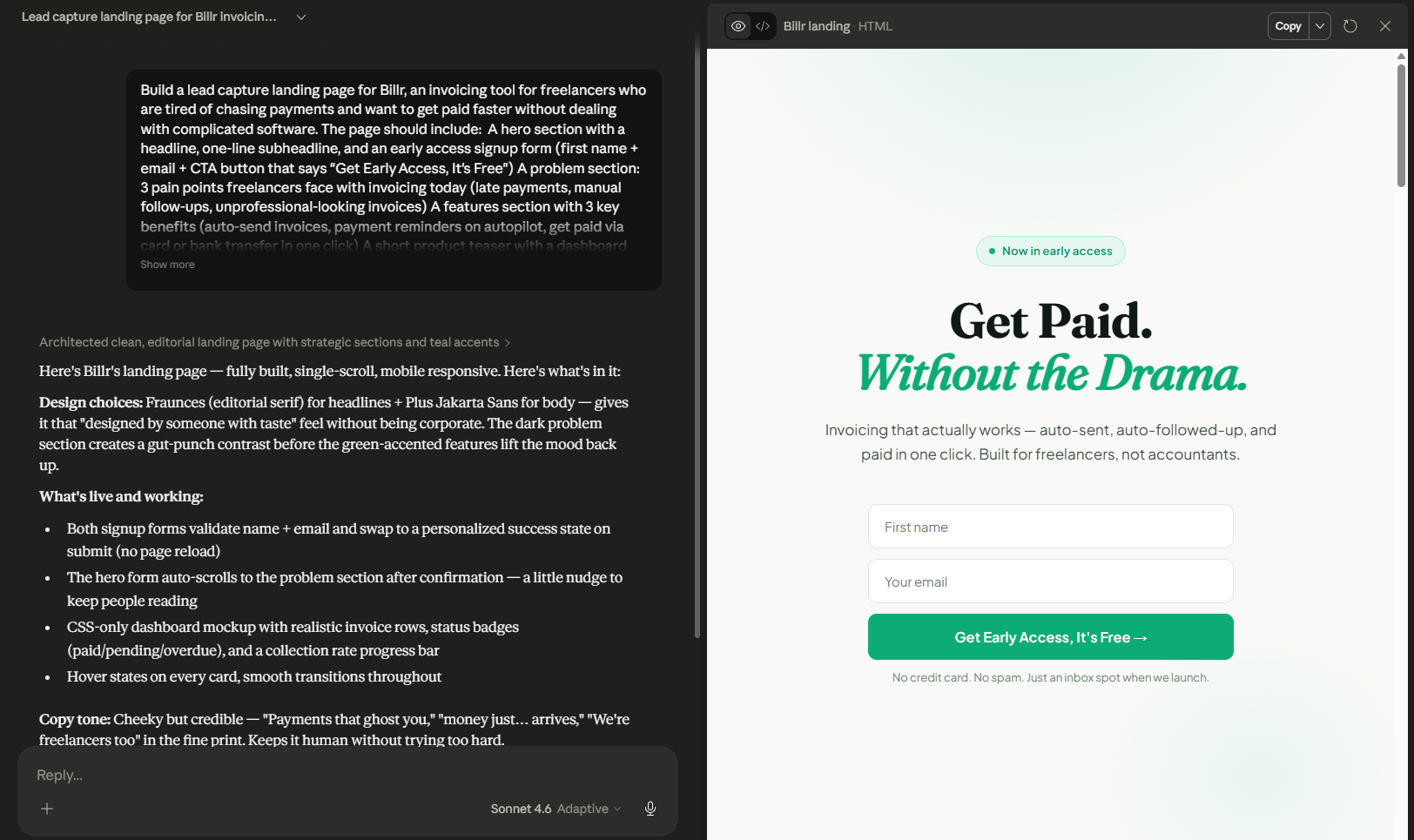
When Claude AI was released, I tried it out and wrote a blog about creating a website or app using the AI. So I thought, why not for the landing page too? The experience was very similar to Manus AI for me when I was testing it out.
You get to keep the code, the copy throughout the page is good, and the AI follows what you ask for. In next iterations, you can optimise the content too.
Any generative AI that you use can give you code, and then you can get your pages live through other web hosts like Tiiny Host, Hostinger or any other.
Base44
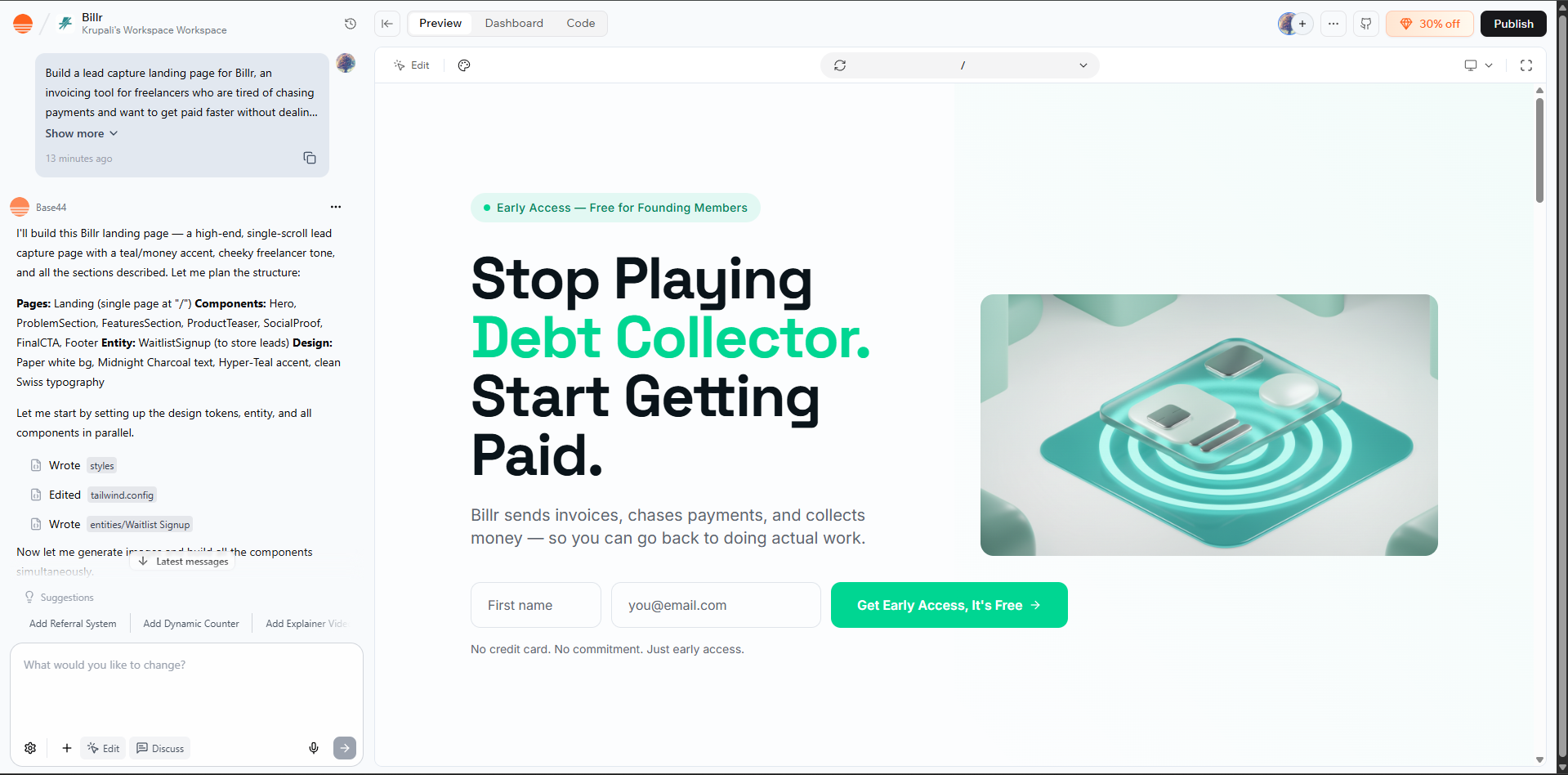
Base44, acquired by Wix in June 2025is another tool that would let you go from prompt to page in a few seconds. The output got presented very fast, but the quality wasn’t to the point. The mockups didn’t match the context, the copy didn’t seem to just click, and responsiveness broke in between.
I really liked the fact that there are built-in suggestions which makes it a good CRO tool. It can become useful to optimise the page. You can get suggestions to add sections, check the dashboard and even code. Overall, it was an okay experience working with Base44.
HubSpot AI Website Builder
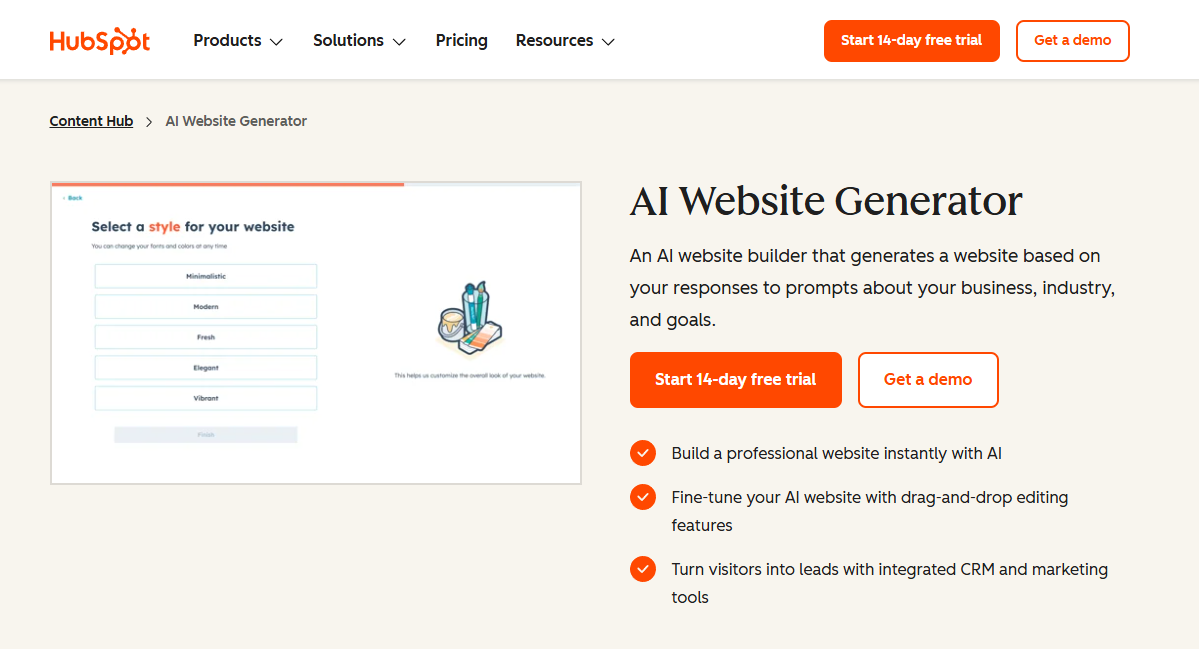
HubSpot’s landing page builder is worth a mention if you’re using HubSpot CRM already. As someone trying it for the first time, I had to complete many steps to reach the builder.
Even when you click to go to the AI builder from the landing page, you end up in the dashboard and then have to figure things out.
If you have already been using HubSpot, choosing this one would make sense.
Coming to the page it generated, the tone and brand colors did not match the ones that were mentioned in the prompt.
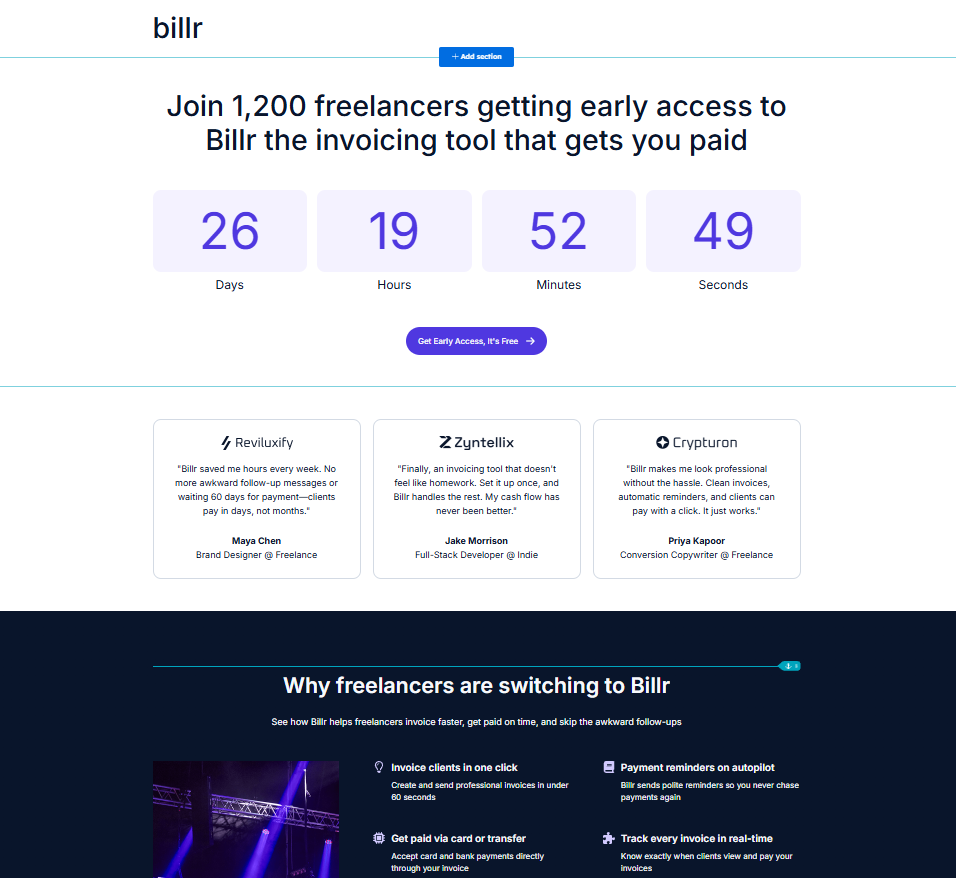
The copy it generated and the sections were a little different from what I wrote in the prompt. But, the copy and sections were written very well. I must say, out of all the tools, the copy that felt really good was from HubSpot.
Quick Comparison to find the best landing page builder
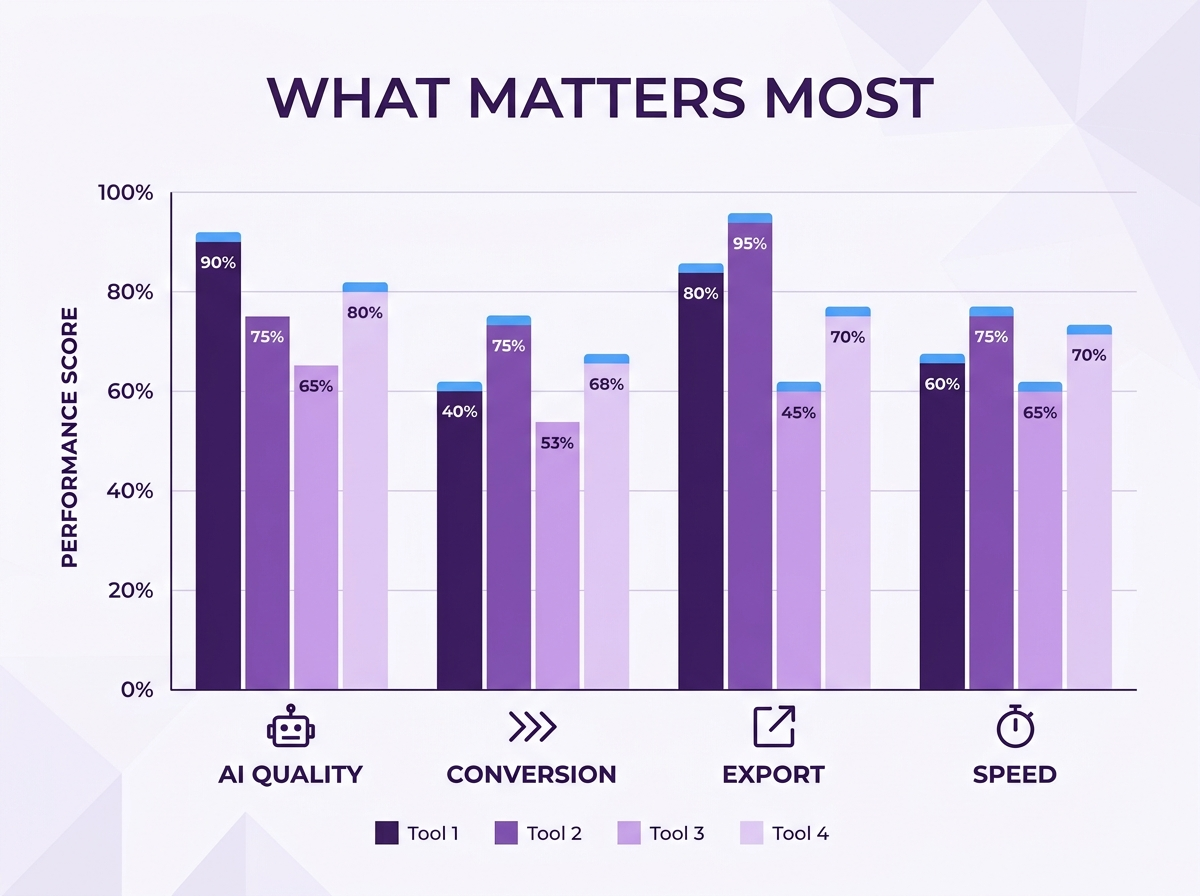
| Builder | Best For | AI Quality | Export | Speed to Live | Price From |
| Unbounce | Paid ad teams | ★★★★☆ | ✗ | Moderate | $22/mo |
| Framer | Designers | ★★★★★ | Partial | Fast / Flexible | $15/mo |
| Leadpages | Small business | ★★★★★ | Yes | Moderate | $99/mo |
| Landingi | Agencies | ★★★☆☆ | Partial | Moderate | $29/mo |
| Instapage | Enterprise | ★★★☆☆ | ✗ | Slow | $79/mo |
| Wix AI | Beginners | ★★★☆☆ | ✗ | Fast | Free/$17/mo |
| Manus | Technical users | ★★★★★ | ★★★★☆ | Variable | Free/$20/mo |
How to Publish Your AI Landing Page in Seconds
The marketing team doesn’t need to wait anymore for the devs to create landing pages and publish them. You made the page so fast; now it’s time to publish it.
Step 1: Export your AI-generated Landing Page
There are some tools out there that let you download your files. You can export HTML or ZIP file and then host the files to share with people.
Some others give you a free landing page to test. But the export is locked behind a paywall. Then, there are some which require you to stay within their ecosystem.
AI builders like Leadpages and Manus allow you to export your file.
In Leadpages:
- On the bottom bar, go to right corner and click three-dot button
- There you will see a button to ‘export HTML.
- Click that button to download the export
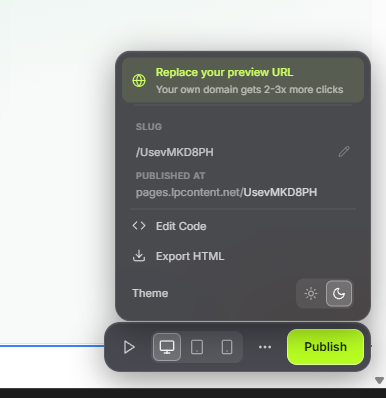
- In Manus, once your files are generated, you can see ‘Code’ button next to preview.
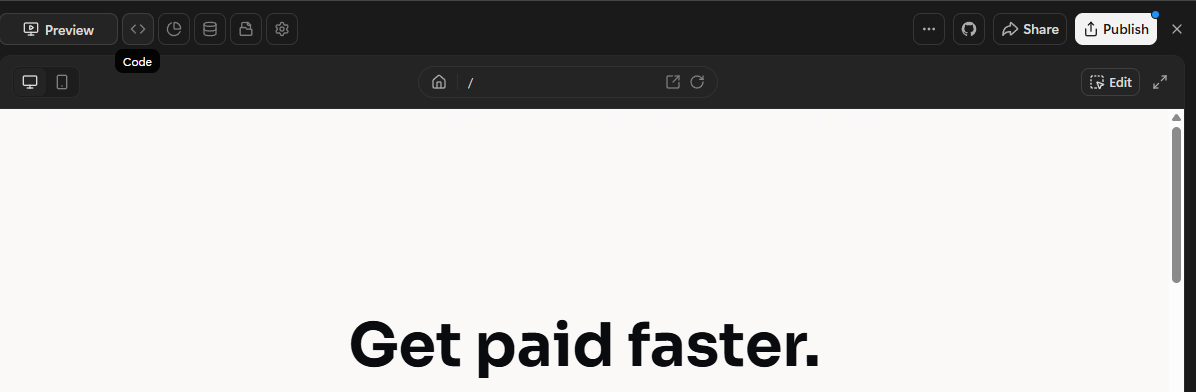
- Once you click on Code, you can see all the code files, and on the right side, you can see the download button.
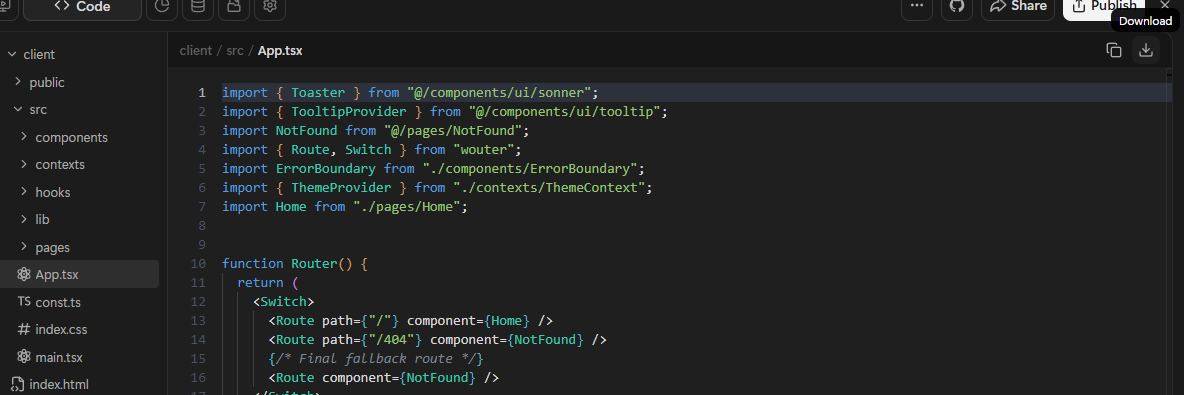
Once your exported files are ready, we can publish the website.
If you have chosen tools like Unbounce, Wix, and LeadPages, which require you to stay within their ecosystems. They let you share a live URL with other people, but you cannot export the code.
If the no-code landing page builder you have chosen doesn’t support export, it’s best to try out other tools. Otherwise, you will hit a $100/month paywall.
Step 2: Publish your files to a Live URL
Once the export is ready, it is time to get the page live! Just make sure that if you have a page with many elements, you upload a ZIP file containing all assets. One of the easiest and fast way to get your landing page live is through Tiiny Host.
They let you upload files and publish them instantly without much hassle.
- Visit the Tiiny Host Homepage
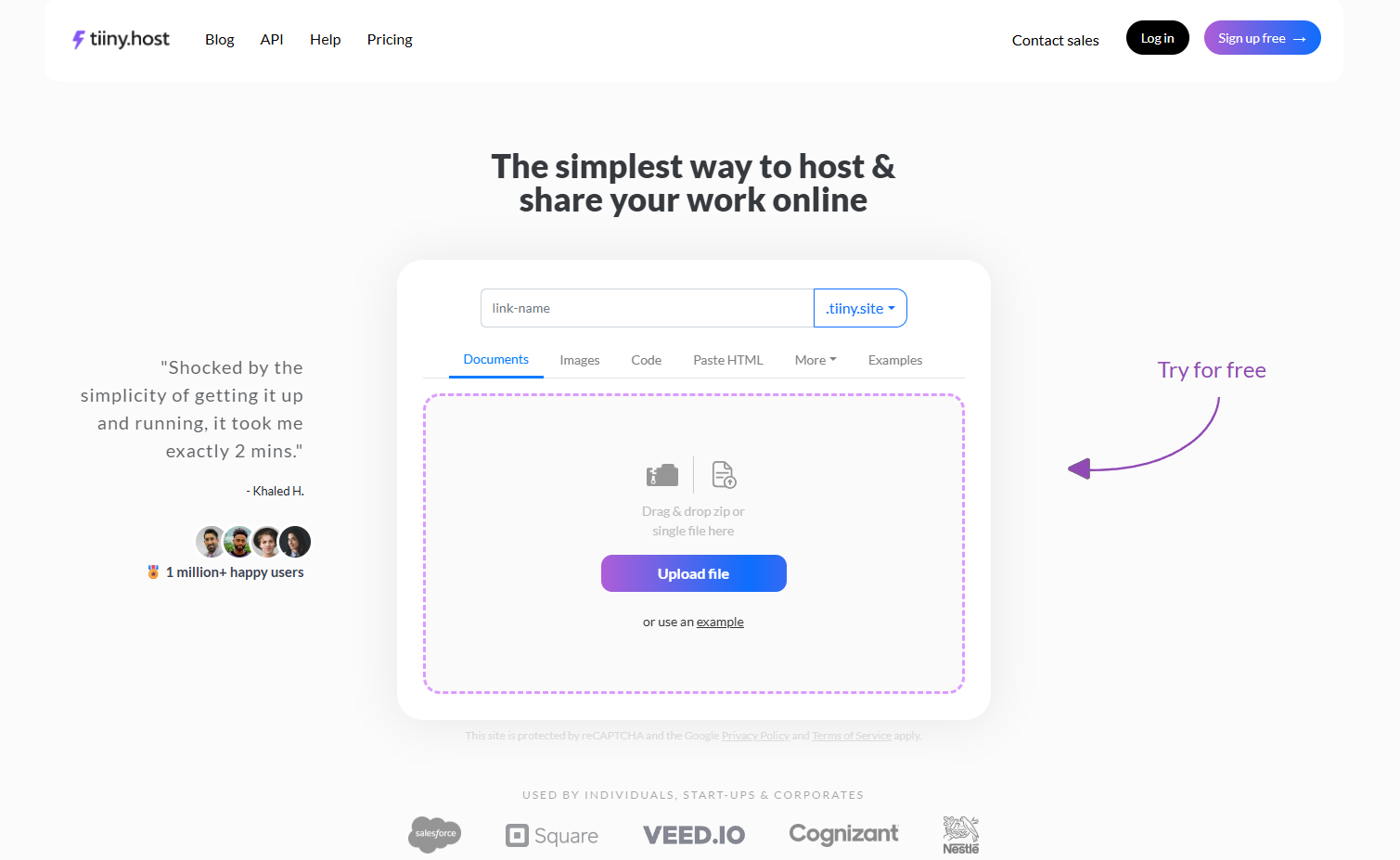
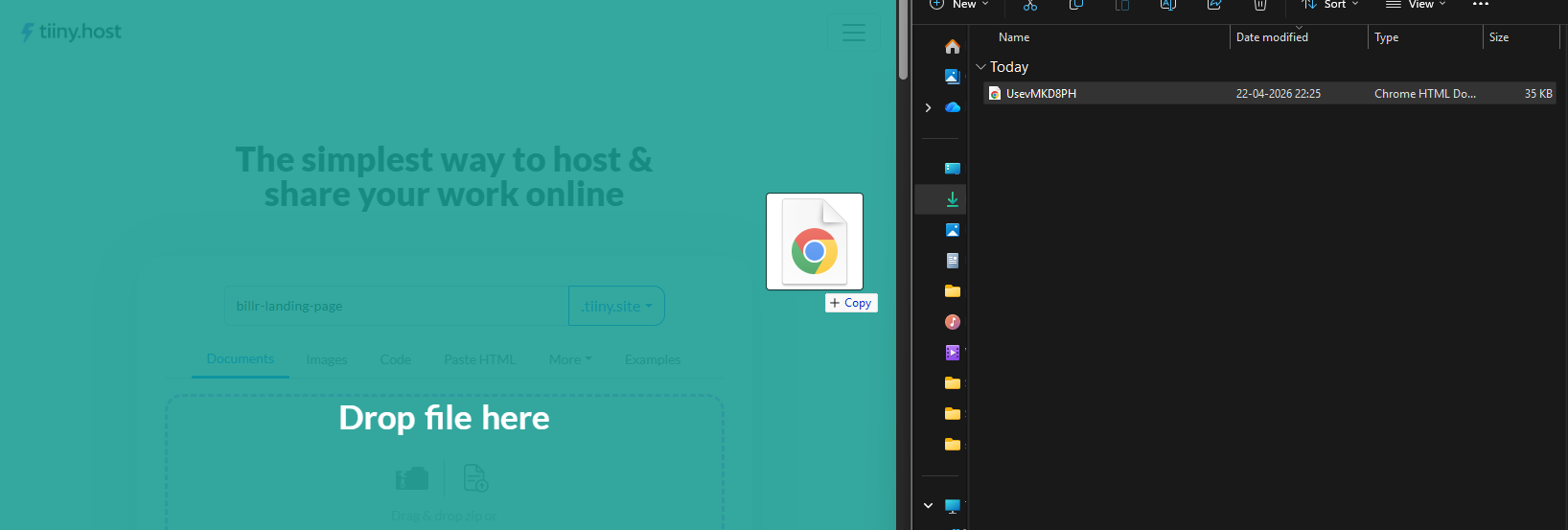
- Once there, you can upload your files or drag and drop HTML or ZIP file
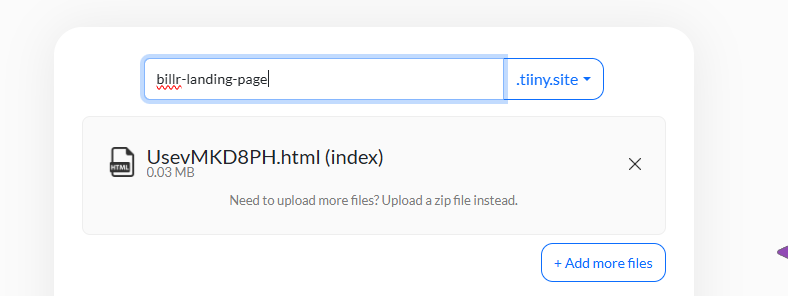
- You’ll find an option to write a ‘link-name’. Entering this will allow you to get a custom subdomain of your choice.
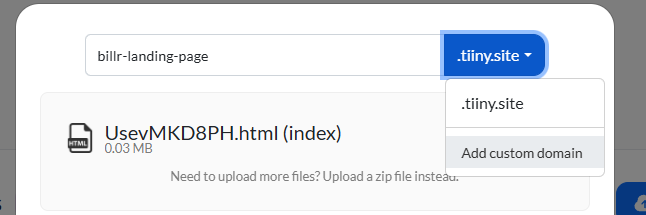
- You can also connect a custom domain for more professional branding.
- Sign-up or Login and hit publish
As soon as you hit publish, you get a shareable link for your landing page. Whether you want to share your page on social media, share with teammates directly or send through an email, the site is a click away.
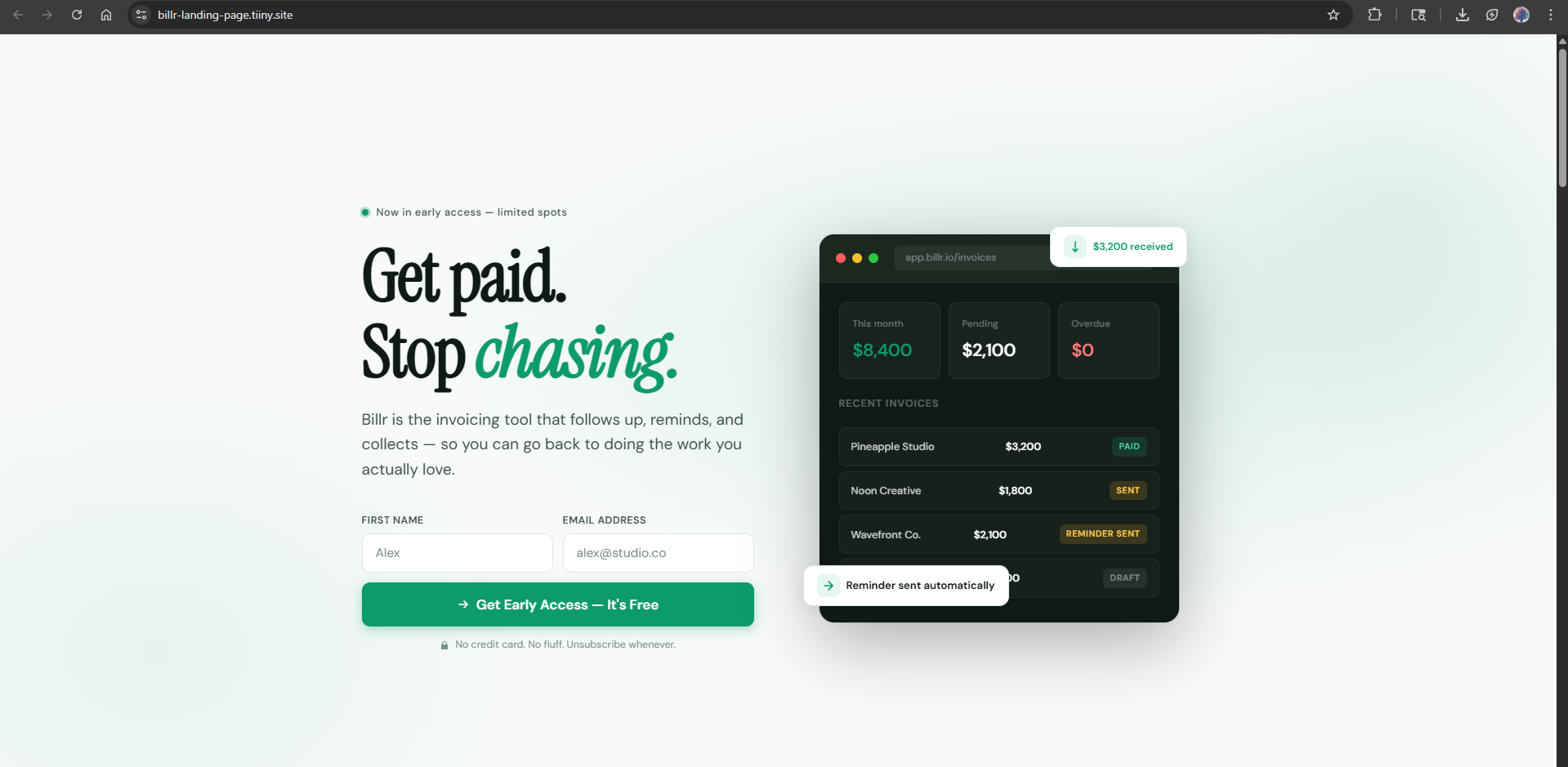
Visitors can open the URL on any device without having to log in. There is also support for password protection, which lets you control who can see the content of the link.
If you want to move towards enhancing the brand identity, you can connect a custom domain. The best part is that any website you publish comes with built-in analytics. So you do not have to attach any other tools like Google Analytics to track numbers.
With that, your beautiful page now has a beautiful URL to share.
Step 3: Share Your File
Just start sharing your files!
You can copy the link and share the page with whoever you need.
You can also generate a QR code in Tiiny Host’s dashboard and embed it anywhere.
If you have a restaurant and you have a specials menu, you can just tell your customers to scan to go to the menu! How wonderful would that be? You can also change it easily whenever needed.
You can embed the file, too, if needed. If you have created landing pages for different sports events, you can embed each of them according to their sections.
Choosing the Right Setup For Your Use Case
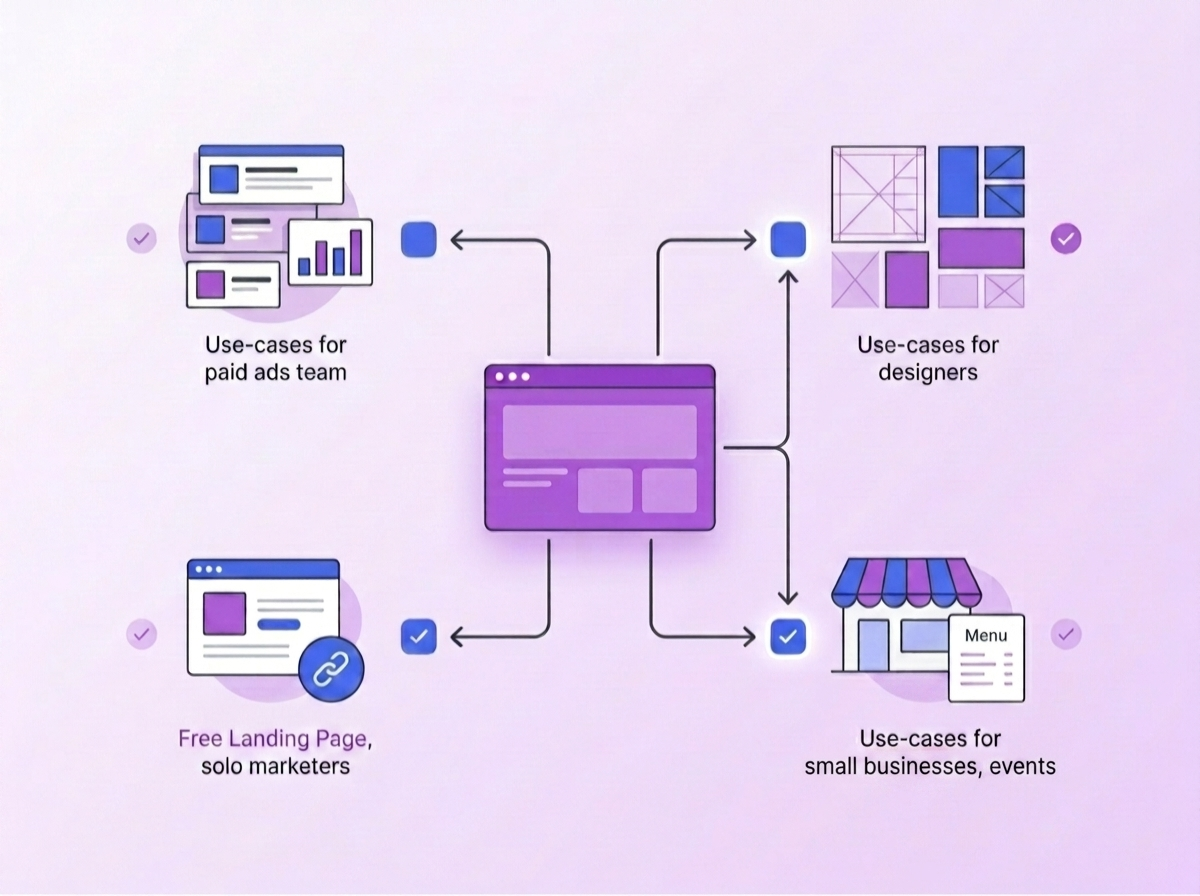
We have picked up 7 best tools out of so many out there. Yet, it can become a little confusing sometimes. So, in the next one minute, we’ll help you select the best tool as per your use-case.
-
If you run paid ads where people will visit your landing page, and you need A/B testing, choose Unbounce or Instapage.
While both of these tools are a little premium cost-wise, they will help you iterate quickly. And with faster pages for A/B testing, you can launch faster. The ROI is worth taking the chance for.
- Designers who need creative control over their designs should choose Framer. It is easier to work with.
- Freelancers or consultants can test out all the tools. With the dynamic work that needs different landing pages according to different use cases, checking different tools would be good.
You can build in any of the tools that let you export your file, then take the URL live with Tiiny. When sharing with the client, you can password-protect it for more safety. - If you are a cafe/restaurant owner or an event organiser, you can choose Leadpages. Once you get the page, you can export the HTML and publish using Tiiny. Then you can embed it anywhere needed, on pamphlets or menus for specials.
- Small business owners looking for free landing page builders can use Leadpages or Wix. Or you can use any other tool and then publish using Tiiny Host for a more affordable alternative.
- If you are ideating or just testing things out, you can try free versions of any online landing page builder, and then get it live on using Tiiny Host.
A lot of people think you need to pay for the AI’s hosting plans to get your page live. But you just have to pay for building the page. You can then export your files and host them using other tools.
When your page is generated, you go and see the pricing page, you see $99 or $149 and you think you have to pay it to make the page live. These are hosting plans combined with builder plans and you don’t really need to pay for that. You can just pay for the builder, export the files and host them on other file hosting platforms, which can let you do it at a much more affordable price.
FAQs: AI Landing Page Builders in 2026
Can AI build a landing page for free?
If you are looking for a free landing page builder, a lot of tools in the list have free tiers. Only thing is these free AI landing page builder plans come with a catch. They have their branding, which shows up on your page. Some others just let you test things and build but you cannot take the page live on the free plan. There is a workaround for this. You can publish the landing page for free by exporting the files from the builder and publishing them on Tiiny.
How long does it take to publish an AI-generated landing page live?
The AI generation takes less than 60 seconds. Then you have to iterate and polish the pages. So, it could take about an hour to get the finished page. People face issues when they have to set up a domain, configure DNS or navigate through different configurations to get a shareable link. You can reduce this time by using tools like Tiiny Host. With that, you can get a prompt to live URL in like 2 minutes.
What’s the difference between an AI landing page builder and an AI website builder?
A dedicated landing page builder will help you create custom landing pages made for only one specific action. It can be either making the visitors signup, download a file, sales page, sharing marketing tools, purchase a course or any other actions. A website builder on the other hand will create multiple web pages with navigation, blog, showcase products, have an About section and any other things you offer. This is what makes a full website.
AI landing page builders are faster; that’s what the intention is while building with them. You might give time to build a whole website but you should not spend a lot of hours creating a landing page for marketing campaigns.
You might need help from developers while building a website, as you do not want to break things. While on landing pages, which are more marketing focused, the landing page builder can help the marketing team iterate the web page faster according to goal of the campaign.
Do I need a developer to publish an AI-generated landing page?
The whole point of using or investing in AI landing page tools is that you don’t need to spend time collaborating with a developer team. The AI handles design, sections and the copy.
There are no-code builders like Leadpages, Wix and Unbounce which come with drag and drop editor. With that editor, you can create pages or tweak code without touching code. If you are just starting out, try out free landing page builders or free versions of tools. Some tools let you publish directly on their site.
Some let you export your files which you can save and then later host through other tools. All of steps from writing the prompt, getting the first generation, iterating to getting a shareable link, doesn’t need technical knowledge.
What AI landing page builder is best for small businesses?
For small businesses, Leadpages is the best balance of AI quality, ease of use, and price — and it comes with a free trial so you can test before committing. If budget is the main concern, Wix AI gives you a free landing page builder to start with, though the AI quality is noticeably weaker.
Getting More From Your No-Code Landing Page builder
Iterate. Don’t Rebuild.
A lot of people who start building with AI start to rebuild when they don’t get the desired output. When you’re working with prompts, sometimes you might not get desired output in first-go.
Maybe the sections are not as you want, or copy of CTA isn’t what you wanted. Maybe, the color scheme is not contrasting and the page doesn’t look good. Do not start rebuilding the prompting from scratch here.
You can prompt the AI again, point out the flaws, and you will get the updated page. All of the tools in the list above let you refine iteratively without breaking the existing design.
If you published your landing page using Tiiny, you can just re-upload or push files at the backend without changing the URL itself.
Elements Every AI Landing Page Should Have
Your landing page should convert visitors. Here are six elements your page should have
- A hero section with a headline
- Single CTA (don’t confuse visitors with a lot of buttons to click)
- Benefit-focused copy
- Social Proof. You can add reviews from Google or your website, or testimonials from your clients. You can also add a horizontal rule with logos of companies you have worked with.
- Mobile Responsiveness. See that your page works fine on mobile too. You want people to see images and CTAs clearly.
- Fast load time. If the website doesn’t load within a few seconds, your visitors might not stay. And that is not the goal. So make sure you optimise landing pages before sharing the link.
And that’s it. You are ready to make your landing page.
Your Next Campaign Page Starts Here
The best AI landing page builder in 2026 is actually the one that gets your page live today.
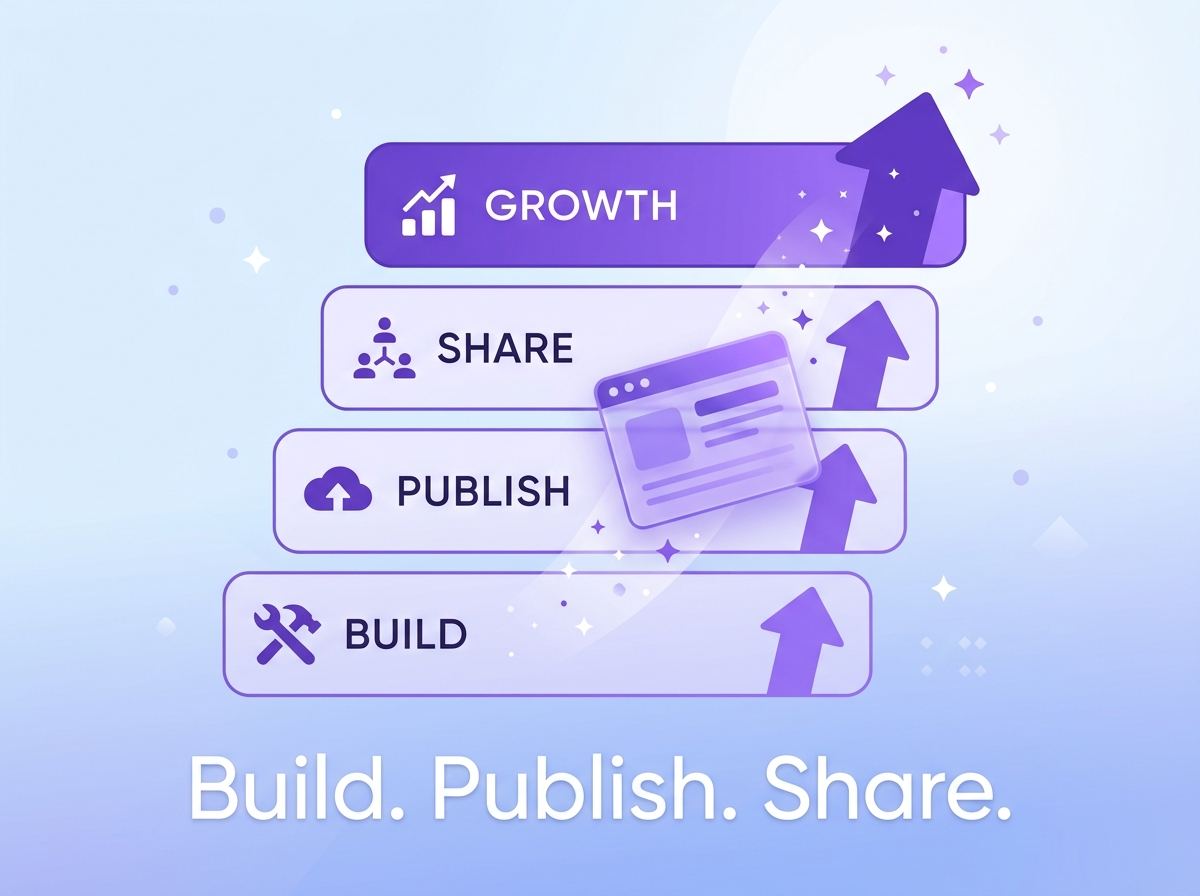
If you’re a solo marketer, start with Leadpages’ free trial. If you have a larger budget for campaigns, set them up using Unbounce. Designers will love Framer, and if you are a beginner, you can experiment with all the tools.
The campaign wouldn’t bring in people until you share it. So once your page is made, get it live and start sharing it!
It’s time to get your AI page live and get the business in.
)