- What is Framer?
- All the Features of Framer You Should Know About
- Framer Pricing in 2026 - What You Actually Pay
- The Pros of Using Framer
- Limitations of Framer
- Framer for different use cases
- Framer vs The Alternatives in 2026
- FAQs: Framer AI Website Builder Review: Pros, Cons and Real Use Cases
- Who Should (and Shouldn’t) Use Framer
- What exactly does a beginner do?
- Framer is not going anywhere, anytime soon
Everyone says Framer is the best AI website builder for designers. But, is that really true for everyone else?
A lot of my designer friends have said incredible things about Framer. It has helped them build websites faster.
As a non-designer, I had to try it out. So I spent a week on Framer to build a landing page, a portfolio to test out AI tools across Free and Pro Plans.
Framer is bridging the gap between flexibility and use cases through its no-code builder. The app has become more powerful than Squarespace and also less technical than Webflow.
Today, I will test Framer to see whether a marketer who wants to run campaigns, a founder building an MVP, a student who wants to create a portfolio, or a consultant wanting to publish a proposal can use it.
Quick Verdict: Framer AI Website Builder (2026)
Overall Rating ⭐⭐⭐⭐ 4/5 Best For Designers, design-forward marketers, agencies Not For Beginners, bloggers, e-commerce stores Starting Price Free | paid from $10/mo (annual) Biggest Strength Best-in-class visual editor + AI site generation Biggest Weakness Steep learning curve + pricing escalates fast Framer is the most powerful no-code website builder for designers in 2026. But it is not limited to designers only. If you are a non-designer, blogger or marketer, there is a learning curve to get the final pages.
One important thing to note is if you are not familiar with Framer, the hidden cost stacking up before the tool becomes useful.
You can dive with me to know more about Framer in detail. Otherwise, you can jump to see if the Framer fits your use case from the table of contents. It will take less than 60 seconds.
What is Framer?
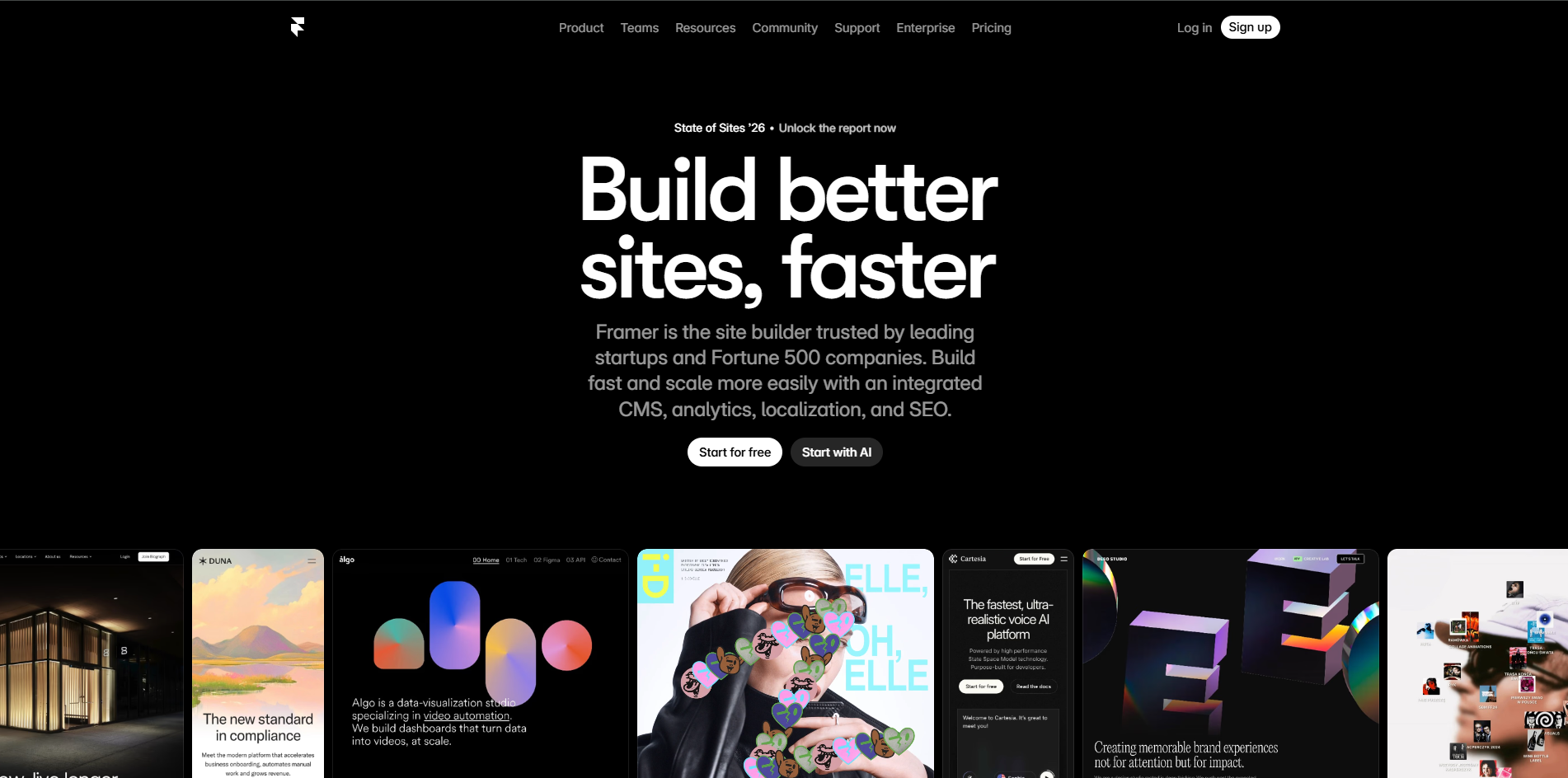
Framer started as a prototyping tool. A tool where product designers could show off what they wanted to build. This was in 2013.
Over the last 13 years, Framer has become a popular design tool for websites used by designers, design engineers, and product designers. In 2025, Framer introduced Wireframer AI, which made Framer grow into a no-code website builder.
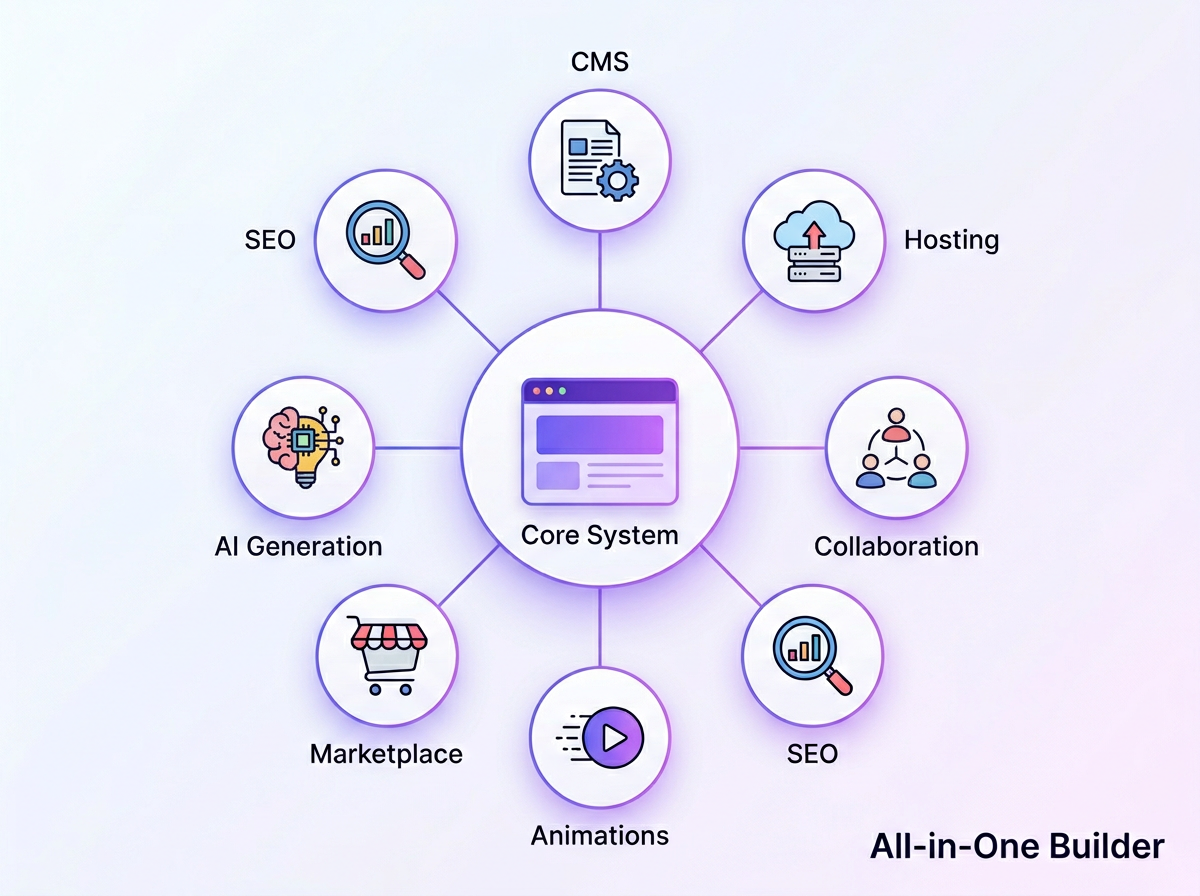
The popularity of Framer has been exponential because it is not just a designer. Once you design, you can publish your website from the dashboard. It also has built-in hosting options, a CMS, SEO tooling, collaboration tools and a suite of AI tools.
Unlike Squarespace or Wix, where you have to drag-and-drop premade blocks, Framer lets you design from scratch. This gives the designers more control over granular details.
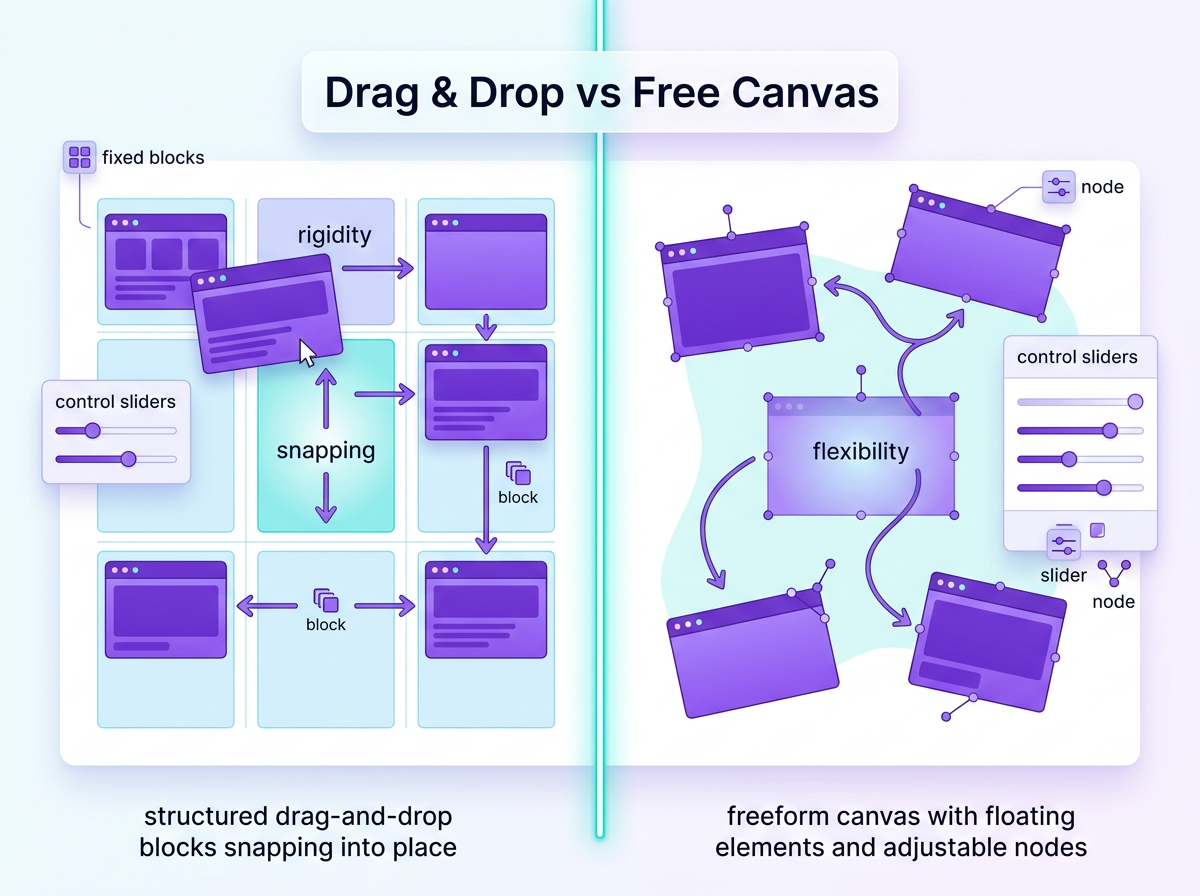
A lot of teams choose Framer over Figma because Figma requires the handoff of individual components, and developers have to build from that.
All the Features of Framer You Should Know About
Framer AI Website Builder - Wireframer
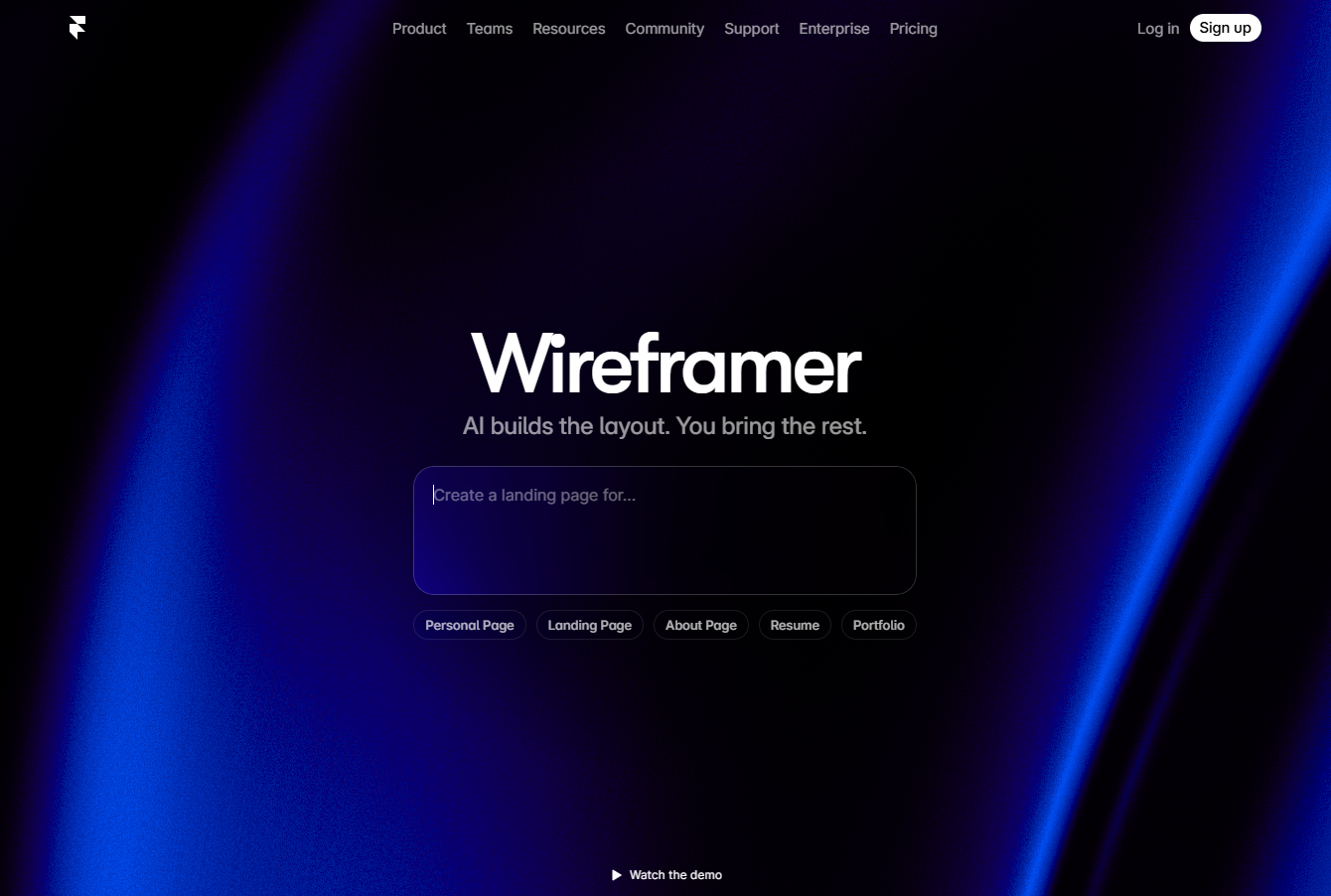
Framer’s AI website builder is Wireframer. The tool combines a Figma-like visual editor and AI-powered site generation. By describing what you want and mentioning your brand tone and style, you can produce a multi-page, mobile-responsive website in under 60 seconds.
While this seems like a perfect option, there is a catch.
When you prompt the Framer AI, you get a layout with copy, navigation and an initial structure. Though this would be a good starting point, not a site which you can take live. Once live:
- You have to get images and mockups made by a designer
- Edit the copy where needed
- Move around the sections to reach the type of structure you had planned
For example, when I was testing different sites to find the best AI landing page builder, I tried making a page named Billr. Here’s the result I got:
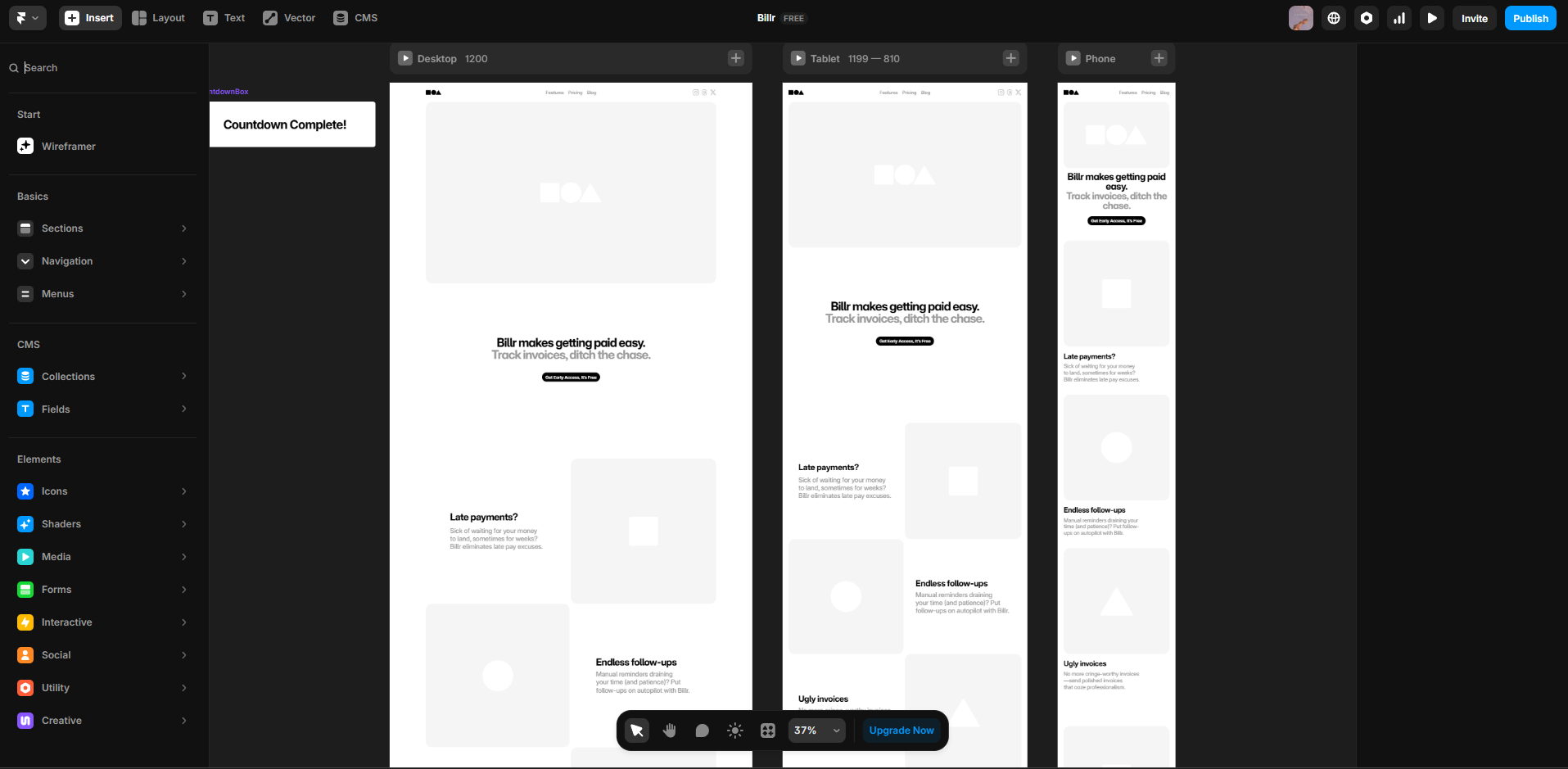
This makes Framer a great tool for:
- Designers to go from idea to prototype.
- Marketers to create landing pages by collaborating with designers.
- Portfolios and SaaS sites.
Framer Workshop: AI-Powered Component Generator
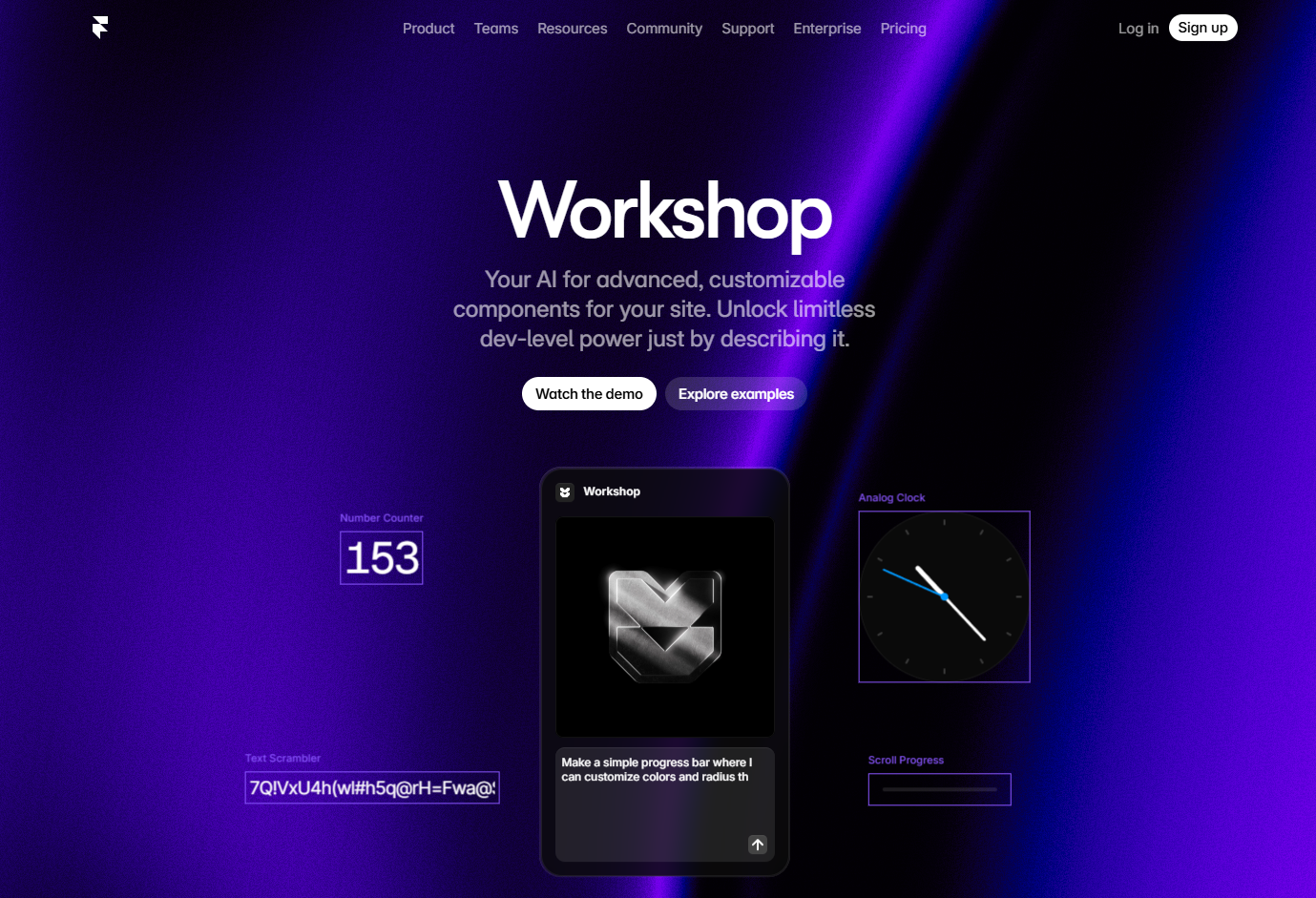
In May 2025, Framer introduced Workshop to generate components or visuals without having to write code. The generated component can be edited manually once added to the editor. You can also just continue the conversation in the Workshop chat to make changes to the component.
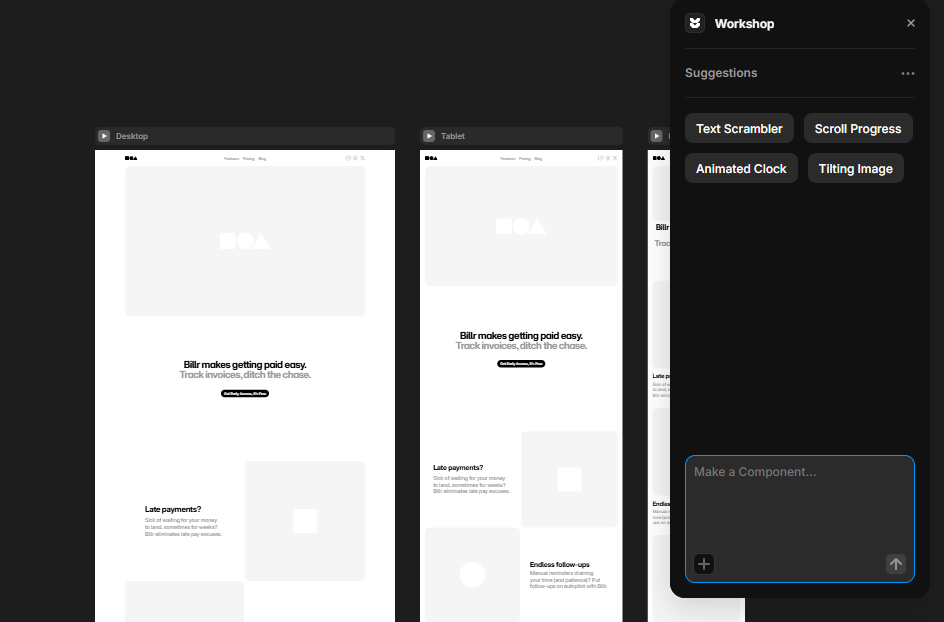
With Workshop, you can:
- Generate Simple components like a progress bar when someone is filling out a form
- Create a more complex component, like an analogue clock
- Apply interaction motions to already existing images, like a Hover-to-Zoom effect
- Have a text scrambling effect on clicking
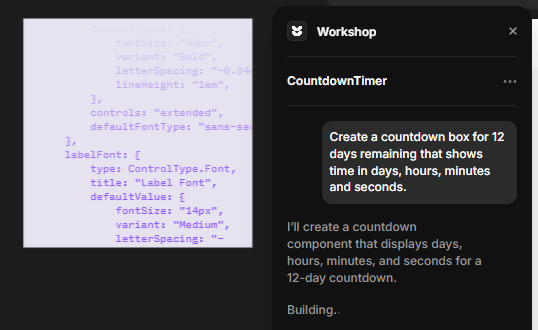
You can write the prompts or select a sample prompt to test. Here’s a timer I tried to create:

To make changes, you can just prompt again or choose one of the suggested changes by AI.
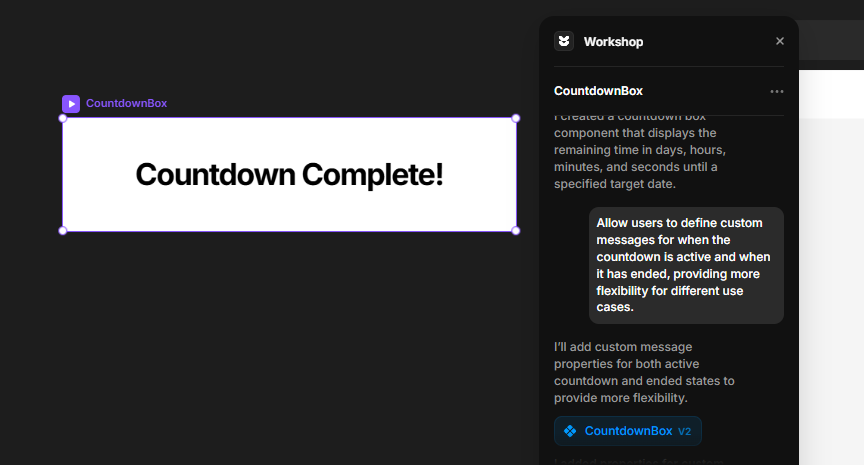
Both of these Framer AI features really make taking the first step very easy for everyone.
For more control over the design and manual editing, you can use the Framer’s Canvas and editor.
Framer Marketplace & Templates
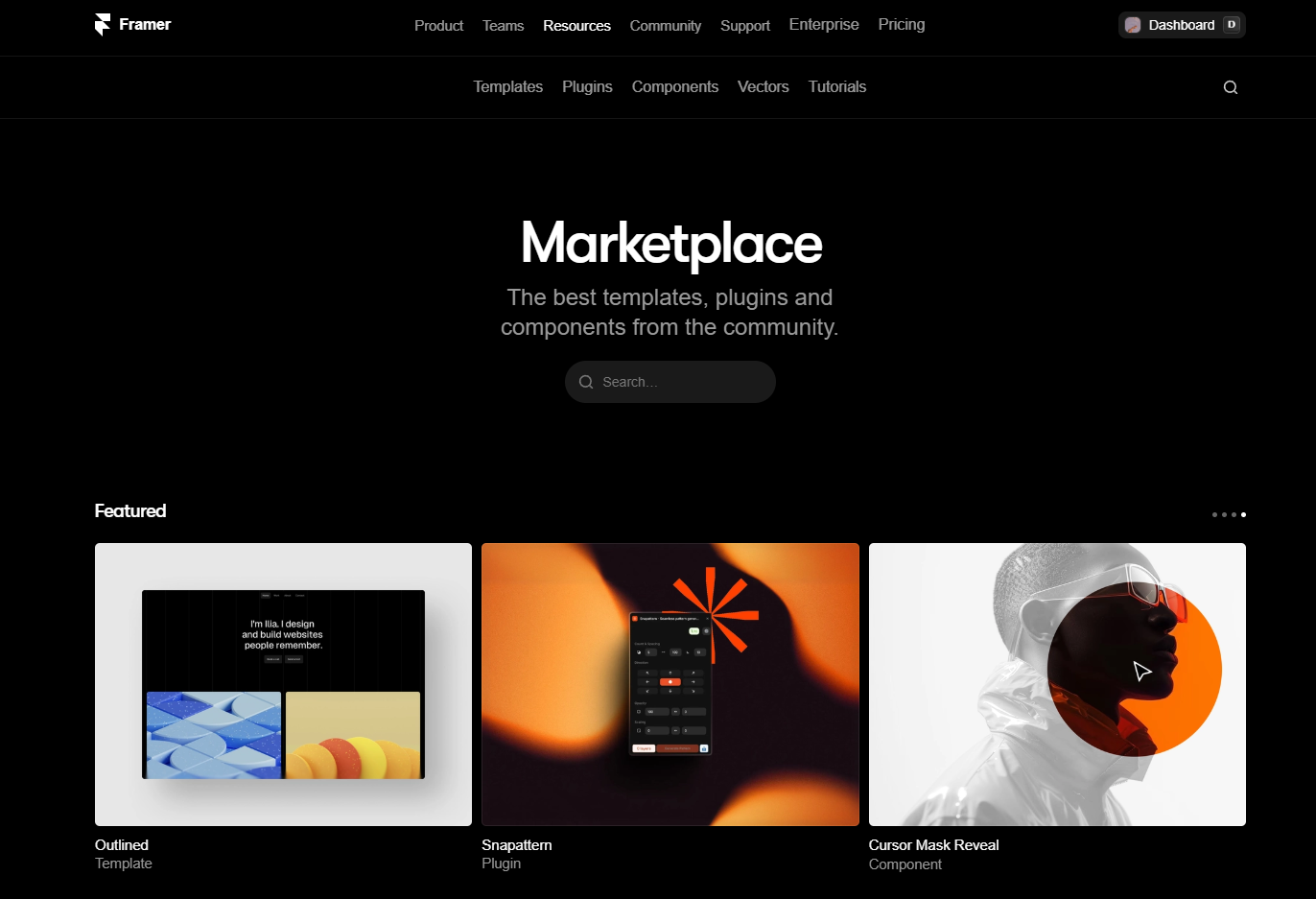
Framer lets you create websites from scratch using the AI, but if you think that isn’t a good starting point, Framer also has a marketplace.
The Framer marketplace is where designers and developers sell different templates, plugins, components and vectors.
So, a beginner can pick up a template and start making changes to it. Any advanced users can find different plugins and vectors to integrate in the design.
When you start any new project with Framer, you also get option to choose one of the pre-built templates to build upon as well.
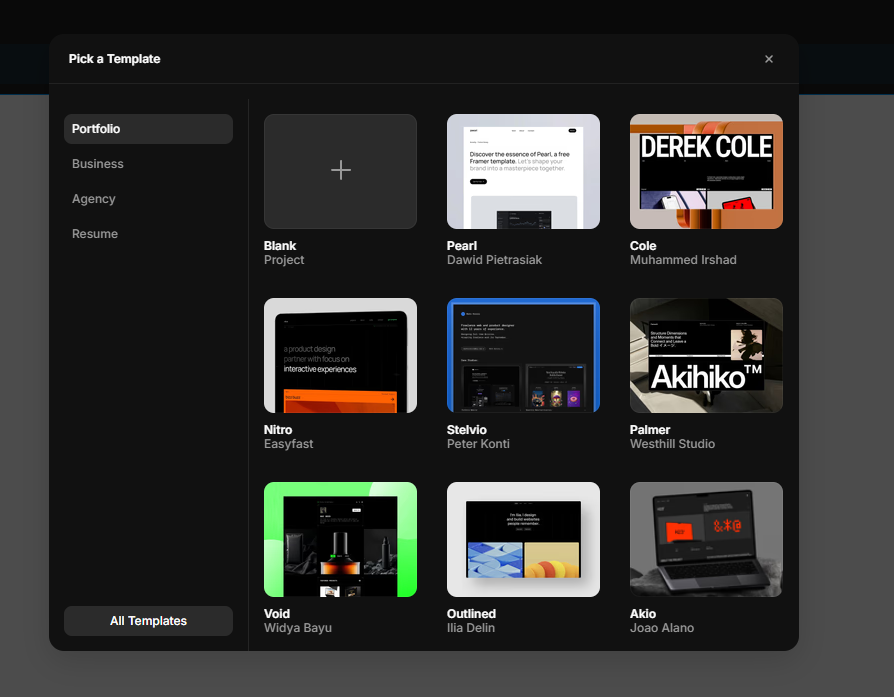
You don’t have to stare at a blank canvas; you can start working with elements directly.
Once you have a template or layout ready, you can start working with the Canvas.
Inside the Editor: The Canvas and Components in Framer
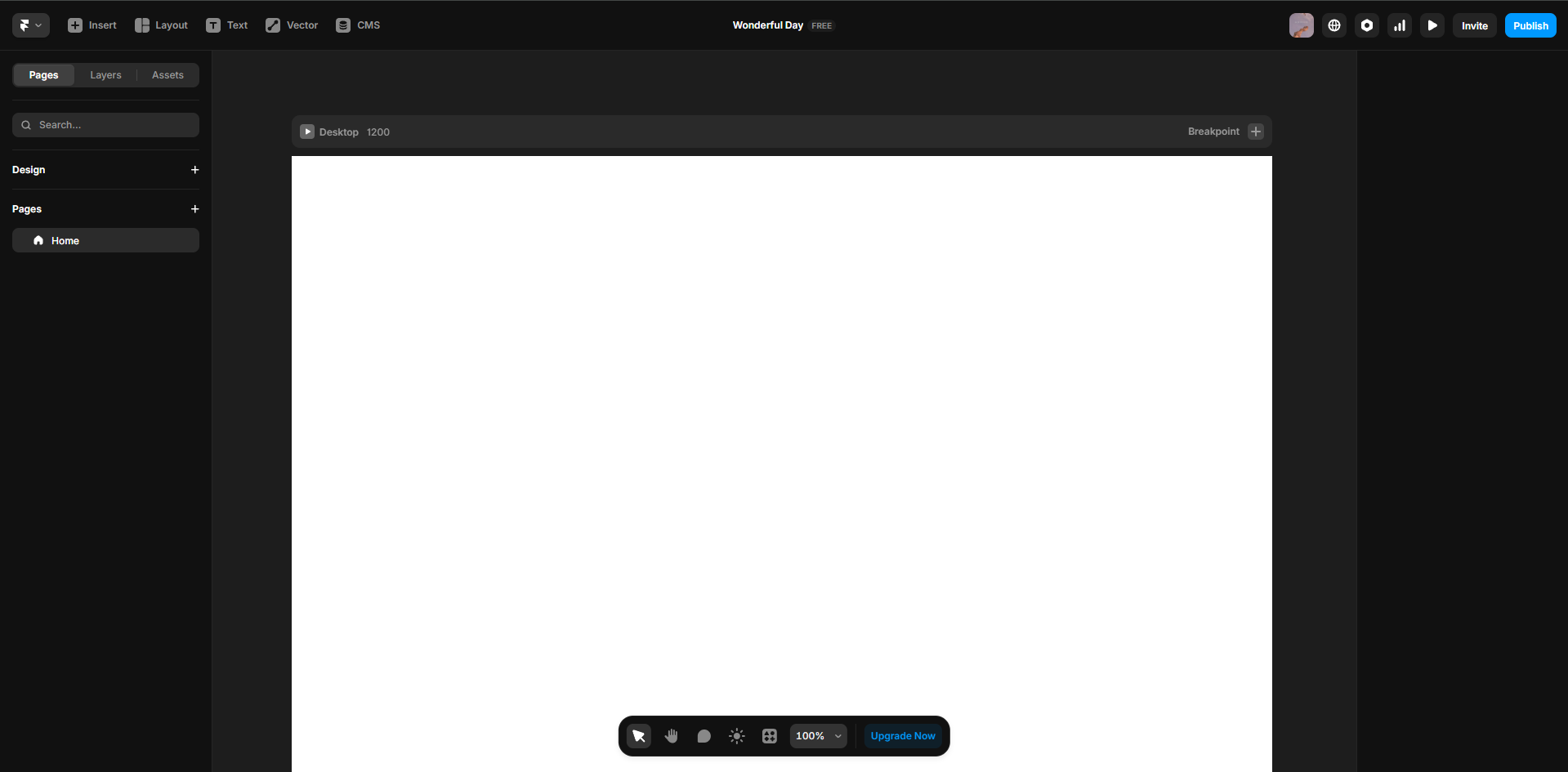
Framer has never been a block builder. The Canvas lets the designers own the surface and build whatever is needed. As there are no developer handoffs, you do not need blocks either.
You can build responsive designs with Framer, as it allows you to set manual breakpoints. Then there are components which you can create once and then use them differently as needed. You can prepare different actions and apply them to text, images, or links.
There is also support for React code components, to which Workshop is an alternative, which allows you to create custom elements for your design.
We realised until now that you can create designs from scratch or with AI, but how is it a full website creator?
Framer’s Built-in CMS (Content Management System)
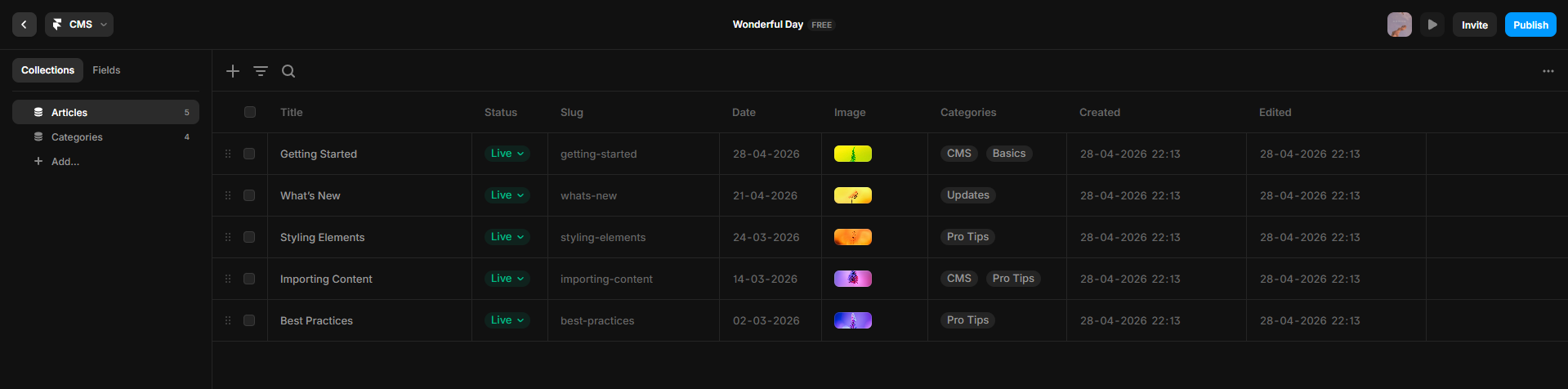
Framer’s CMS lets you create collections of Blog Posts, Team Members, Case Studies and more. You can also define different fields and bind them to a dynamic page template.
You can also add fields to your blogs where people update the items on the viewer-facing page, and it gets updated in the CMS.
A recent update to CMS was announced on April 21, 2026. The CMS 3.0 comes with a table view of the database and lets you do bulk actions. It also lets you select multiple cells and update.
In Feb 2026, Dynamic Filters were added, which allowed no-code filtering to collection lists like search fields, tabs, dropdowns and checkboxes.
If you update to Pro or above plans, you also get access to a relational CMS that allows linking the collections.
One weird thing with Framer, which has left everyone in wonder from start, is that the free plan includes 10 CMS collections, but when you upgrade to the paid version, you only get 1.
| Plan | Collections | CMS Items |
| Basic | 1 | 1,000 |
| Pro | 10 | 2,500 |
| Scale | 20 | 10,000 |
| Enterprise | Custom | Up to 100,000 |
No Code Animations in Framer
Framer also lets you add animations to your websites. It runs on Motion (formerly Framer Motion). It uses hardware-accelerated animations to make them as smooth as possible.
All animations have a variant and trigger mode where you can pick the start state, end state and the trigger. There are also scroll animations to make progress bars and sticky sections more fun.
In 2026, flow Effects and Logo Shaders were added to animations, too, where you can animate section-level behaviours or apply 3D style to Logos.
Publishing and Hosting
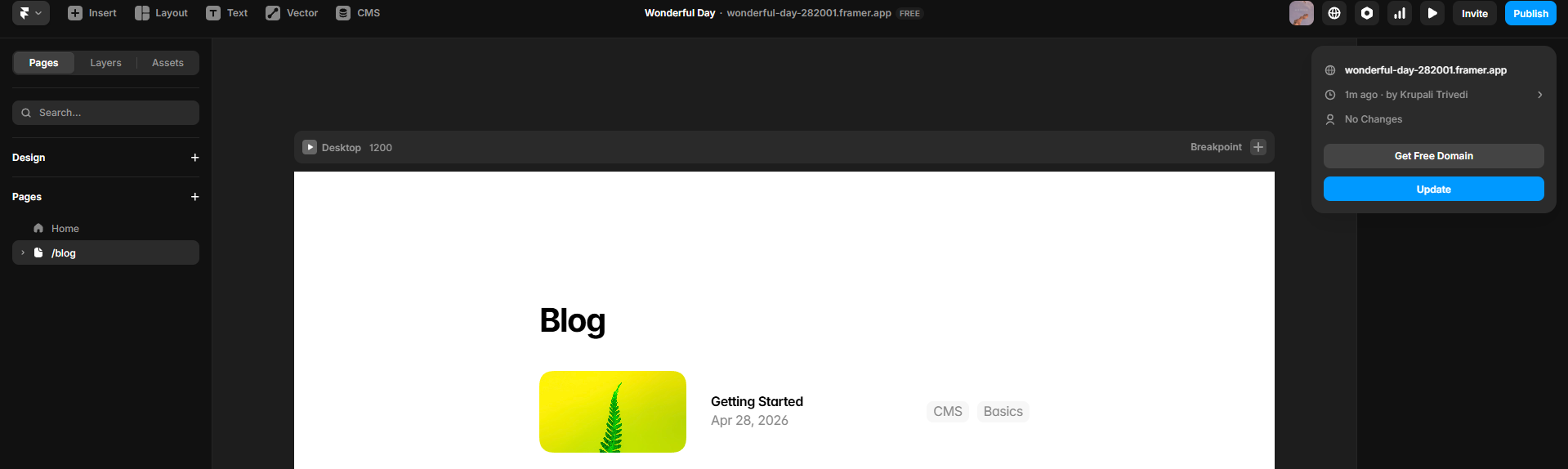
Once you are done building, you would want to publish your website. Framer allows one-click publishing once your page is built.
It is a global Content Delivery Network (CDN) which allows your page to load fast everywhere. On their free plan, you can get the subdomain of framer. If you upgrade to one of the paid plans, you can set up your custom domain.
You can also host multiple projects under one domain using path-based routing but you need a Scale plan for that.
SEO in Framer
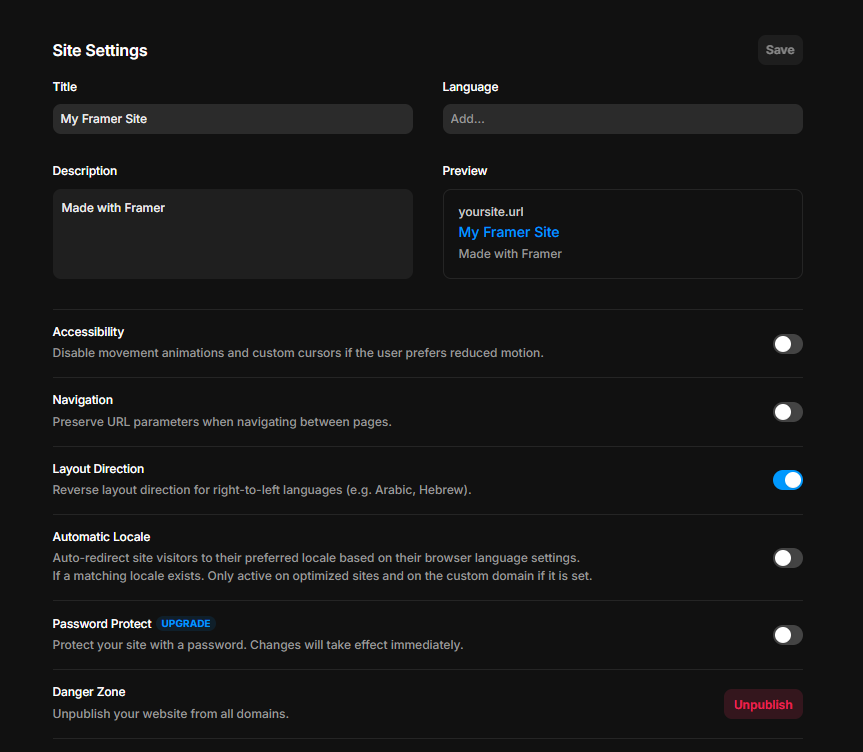
Framer covers the basics of SEO pretty well.
You get
- Meta-titles
- Open Graph tags
- Automatic sitemap generation
- Canonications URLs
Without any additional tools.
When you move past the basic SEO items, Framer starts showing the gaps. It does not have built-in schema markup support. So you cannot get rich snippets like FAQ schema, Article schema or Product schema without custom code. It would be an easy task if you have a developer who can help you with this, but a non-technical user may face issues.
For landing pages and portfolio, though, the basic SEO will work just fine. That doesn’t need a second thought there. If you want a blog with SEO snippets, Framer might not be very helpful.
Framer offers many options for creating functional websites, but it also comes with hidden costs.
Framer Pricing in 2026 - What You Actually Pay
When you decide to get your website live on Framer, you will have to upgrade to one of the paid plans first. Here are the tiers you can choose from:
| Plan | Price (Annual) | Price (Monthly) | Best For | Key Limits |
| Free | $0 | $0 | Prototyping / testing | Framer subdomain, no commercial use |
| Basic | $10/mo | $15/mo | Personal / hobby sites | 1 CMS collection, 30 pages, 10GB bandwidth |
| Pro | $30/mo | $45/mo | Professional sites | 10 CMS collections, 150 pages, 100GB bandwidth |
| Scale | $100/mo | Annual only | High-traffic sites | 20 CMS collections, 300 pages, 200GB+ |
| Enterprise | Custom | Custom | Large teams | Up to 100K CMS items, SSO, dedicated support |
Honestly, if you want to upgrade to a paid plan, skip the Basic one. You only get 1 CMS collection and there are only 30 pages there. If you wish to scale your projects, you would move out of them very quickly. The Pro version is where Framer starts becoming useful for building and maintaining a website.
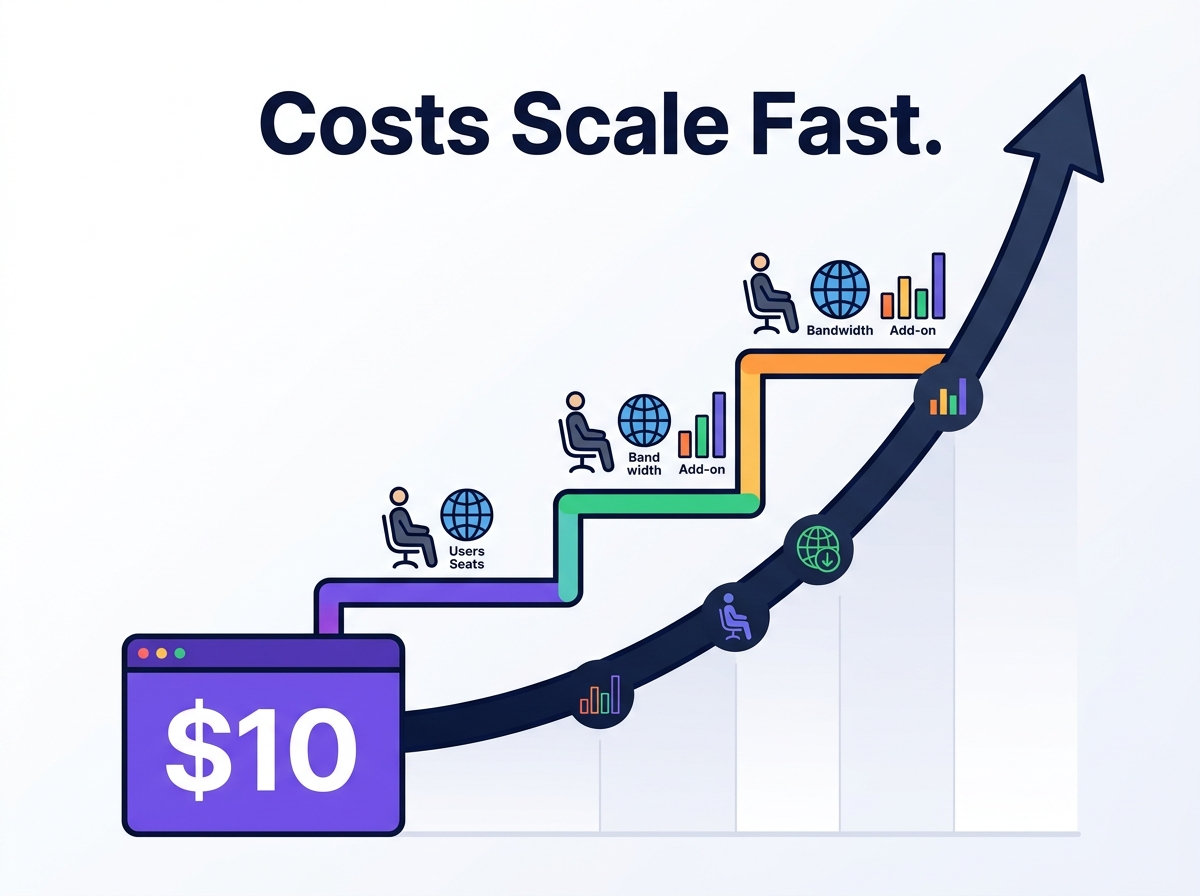
The Hidden Costs that Add Up in Framer
Per-editor fees
When you invite editors to your plan, each editor seat costs $40/month (when billed annually). So even if someone joins an editor link by mistake, you start getting charged for their seat.
So you pay $30 (plan) + (number of editors x $40) every month. If you look at Webflow, you are charged only $6-$9 per additional editor.
Monthly vs Annual billing
If you choose to pay monthly instead of the whole year, you pay upto atleast 40% extra for the extra tier.
For basic, you have to pay $15 instead of $10 and on Pro it jumps from $30 to $45.
If a student wants to try that out for a few months, they have to pay a lot more.
Locale and translation add-ons
Framer supports multi-lingual websites, but they also need paid locale add-ons, which is $20 for each locale every month. So if you want your content in multiple languages, imagine how expensive it can get.
A/B testing:
You can now A/B test in Framer. With Framer Convert launched in March 2026, you can review which site is performing better. Framer Convert lets you create up to 5 page variants and track conversions without writing any code This is priced at $50 per 500K events. But, this is only available for the Scale plan and can only be useful for high-traffic marketing teams.
Bandwidth charges
Once you move above baseline bandwidth, you get charged $40 per 100GB. If you have a high-traffic campaign, you can get billed for overages without any warnings.
301 redirects require paid plans
If you want to migrate your website from another platform and want to permanently redirect someone from another page, you need to set up a 301 redirect. That requires you to upgrade to atleast the Pro Plan.
On top of that, we also have the fact that the Free plan has more CMS than the Basic one. If you are planning to use Framer, you should consider the Pro plan over the basic.
The Pro plan can be expensive for a few people; in that case, you can build your website from scratch or use no-code AI builders, then host it with publishers like Tiiny Host. You cut your costs by more than 60% while still getting many personalization and features for your website.
The Pros of Using Framer
Best in Class Visual Editor
The reason Framer site builder has been called the best for designers is that the canvas is best for design-to-publish. The editor gives you pixel-precise control and a real-time responsive preview.
It acts the way designers think and doesn’t bind you to templates.
Framer’s AI Tools
Framer AI tools gets you from a blank page to a structure in less than a minute. Workshop makes generating components easier. There are Framer plugins which can help you generate images and copies, too.
There are some parts you have to work on but they are amazing starting points.
Animations Without Code
The Motion-powered animation system provides scroll effects, hover interactions and micro-animations that replace custom JS scripts.
While Webflow lets you do animations with some more setup, Squarespace and Wix do not come close in comparison.
All-in-One Publishing Platform
The tool lets you go from a blank page to a published site, all without leaving the page. You can use AI tools to generate the layouts, you can add images, make designs and finally get it live. Framer also has in-built support for SEO; you can add meta tags, sitemaps, Open Graph, and custom slugs.
Limitations of Framer
Not a beginner-friendly platform
While the canvas is a boon for designers, it might not be for a beginner. There is a learning curve to understand the editor. There are no templates or “click here to edit the text” for non-designers to add something there. Even though Wireframer can help create the layout, it still won’t be a ready-to-publish site. It can be very complicated if you are not a designer.
The CMS Cap
The Basic paid plan has only one CMS. If your platform is content-heavy or would need to store data in a different CMS, Framer might not be the one for you.
No Native E-Commerce
Framer does not have support for any e-commerce sites. Tools like Shopify and Stripe have “buy now” flows. Any e-commerce site should have flows like Adding to Cart, Checkout, Inventory and Order Management. All of this is not possible in Framer.
Customer Support Is a Known Weakness
I checked through Reddit, Capterra and other websites and one common complaint I saw was about the Customer Support. All the billing issues and technical errors have to be pushed to the community forums or the AI assistant. The resolution timeline is very slow. All of this might be okay for a personal project, but not if you have any client-facing work.
Vendor lock-in
If you outgrow Framer and want to move to Webflow, WordPress or a self-hosted platform, there is no way to do that. You cannot get the codebase to upload as is anywhere else or to edit.
Pricing Escalation
The add-on editor fees, locale fees, and testing fees. That is a lot of fees.
The moment your website scales a bit, the prices start doubling.
Now that you have the full picture on what Framer does well and where it falls short, let’s see how it works for different types of Websites and use cases.
Framer for different use cases
Framer is often seen as a tool only for designers, but let’s check how it holds up across different use cases. The suggestions and ratings in use cases are based on hands-on testing and user feedback on apps like Reddit, G2, Trustpilot, and Capterra.
Framer for SaaS Landing Page
Rating: ⭐⭐⭐⭐⭐ — Highly Recommended
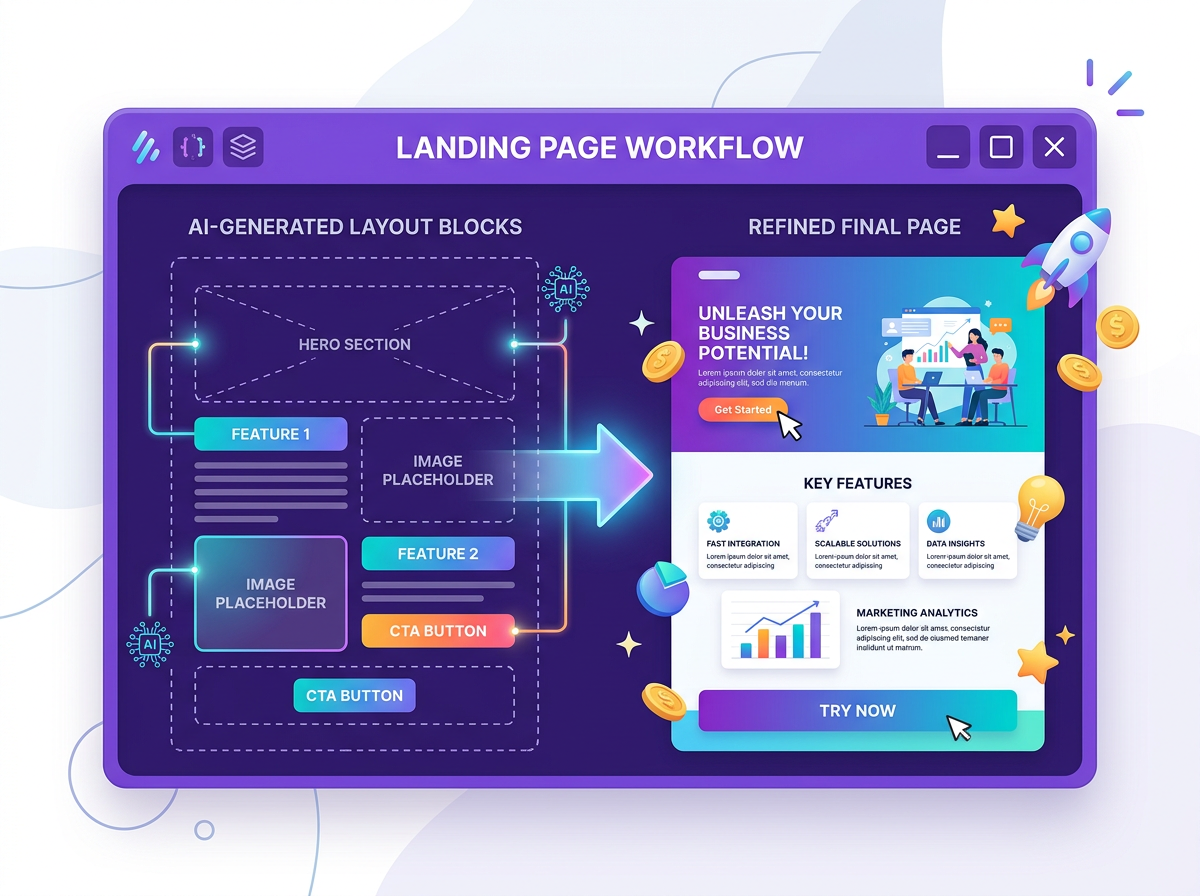
Framer is a great tool if you are building landing pages. The Framer AI can get you the structure quickly to build the first draft. You might just need some help with images. Rather than going for any custom development through freelancers, you can opt for Wireframer to build the website.
Framer for Designer Portfolios
Rating: ⭐⭐⭐⭐⭐ — Highly Recommended
Designers have always loved Framer and if you are one, you would love this too. Each pixel is customizable, and ease of animation and a design-first workflow will let you create mind-blowing portfolio websites. It can be an obvious choice for UI/UX designers, motion designers, and creative agencies.
Framer for Portfolios (Non-Designer)
Rating: ⭐⭐ — Wouldn’t Recommend
If there are non-designers looking to build their portfolio, Framer might not be something they would pick.
- A photographer wanting gallery-first features can be better served by Tiiny Host or Squarespace.
- Writers might want to create a portfolio using WordPress or other websites.
- Developers who want a lot of functionality might self-host their websites and just attach their custom domain name.
Framer for Agencies
Rating: ⭐⭐⭐⭐ — Recommended but has some limitations
Framer can help your design team deliver the results faster. It also has on-page editing experience so clients can update copy without touching the design. The component variable is also amazing to add to the websites. The limitations come when you have to start paying for additional editor seats. The best workaround is not giving editing access to anyone apart from the agency.
Framer for Startup MVP Sites
Rating: ⭐⭐⭐ — Can Try
If you are a founder or a startup and you are looking for your MVP sites, you can try Framer once. You can get a solid structure in seconds.
It can only help you with the marketing layer, though. If your product needs user authentication, database, or custom logic, you should check out Lovable, Bolt or other tools.
Framer for Marketing/Campaign landing Pages
Rating: ⭐⭐⭐ — Can Try
If there are multiple campaigns to go live or if there is a one-person marketing job, it might not be easy to create landing pages with Framer.
If you are a startup or agency with a designer, you can play around with the generated layout.
Marketing teams can check out other AI landing page builders like Wix, LeadPages, Unbounce, etc., to set up their campaigns faster.
Framer for Blog or Publication
Rating: ⭐⭐ — Not Recommended
Framer’s CMS can work for a small blog. It can work for more too but then the cost becomes a lot for the same. For the price of higher plans, you could choose other websites to create and publish your blogs from.
Framer for E-Commerce
Rating: ⭐ — Not Recommended
There are no workflows set up for e-commerce stores. There is no cart, checkout or inventory management which can help. With Shopify and Stripe buttons, you can create a basic workflow to make people download a PDF or something small.
For anything that resembles a larger e-commerce flow, Framer fails that. Better alternatives are Shopify, WooCommerce or Squarespace Commerce.
Framer for Non-Designers
Rating: ⭐⭐ — Conditional
So we come to the question: Is Framer good for non-designers?
The honest answer to that is, it depends. The blank canvas might overwhelm you but the AI features they have built definitely take it away from a total no. If you spend some time working with it, it can help you create pages with granular detail.
If you have used Figma before, Framer won’t be an issue. If you have used other simple editing tools like Canva, you can spend more time learning Framer.
Otherwise, you can check out other tools to host your website.
Framer vs The Alternatives in 2026
If you’re comparing Framer vs Webflow, Framer vs Squarespace or Framer vs Wix, here’s a quick table that can help you to choose the best one.
Framer wins over Webflow due to the AI capabilities and design. Webflow does have better CMS and team pricing, though.
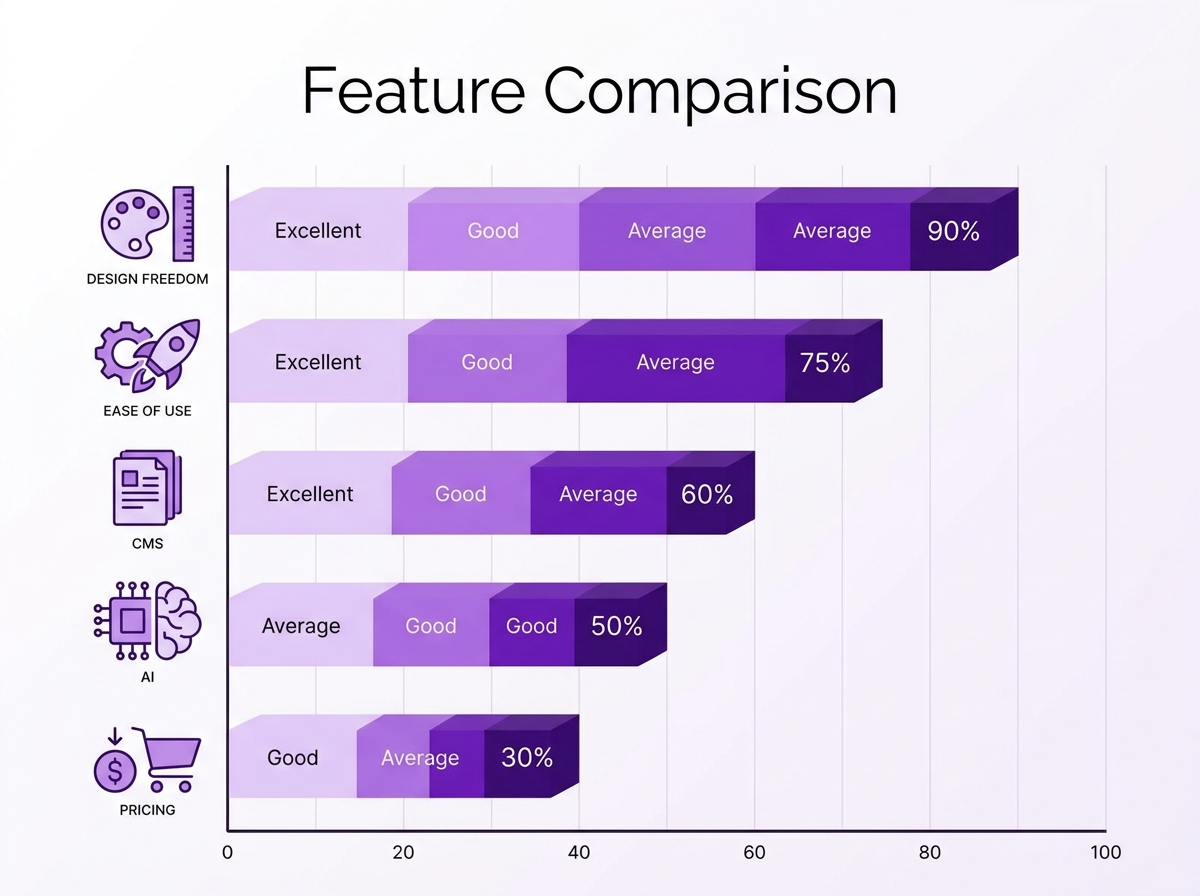
There are also AI-native code generators in 2026, like Lovable for full-stack apps, Bolt for prototypes and V0 for clean UI components. All three of these are loved by developers because you can export and alter code by yourself, which Framer doesn’t let you do.
And if you want something where you can directly drag and drop the content, you can choose Squarespace or Wix.
| Framer | Webflow | Squarespace | Wix | Lovable | Bolt.new | V0 | |
| Design freedom | ⭐⭐⭐⭐⭐ | ⭐⭐⭐⭐ | ⭐⭐⭐ | ⭐⭐⭐ | ⭐⭐⭐ | ⭐⭐⭐ | ⭐⭐⭐ |
| Ease for non-designers | ⭐⭐ | ⭐⭐ | ⭐⭐⭐⭐⭐ | ⭐⭐⭐⭐ | ⭐⭐⭐ | ⭐⭐⭐ | ⭐⭐ |
| CMS power | ⭐⭐⭐ | ⭐⭐⭐⭐⭐ | ⭐⭐⭐ | ⭐⭐⭐ | ⭐⭐ | ⭐⭐ | ⭐ |
| AI site generation | ⭐⭐⭐⭐⭐ | ⭐⭐⭐ | ⭐⭐ | ⭐⭐⭐ | ⭐⭐⭐⭐⭐ | ⭐⭐⭐⭐⭐ | ⭐⭐⭐⭐ |
| Animation quality | ⭐⭐⭐⭐⭐ | ⭐⭐⭐ | ⭐⭐ | ⭐⭐ | ⭐⭐ | ⭐⭐ | ⭐⭐ |
| E-commerce | None | ⭐⭐⭐⭐ | ⭐⭐⭐⭐ | ⭐⭐⭐⭐ | ⭐⭐⭐ | ⭐⭐ | ⭐ |
| Code ownership | ❌ | ❌ | ❌ | ❌ | ⭐⭐⭐⭐⭐ | ⭐⭐⭐⭐⭐ | ⭐⭐⭐⭐⭐ |
| Starting price (annual) | $10/mo | $14/mo | $16/mo | $17/mo | $20/mo | $20/mo | $20/mo |
| Team pricing | Expensive | Moderate | Affordable | Affordable | Moderate | Moderate | Moderate |
| Customer support | ⭐⭐ | ⭐⭐⭐⭐ | ⭐⭐⭐⭐⭐ | ⭐⭐⭐⭐ | ⭐⭐⭐ | ⭐⭐⭐ | ⭐⭐⭐ |
FAQs: Framer AI Website Builder Review: Pros, Cons and Real Use Cases
How much does Framer cost?
Well, it depends on how Framer is used. You can use the Free Plan if you seriously want to take up Framer in future. You can practice and publish your website using the subdomain. If you want to personalise and take it up a notch, it can cost anywhere starting from $10 to $200/month for a basic website on a mid-level plan.
Is Framer good for beginners?
There are no definite answers here. If you have used any design tools before, you can get around it with some practice. If you haven’t, you might have to spend some time on tutorials.
With the AI features, things have become easier than before, but it is still more design-friendly.
Is Framer better than Webflow?
Both of them have their pros and cons. While the design control and AI integrations are great in Framer, the CMS comes with limitations. For content-heavy sites, Webflow might be the winner but for any landing pages, Framer will give you better outputs.
Does Framer have e-commerce?
Not at all. There are some basic embeds you can do through other e-commerce providers, but it misses a lot of management that e-commerce stores would need, so it is best to avoid the same.
What are Framer’s biggest hidden costs?
The cost for the plans is higher in general, too, when compared to other platforms but here are some costs that stack up
- Charges of the seat per new editor
- The hike in charges if you choose to pay monthly instead of yearly
- Locale add-ons at $20/locale/month for multi-language sites
- Bandwidth overload on the Scale plan starts at $40 for every 100 GB
Is Framer worth it in 2026?
It is worth it if you know your way around it. If you just spend your money on it and don’t use it fully, it won’t be for your benefit. If you have budget constraints or are looking to publish a content-heavy website or e-commerce site, you can skip this one.
Who Should (and Shouldn’t) Use Framer
So, who is Framer actually built for? Here’s the honest breakdown.
✓ Use Framer if you are:
- A designer or a design student who wishes to have micro-control over the design
- A marketer who wants to spin up landing pages and needs some animations and interactions too.
- A freelancer or agency creating pages for clients
- A startup founder wants to showcase the prototypes
- A Figma user who wants to start designing and publishing websites
✗ Probably not for you if you are:
- Building an e-commerce store or having a blog which is content–heavy
- You have a large team, but the budget for designing tools is less
- Someone who just needs to share a file, a PDF, a report or a proposal. That’s a full website builder solving a problem that doesn’t need one.Tiiny Host does that job in seconds.
What exactly does a beginner do?
You know the cons outweigh the pros when it comes to beginners. It can feel overwhelming, but if you are just starting out, there are always other options.
Whether you are creating a portfolio, a landing page, a blog or an app, you can use other tools out there like Tiiny Host, Hostinger, Webflow, Squarespace or Wix.
Tiiny Host has been one of the easiest ones to work with so far. You can use tools like Replit, Claude or coding apps like Cursor to create your apps. Once created, you can host your website on Tiiny Host in under 2 minutes.
You get to connect a custom domain, get free SSL and also get analytics without any third-party tools. Also, the good part is that you can try it for free, and the plans start at just $5/month.
Framer is not going anywhere, anytime soon
There is no doubt that Framer is one of the best AI builders in the market in 2026. While it is useful and recommended mainly for designers or people who know how to design, it doesn’t mean others can’t try.
The AI tools, Wireframer and Workshop, would really save time. The design has granular control and beautiful layouts, too, but the pricing can become a blocker for some people.
My recommendation: Start on the free plan, build a few pages and if the workflow clicks then move to Pro plan and keep building on Framer.
If Framer feels too much to set up a simple landing page or website, you can use tools like Tiiny host to publish your site and share within 2 minutes. You can try it out here.