- The 9 best Hosting Sites to Share PDFs as Website
- How did I test all of them out?
- 1. Tiiny Host
- 2. Publuu
- 3. PDFhost.io
- 4. Issuu
- 5. DocDroid
- 6. Scribd
- Cloud Storage Options
- PDF Hosting Tools Comparison table
- How to choose the Right PDF Hosting Site
- Which PDF Hosting Site Should You Pick?
- FAQs: Best PDF Hosting Sites to Share a PDF as a Link
Some PDFs work better as a link rather than an attachment. When you are sharing a proposal with clients, reports with company executives, or a lead magnet PDF with someone, you would rather share a link than worry about uploading a file.
In this article, I’ll walk you through 9 PDF hosting sites that let you share PDF as a link. I tested all of them with a sample PDF I created. For every tool, I noted down the experience, what works, what doesn’t, and what it costs.
Let’s get hosting then!
In short:
The best PDF tool to share PDF online as a link or to convert a PDF to a website is Tiiny Host. The best experience for creating animated flipbooks was on Publuu. If your readers already use Issuu, it might be a good option. Use Google Drive, OneDrive, or Dropbox if you just want to store your PDFs; sharing using these options usually gives long links and fewer controls.
The 9 best Hosting Sites to Share PDFs as Website
| If you want… | Use |
| A clean public link you can name, password-protect, and track | Tiiny Host |
| Flipbook-style magazines with animation | Publuu or Issuu |
| A throwaway upload with no account | PDFhost.io (read its con first) |
| A branded document viewer for client work | DocDroid |
| Readers who browse a public document library | Scribd |
| To share a file with friends or family from where your file already lives | Google Drive, OneDrive or Dropbox |
How did I test all of them out?
For all these platforms, I used a sample PDF for testing. I uploaded the PDF, went through the whole process, published it and then opened the link to check from a reader’s perspective. Here are 5 things I checked to find the best tool to share PDF as a link:
- Ease of uploading the PDF and hosting it: This includes logging in, how easily I could upload the PDF, and finally publishing it.
- The type of shareable link you get: I checked the link length and whether you can add a custom subdomain or set up a custom domain.
- Access control: Checking who can open the file, whether the downloads could be blocked, if I had to enter password or log in to see the PDF.
- Audience experience after publishing: Do they need an account to access the file? How easy it is for people to open the links and access the files. Also check for ads or odd domains people might come across.
-
Link editing after publishing: Whether I could edit the document and keep the same link, and for how long was the lifespan of the document on the free version.
1. Tiiny Host
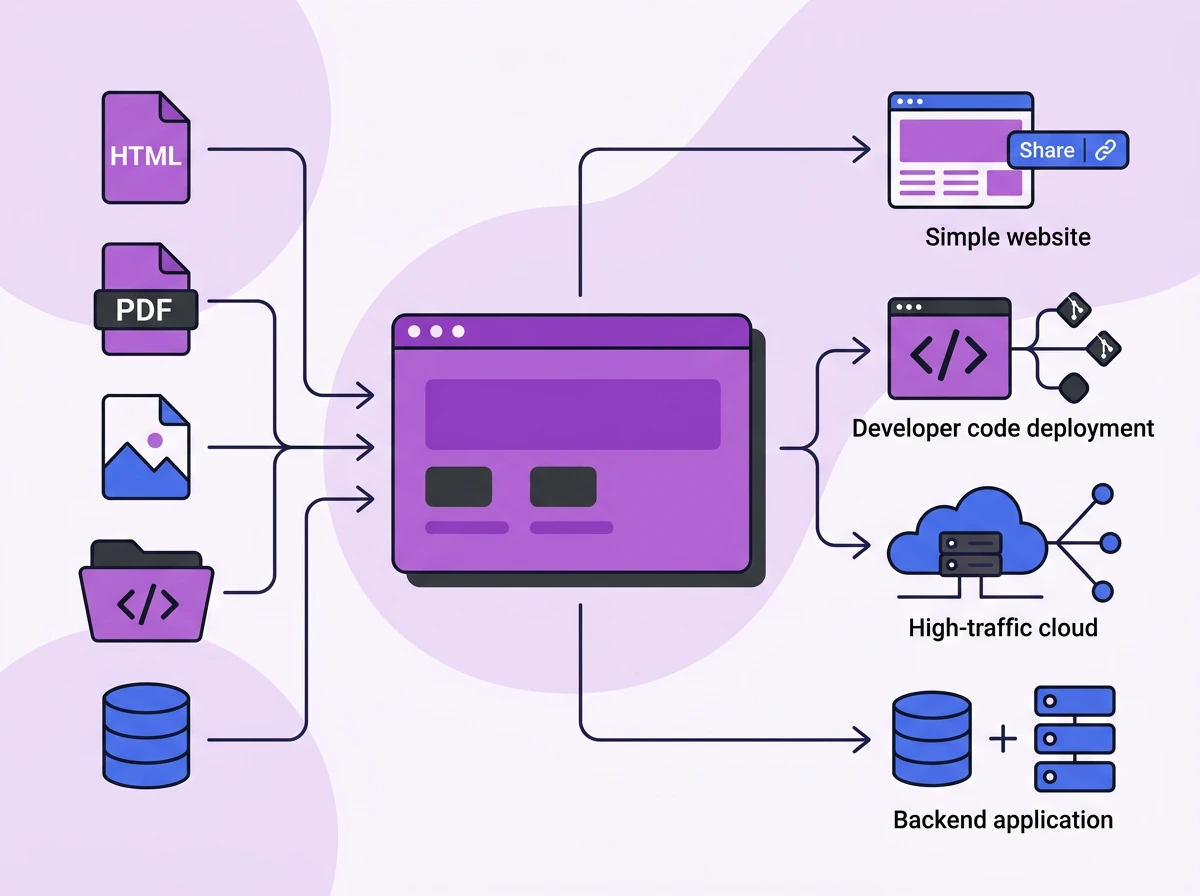
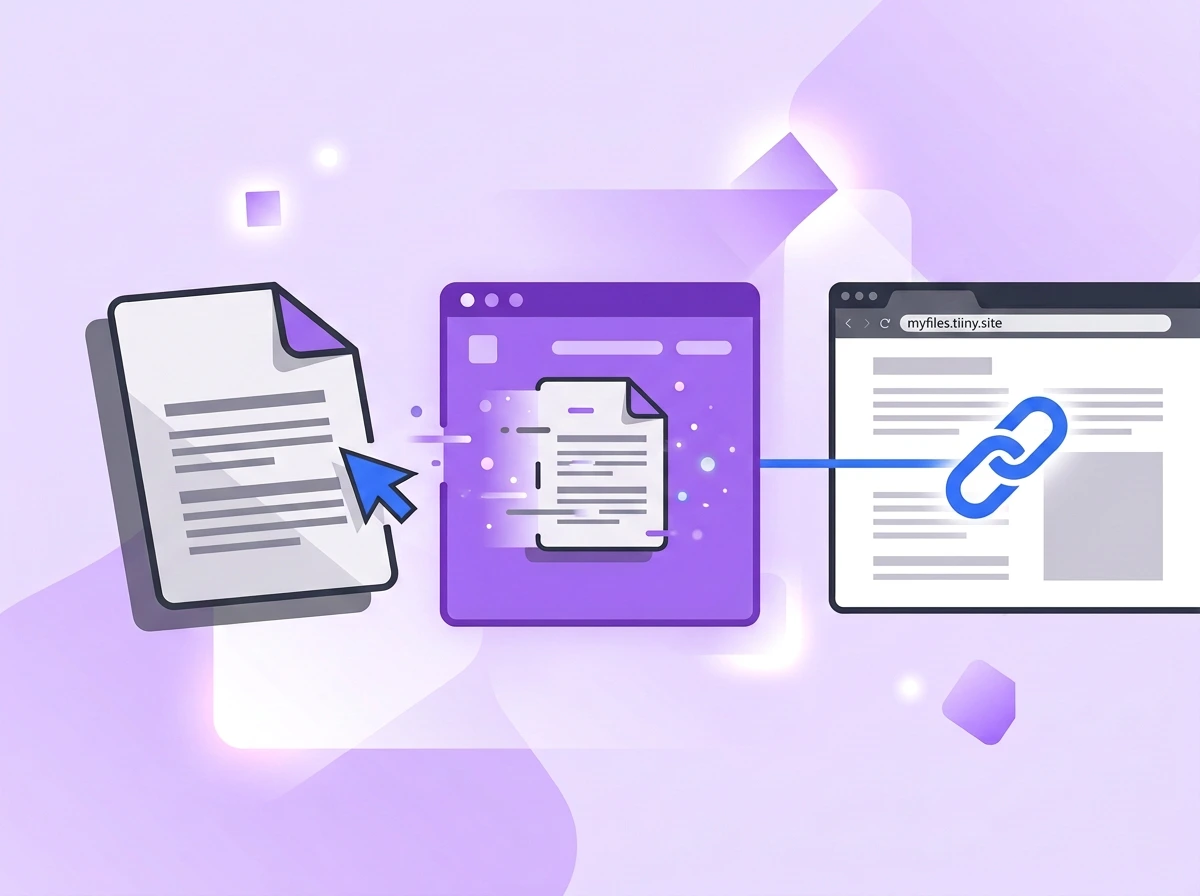
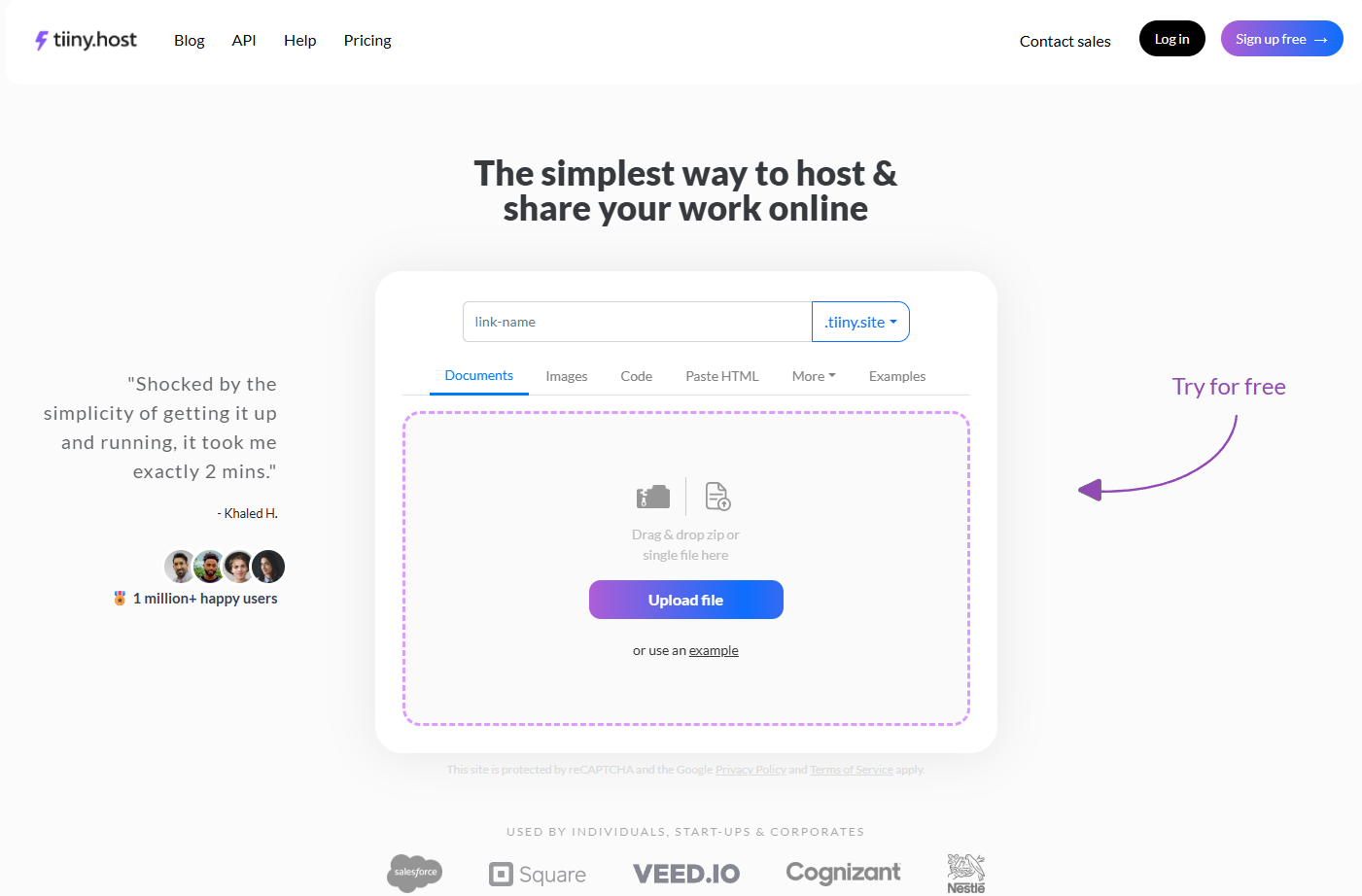
Tiiny Host is a file-hosting platform that lets you host 150+ file types, including PDF, PPT, DOCX, Image files, and code files. You get a link to share when the file is uploaded.
You can also create an interactive PDF by adding videos, photos, and links to make it engaging.
You can drag and drop your PDF file or upload it to Tiiny from the dashboard. You get to pick a custom subdomain name or connect a custom domain name before sharing. You can host any small PDF of upto 0.5MB easily on the free version.
How to host your PDF online as a website using Tiiny
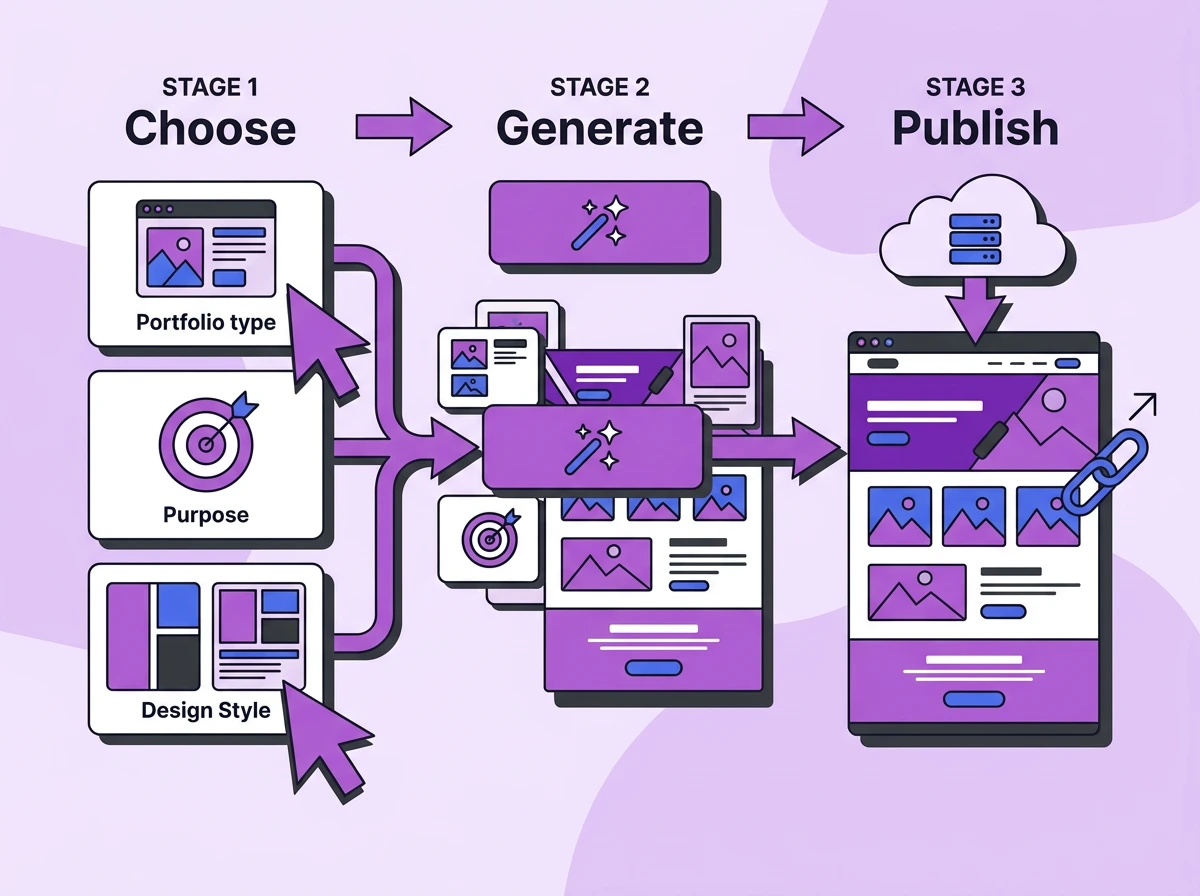
It takes only three steps for you to share your PDF files online as URL:
- Drag and drop your PDF file or upload it through the dashboard.
- Give a custom name for your file and fill it in ‘link-name’, and choose whether you want to share the PDF as is or convert it to a website.
- Hit publish, and you will get a shareable link. Just copy the PDF link and paste it on a website, in a chat, or in an email.
Once your PDF is live, you can edit it anytime you want from the dashboard. We also have features for the sender and for the people opening the PDF.
If needed, you can turn your PDF into a QR code and embed the QR code on your website or on another file too.
Features of Tiiny Host for PDF Hosting
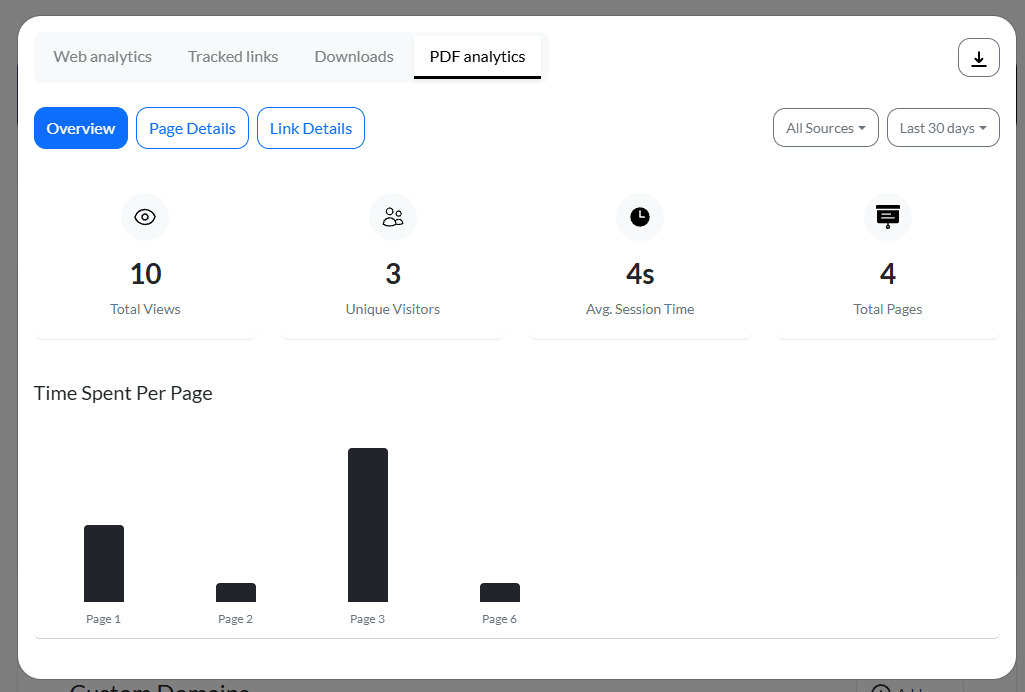
Page-level analytics for your document online
Advanced analytics let you go beyond views and visitors. You can see which pages are viewed most and where people spend the most time. This helps you optimize your content for future updates.
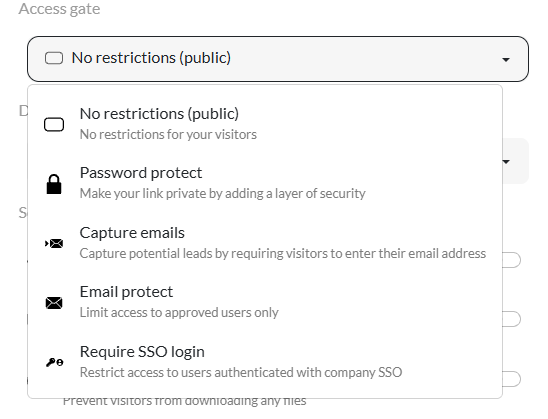
Access Gate for your PDFs
You have four different Access gate options for the PDFs you want to share as a link:
- Add Password Protection: Make the link private by adding a password. You can share the password with verified individuals, and only they will be able to access the file.
- Capture emails: This lets you capture leads and also keep a note of who opened your file.
- Email protection: You can specify which email users you want to give access to, and only they will be able to open the link.
- Require SSO login: Users need to be authenticated with the company SSO in order to view the PDF file.
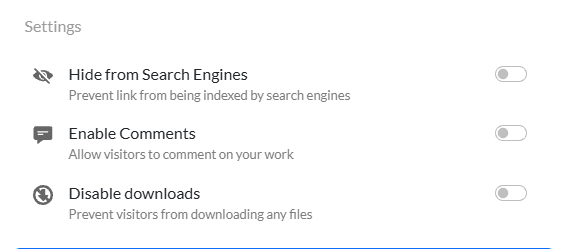
Search Indexing and Download Controls
You also have settings to hide the file from search engines, so you can choose whether you want your PDF or website to be indexed or not. You can also disable downloads so people can only view the PDF in browser but can’t save it on their device.
For confidential files, you can disable downloads and enable password protection for an extra layer of security.
What Your Visitors See
Visitors do not need to log in or have any software on their device to view the file. If you enable comments, visitors can leave comments and feedback directly through the website.
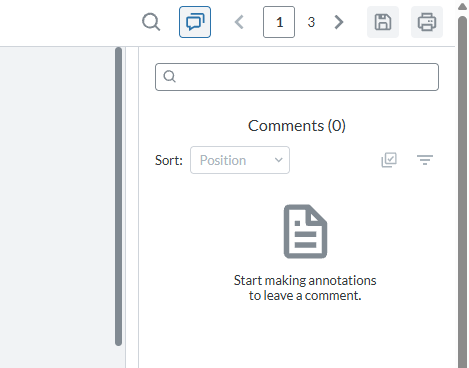
You can search through the whole PDF to find something specific if needed. This helps you search for certain keywords and topics throughout the file.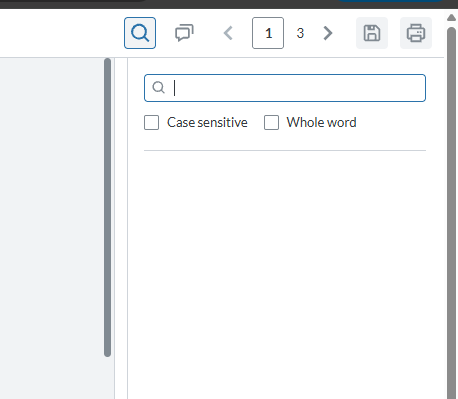
Once published, visitors can add, delete, or edit the PDF on their side and save it to their device. They can also extract a few particular pages and make a smaller PDF.
These features are on an individual level and the edits remain for the visitors, it is not reflected for everyone.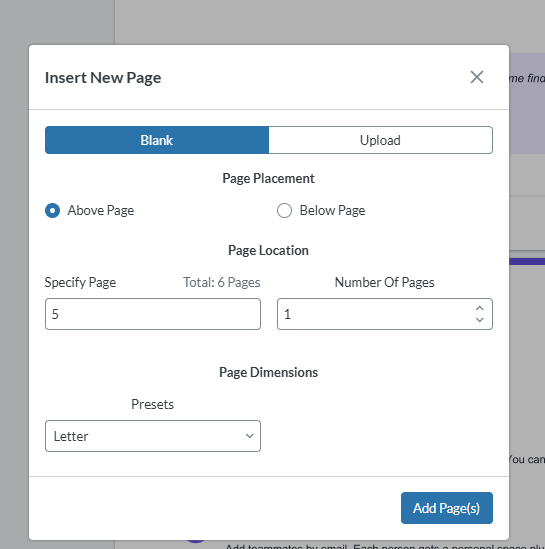
There are three different display modes once the PDF is published for the viewers to see. They can view it as a simple scrollable file, or switch to a magazine-style or book-style flipbook.
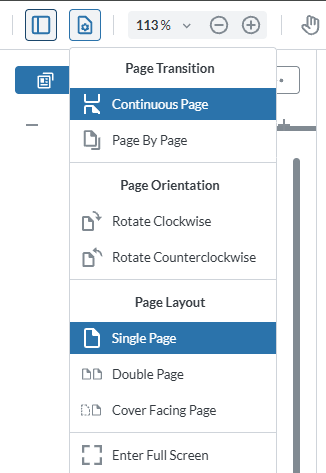
You can choose from Page Transition and Page Layout for that.
- In single-page, continuous-page layout, you can have a simple website where you scroll to read content.
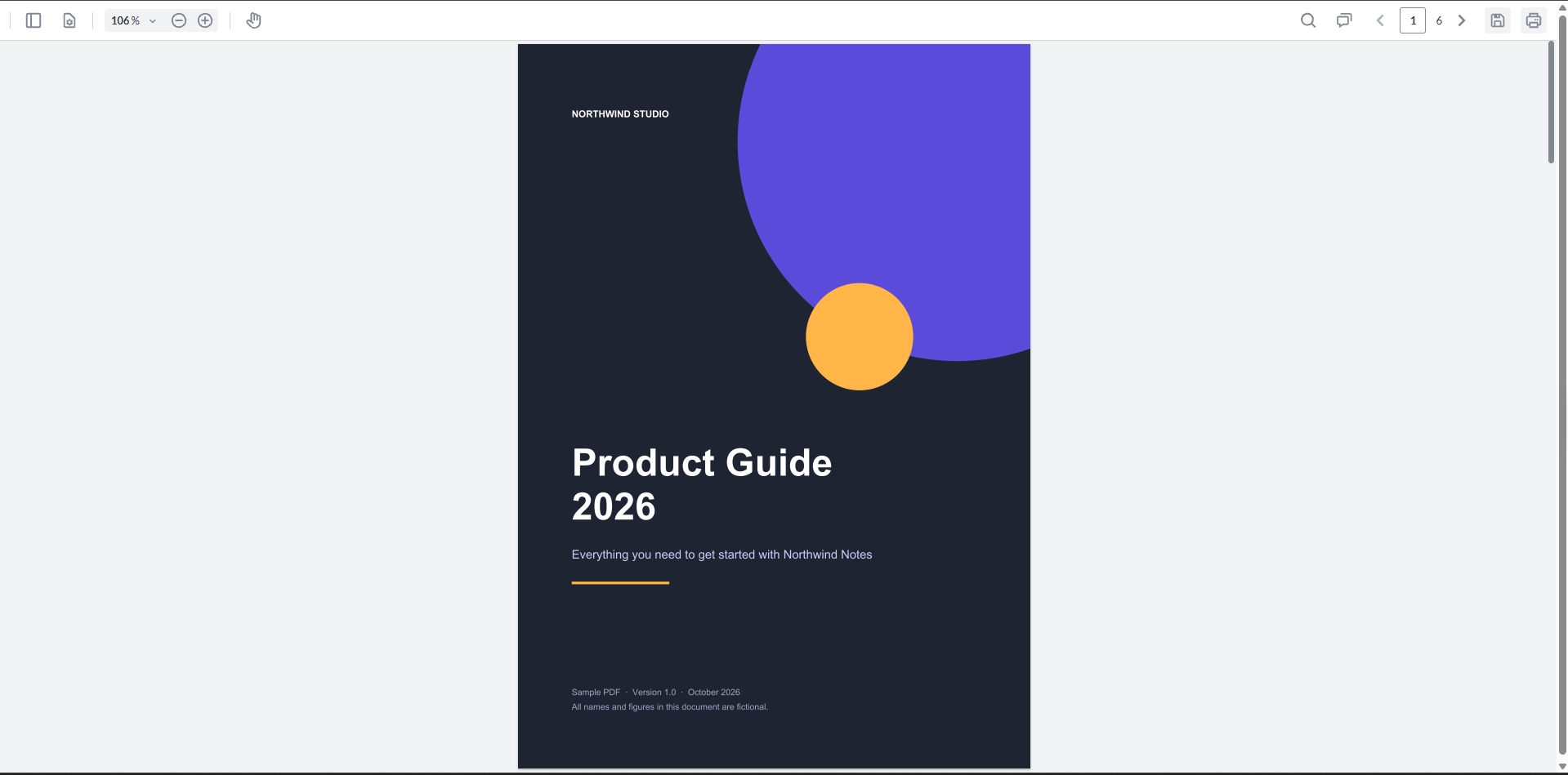
- In a double-page or cover-facing page, you get to see 2 pages at once and it will feel like you’re reading a book.
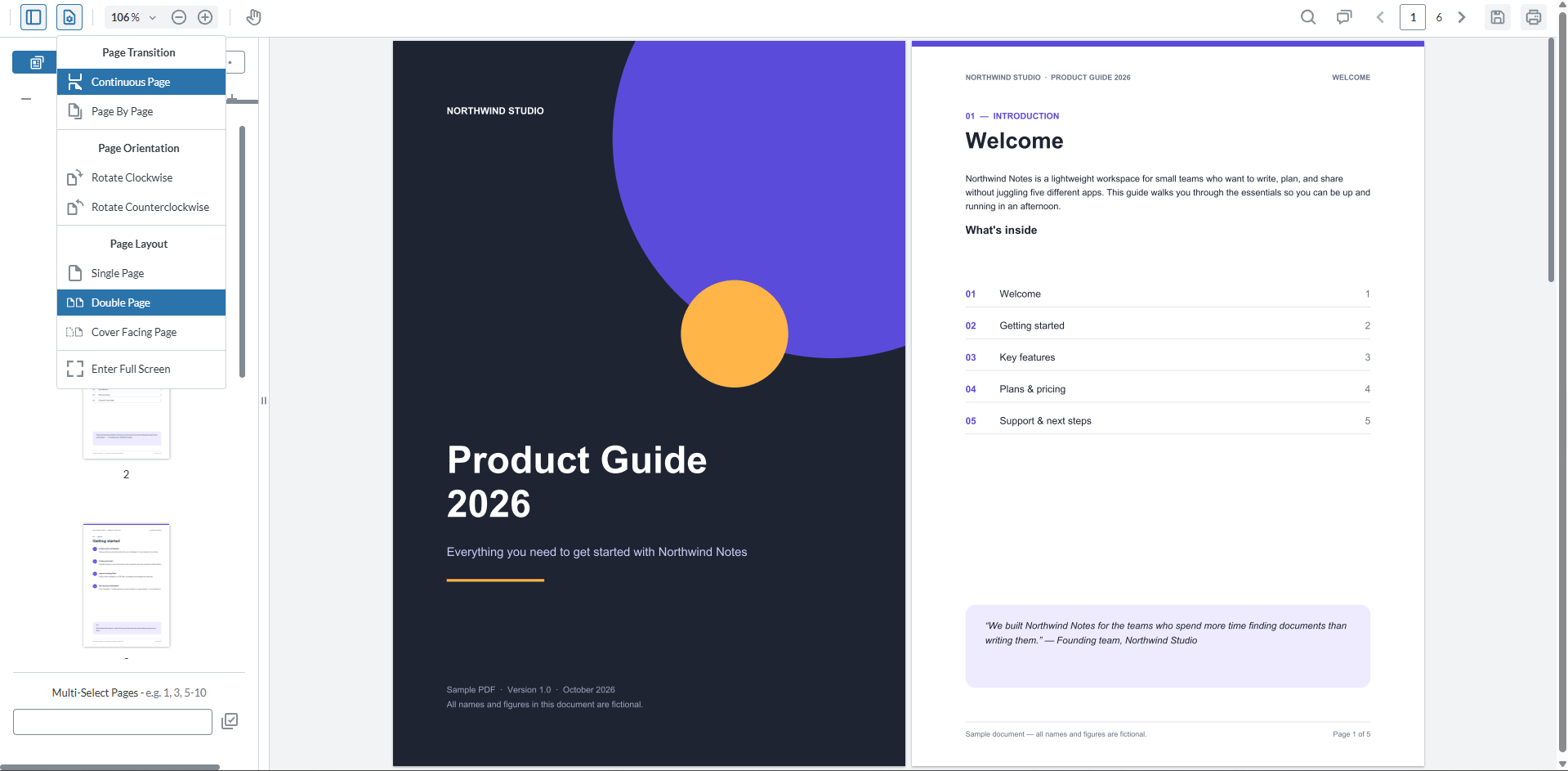
I’d use Tiiny for client proposals, share annual reports, slide decks and portfolios. For any professional file, sending a link would be ideal rather than attachment, and so I’d use Tiiny here.
Tiiny Host’s Pricing
- Free: On the free tier, you can host your PDF online for free. This PDF should be up to 0.5MB and it can have up to 5000 visits per month. The link won’t be taken down as long as your account is active.
- Tiny plan: The Tiny plan is at $5/month, and you can upload PDFs of up to 25MB. You can also convert your links to QR codes and embed them on different websites and banners.
- Solo plan: This plan is $13/month, and you get tracked links, a custom domain, and a 75MB file upload limit per project.
- Pro Plan: The Pro plan lets you use advanced features like capturing emails and adding team members, and it includes a 10GB storage limit.
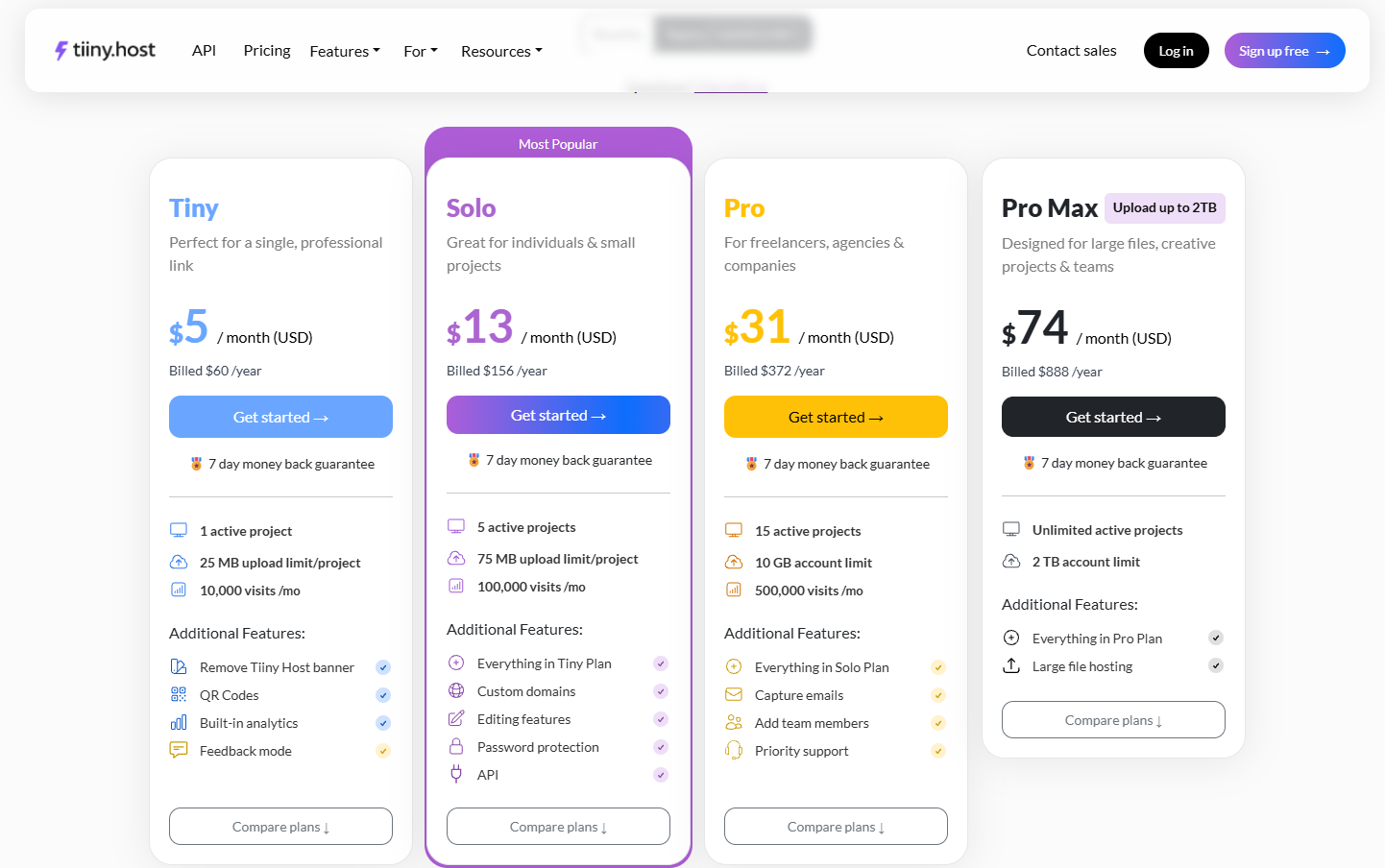
The pricing can be checked on the Tiiny’s pricing page.
Pros
- You can pick a name to get a custom subdomain (link-name.tiiny.site) or connect your own domain.
- You can convert your PDFs to a website with minutes and start sharing.
- You can add your logo and metadata to the file to make it indexable and searchable online.
- Your website comes with password protection and analytics.
- You don’t need a PDF viewer offline; all the settings are in the browser itself. It works on any device and anywhere; you don’t need to download any software or log in to view the PDF.
- There are no third-party ads anywhere; the free version only includes the Tiiny Host branding.
- There are interactive elements present directly in the browser for visitors to make notes, annotations, or edit the PDF.
- By using MCP connector, you can upload PDFs made using AI directly to Tiiny.
Cons
- It does not have flipbook animation.
- Some bigger PDF files cannot be uploaded on the free plan, so you might to get the Tiny plan.
2. Publuu
Publuu is my recommendation, especially for magazines. It has a good interface for uploading and sharing flipbook-style magazines and books.
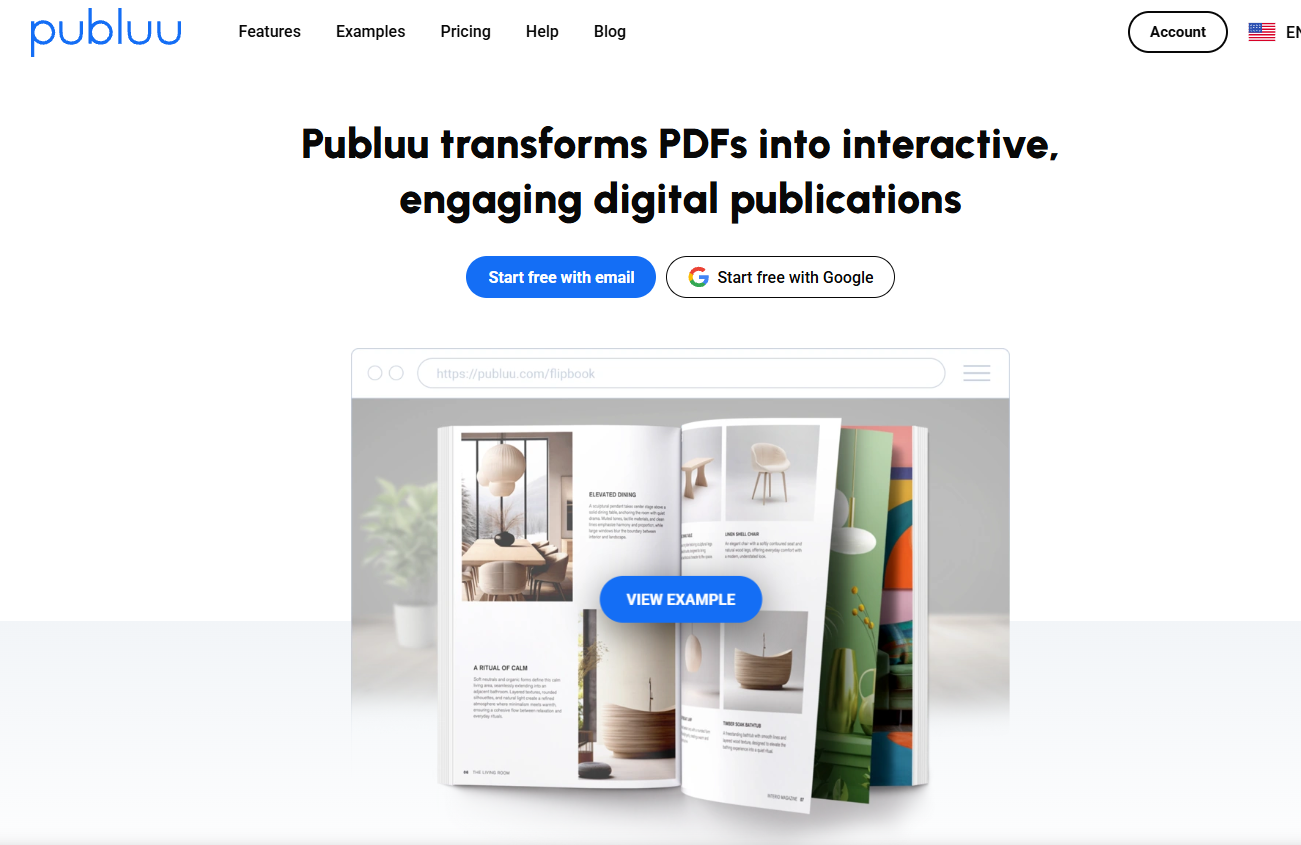
Publuu turns PDFs into an interactive flipbook with page-turning animation and a page-flip sound. So, it becomes very useful for people who create magazines, mini zines, and pamphlets to share with their audience.
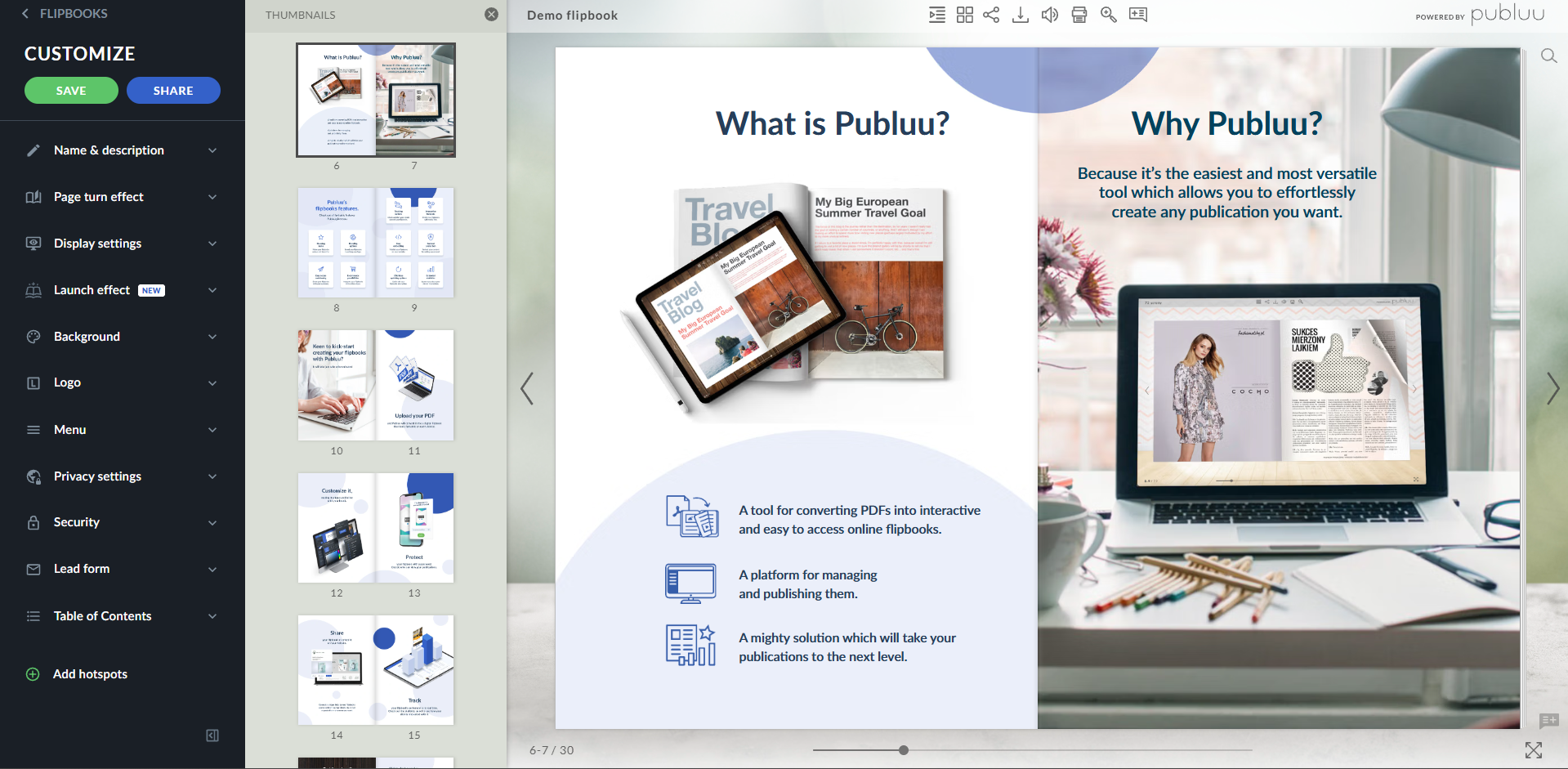
You can upload your PDF to Publuu, and it will be published with the animation directly. You get the option to turn the sounds on and off. It is also possible to change the animation style, animation sound, and see the interactive elements move in real time.
Pros
- You can change the animation style, sound, and preview before publishing.
- You can block viewers from downloading and control search engine indexing too.
- Higher plans support password protection and per-page statistics.
Cons
- There is no free plan, only a 14-day free trial plan. Your PDFs go offline when the trial ends if you do not subscribe.
- If you have any professional documents that you want to share, Publuu might not be ideal for you.
- The payment plans are expensive for students and small businesses who might want to use the platform.
Pricing
| Plan | Price per month (billed yearly) | Flipbooks | Max PDF size |
| Basic | $7 | 10 | 150 MB |
| Optimum | $24 | 50 | 250 MB |
| Professional | $49 | 200 | 500 MB |
| Premium | $89 | 500 | 1 GB |
Prices were checked on 6th October 2026 on Publuu’s pricing page.
3. PDFhost.io
PDFhost.io lets you host your PDFs without having to make an account.
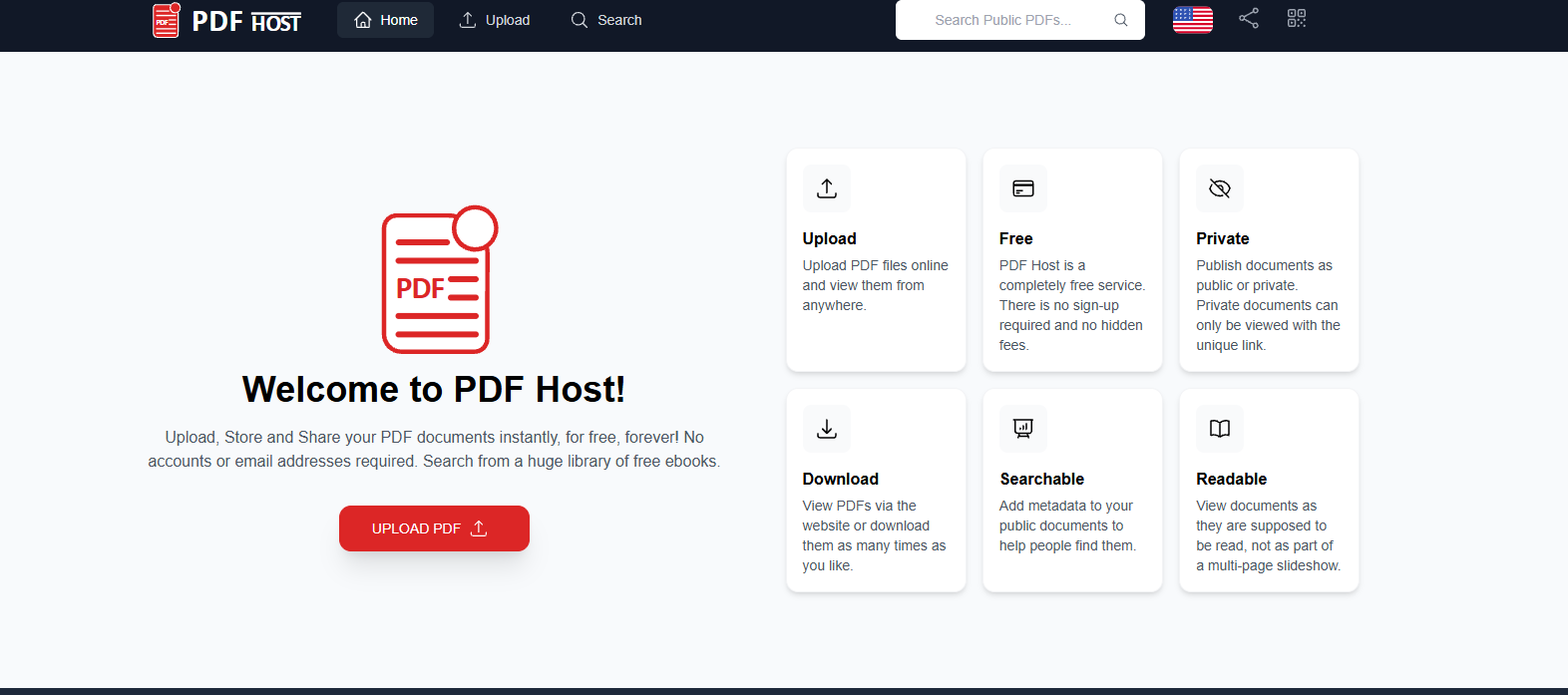
PDFhost.io has a public library, so you can choose whether you want your document to be public or private. Public documents are searchable on the website, and you can add details for people to search for them. Documents that are private can only be accessed with the link that is shared with them.
The platform gives you an editing link and a sharing link. You have to keep the link safe to edit the document in the future. If you share the editing link with anyone, they can edit or delete your files. Also, when someone publishes through the link, the first link you get is the editing link, so if you don’t read carefully, you might share the wrong link.
So if you want a throwaway upload, you can use the platform. This might not be ideal for business or confidential documents.
Pros
- It does not require sign-up or an email address, and you can create public or private links.
- If you keep the file public, it is listed in their searchable directly and people can find it.
Cons
- There are no user accounts so you have to keep your own backups and store the edit link safely.
- There is no password protection or login for the uploader to manage access.
- It does not have any analytics, so you cannot know the views of the PDF.
- You cannot turn off downloads for the files.
- There are no editing or viewing options for the audience either.
4. Issuu
Issuu is a digital publishing platform that turns PDFs into flipbooks. Good for magazines, catalogs, and brochures.
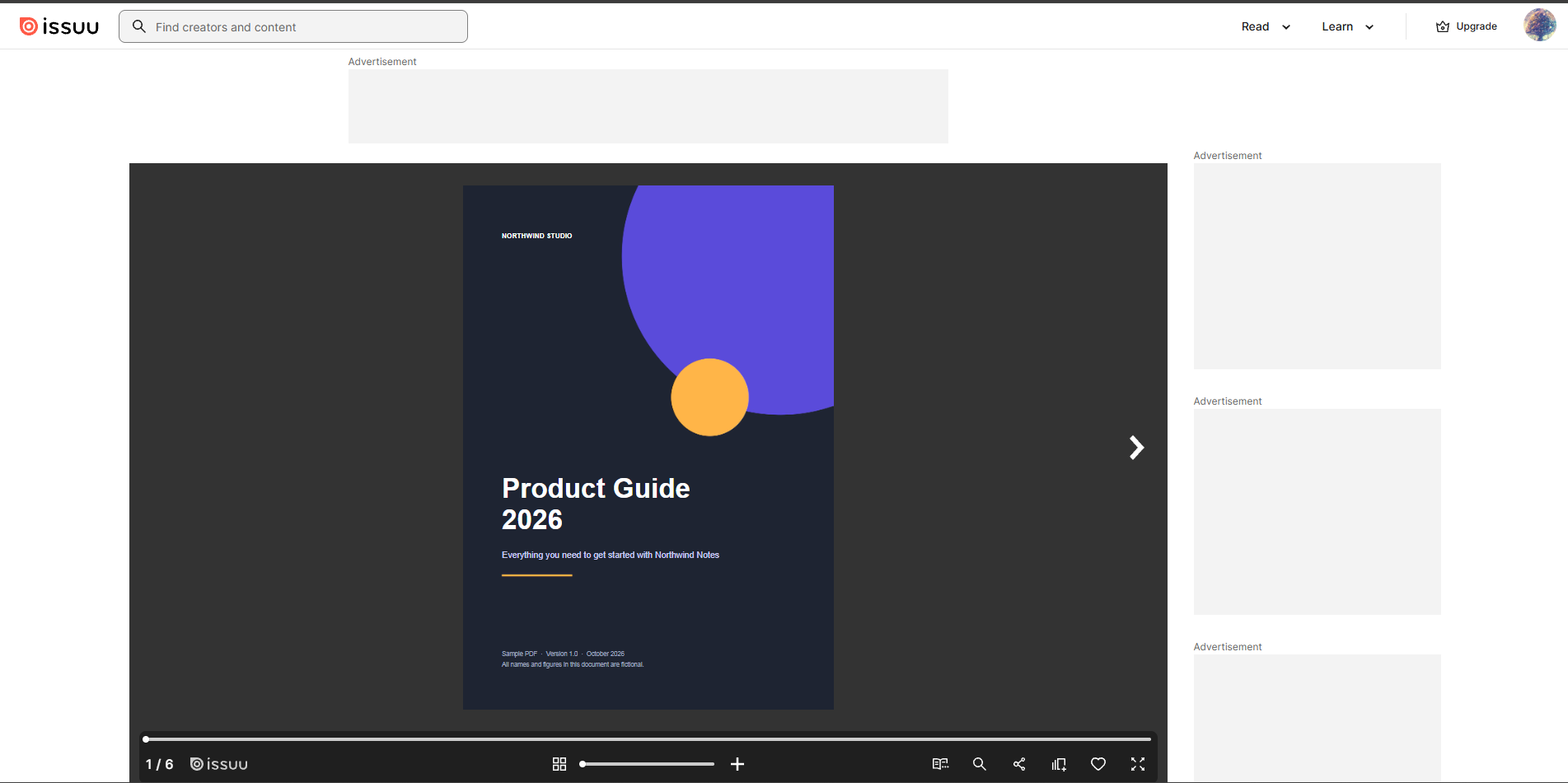
With Issuu, you can share reader links, create QR codes, and it also lets you share your publications with people. It connects with Canva and Adobe so you can publish from the design tool itself.
If you share the links from a free account, though, the viewing link has a lot of advertisements around the PDF. This is not just the branding of Issuu but other ads which could become annoying.
Pros
- Even on the free plan, you get to see the 30-day statistics.
- You can publish directly from Canva or Adobe without having to download and upload.
Cons
- There are advertisements that people have to see; you have to upgrade to a paid plan to share a full-screen app.
- Viewers can only see the covers if you go over the limits in free or paid plans.
- Public links cannot be switched to unlisted files later.
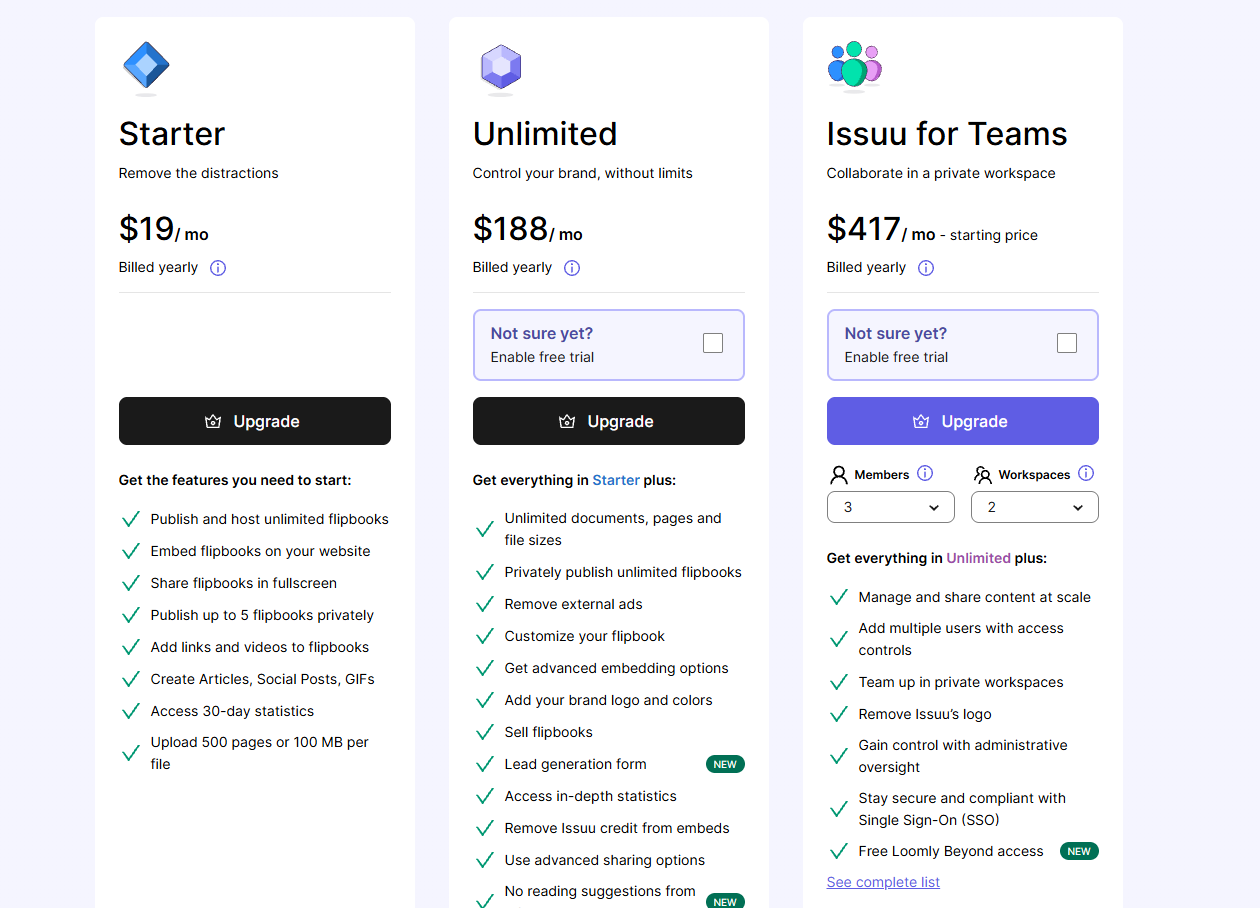
- The pricing is not really affordable for everyone. Plans start at $19/month, which is expensive because for anything except flipbooks, it is not useful.
Pricing
- You can embed flipbooks on other websites when you upgrade to the Starter pack and also get to add links and videos to the PDF.
- If you want to remove Issuu’s branding and external ads or sell your flipbooks, you have to subscribe to the Unlimited plan.
5. DocDroid
DocDroid is a document sharing service that converts your file into a browser preview. It supports formats like DOCX, PPTX, XLSX, ODT, RTF, and TXT files.
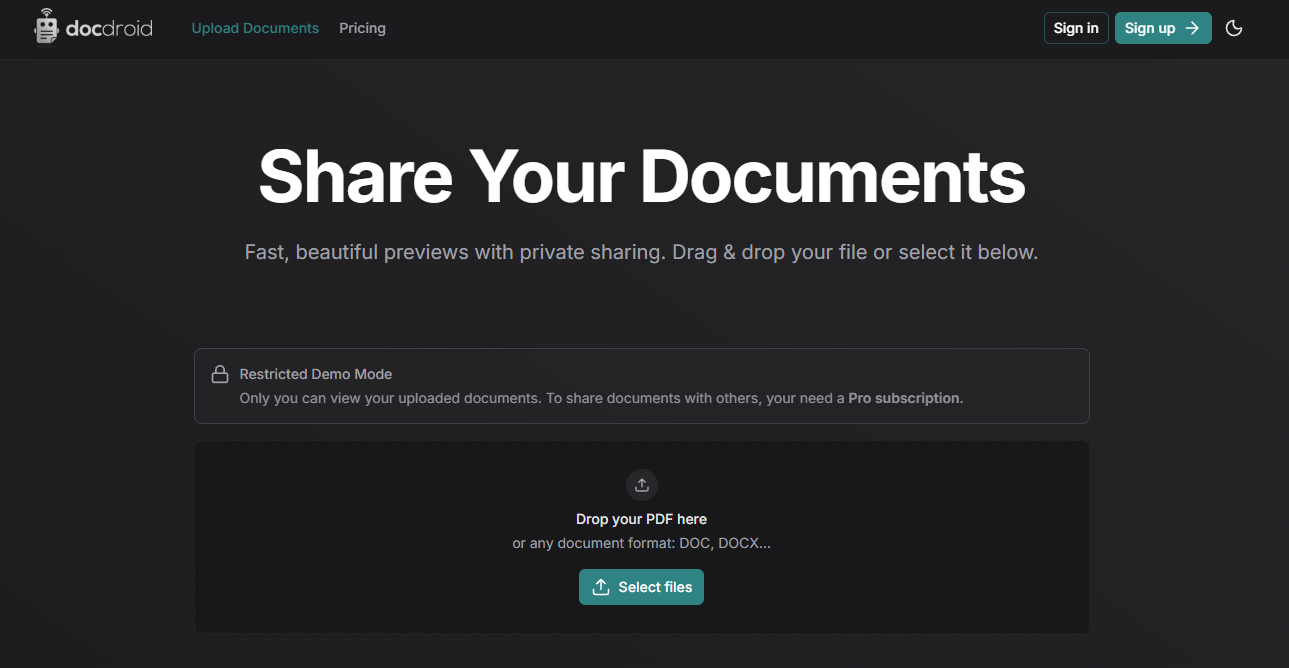
In the free version, your uploads remain private, and you cannot share them with anyone. You need to upgrade to the Pro version to share it with anyone; it starts at $19/month. There is a free trial of 3 days, but not really a free plan.
Even on their Pro version, you only get a custom subdomain and cannot connect your custom domain. You also need the Pro version, which lets you disable downloads, disable indexing, and replace the file at the same link.
If you need these controls on a smaller budget, the comparison table below shows the tools offering features at lower prices.
6. Scribd
Scribd is best known as a reading subscription for ebooks, audiobooks, and magazines.
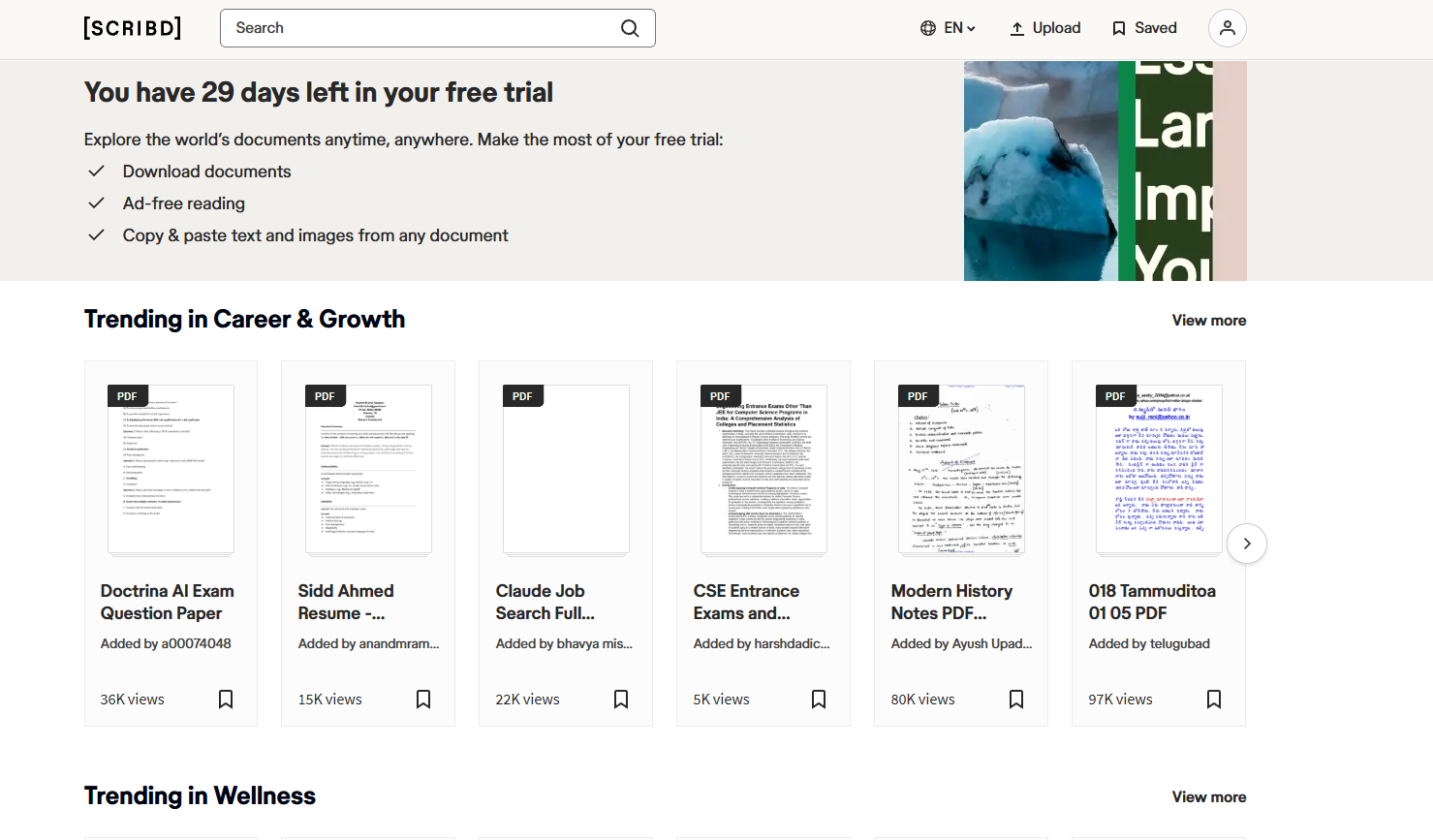
On the free version, anyone can upload their documents to its library. I added Scribd this low on the list because I wasn’t able to upload and test it out. For two days, the platform kept giving me the error that uploads were temporarily unavailable.
They do have a huge database of books on their platform so if you are an author, I think you should try it out for sure. It has a big public library where readers can find your books.
If you need something that works reliably, you should opt for some other Scribd alternatives for PDF hosting.
Cloud Storage Options
The apps above are built to host your PDF and share it as link. Cloud storage is built to store files and sharing is a feature. You get long links and fewer controls but if your PDF already lives there and you’re sending it to friends or family, it sometimes might be quickest option.
7. Google Drive
Google Drive is Google’s cloud storage that is already attached to your email address. If you want to share a PDF with a friend or documents with family, this might be a good option because most people would have a Gmail address.
You can choose access settings to private and public and also roles for each person, like viewer, commenter, or editor. You can stop viewers and commenters from downloading, printing, and copying files from the settings.
It might not be ideal for confidential documents and professional sharing. Google Drive doesn’t allow you to have custom-named links, and the links are also very chunky. You do not have password protection for the files you share. If you use a work or university Google account, your organization may stop you from sharing files too.
8. OneDrive
OneDrive is Microsoft’s cloud storage and comes with every Microsoft account. If you use Windows, Outlook, Microsoft 365 or have Teams, you may already have files on OneDrive.
Sharing works pretty similarly to Google Drive, where you can change the access settings anytime.
Again, you get a chunky link when you try to share it. The free plan allows you to upload and share the file, but if you want to use passwords or expiry dates, you need to purchase a Microsoft 365 subscription.
9. Dropbox
Dropbox is cloud storage that also syncs files across devices. If your PDF is on your laptop, you can get it quickly on your phone.
Like other cloud storage, you can share the file with access settings. It gives you a long, unprofessional link, and you cannot customize it with your branding either.
To unlock passwords, expiry dates, and download blocking, you have to subscribe to the paid version.
PDF Hosting Tools Comparison table
Here’s a quick comparison between all the tools we went through in detail.
| Host | Free route | Password | Block downloads | Analytics | Search indexing control |
| Tiiny Host | 1 PDF up to 0.5 MB, 5,000 visits a month | Yes on Solo Plan | Yes, on Solo plan | Yes, also has per-page analytics. | Yes |
| Publuu | 14-day trial only, no free tier. | Yes on Optimum plan | Yes, on paid plans | Yes | Every plan |
| PDFhost.io | Free, no account; public or private link, not for professional use | Not offered | Not offered | Not offered | Public or private only |
| DocDroid | Demo only: uploads visible to you alone, no free tier. | Yes, on pro version | Yes, on pro version | Pro, incl. time per page | Pro |
| Scribd | Free account, files up to 100 MB, use for authors | No; private documents use a unique link instead | Yes, on free accounts | View counts (human views only) | Public or private |
| Issuu | 5 documents, 10 pages and 50 MB each | Not offered; unlisted links only | Downloads off unless you enable them (higher-tier plans) | 30-day stats on free | Unlisted (private) flipbooks from Starter |
| Google Drive | 15 GB, shared with Gmail and Photos, use for personal sharing | Not offered | Yes, for viewers | Not documented for file links | “Anyone with the link” files aren’t indexed |
| OneDrive | 5 GB, shared with Outlook.com attachments | Microsoft 365 | Work or school accounts only | Viewer counts on work or school accounts only | No |
| Dropbox | 2 GB; 20 GB of link traffic a day for personal sharing | Paid plans | Paid plans | Not for shared links | No |
Prices and details have been checked on 6th October 2026 on each vendor’s pages.
How to choose the Right PDF Hosting Site
Check for these four things before you pick a host:
-
Do you need to share the PDF personally with a friend or for professional work?
If you want to share it for work, a tool like Tiiny is a strong option, as you can add a custom domain, secure your PDF with a password, and enable link tracking. And your viewers also get a lot of options, along with in-browser access to the PDF. If you have a PDF to share with a friend, you can choose cloud hosting options where your file already lives. - Check the size of your file: Keeping track of the size of files you share will help you choose the best plan when you choose a PDF host like Tiiny, Publuu, or DocDroid.
- Upload and Access settings: Check if the tool has password protection, gating of your file, disabling downloads, and search engine indexing. This might not be important to you for a small PDF, but if you have reports, proposals, decks, and more, you want to keep them safe.
- How long the link stays live: Some tools have link expiry on the free plan, and for others, when the trial ends, like Publuu, your PDF also goes offline. Issuu only shows cover of anything over free limits, and Tiiny Host has a free link as long as your account is active.
- Test it at least once before you choose: Try it in a private window, with a new account, and on your phone to check responsiveness across platforms.
Which PDF Hosting Site Should You Pick?
The best PDF hosting site depends on what you are sharing and who is opening it. Whichever you pick, check what the reader sees, check the features and look at what “free” actually includes.
FAQs: Best PDF Hosting Sites to Share a PDF as a Link
Where can I turn my PDF into a link for free?
Tiiny Host hosts one PDF up to 0.5 MB for free. PDFhost.io lets you upload without an account but you have to take care of the edit link. If your PDF is already on Google Drive, OneDrive, or Dropbox, you can download and share using Tiiny for a professional use case or share directly with family and friends.
Can people view my PDF without downloading it?
Yes, PDF hosting sites like Tiiny, DocDroid, Publuu, Issuu, and most other hosts let you view PDFs in the browser itself. You have the option to stop downloads in only some of them, though.
How can I tell who opened my PDF?
Analytics show the number of visitors and views for the PDF hosted, but not who they are. To know who they are, you need to assign tracking links or ask for an email address before the PDF opens.
Can I read a PDF without downloading any app?
Yes, if your PDF is hosted through a PDF host, they open the PDF directly in the reader’s browser without any account or without them having to download any app.
Do PDF links expire?
It depends on the host and plan. Tiiny Host’s links stay alive as long as you log in once every 3 months so we know your account is active. Publuu flipbooks go offline when the trial ends if you don’t subcribe to one of their paid plans. On Issuu’s free plan, if you exceed the limits, the reader only sees the cover. Always test and check this on your end before sending the final link to anyone.