- The Need to Test the AI Resume Checker Tools
- What “AI Resume Review” Actually Means
- The Methodology of Testing
- The Results: The 7 Tools Compared
- Breakdown of Each AI Resume Review Tool
- Enhancv
- KickResume
- Rezi
- What the Test Revealed — 5 Findings Worth Knowing
- FAQs: The Only Honest AI Resume Review Tool Test
- The Most Common Mistake: Using One Tool and Trusting Its Score
- Who Should Use Which Tool
- Make Your Resume Job-Ready
Do this with AI. Do that with AI. Well, okay, I gave in, let’s add one more thing that we can do using AI.
People are making resumes with AI. Then, people are building automations to apply to these jobs. Are their resumes actually working, though?
To check that, we have an influx of AI Resume Review Tools. Since the job market is going through its waves right now, I thought this would be the right time to check these tools out.
Because if they work, they would be useful to:
- Create a resume for students looking for jobs.
- Enhance the resume for working professionals looking to switch jobs.
- Anyone wanting to change their career path.
I will dig into different AI Resume Reviewers to see if they’re actually worth using. If yes, which of them is the best AI Resume Review Tool?
The Need to Test the AI Resume Checker Tools
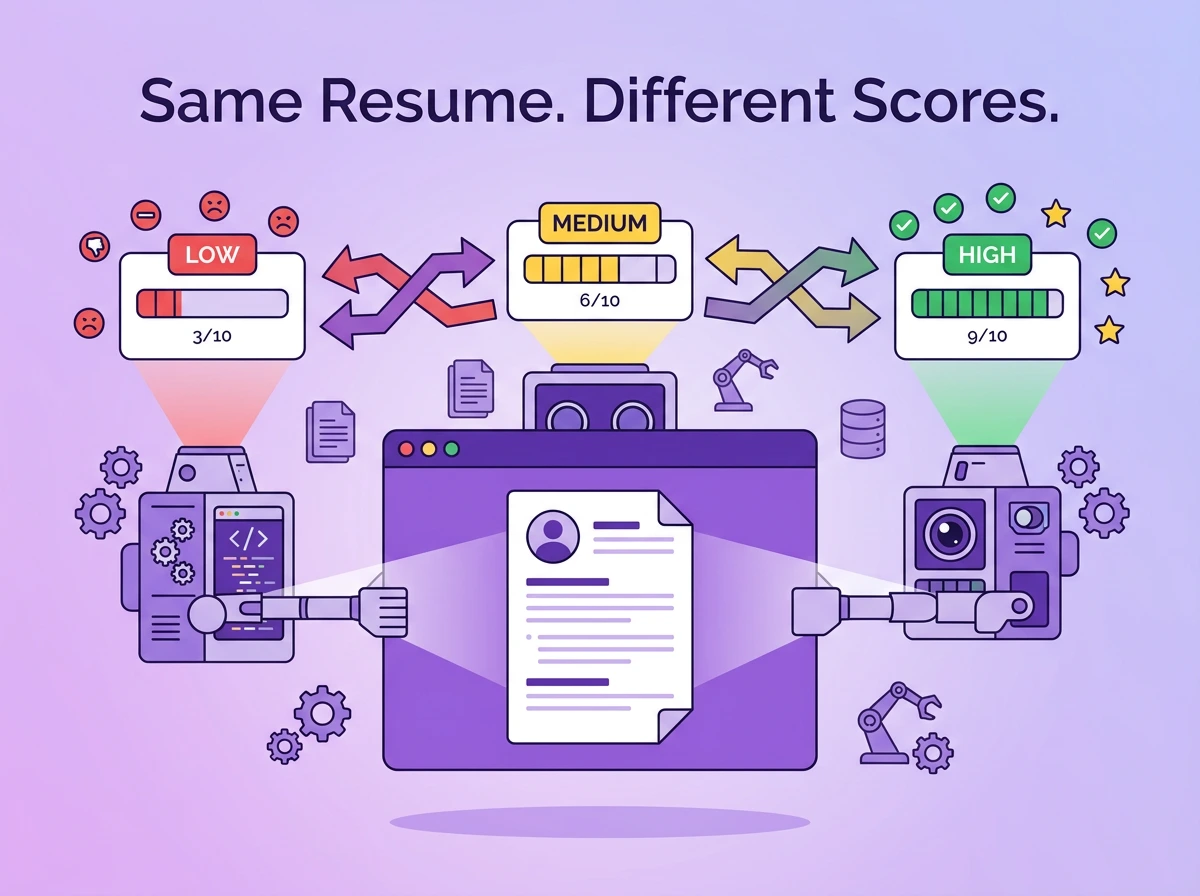
Most of the best AI resume tools roundups written do not provide enough evidence for their claims. When I was going through the testing phase, the results differed widely. The same resume scored 32% on one AI review tool and 74% on another.
Then, I decided to sit down and test out the major resume review tools out there. For this experiment, a deliberately flawed resume was created. Passed through 7 major tools and tested on five different criteria.
At the end of the article, you’ll know how impactful each of these tools is and if the pricing they charge is actually up to the mark.
What Makes a Resume Good
Usually, a good resume does two things. It passes through the ATS filter if the company uses that, and then goes through an interview with hiring managers.
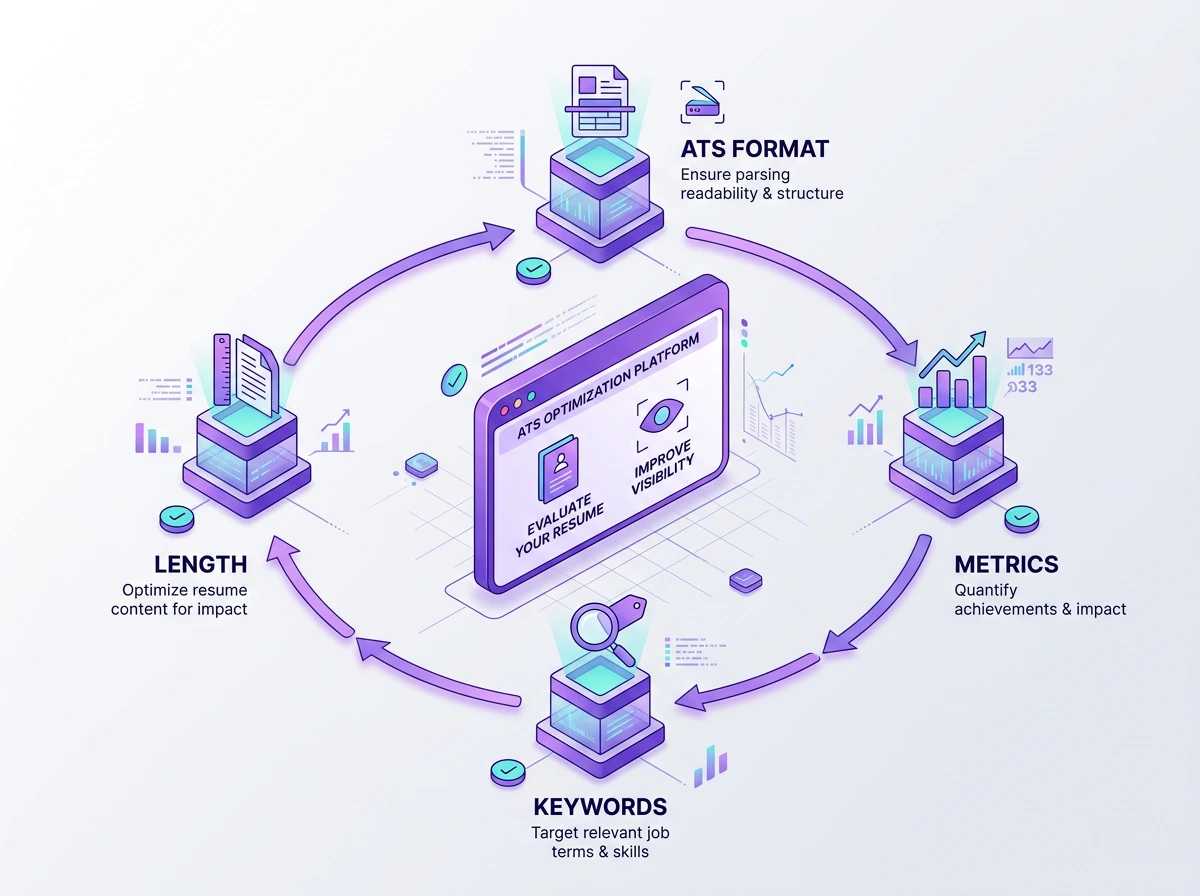
When you write your resume, here’s what to take care of:
- One Column Layout: ATS systems work best with simpler resumes. You do not need to do fancy editing. If you do that, there are more chances for your resume to be rejected by ATS.
- Bullet points: Each bullet point should have the measured achievements. When you mention an exact number, it improves clarity for employers about your past experience.
- Keywords from the JD: One of the key elements of any resume is keywords from the job description. You are not supposed to use all the words from the job description, but you have to match the words as per your experience.
- Under 1000 words: Recruiters go through dozens of applications every day. A resume under 1000 words is actually easier to read through. If the resume is longer and dense, the recruiter might miss out on your skills and experience.
When you use the AI Resume checker, these are some of the things you can look for beyond just a good resume score. The artificial intelligence powering the tool should give you tailored feedback on all of the above-mentioned things.
Apart from keywords and bullet points, you should also get a review of the resume’s content.
If your resume has all of these, it helps to impress recruiters and land interviews faster.
What “AI Resume Review” Actually Means
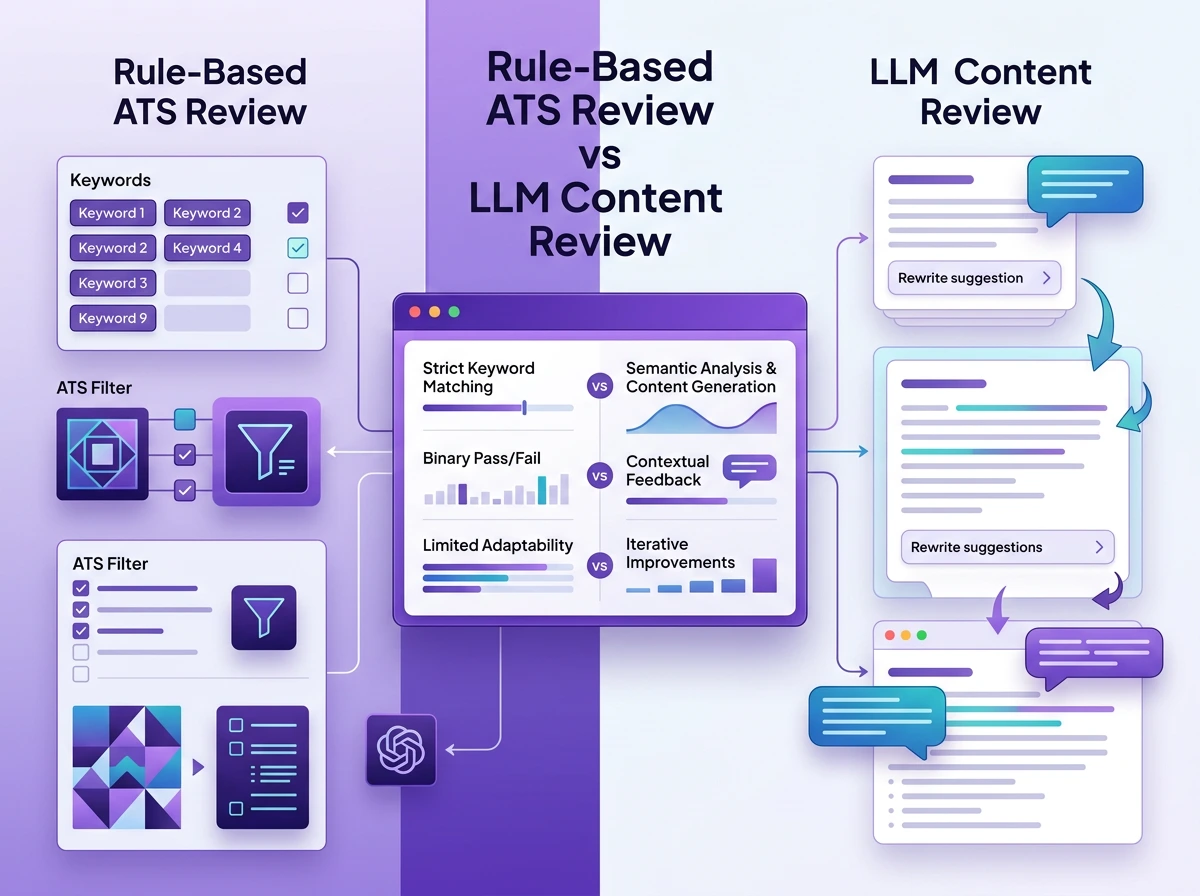
Before we get to the scores, let’s see what the AI reads through to give you the score. Most AI resume tools use one of the two approaches. If it is a rule-based tool, it counts keyword matches between the resume and the job description. That’s how Jobscan’s core engine works.
Then there are LLM-based tools. These tools read your resume as prose and suggest rewrites. However, these cannot verify how an actual ATS would parse your file.
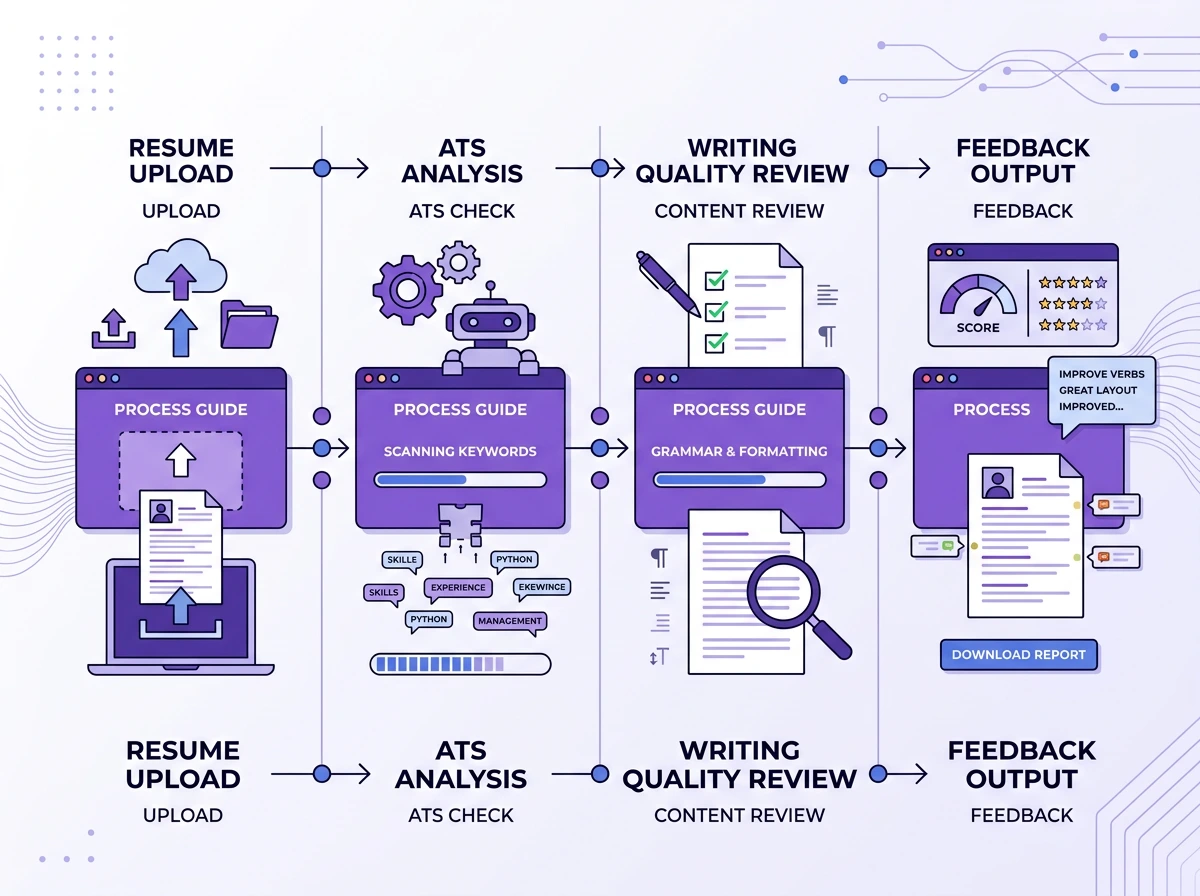
The best tools out there combine both of them. Knowing which type of tool you’re using tells you what feedback to trust.
Two Capabilities Most Tools Conflate
-
ATS Simulation: The AI would read your resume as an ATS would. This is very similar to applicant tracking systems like Taleo, Greenhouse, Workday, Lever, and iCIMS.
The ATS score checker will look for keyword matches, formatting and sections. The ATS simulation is usually mechanical, though. The resume needs to match certain criteria to pass the simulation.
One formatting mistake that a lot of job seeker overlook is two-columnn resume. While most modern ATS platforms are able to parse them, some traditional ones cannot. Platforms with older Taleo configurations cannot parse two-column files and often get read wrong. A single-column format is safest for most tools. - Writing Quality feedback: With this, AI would take the role of an editor or career coach. You will get feedback on the tone, content in the bullet point, action verbs and the structure.
ATS Score checkers have been around for a long time. For the latter one, you usually would have to hire an editor. The AI Resume Review tools actually do both in most cases.
We can figure out the best one according to the feedback specificity. In addition to ATS scores, you also check the keyword gaps, content addition or deletion, feedback on skills and summary.
What is a good ATS score?
There is no universal benchmark for good ATS score. Every tool has a different methodology. A 75% on one platform is not comparable to a 75% on another. A more useful approach is to focus on what the score flags out. Look for missing keywords, formatting issues and weak bullet points.
The Score Variance Problem
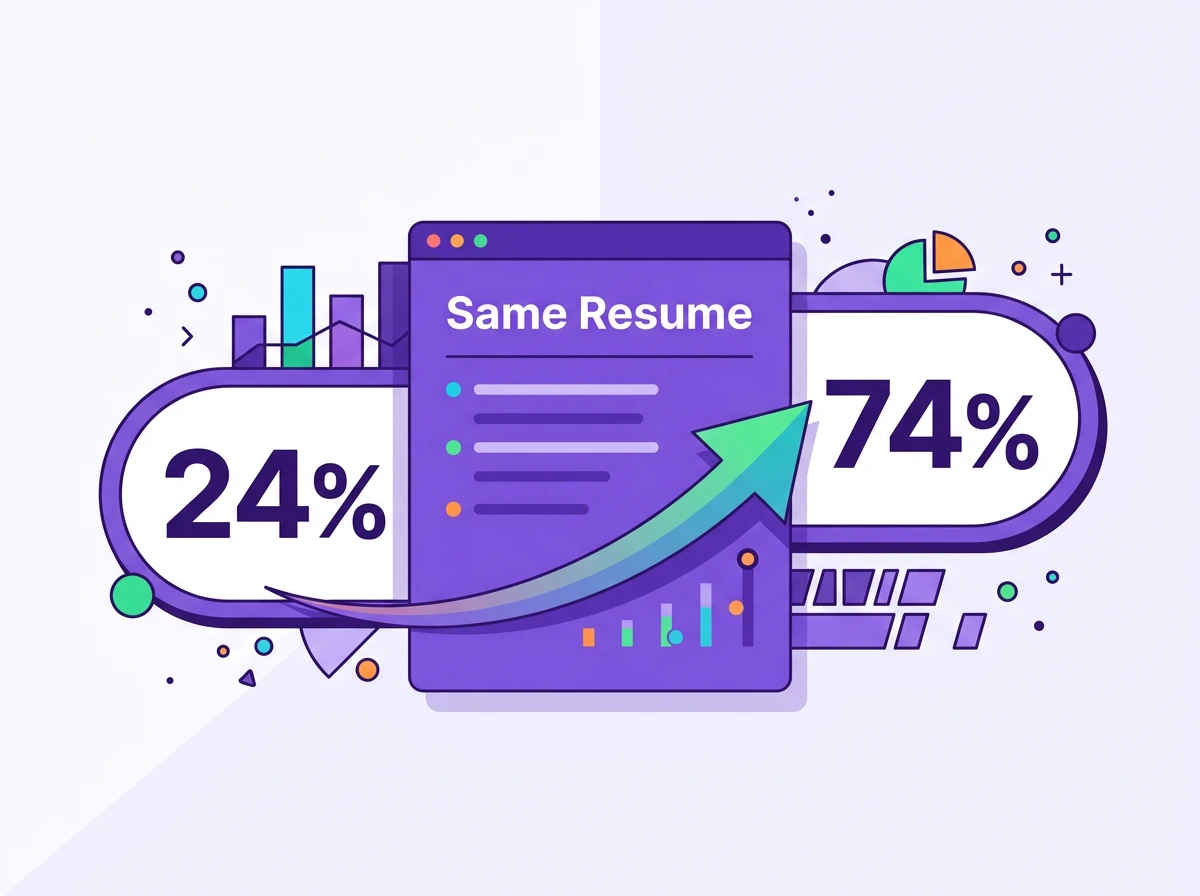
If you search online randomly for AI Resume Review Tools and upload your resume to two different ones, the scores will differ.
All the ATS scores you get are proxies. There is no actual ATS output. Scores are calculated by measuring keyword density, formatting and writing quality.
With that, AI trained on various resumes tries to match the uploaded resume against the best practices for resumes for a particular Job Description.
Often, with this, you get scores that are based on implied precision, which doesn’t exist.
That honestly can get very confusing for anyone just starting their career. A student who gets a score of 74% would think their resume is perfect. They might not check other tools or the guidelines before uploading.
If the same resume is uploaded to another tool, giving an output of 50%, the resume can be edited and worked on. Both of these numbers are proxies, but the first one can become dangerous to review the resume.
None of them is wrong. Just the methodologies used to score by the tools are different, giving different outputs.
Now that you know how the scores can come out in such variation, let’s test out how different AI Review Tools perform.
The Methodology of Testing
Of course, we used a resume to test the apps out. The resume was made flawed on purpose.
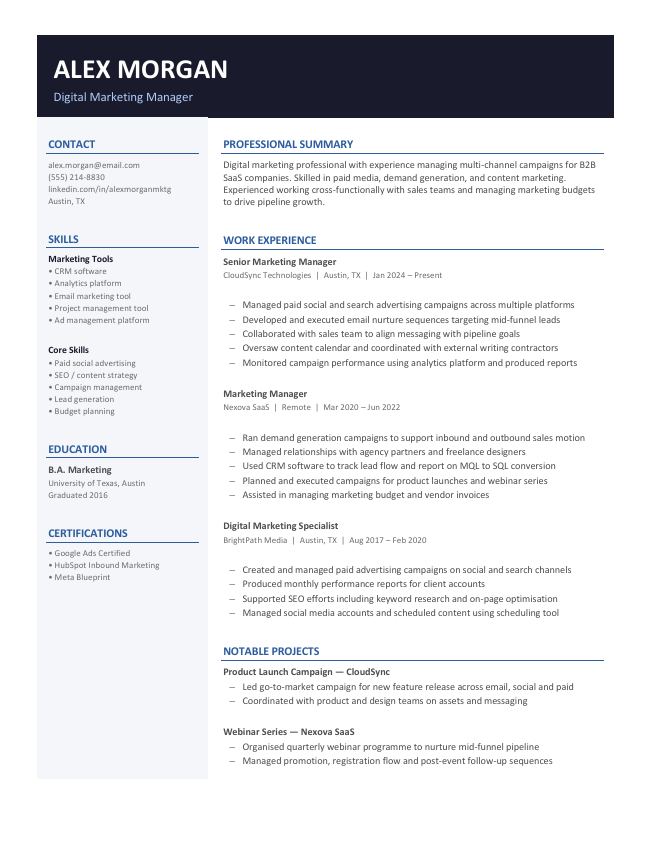
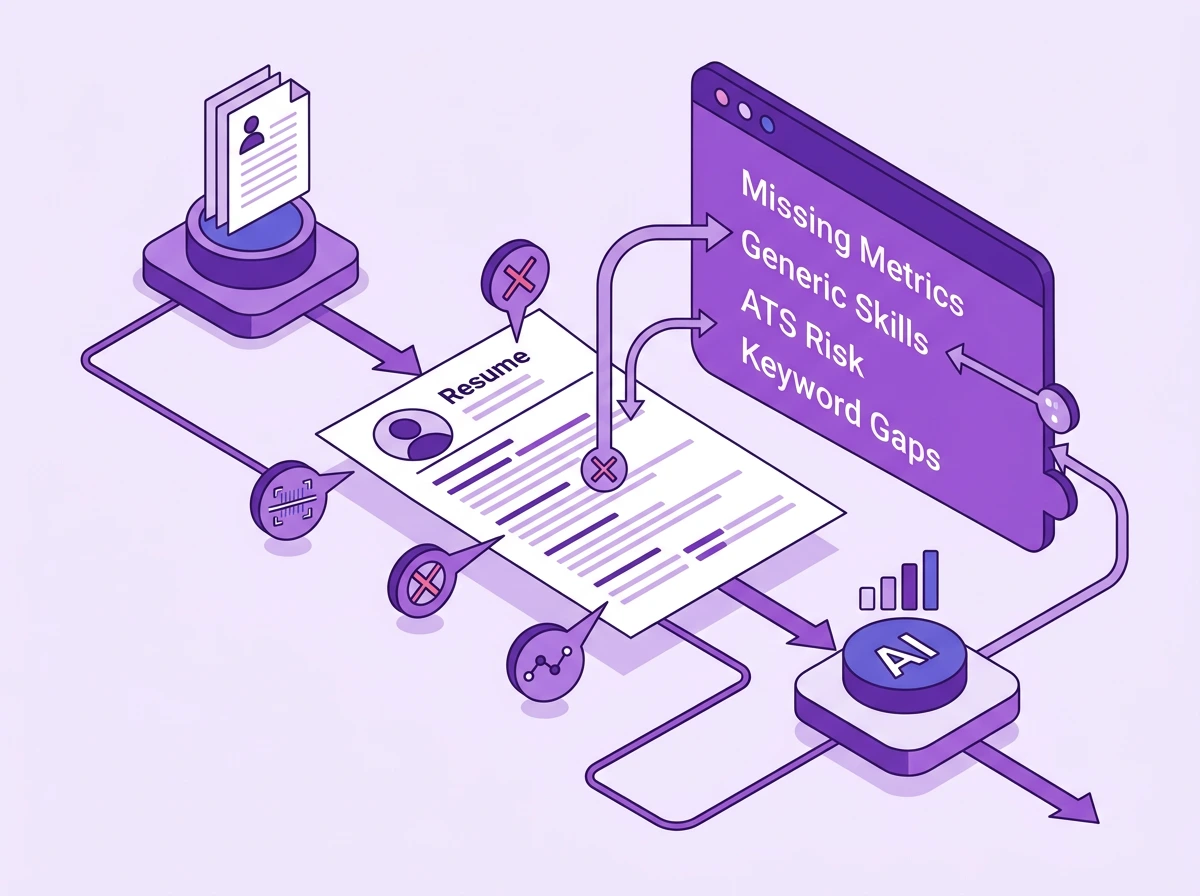
I built a mid-level “control resume” for marketers to see which failure patterns were pointed out.
Some flaws that I kept in:
- Generic Skills: Instead of specific skills that a mid-level marketer would have, like “go-to-market strategy” or “paid marketing campaigns”, I switched it to “creating campaigns”.
- No quantified bullets: Numbers always perform well to showcase growth, so I skipped them. I included “Managed social media accounts” instead of “Grew Instagram following by 40% in 6 months.”
- Two Column Layout: The two-column layout has a risk when passed through ATS systems. It’s a popular formatting choice which is not ATS-friendly, so I made the resume two-columned.
- An employment gap of 14 months with no context.
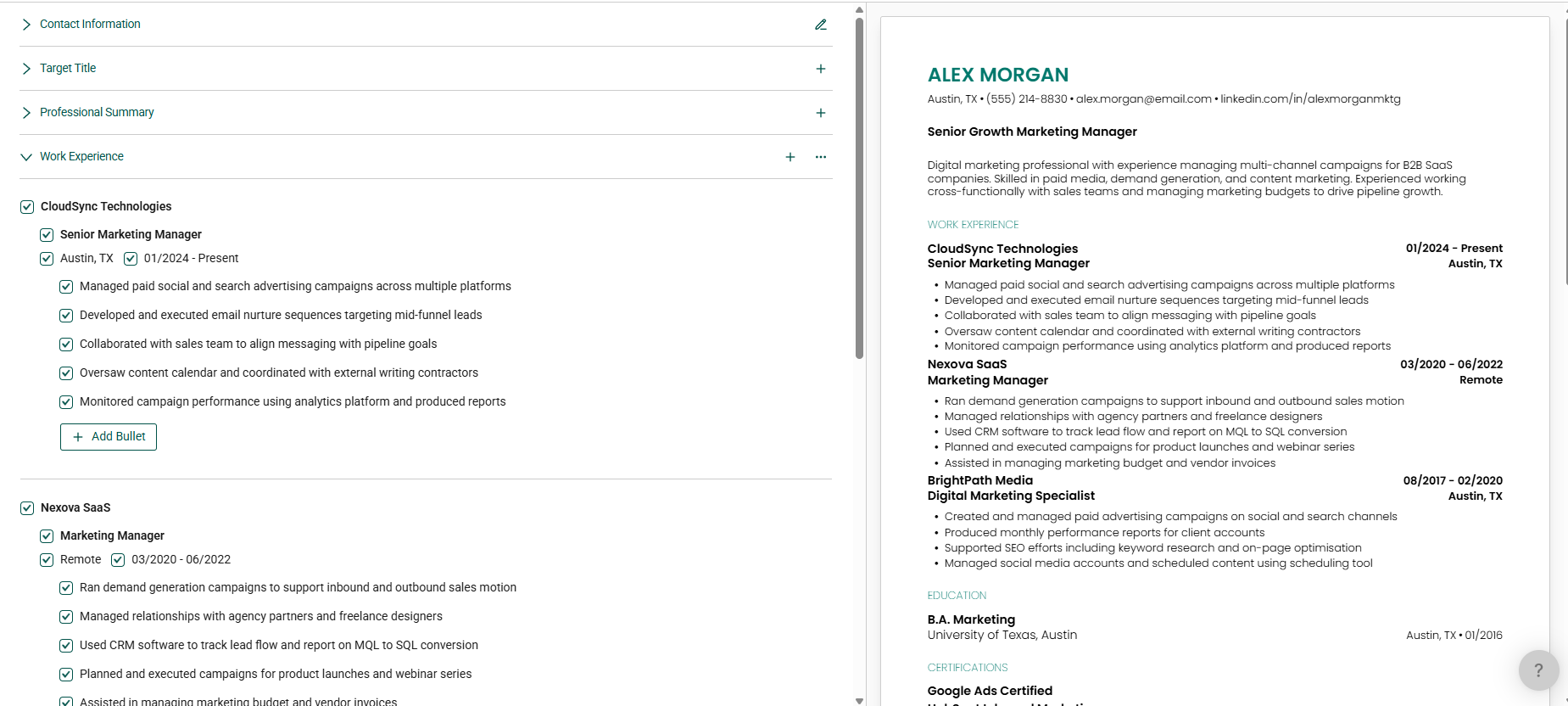
I created the resume for a person named Alex Morgan who has experience working as a marketer for 6+ years. This is the resume we will be using to test all the apps.
The Job Description I used to test the resume for the Resume Score was a live Job Opportunity I found on LinkedIn. I used the JD for the Senior Marketing Manager opening at Bloomberg Media. Bloomberg uses Avature as their ATS, and that was also a reason to choose this job opening.
Once the resume was built and the job description was chosen, I decided to take the following criteria to review the tools.
The 5 Scoring Criteria
- Feedback Specificity: Checking for exact mention of missing keywords and skills. Also talking about the gap in bullet points and having no numbers in bullets.
- Keyword Gap Detection: Keeping in mind if the AI caught all the keywords missed intentionally and even unintentionally, according to the Job Description.
- Formatting Analysis: The Resume Reviewer had to flag out the two-column layout for the ATS score.
- Score Calibration: As I have made an intentionally flawed resume, I expect scores to be low or at least not inflated ones.
- Actionability: With the AI reviewing the resume, I looked out for exact details like what to fix, sections to add, skills to add or remove.
With our methodology set, I got to testing.
The Results: The 7 Tools Compared
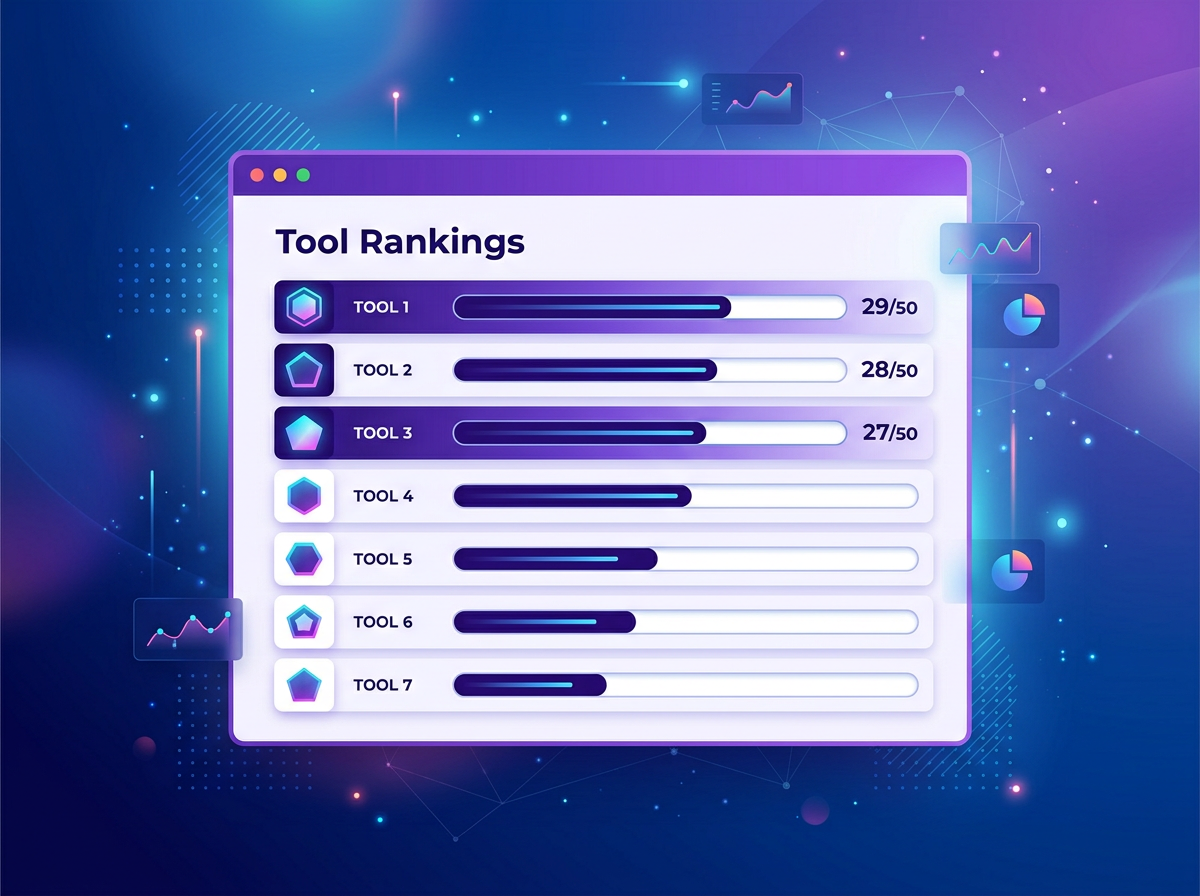
| Tool | Feedback Specificity | Keyword Detection | Formatting | Score Calibration | Actionability | Total /50 | Best For |
| Jobscan | 6/10 | 6/10 | 4/10 | 7/10 | 5/10 | 28/50 | ATS targeting, specific company job roles |
| Resume Worded | 8/10 | 4/10 | 3/10 | 6/10 | 8/10 | 27/50 | Writing quality |
| Teal | 4/10 | 5/10 | 3/10 | 6/10 | 3/10 | 21/50 | Job Search |
| Enhancv | 8/10 | 5/10 | 1/10 | 4/10 | 7/10 | 25/50 | Writing quality |
| Kickresume | 2/10 | 2/10 | 1/10 | 2/10 | 2/10 | 9/50 | Budget builders |
| Resume Genius | 1/10 | 1/10 | 2/10 | 1/10 | 1/10 | 6/50 | Template-only |
| Rezi | 7/10 | 6/10 | 4/10 | 5/10 | 7/10 | 29/50 | ATS-first workflows |
Breakdown of Each AI Resume Review Tool
Jobscan
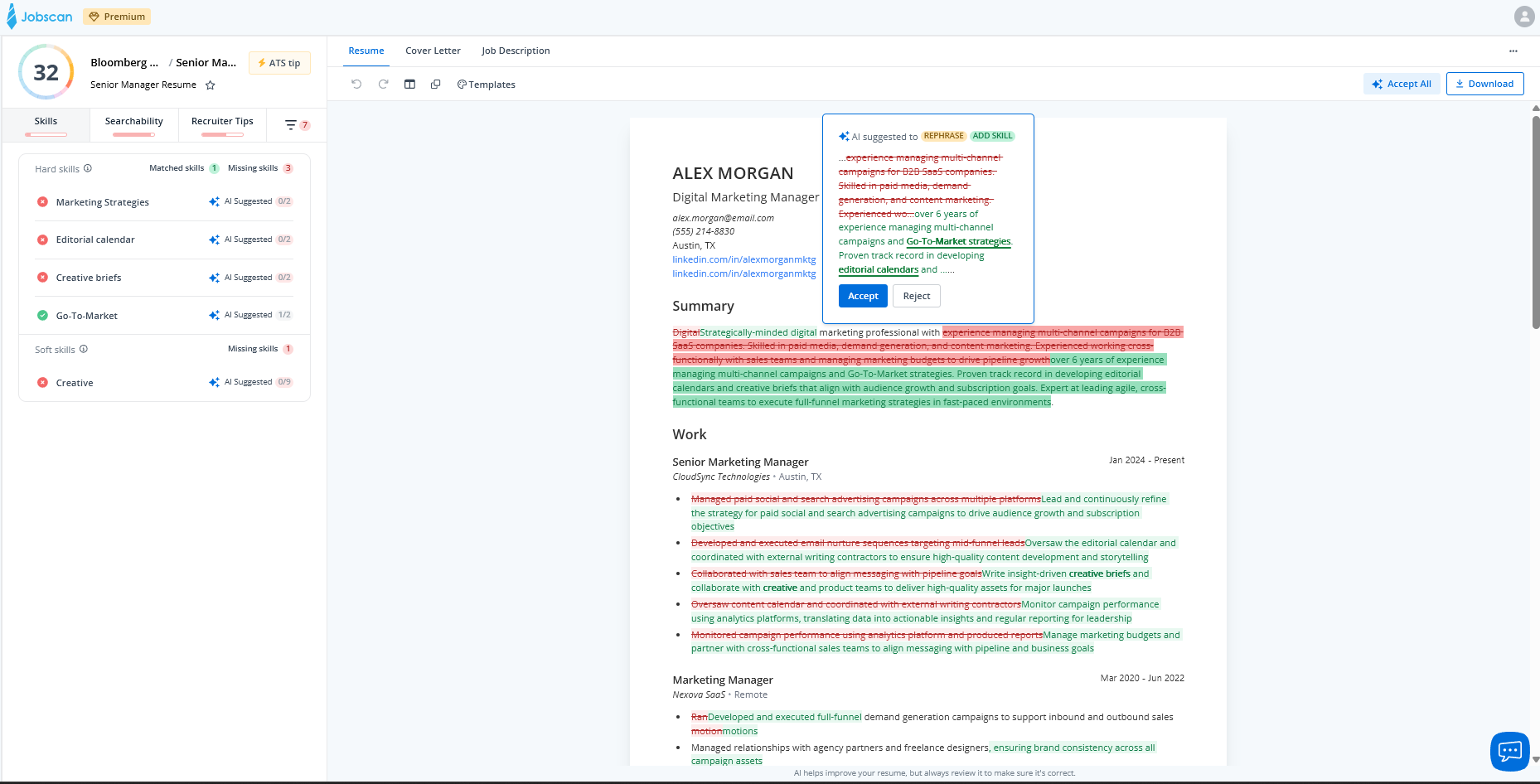
Score: 32% Match Rate to Job Description.
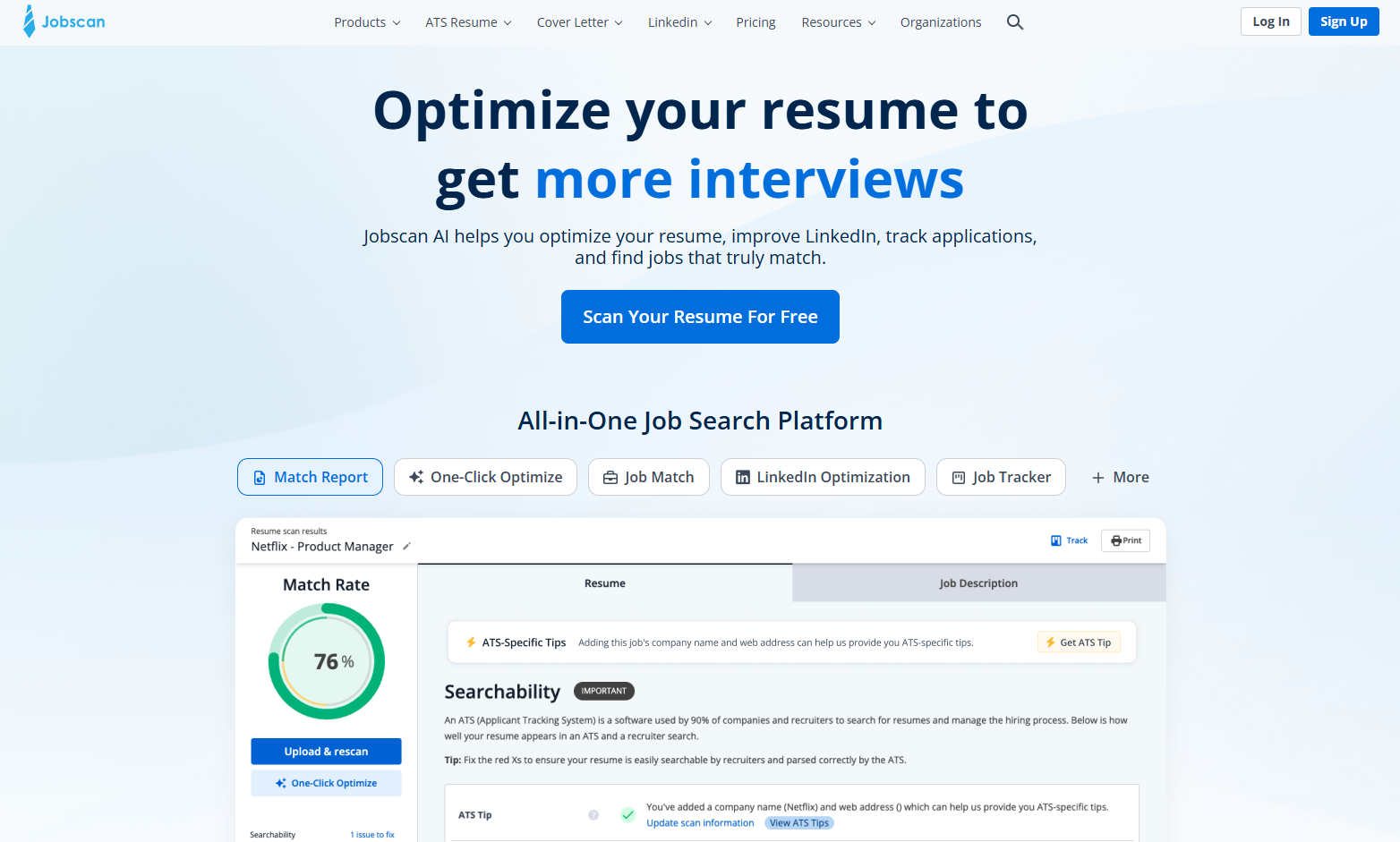
Out of all the tools I tested, Jobscan gave the lowest match score. That honestly isn’t a bad thing. With the flaws that were kept in the resume, it should not have scored 70%.
Quick Note: A match score basically matches your resume to the keywords present in the Job Description. It gives an estimate of how many requirements from the Job Description are fulfilled by your resume.
As soon as you open Jobscan’s website, you have the option to upload your resume. You can also paste the job description or use one of the sample JDs. To get the scan, though, you have to sign up.
Once the introductory steps are finished, Jobscan divides your resume into sections for review. The sections for review in my resume were Searchability, Soft Skills, Hard Skills, Recruiter Tips and Formatting.
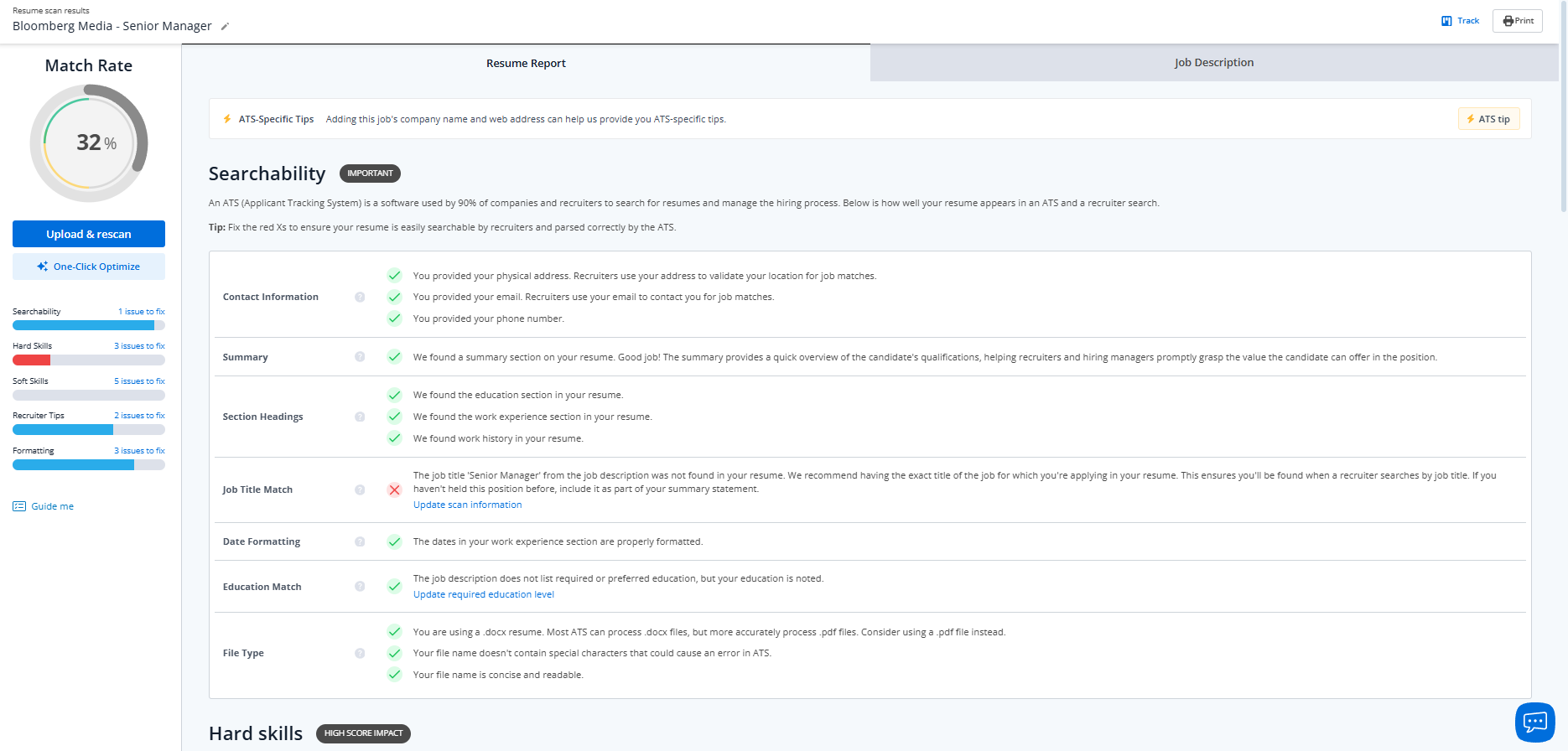
What the tool flagged:
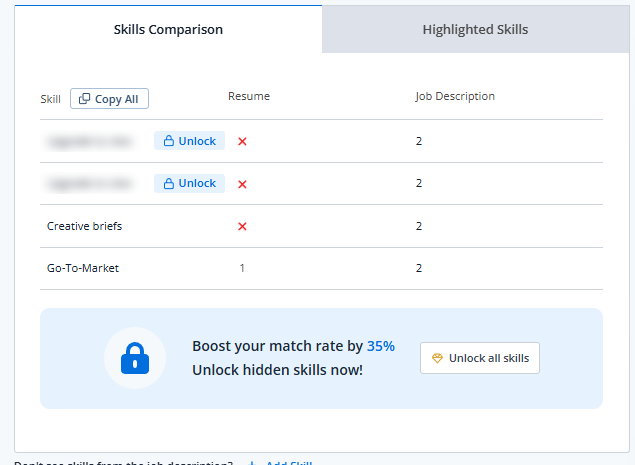
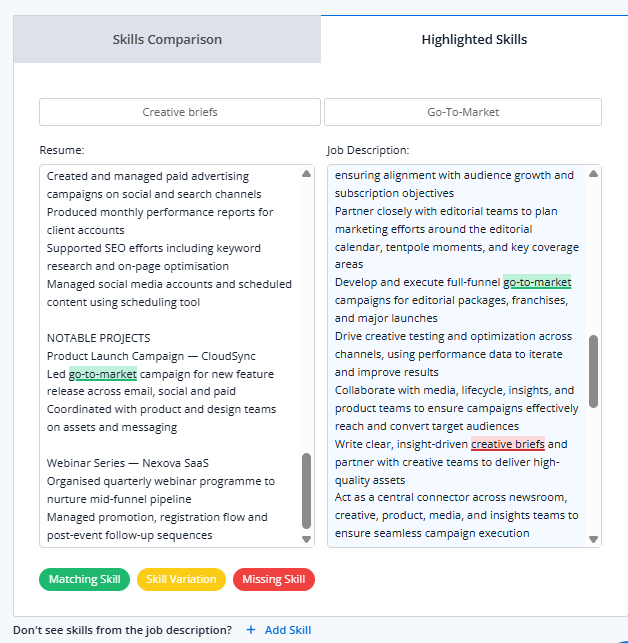
- Flagged the missing skills from the resume, like “Creative briefs” and “Go-To-Market”, against the job description.
- Zero-measurable insights from previous jobs were also flagged.
- It also flagged that the resume had no experience listed with the same Job Title as the JD.
- It also flagged that a two-column layout might not be apt for ATS, but that suggestion was hidden behind the paywall.
- Jobscan also has “ATS” tips at the job, which give you suggestions according to the type of ATS used. For the job description I had uploaded, it identified that Bloomberg uses Avature as their ATS. According to that, it gave a review for ATS too.
Majorly, this is what the tool scanned while identifying the mistakes. Other suggestions and feedback were hidden behind a paywall. So I could see that I had to fix 5 things in Soft Skills, but it only showed a few of them to me.
What else does the tool offer:
- In the “Highlighted Skills” section, right next to Skills Comparison, Jobscan shows what is missing and present in your document through highlights.
- There is a free trial available in Jobscan, which you can utilise to test out all the functionalities of the tool.
- On the premium version, you can click on one-click optimise for the AI to auto-build your resume according to the job description.
- The platform offers more than resume reviewing. It also helps in Job Search, tracking, Cover letter writing and everything you might need while applying.
Limitations of the tool:
- There were some mistakes, like the employment gap that the tool didn’t flag.
- The recommendations given for the errors are so vague that someone making their resume for the first time won’t be able to understand them.
- Of the 14 mistakes it found in the resume, 10 were hidden behind the paywall.
- With the auto-optimise button, the tool adds filler content to close the gap. Here, the information can become false if not checked. When I auto-optimised the resume, it added fake quantitative numbers.
- With AI optimisation further, the AI gives suggestions which you can accept or reject.
- The free tier allows for only 5 Resume Scans before you have to switch to a paid tier.
One weird thing I noticed was when I upgraded with the free trial. When I used Jobscan’s AI to optimise my resume, the score jumped from 32% to 70% in less than 15 seconds. This score seemed to have been inflated to showcase the capabilities of the AI.
Verdict: The initial score flagged seemed to be correct. The suggestions that were visible were very helpful. But most suggestions were behind a paywall. If you have a credit card, I would suggest giving Jobscan a try with the free trial.
| Feedback Specificity | ★★★☆☆ |
| Keyword Detection | ★★★☆☆ |
| Formatting Analysis | ★★☆☆☆ |
| Score Calibration | ★★★★☆ |
| Actionability | ★★★☆☆ |
| Price From | $29.98/month |
Resume Worded
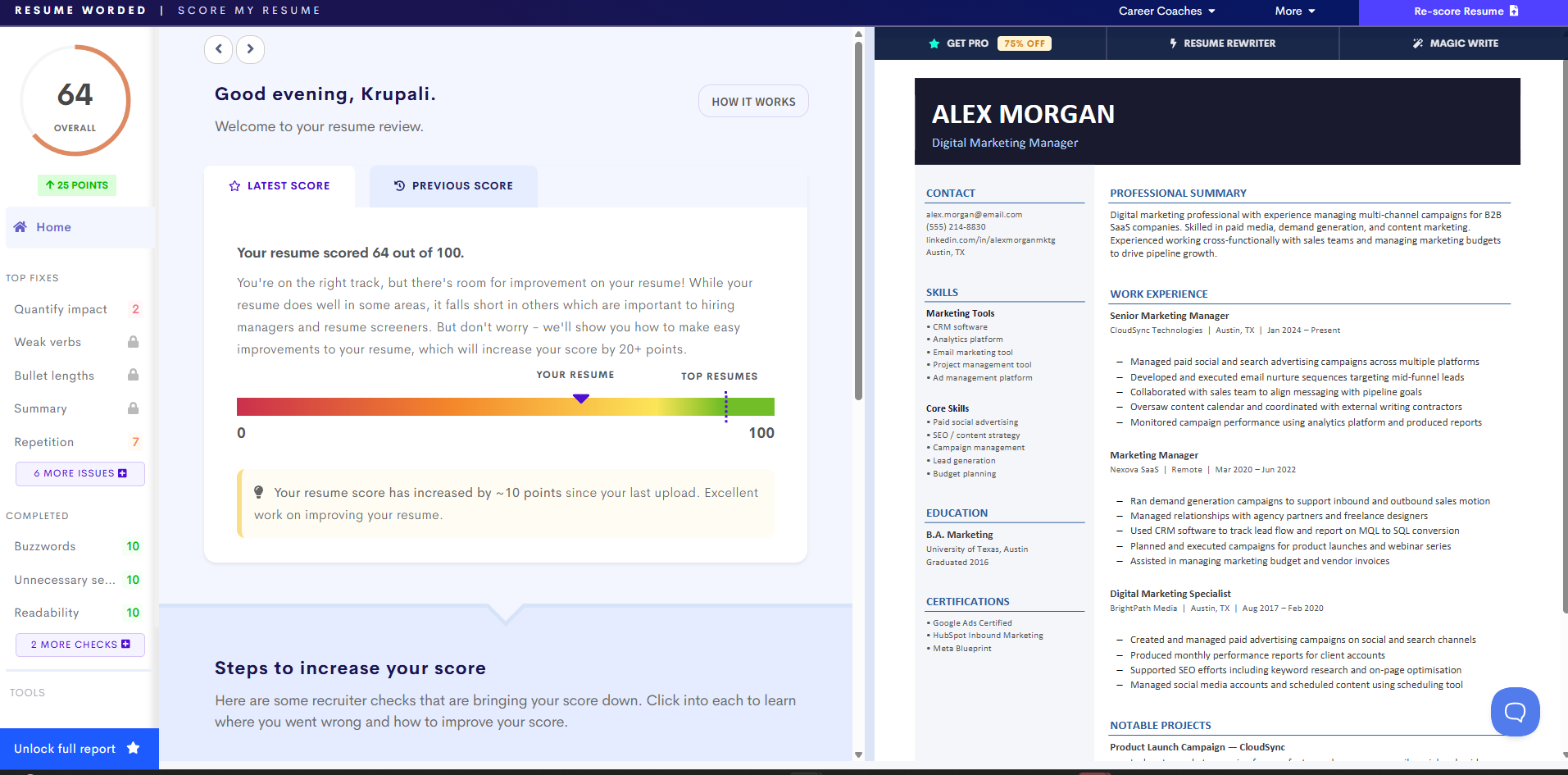
Score: 64/100
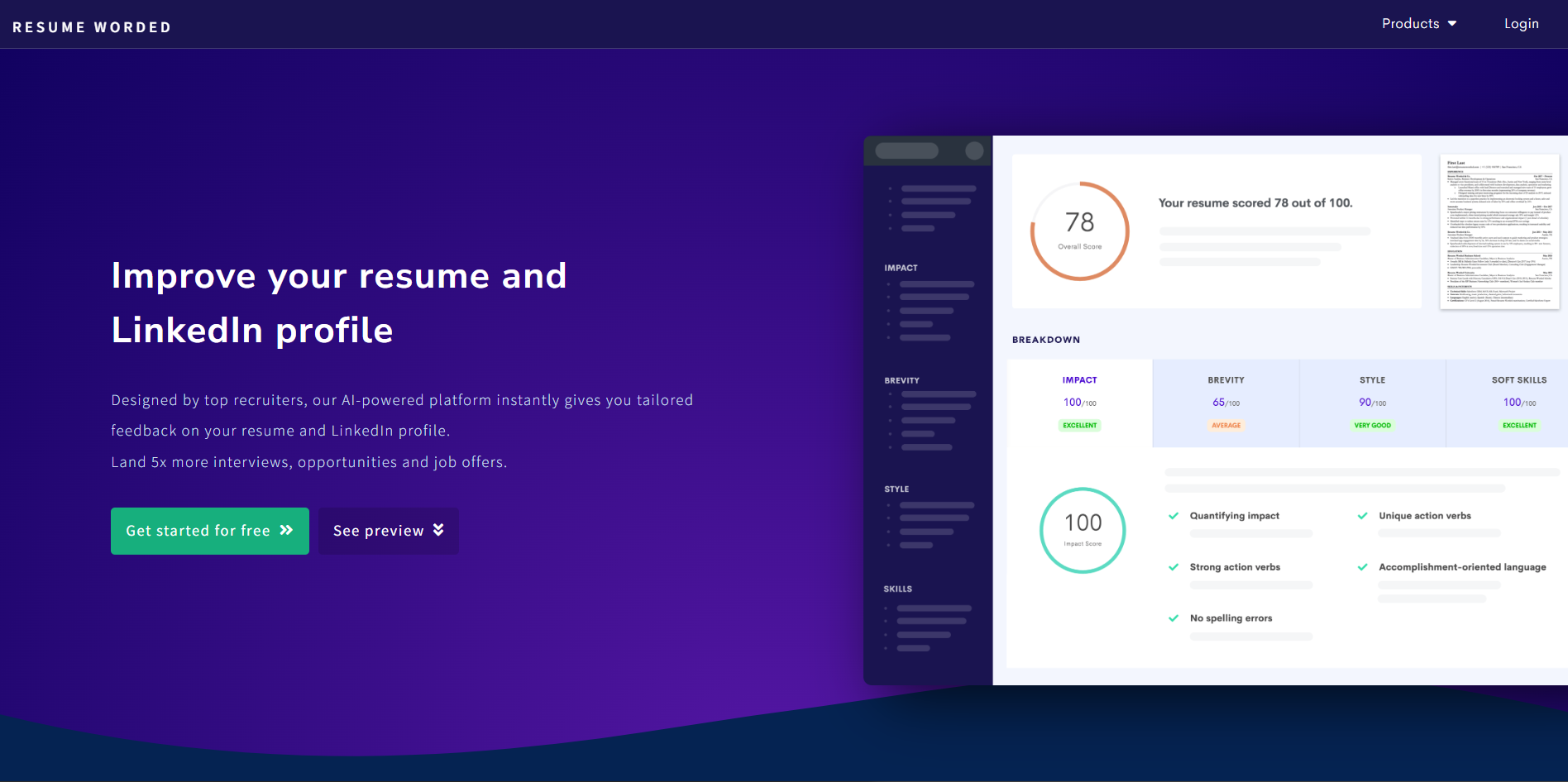
Resume Worded claims that they run more than 20 recruiter checks when you upload the resume. The resume checker gives detailed feedback for all the available suggestions on a free review.
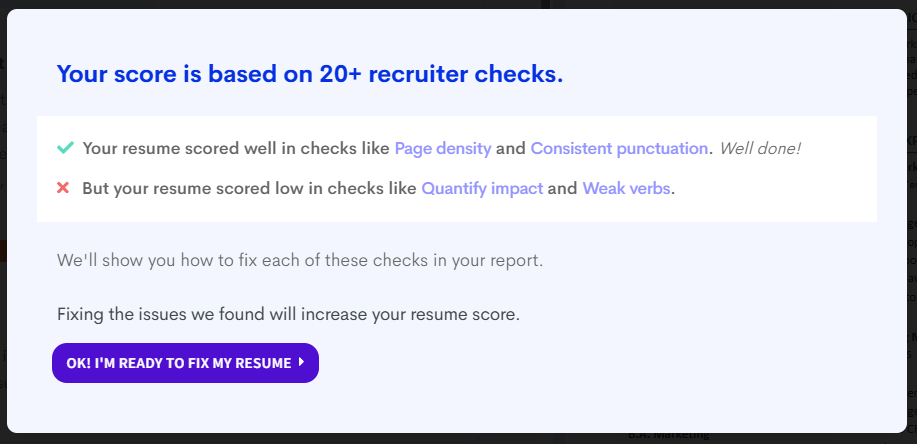
Once you upload your resume, it gives actionable feedback as a pop-up box.
What the tool flagged:
-
Flagged that bullet points aren’t quantified. On clicking the suggestion, it suggests all the lines that need to be changed.
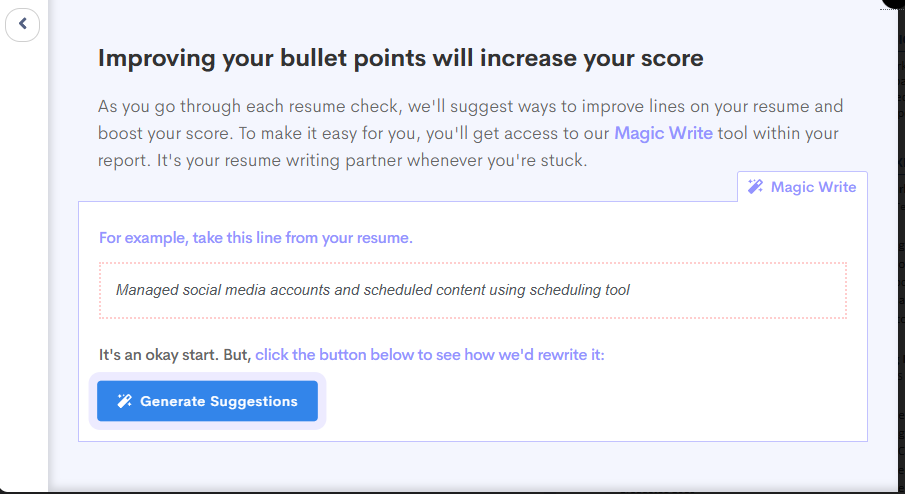
- The repetitions are also flagged, and there are suggestions for replacements, too.
- It tracks the score changes, too. When you make changes, the points change in real time.
What it missed:
- It did not flag the two-column layout.
- Most suggestions for content are hidden behind the paywall.
- It does have an ATS checker, but it is also hidden behind the paywall.
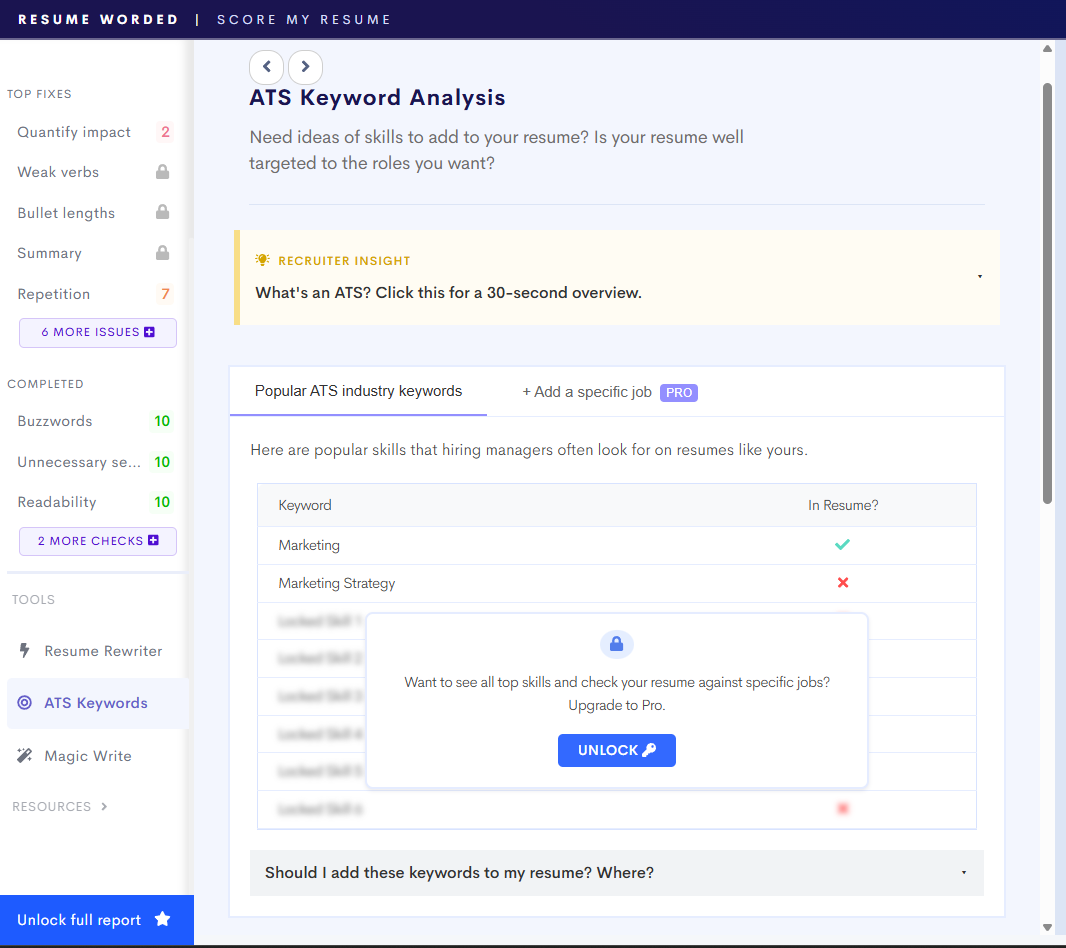
Verdict: While the free version has very few unlocked suggestions, there is detailed and actionable feedback to work with. You can easily pair this with other tools as well to make a successful resume.
| Feedback Specificity | ★★★★☆ |
| Keyword Detection | ★★☆☆☆ |
| Formatting Analysis | ★☆☆☆☆ |
| Score Calibration | ★★★☆☆ |
| Actionability | ★★★★☆ |
| Price From | $12.25/month (annual) |
Teal
Teal is very similar to Jobscan in terms of the offerings they provide. Teal has a Job Tracker, Company Tracker, Interview Practice and even Job Search.
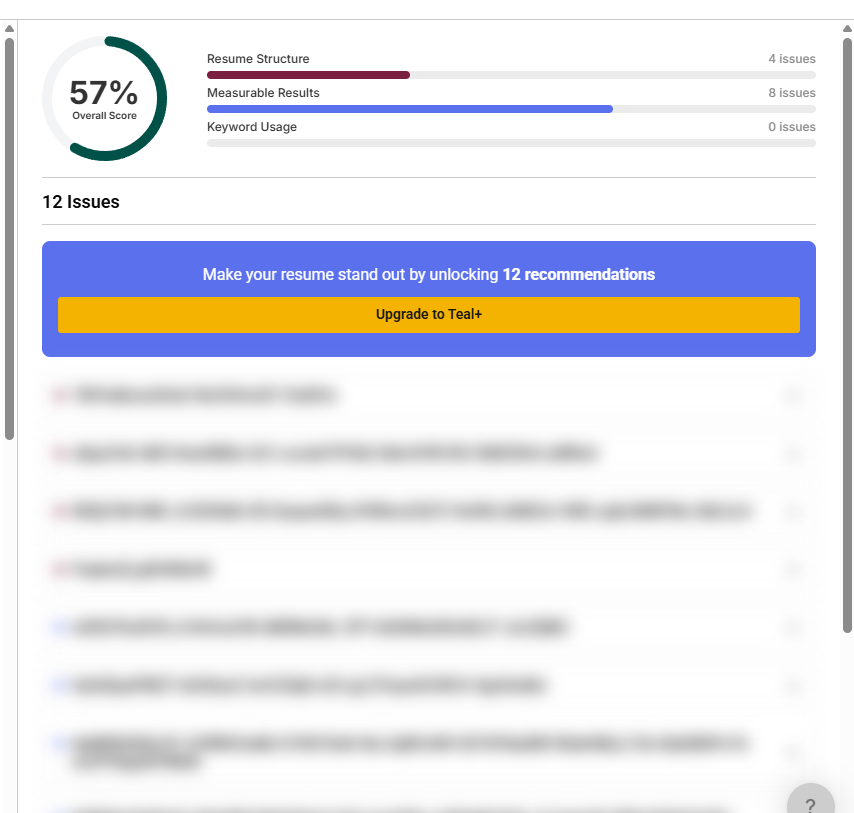
For the AI resume checker, it gave me two scores. A 57% overall score for the standalone Resume. When I added the Job Description, though, the score dropped to 24%. I didn’t take this as a bad sign again because the resume uploaded was flawed.
What the tool flagged:
- It showed that only 9 out of 39 skills were matching, flagging out Editorial, Optimisations, Full-funnel and Data. Other than these few flagged ones, all others were hidden behind the paywall.
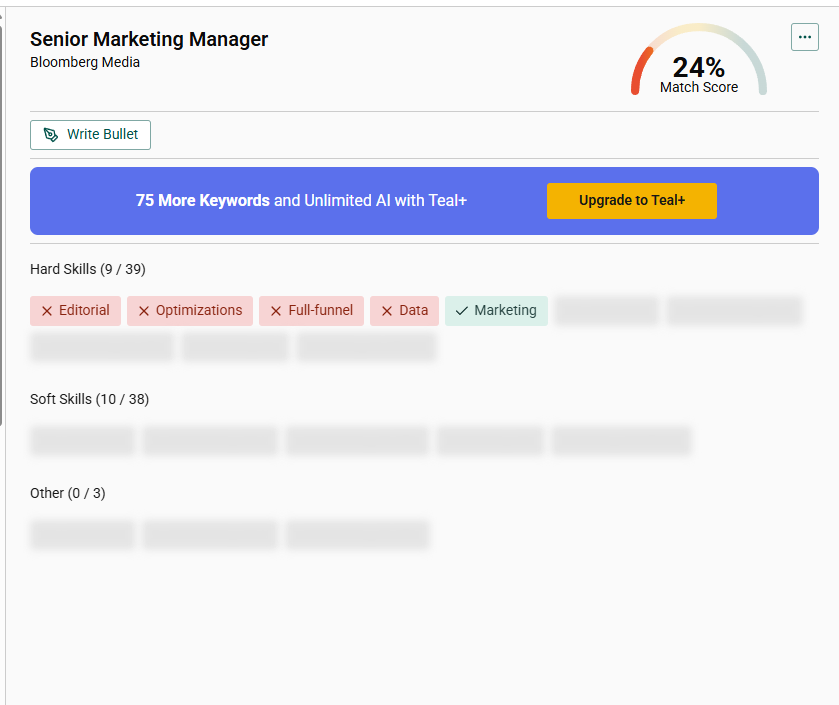
- Also, the words it flagged didn’t seem to be the keywords that were niche to the Job Description.
If I used them all, I would stuff my resume with random words, which isn’t something we are aiming for. - It turned the 2-column resume into one column by reading all the content and adjusting it into a single column.
Limitations of the tool:
- Everything was hidden behind a paywall except the score. The resume feedback didn’t even mention any basic mistakes I could fix.
- While it did convert the resume into another template, it never mentioned anywhere why.
- There was no mention of the ATS score checker or any ATS tips.
Verdict: The free tier of the tool, if you are looking for reviews, is not useful at all. The other Job Tracking features seem good, but apart from that, I’d rather stick to Jobscan.
| Feedback Specificity | ★★☆☆☆ |
| Keyword Detection | ★★★☆☆ |
| Formatting Analysis | ★★☆☆☆ |
| Score Calibration | ★★★☆☆ |
| Actionability | ★★☆☆☆ |
| Price From | $29/month |
Enhancv
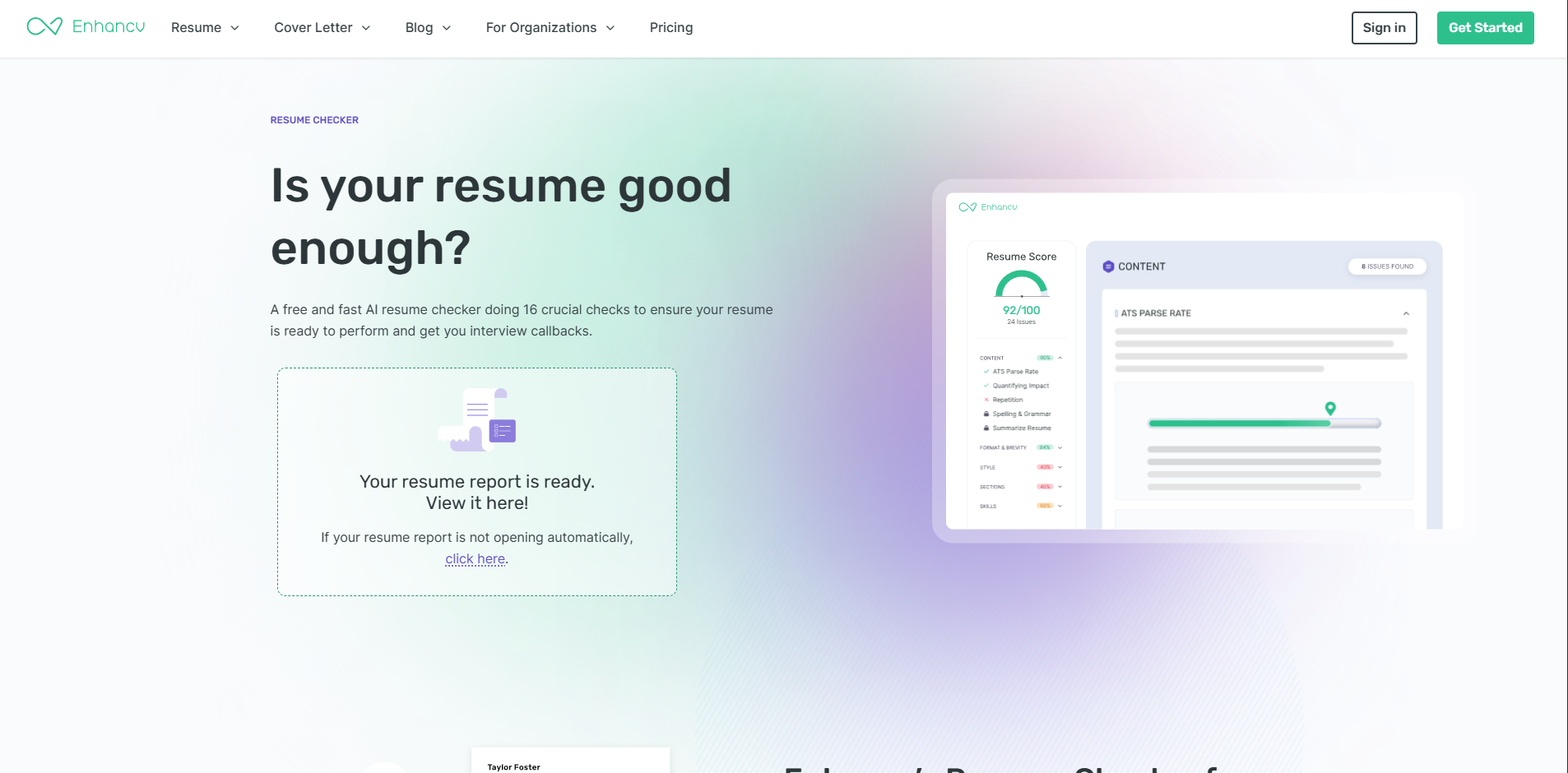
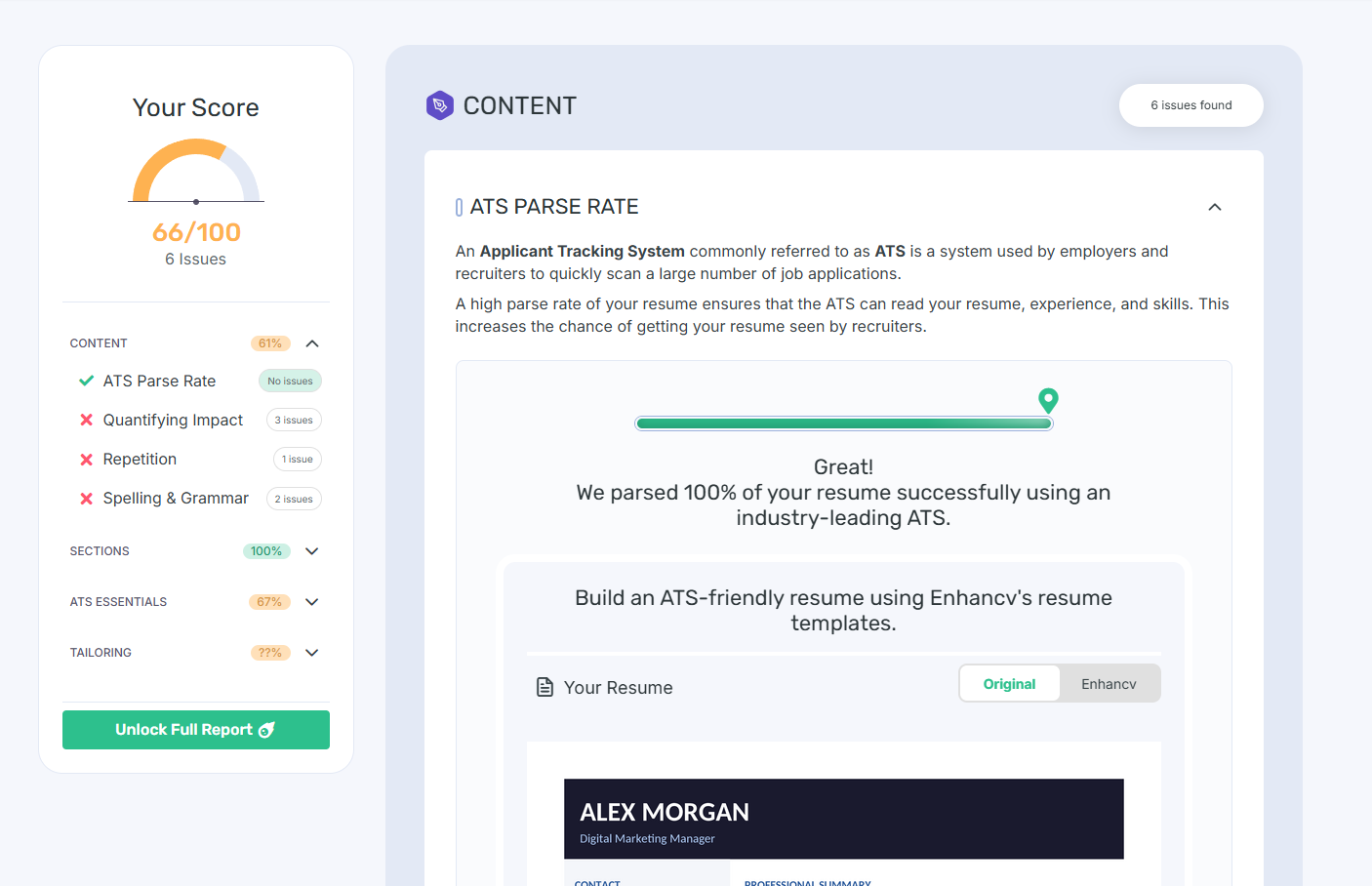
Score: 66/100 without JD and 58/100 with JD
One thing that I really liked about Enhancv right off the start was that there was no sign-up form for the Resume Review. The review was easy to browse through and not confusing either.
Similar to Jobscan, the review was divided into multiple parts here. It was a more detailed review than the other two tools checked so far. The tool parsed the resume through ATS and gave suggestions accordingly.
The initial score was 66, which then dropped to 58 when I added the JD. Each section had particular reviews. Out of the tools I had tested till Enhancv, it was giving a very in-depth review. And all of this for the free account without upgrading
What the tool flagged:
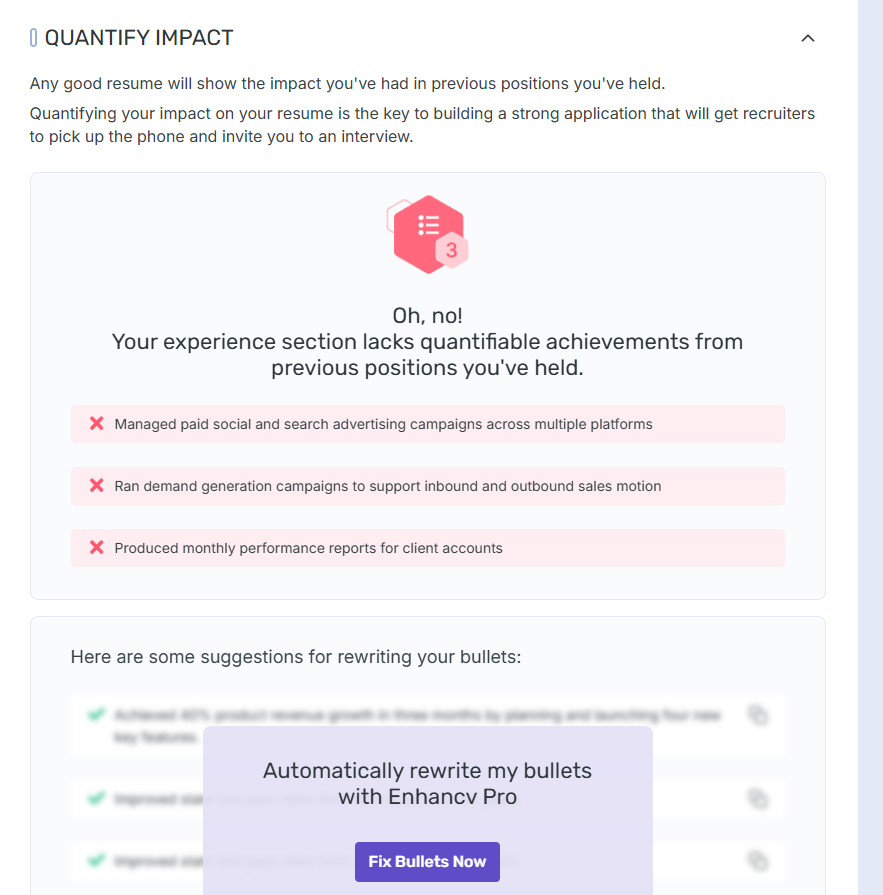
- Enhance had an entire section that suggested quantifying the impact. It also flagged the particular sentences where some numbers were needed. Other tools till now had not flagged the same.
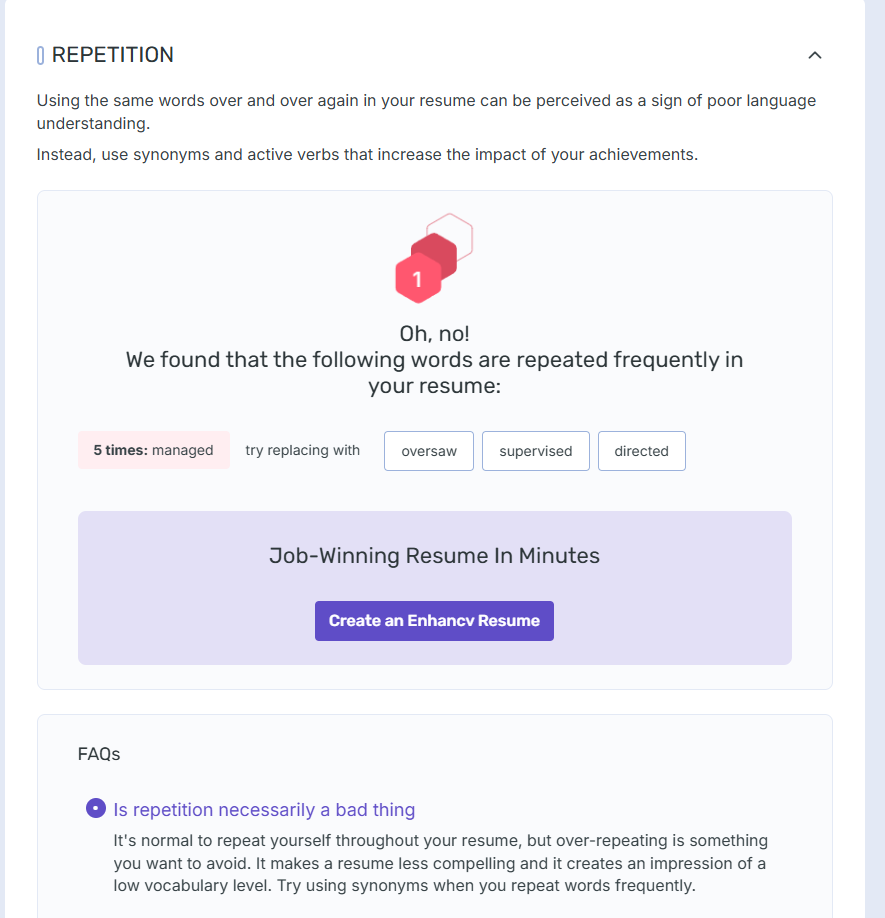
- Flagged the repetition of words and also suggested alternatives directly.
- Showed only 19% score for the tailoring section, which matched Alex’s resume to the JD.
Limitations of the tool:
- The tool helps you get all the feedback for free, mostly, but rewrites are hidden behind the subscription.
- It flagged the original resume design as generic, but the suggested one was also 2-column, which is again less ATS-friendly.
- If you sign up to check out more features, the tool prompts you to upload a resume as is or generate one with AI. The latter options add bullet points with numbers and any other gaps with no context taken from the job finder.
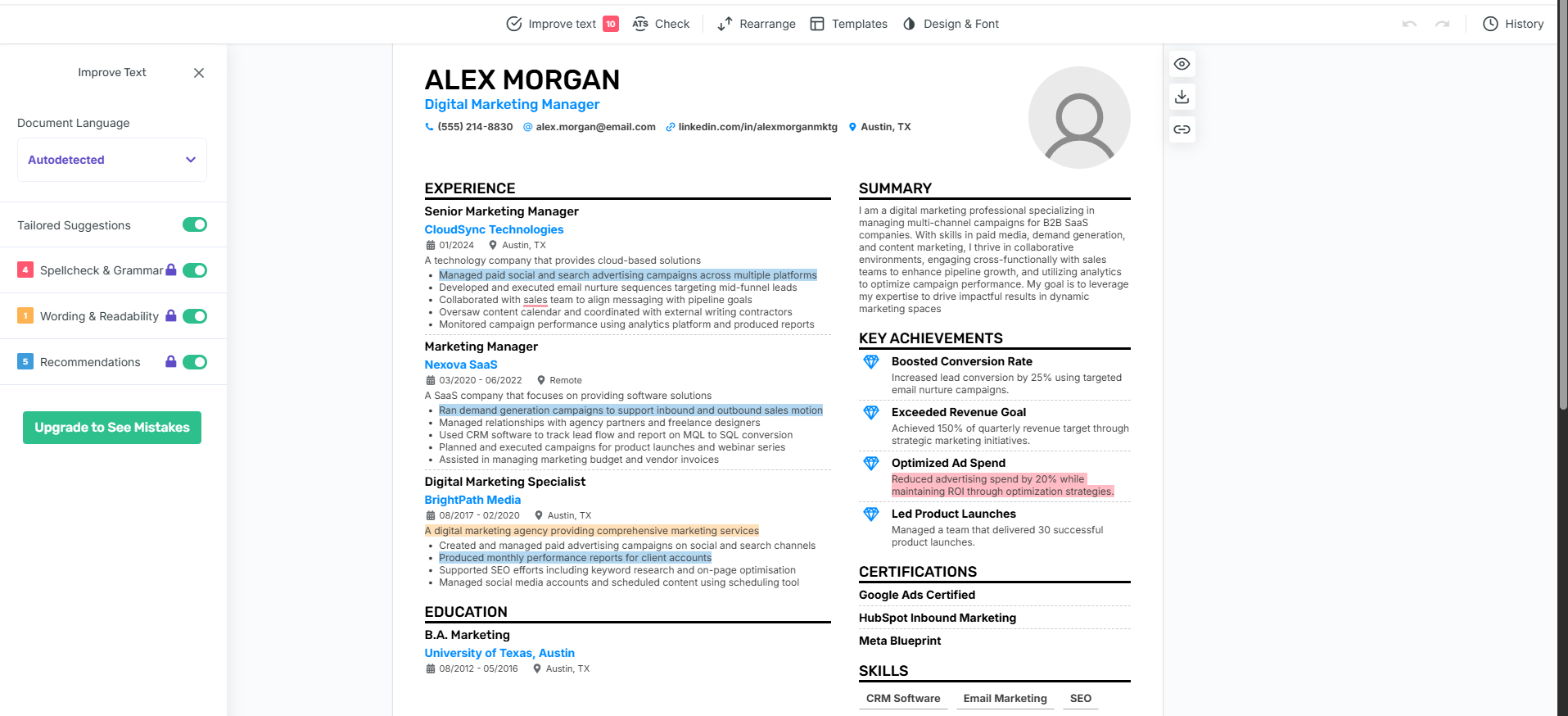
Verdict: Enhanccv has an overall good review, keeping both ATS and writing feedback in mind. The only thing to be careful about is the sentences generated with AI, which might need manual fixing.
| Feedback Specificity | ★★★★☆ |
| Keyword Detection | ★★★☆☆ |
| Formatting Analysis | ★☆☆☆☆ |
| Score Calibration | ★★☆☆☆ |
| Actionability | ★★★★☆ |
| Price From | $16.66/month |
KickResume
Score: 30/100
Kickresume scored the resume 30/100 and flagged Design as the weakest link at 5/100. When I uploaded the resume, the tool itself rendered the original into a new format. And this new format was scored.
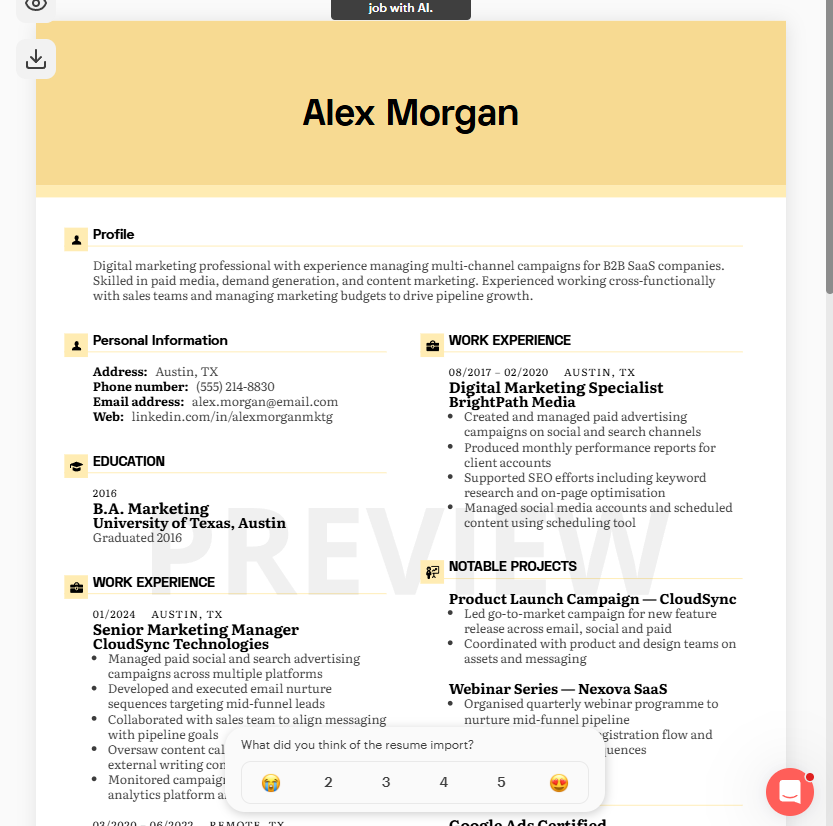
KickResume’s AI generated a lot of things in the resume I had updated, and later flagged them.
When you upload the resume at first, though, you cannot intuitively see any reviews anywhere.
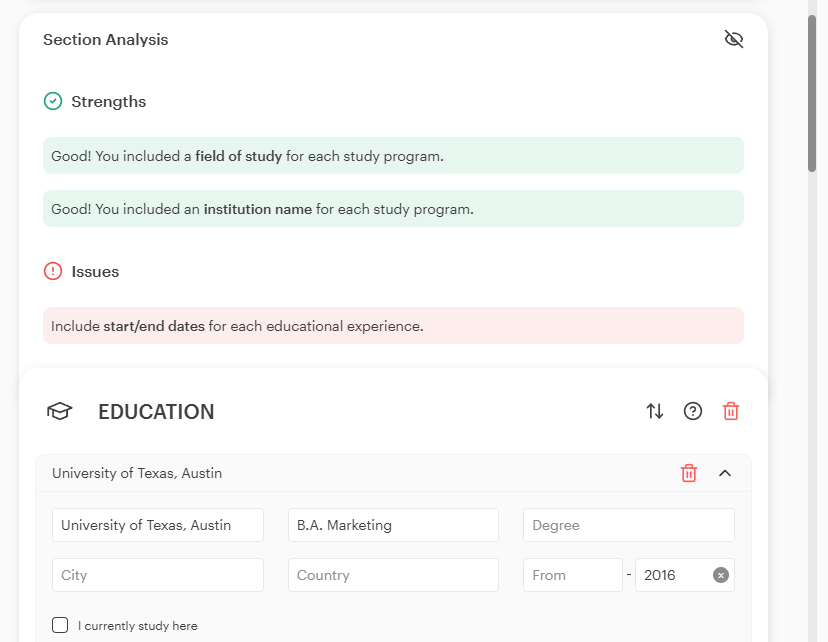
You had to go and click each section, and then a top bar on the section would appear, which had to be clicked to see the analysis. That was too many clicks to get the review.
KickResume also has Resume tailoring according to Job Description, but things just get added rather than asking the user more questions and being context aware.
Also, to get the ATS score, you have to visit the “Improve” tab from the navigation.
What it flagged:
- It parsed the resume through ATS and gave a score of 30/100, with Design identified as the weakest area.
- The section analysis flagged missing dates.
- The skills section warned about ATS risks with skill representation as graphics.
Limitations of the tool:
- Well, everything that the tool flagged was generated by KickResume’s AI. I did not have a graphical representation of skills or the flagged design in the original Resume.
- Did not flag any skill gaps against the JD or the missing metrics.
- Content score was 97/100, even with no specific skills mentioned, and bullet points not having numbers.
- Most suggestions for review were hidden behind the paywall.
Verdict: I would say that KickResume’s AI is not very contextual in nature. The tool also doesn’t give any major review on content, skills and tone of the resume. It only focused on the ATS part, which could be done by other tools too.
| Feedback Specificity | ★☆☆☆☆ |
| Keyword Detection | ★☆☆☆☆ |
| Formatting Analysis | ★☆☆☆☆ |
| Score Calibration | ★☆☆☆☆ |
| Actionability | ★☆☆☆☆ |
| Price From | $4/month |
Resume Genius
No score
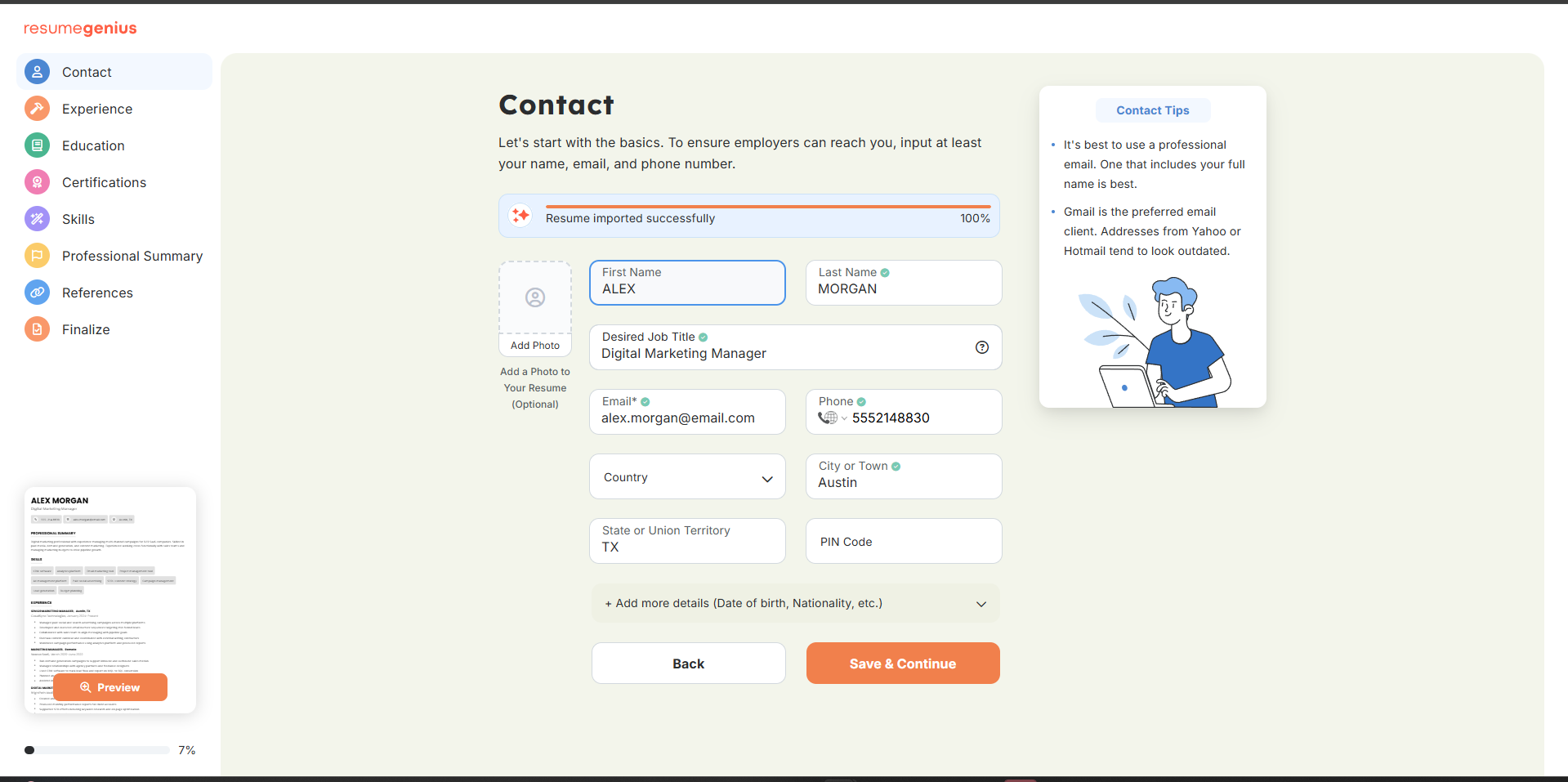
Resume Genius is not a resume review tool, to be honest. It is a resume builder. When you upload your resume file, it gets separated into a structured editor of its own. You get some assistance in writing the summary and also spell checks.
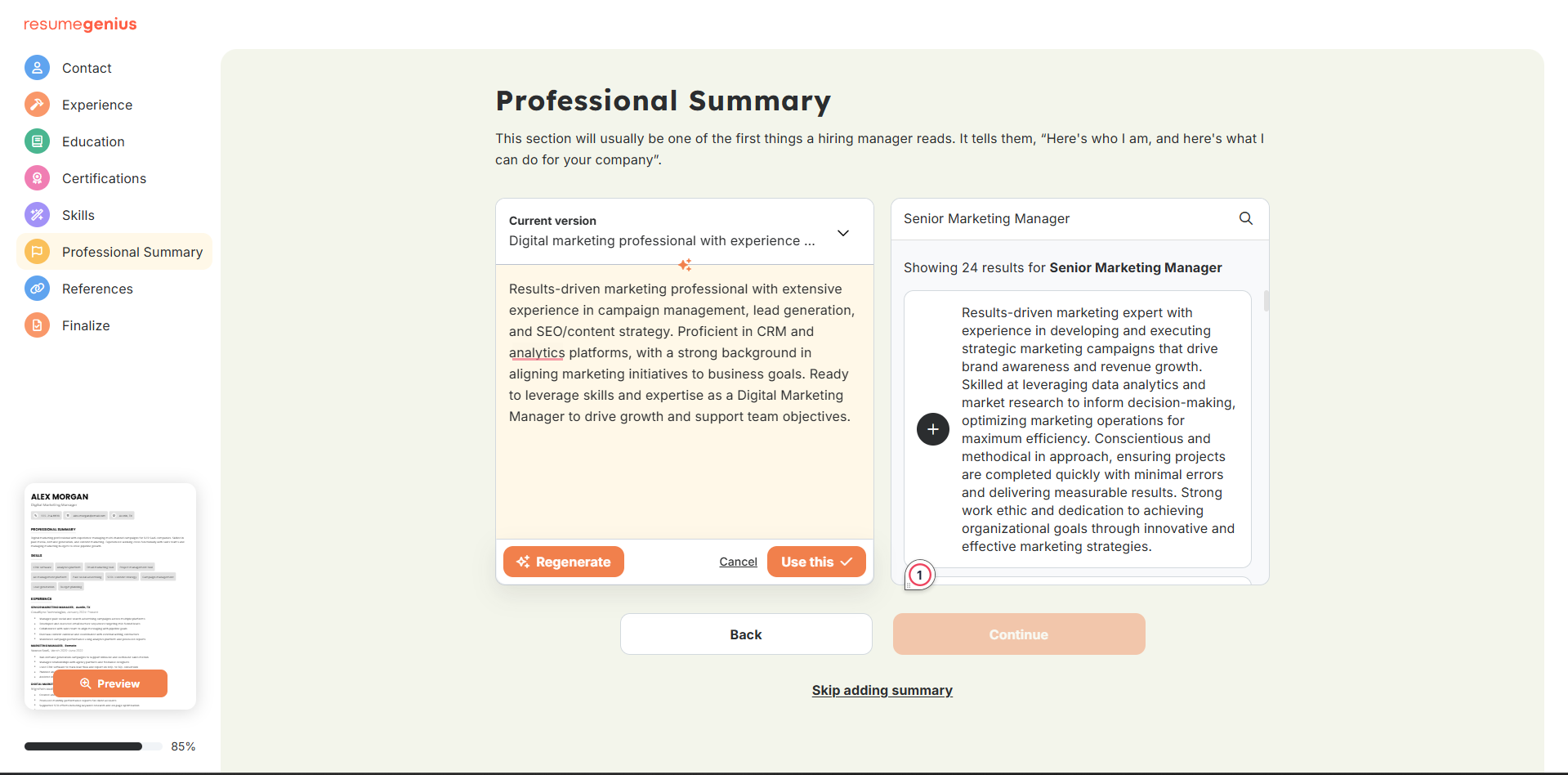
It does not have tailored suggestions, but it does have some tips that you can incorporate into your resume to make it better.
There are different layouts you can choose from, though. On their page, they showcase the resume templates being taken from hires at extremely good companies. You can actually use Resume Genius to create your resume and then use another tool to check the content.
One thing worth noting is that the free tier version doesn’t let you download the resume in PDF or Word format. For that, you would need to upgrade to one of their plans.
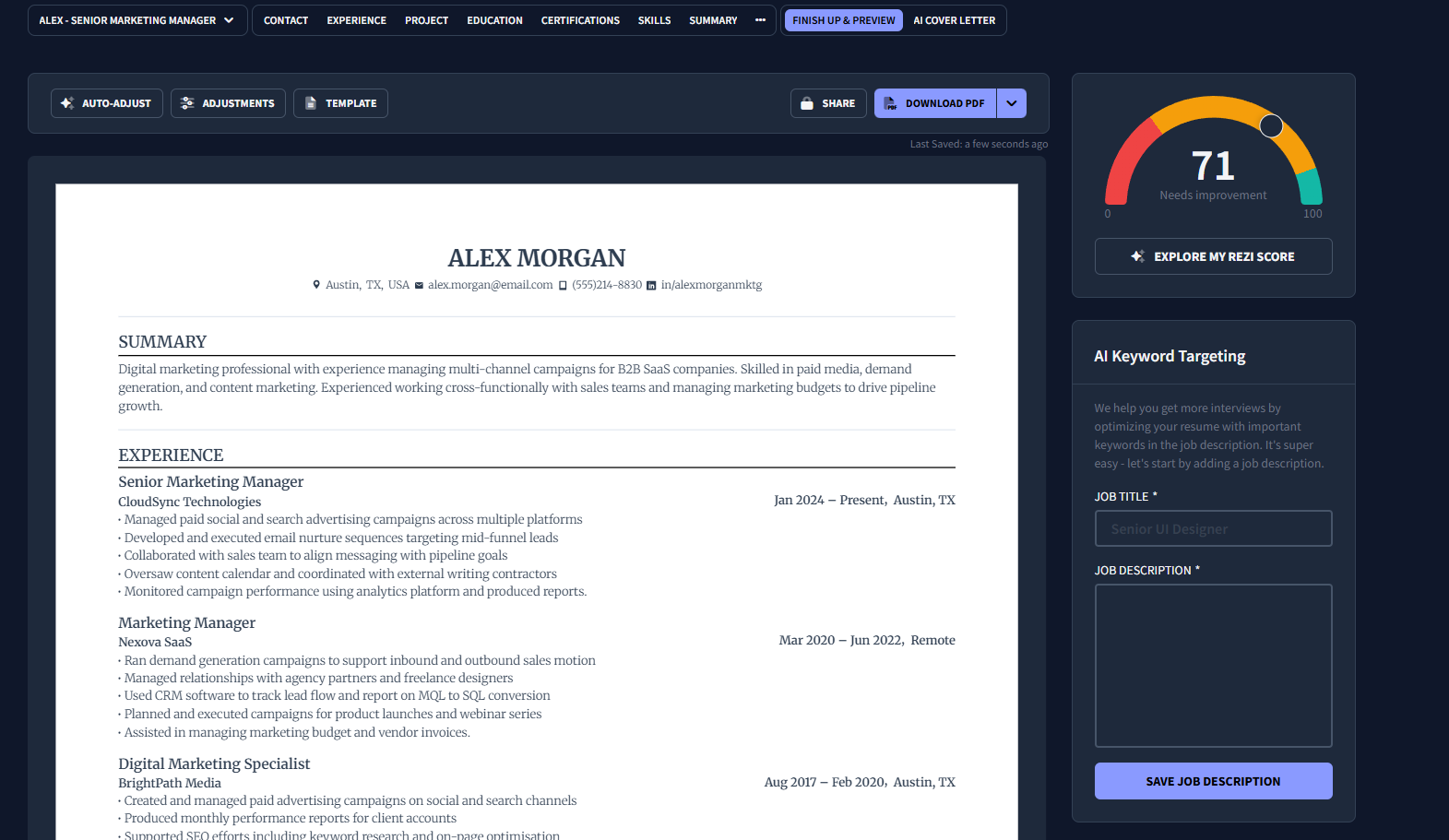
Rezi
Score: 71/100 → 74/100 with JD
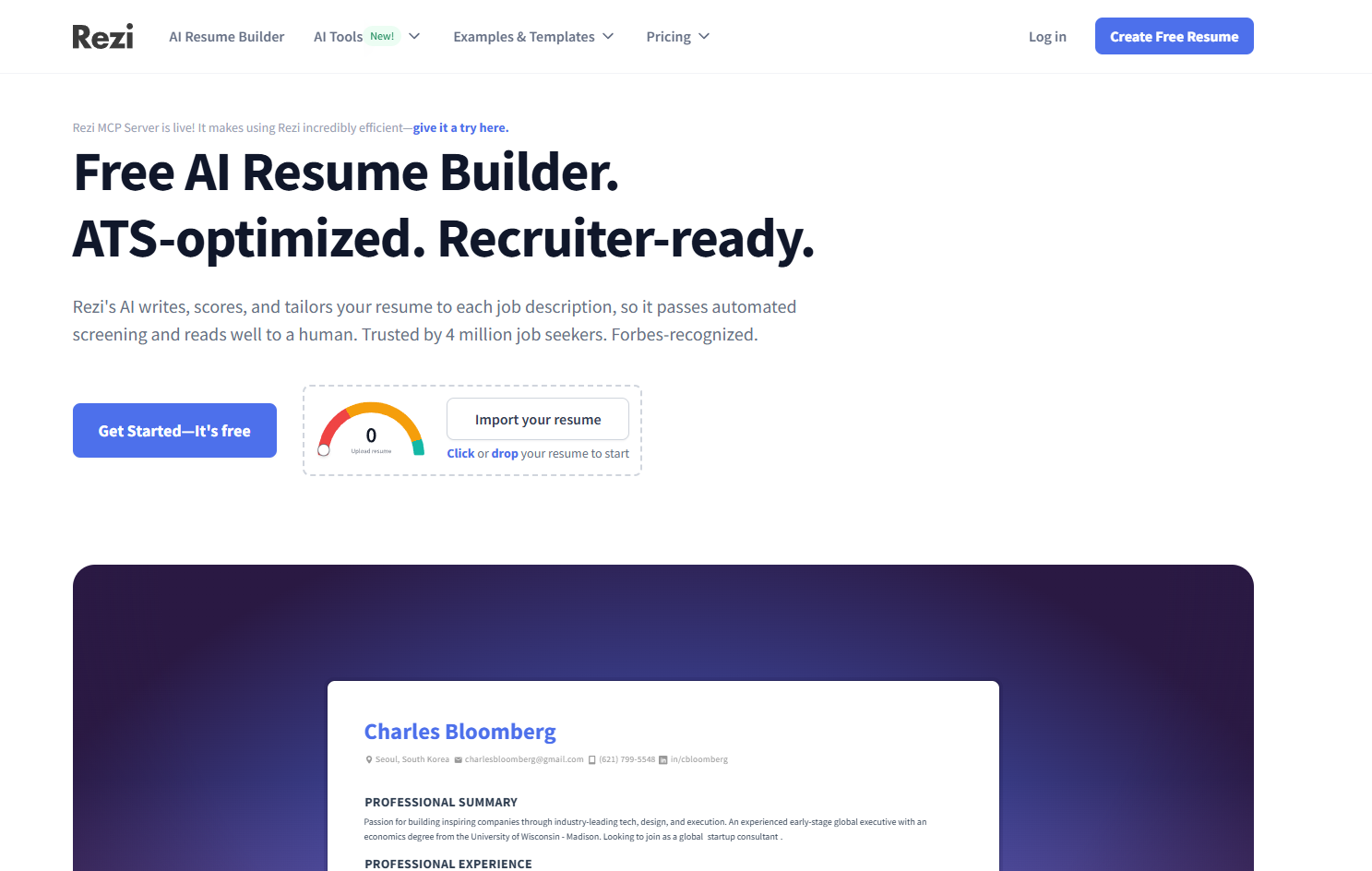
The score Rezi gave was very high. When I uploaded the JD for the target role, the score increased instead of decreasing.
With the high score, though, Rezi gave very detailed feedback too. Like most other tools, Rezi also converted the resume automatically into a single-column layout. To check the breakdown of the score, you have to click on the score section.
Some scores that Rezi presented were:
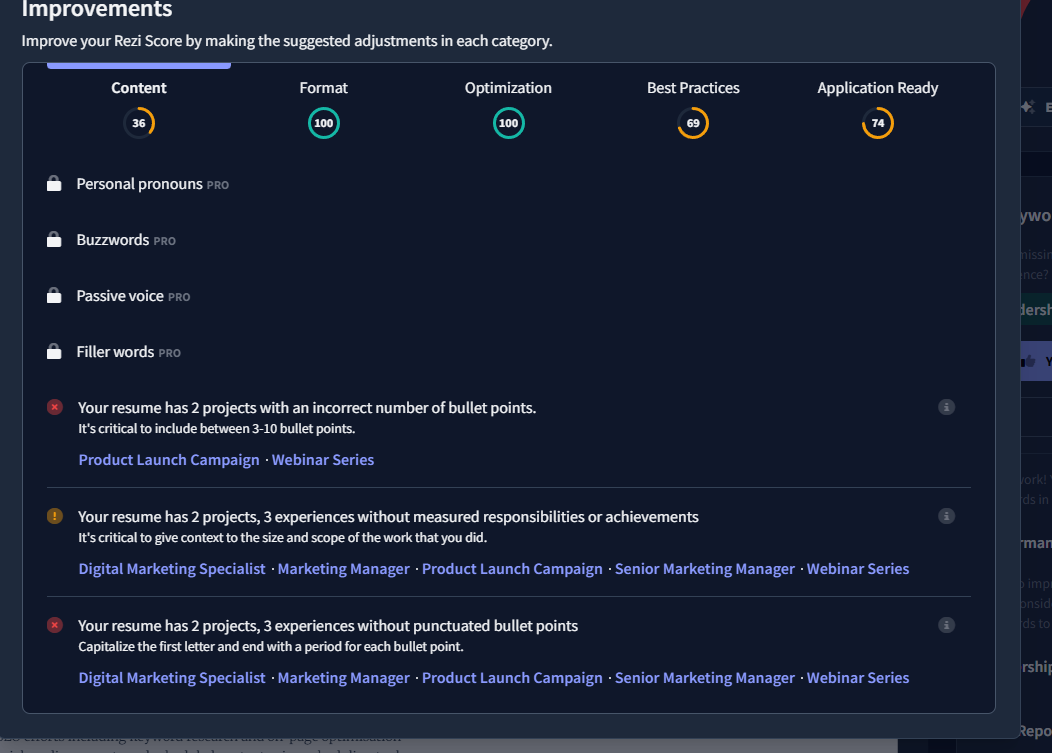
Content — 36/100
Format — 100/100 (This format was created by Rezi itself)
Optimisation — 100/100
Best Practices — 69/100
Application Ready — 74/100
What it flagged:
- With the score, it also gives AI Keyword targeting. One different thing when compared to other AIs is that it asks you before adding things to the resume.
- It flagged out the missing measured results. It also flagged out the inconsistent number of bullet points.
- In the best practices session, there was also a mention to correct the date formatting issues and to add more words.
What it missed:
- The AI optimisations sometimes suggest and rewrite false information. Always check through the suggestions once before finalizing the content.
- The Overall score of 74 can still become problematic if given to a beginner.
Verdict: It provides a lot of granular feedback even with the free version. Verify anything you write using AI.
| Feedback Specificity | ★★★★☆ |
| Keyword Detection | ★★★☆☆ |
| Formatting Analysis | ★★☆☆☆ |
| Score Calibration | ★★★☆☆ |
| Actionability | ★★★★☆ |
| Price From | $19/month (or $149 lifetime) |
What the Test Revealed — 5 Findings Worth Knowing
Score Varies through all AI Resume Reviewers
Even when the same resume was passed through different reviewers, the score was different. The scores ranged from 24% to 74%.
Some tools would lower the score due to content gaps. Other tools would give a higher score due to more keywords being present. If a job seeker gets a higher score, they might not move to another tool or look for more feedback.
If you use more than one tool, you should choose the lowest score as the baseline.
Formatting Analysis Is the Most Ignored
ATS has upgraded over time, so sometimes two-column layouts aren’t a problem. Yet, when you search online, most people recommend no-column layouts. Most of the tools we used for testing didn’t flag the formatting.
Jobscan did flag the layout, but it was hidden behind the paywall. Some other tools, like Teal and Rezi, automatically turned the resume into a single-column layout.
There was no formatting analysis in any tools of any other sort, either.
Generic Advice is Worse Than No Advice.
If a tool gives you “Add More Keywords” as a review, it might not be helpful. No job seeker or student knows which keywords have to be added.
Jobscan flagged not having ‘go-to-market’ in the resume. With that, you would understand what to add. Enhance and Rezi also provided very specific feedback, which would be useful for the users.
The Free Tier is Good Enough for Most Job Seekers
You don’t need to pay right away for any resume review tools. All of them have their benefits, even with the free version.
Jobscan gives you an apt score, and Enhancv has structured feedback without even asking for a login. Rezi also checks and gives very granular feedback. So utilise these rather than spending your money on tools randomly.
The AI-written content by resume reviewers needs a manual check.
Most of the tools that were tested have some sort of AI enhancer for the content. A common pattern in the output is that the AI adds experiences and numbers that aren’t true.
Working professionals, students and job seekers should double-check the AI-generated enhancements. These refinements have inflated numbers for achievements, which can become troublesome.
FAQs: The Only Honest AI Resume Review Tool Test
What is a good ATS score for a resume?
There are no benchmarks defined for the same. Every tool has a different methodology by which the scores are presented. On some tools, if the keyword match between Job Description and Resume is more than 75%, the score will be higher. On others, it can go above 80% too.
If a tool signaled there is 80% match, but it didn’t mention that you had to match the hard skill “go to market campaign”, it wouldn’t be an apt score. Keep the score in mind, but also look out for necessary changes you should be making.
Are AI resume review tools accurate?
AI resume review tools give out estimates and not real ATS outputs. Scores can vary significantly across tools because each of them uses different algorithm. These algorithms measure keyword density and formatting but the overall algorithm is different for each for final scores. Use them as signals to identify gaps and make changes and don’t consider the output as pass/fail grades.
Is an AI resume review better than a human review?
AI tools are faster, cheaper, and help you with better ATS simulation. A human cannot tell you how the ATS system used by the company is going to parse your resume. AI tools have this informed feed, so they can simulate and flag major issues.
Human reviewers can help you with narrative coherence, closing gaps between any breaks, and help you with tone and structure, too. Once your resume goes through automated detection, the hiring manager wants to read this.
For entry-level job seekers, AI tools can manage the ATS as well as overall feedback. For anyone wanting to switch jobs or senior executives, human reviews and edits will add more value.
You can always run your resume through an AI tool first and fix some errors. Then you can pass it to a human for review.
What do AI resume checkers look for?
AI resume checkers evaluate three different areas:
- Keyword match against job description
- ATS formatting compliance
- Writing quality
Most tools score against these three but have different weights for each. That is why the same resume can have different scores across tools.
Can I use ChatGPT to review my resume?
It depends. ChatGPT will be closer to helping you with writing quality than ATS. You should use other specific tools for the AI Resume Reviewer tool to check the ATS. If the tools flag any issues with your bullets and sentences, you can use ChatGPT to structure your resume.
It can help you with bullet points, suggest stronger action verbs, and identify passive voice sentences to change them. The best way to use ChatGPT will be to pass the resume at least once through free AI Resume Reviewers and then work on the editorial part.
The Most Common Mistake: Using One Tool and Trusting Its Score
If you just check the resume score using one tool, you’re doing it wrong. As per our tests, we realised that the scores for each app can be different. When you stop at one tool, you might miss out on some other errors.
The best option is to use at least two review tools. Feed the same resume to both of them. Then, compare the analysis. Whichever errors are flagged by both tools, treat them as a priority. For others, take judgment and change or let it be as it is.
With this approach, you’ll stop optimising for ‘scores’ in the tools. You get to work on the mistakes and fix them from multiple angles.
Who Should Use Which Tool
| Situation | Best Tool(s) | Why |
| Want writing feedback, no sign-up | Enhancv free | Best bullet-level feedback, zero friction |
| Want the most specific metrics feedback | Resume Worded free | “1 of 18 bullets quantified” as detailed feedback |
| Running an active search | Teal free | Best job tracker, Chrome extension |
| Targeting large companies with known ATS | Jobscan paid | Only tool that identifies the specific ATS |
| Want granular section-level feedback | Rezi free | Most detailed free breakdown |
| Long job search, tight budget | Rezi lifetime ($149) | One-time payment, full access |
| Switching industries or career path | Enhancv free | Best at reframing experience through bullet-level feedback when your background doesn’t directly match the JD |
| Senior or executive roles | Jobscan paid + human review | Identifies company-specific ATS; at this level, pair with a human editor for narrative and tone |
| Just need a resume builder | Kickresume or Resume Genius | Neither is a review tool |
Make Your Resume Job-Ready
The AI resume review tools work only if you understand what they measure and where you need manual intervention.
- Most tools out there cannot give you accurate ATS scores, but they can help you with an estimate.
- Formatting of your resume is critical to pass through automation and reach a human.
- While you think of automation, also think about the human who will read your resume. Do not stuff your resume with only keywords.
If you ask me, the best AI Resume Review tools you can try right now are Jobscan, Enhancv and Rezi. This conclusion is based on the features and feedback they provide, even with the free plan.
Take help from the AI Resume Review tools and bridge the gap in your resume. Once your resume is ready, the next step is to share it. Share your resume easily from any device using Tiiny Host without needing any developer experience or downloading any tools.