
- What is a markdown file?
- The two people who built the .md file extension
- How Markdown Language Syntax Works
- From .md extension file to Rendered Output
- Why Markdown looks different in different places
- Markdown and the AI era
- A Step-by-step Framework to Create, Edit and Publish your .md file
- How .md compares to other formats
- Frequently Asked Questions about MD Files
- Markdown files power the entire system
- The best tools for working with .md files
- A format that quietly changed the internet
You clone a GitHub repository for the first time, and the very first file that greets you is README.md.
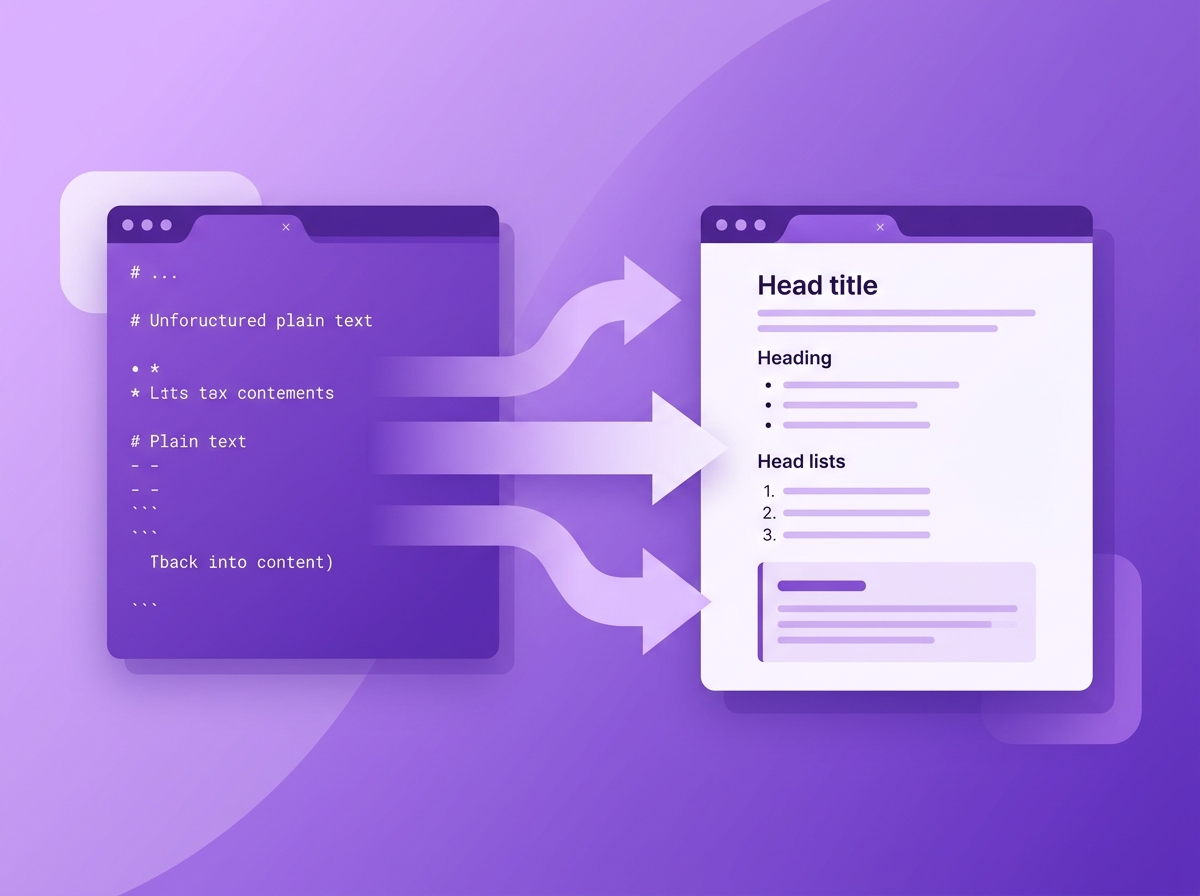
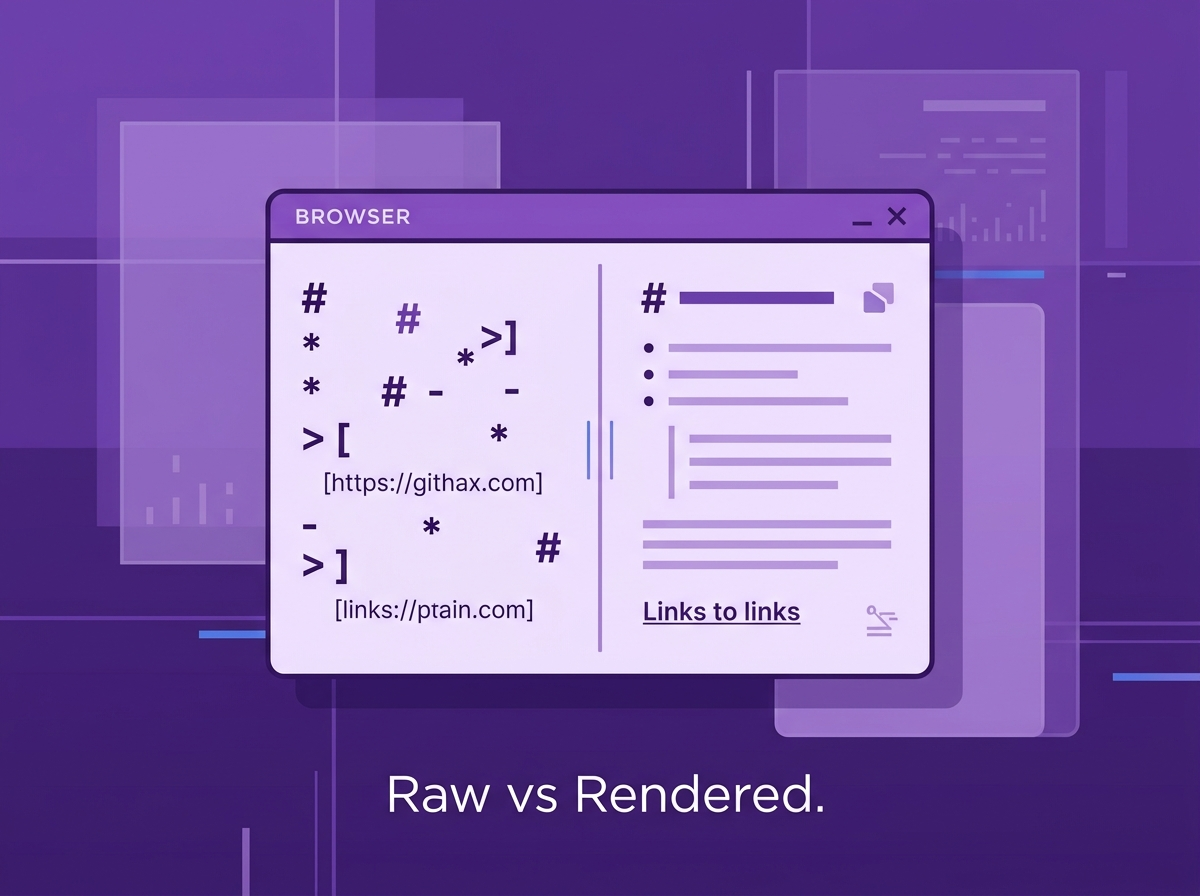
You open it, and it’s all plain text with different symbols. Then you open the same file on GitHub and the file looks beautiful. It has proper headings, bold texts, bullet points and even clickable links.
You prompt Claude to write a blog for you; it’s structured in the preview, but when downloaded, you get an MD file. And the format doesn’t look the same as the preview. The gap between raw text and the structured output you see is due to markdown.
But what is this .md file?
It is Markdown, and that is what we are going to learn about today.
What is a markdown file?
A .md file is a plain text document written in Markdown. It is one of the most popular markup languages.
If you open a .md file, you can see that the text is readable to anyone and not like code. There are some symbols which help format the texts.
Markdown is a lightweight markup language, and .md stands for “Markdown documentation”. The file stores the content as readable text, and when opened on a compatible app, you get a transformed output.
How exactly did the MD file come into existence?
The two people who built the .md file extension
Markdown was created in 2004 by John Gruber and Aaron Swartz.
Gruber is also the writer behind the popular tech blog Daring Fireball. Swartz was a programmer, an internet activist and a believer in open access to information. Swartz co-founded Reddit and helped build RSS.
Markdown was built to be a writing tool for everyone, not just for developers. While HTML is easy, it still requires some understanding of code. A person not in the technology field might not be interested in HTML. When the founders created Markdown, they also included the option to easily convert.MD files into HTML or XHTML.
Gruber and Swartz wanted something simpler than HTML (Hypertext Markup Language), but also open, portable, and free. That’s how .md files came into existence.
Today, MD files are used for blogging, instant messaging, AI training and large language models (LLMs). It is also widely used in online forums, documentation pages and collaborative software.
You know, there is a .txt file too, which reads clearly for everyone, but it doesn’t have features like beautifying the blog or converting it to HTML.
How exactly do MD files beautify the content written?
How Markdown Language Syntax Works
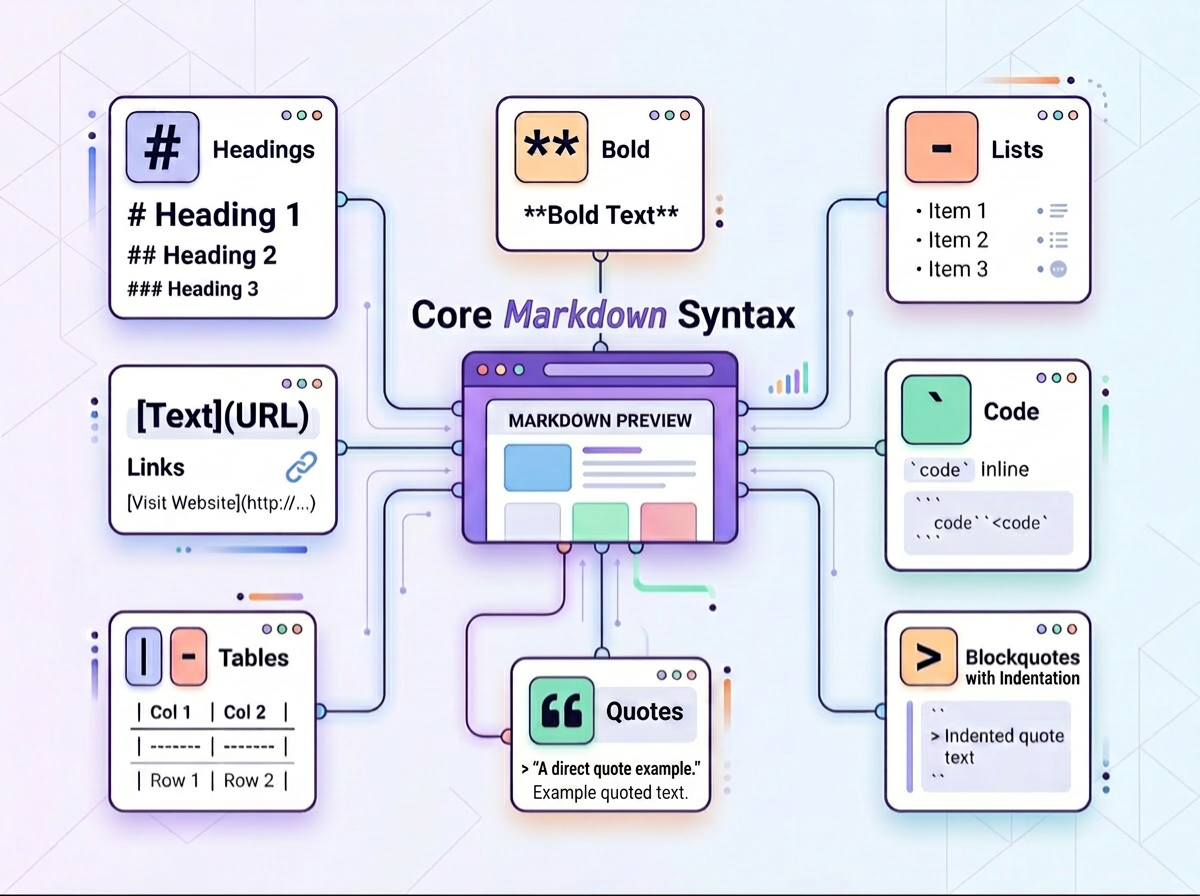
Understanding what makes a .md file useful requires understanding its syntax. The formatting syntax is simpler than you think.
Markdown replaces complete HTML tags with small, readable symbols. You type them inline, and the renderer handles the rest.
Core Markdown Syntax Elements
Here are some elements you might be interested in knowing about!
Headings
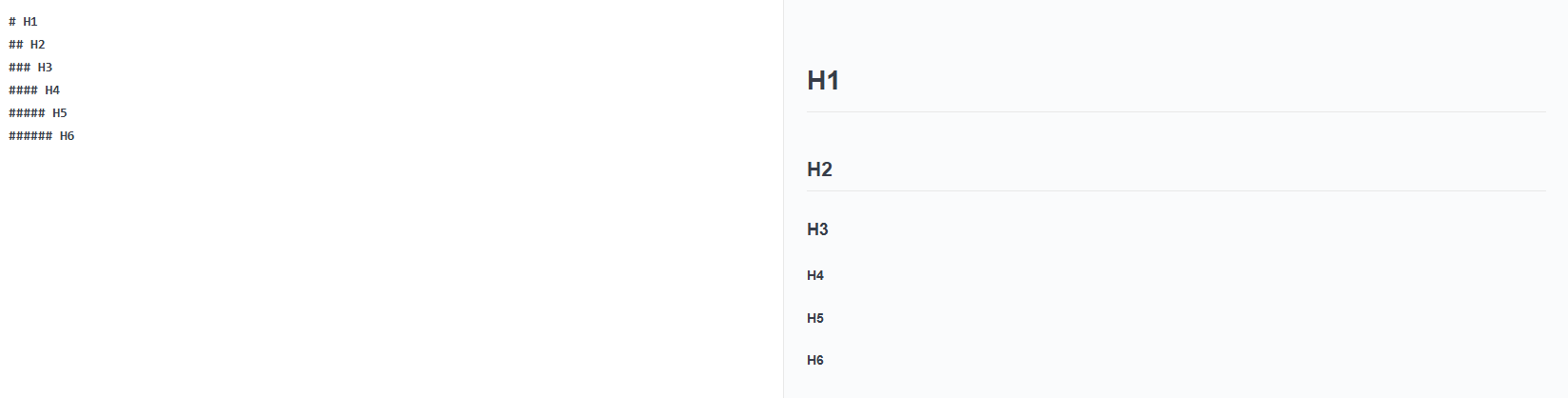
A single ‘#’ before text creates a large heading.
When you write ‘##’, you get a slightly smaller one. You can go to 6 # to create different heading levels. Very similar to H1, H2, H3, etc., you see in HTML or even text editors like Word documents.
Bold and Italic
You use asterisks to change the weight of the text. You double asterisks to make the text bold. Use single asterisks to italicise text, and you can use a combination to make it bold and italic text at the same time.

Lists
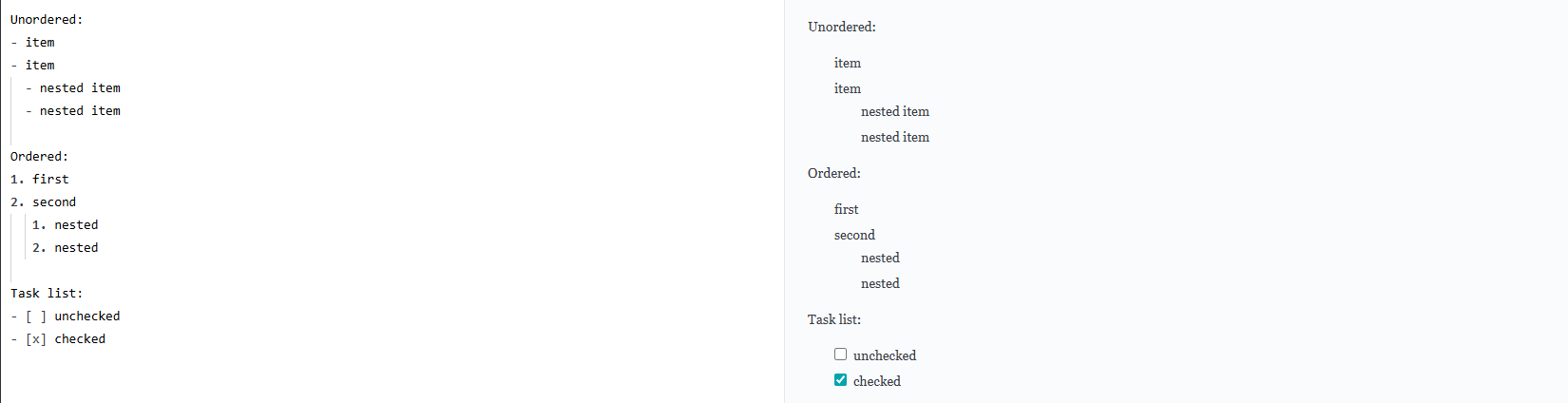
If you are writing, you need lists. Lists are quite easy to make. You can make a bulleted list by starting the line with a dash (-) or asterisk (*). For a numbered list, just start with a number, then a period.
You can indent on any line to make a nested list.
Links and Images
A link usually looks like this: [link text](url here)
Images in markdown are inserted in a similar manner but with an exclamation mark at the end: 
Code
For any inline code that you want to showcase, you can use backticks (``). This can be useful if you want to show a tag or function, or just a word of the code.
If you want to paste a whole code block, use triple backticks (```)
You can also add the name of the programming language after backticks to get syntax highlighting.

Tables
Markdown has a simple way to showcase data in table format.
You use pipe characters (|) to separate the columns.
A row of dashes beneath the header row will create the table structure.
Do not worry about the alignment at the moment; the rendering will fix the formatting.

Horizontal Rule
Sometimes you just need a clean visual break between sections. Type three dashes —, three asterisks ***, or three underscores ___ on their own line and you get a full-width divider. All three produce the same result.

Blockquotes
A > at the start of the line created an indented blockquote for you. If you use two >>, you can get nested quotes.
The whole point of the syntax is that markdown-formatted text remains readable to everyone even without rendering. Unlike HTML, you do not need to know what a tag is or what the information is.

If I am writing with all the markdown symbols, how do I get the output with all the formatting? It’s a question a lot of people face. As I mentioned before, Markdown can be converted easily into HTML.
From .md extension file to Rendered Output
Here’s what happens between writing your .md file and seeing it as a webpage or in documentation.
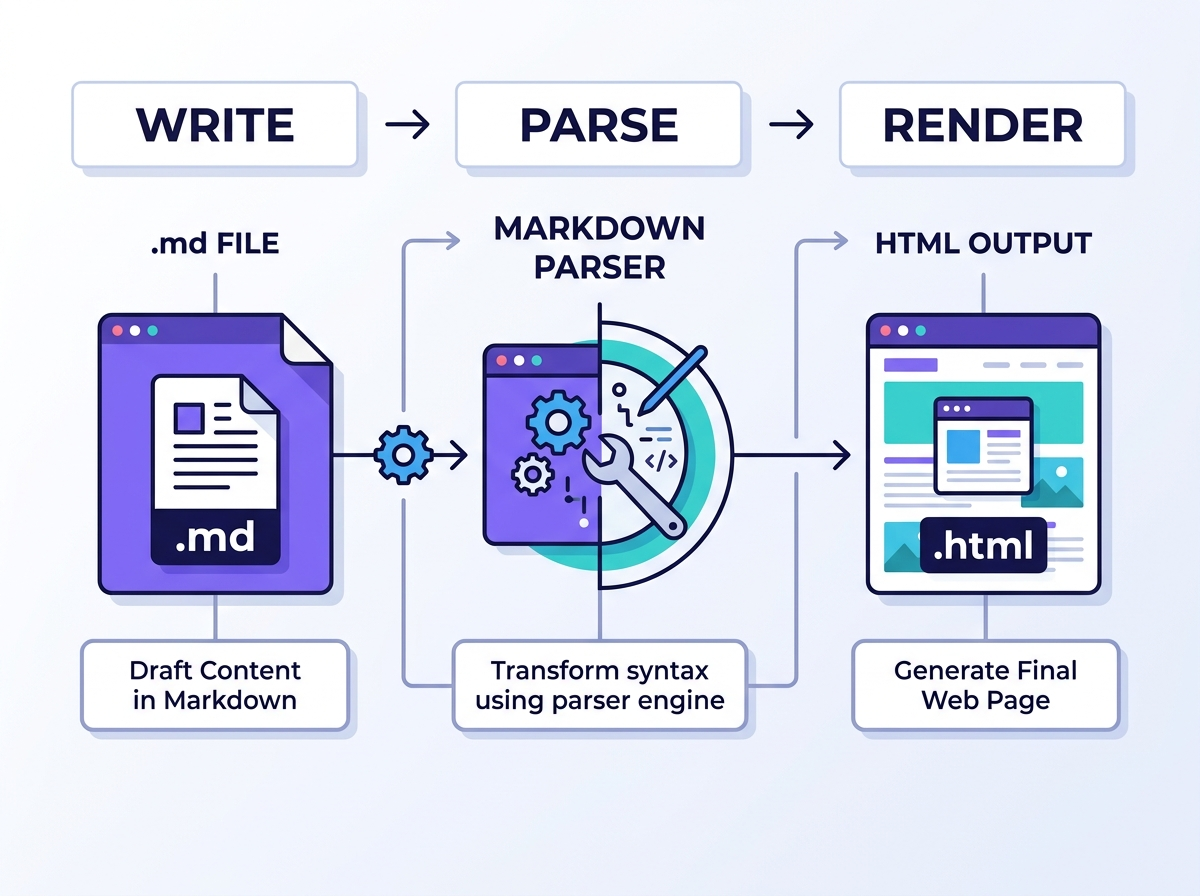
You usually write and store the file in plain text with just .md or .markdown extensions. You will need a Markdown application that can process a Markdown file. You can also find a Markdown processor online if you do not want to do it yourself.
These processors or applications, as the word ‘processors’ suggests, are called Markdown processors or parsers.
The parser reads the symbols in your text and converts them into HTML format so they can be displayed on a web page. This process is finished within milliseconds and so you can see it happening in real time.
This is how the ReadMe files are rendered when editing vs when you see it on any repository page.
But then, will my Markdown file look the same everywhere? On GitHub and in applications?
Why Markdown looks different in different places
When Gruber released Markdown in 2004, there were many edge cases that the initial version couldn’t define. So a lot of developers and platforms started filling the gaps.
So, like any dialect where people speak in real life with some changes in words here and there, markdown started existing in various dialects.
These dialects are commonly known as ‘flavors’, each with slightly different features.
Here are some Markdown Flavors to know about:

CommonMark
This is one of the flavors that is closest to the universal standard today. It has a baseline Markdown specification and intentionally avoids extensions, focusing on compliance.
By 2014, Markdown had so many versions that the file looked very different depending on the platform. So a group of developers worked on the same thing and created a version which was agreed upon by major platforms.
It has been adopted by companies such as GitHub, Reddit, Stack Overflow, GitLab, Codeberg, Swift, and many others.
Fun fact: The group, when initially creating the version, named it “Standard Markdown”, but Gruber objected to the name because this seemed like it was implying that people should use Markdown in a certain way. Then it was renamed to CommonMark.
GitHub Flavored Markdown (GFM)
GitHub has supported Markdown files for so long. GFM was built on top of CommonMark, which added support for tables, task checklists, strikethrough text and even syntax highlighting.
GFM was specially optimised for GitHub and is a strict superset of CommonMark. It also has the ability to reference issues and pull requests by number.
MultiMarkdown (MMD)
This was one of the earliest extensions of the original specifications. It added features such as footnotes, metadata, tables, and cross-references between documents. This made MMD a popular choice for academic and long-form writing.
Other markdown flavors that were developed over time borrowed from MMD.
Markdown Extra
This flavor adds features like definitions lists, abbreviations, footnotes and the ability to attach CSS classes directly inside markdown. Markdown Extra is used in PHP documentation toolchains very commonly.
Pandoc Markdown
Pandoc added a lot of features on top of Markdown. It supports footnotes, citations, and math equations written in LaTeX. It even allows you to convert your .md file to formats like PDF, Word, ePUB, HTML and more.
Obsidian Markdown
Obsidian Markdown adds wiki-style links between notes using [[double brackets]], turning a folder of plain .md files into a connected knowledge graph.
MDX
MDX mixes Markdown with React components. It is how modern documentation sites built on Next.js or Docusaurus work.
The good thing is, most flavors have almost the same markdown syntax. If you get your hands around the basics, you can write in any flavor with only minor adjustments.
Where do I see .md files right now?

You might be surprised by how many tools run on Markdown even now.
- GitHub renders every README.md as the homepage of the repository. Even the issues, pull request descriptions, wikis and comments use GFM for text editing. Developers across the world read and write GFM every day.
- Reddit and Stack Overflow use CommonMark for posts and comments on the platforms. Every time you edit the text or format a code on Reddit, you are using Markdown.
- Notion supports Markdown shortcuts in the editor. You can write headings using “#” and bold the text with an asterisk.
- Obsidian is a knowledge management system which is built on local .md files. All these files are on your machine in plain text format, which can be read on any text editor and edited too.
- Documentation sites and HTML documentation systems for open source projects, SaaS projects and developer tools are often made with .md files. Even academic papers are written in Markdown along with LaTeX. They are often processed using tools like HackMD, MkDocs, Hugo or Docusaurus.
Along with Markdown being popular all these times, it is being widely used right now, which you might have or might not have used.
Markdown and the AI era
Right now, AI tools have become part of our everyday work.
If you want to write a post for your social media or want to edit an article, you use AI.
Any reply you get from AI is natively Markdown.
Every response from an LLM is in Markdown. You can see headings, bold text, bullet points and code blocks. When you download the files in the first output, you get a markdown file.
This is beyond just AI tools. People now also use AI assistants every day. When you work for a long time, your assistants need context too, which is in .md files. For example, a fileCLAUDE.MD tells the AI coding assistant how the project works, the conventions and what to avoid.
Even with tools like OpenClaw, Claude, Hermes and others, you can teach your agent skills using Markdown files.
During every session, these files are read, and that’s how your AI keeps remembering things.
Teams are now switching their HTML or JavaScript-heavy pages to Markdown-rendered pages. This switch makes it easier for AI scrapers to parse. This practice has become popular for Answer Engine Optimisation (AEO).
If the parsers go through HTML or heavy pages, they might have to scrape more and use more tokens. When it is converted to markdown, the tokens used are fewer, and deciphering is easier too.
A Step-by-step Framework to Create, Edit and Publish your .md file
How to Open an MD File
You do not need any special software to open the MD file. Any code editor you have or a basic text editor on any operating system can open it.
Open a markdown file on Windows
- You can right-click the file, choose “Open With” and choose Notepad
- You can also use VS Code or Typora to open the files too.
- On VS Code, you can use Ctrl+Shift+V to see rendered output
Open an MD file on Mac
Double clicking directly might not work for MD files.
- You can right click, select “Open With” and choose TextEdit.
- Again, VS Code will work here too! You can use Cmd+Shift+V to get the preview version
Open a .md file on Linux
Any text editor like Gedit, Nano or Vim will work to open the file. You can use VS Code to see a rendered preview.
Open a Markdown file in browser online
You can use tools like Tiiny host or Dillinger.io where you can open and read through the markdown file.
Creating an MD File
Step 1: Choose a Text Editor/Tool
You do not need special software. You can use any simple text editor that supports .md files.
There are tools like VS Code, Typora, Obsidian, HackMD, iA Writer and Notion that you can use! If you do not want to download any tools, you can use any online markdown editor too to create your .md file.
One thing you should avoid is using a rich-text word processor like Microsoft Word to create a .md file. These rich-text processors can introduce invisible formatting that can break Markdown structure.
Step 2: Create and Name Your file
You can create and edit Markdown in any editor. You just have to take care of the extension.
Create a new file or save it with a .md file extension, likeREADME.md,notes.md,article.md. Make sure you use lowercase file names for cross-platform compatibility.
The extension signals the tools to parse the syntax characters and turn them into formatting.
Note: On Windows, make sure file extensions are visible in Explorer. A common mistake is accidentally saving the file with the wrong .md file extension, like .md.text, when extensions are hidden.
Step 3: Write Source Code using syntax
Now that you have created a file and chosen a tool, let’s write your first file. It’s going to be exciting!
You can start with # to add a heading. Then we can move to writing a paragraph, which you can just do by writing simple sentences.
Then, we are going to write the Markdown symbols inline to format our text. In general, it is good practice to write the content first and then apply formatting in a second pass.
You can just copy and paste the following code to make your first Markdown Website. Just fill in the information you want, and you are good to go!
# Your Page Title
Write a short introduction here. Just one or two sentences about what this page is about.
---
## Section One
Write your first section here. Use plain sentences, no special formatting needed.
Key things to remember:
- First point
- Second point
- Third point
---
## Section Two
You can add as many sections as you need. Just use ## for each new one.
### A Smaller Heading
Use ### when you want a subheading inside a section.
---
## Links and Images
Here is how you add a link: [Click here](https://yourlink.com)
Here is how you add an image: 
---
## A Simple Table
| Column One | Column Two | Column Three |
|------------|------------|--------------|
| Row 1 | Data | Data |
| Row 2 | Data | Data |
---
> This is a blockquote. Use it to highlight an important line or a quote.
---
*Last updated: April 2026*Here’s a sample of content written in markdown:
# tiiny.host

tiiny.host is the simplest way to publish a website.

Drop your files in. Get a live URL in seconds. No backend, no server config, no deployment pipeline.

## What you can publish

- Static HTML, CSS, and JavaScript sites

- Markdown files rendered as clean web pages

- Documentation folders built with Hugo or MkDocs

- PDFs and single-page project

## Why people use it

It is fast. It is free to start. And it gets your work in front of people without anything getting in the way

[Get started at tiiny.host](https://tiiny.host)
And here’s what it looks like after rendering:
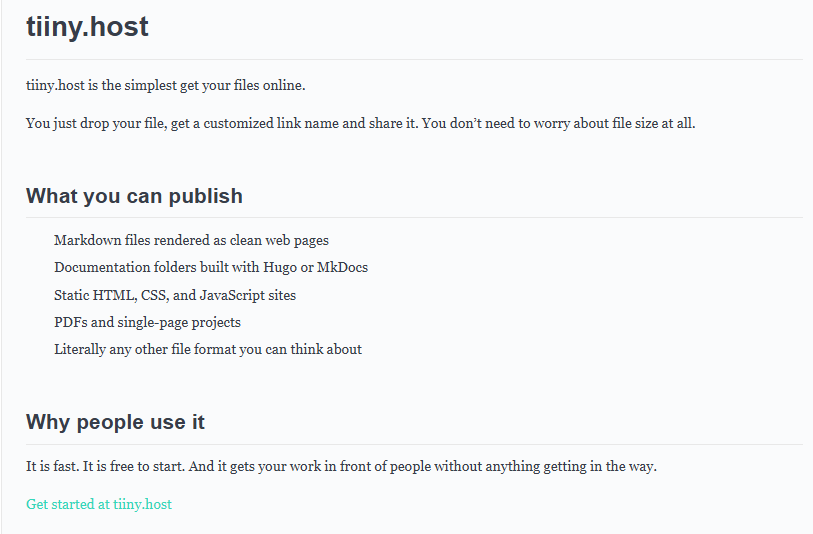
We used all the basic syntax, and when you write it more in practice, these are the ones used mainly.
Don’t forget to leave lines before a heading or list block; you might encounter rendering errors otherwise.
Step 4: Add frontmatter if necessary
Frontmatter is a block of metadata at the top of your .md file, used by publishing tools and platforms to provide context for the article. It is used at places like Jekyll, Hugo, Obsidian and many other static site generators to organise your content.
You can use something like this for frontmatter:
---

title: My First Article

date: 2026-04-15

author: Your Name

tags: [writing, markdown]

---
Step 5: Preview your rendered output
Before you publish, always make sure that the rendered output is good to be shared.
In VS Code, open preview in a new tab using Ctrl+Shift+V or Cmd+Shift+V on Mac.
Here’s a preview from VS Code:

If you are going to upload the file to GitHub, you should use a GFM-compatible previewer. VS Code does have the GitHub Markdown Preview extension. You can use online rendering tools as well.
If you are using any flavors, make sure to check them to avoid any rendering issues.
Optional Step: Create Structure for Readability and Navigation
Make sure you organise the files in a hierarchy and create a table of contents. Must do if your files have more content.
For example:
Use H1 for the document title.
Use H2 for major headings of the next sections.
Use H3 for subsections.
Add a linked table of contents by creating a list and using links to point to each heading.
If you are using GitHub, it makes URL-safe anchor IDs, so any heading #Heading1 becomes #heading1.
Step 6: Export your file or convert to other formats
You can now export your file or convert the markdown language to HTML, PDF, DOCX or other file formats.
If you need a PDF, you can use Pandoc or Typora. Pandoc also handles Microsoft Word documents. If you need a website, you can use MkDocs or Jekyll. Pandoc supports more formats, too, like HTML documents and EPUB.
Step 7: Publish and share it
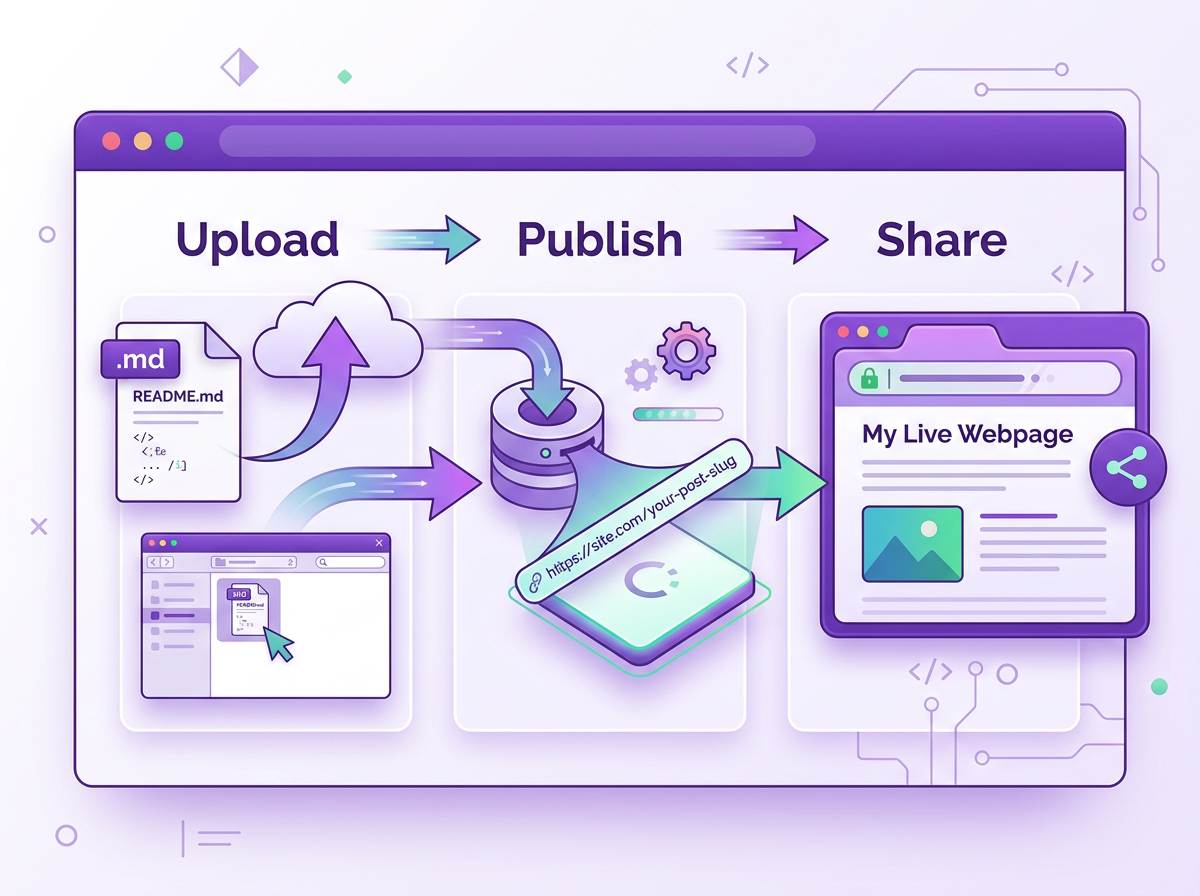
Now is the time to get your Markdown content out to the public. You can share the MD file with your colleagues. You can upload it as a webpage and share it. You can also convert them using static site generators and make them HTML websites.
You can do it in just 4 steps withTiiny.host
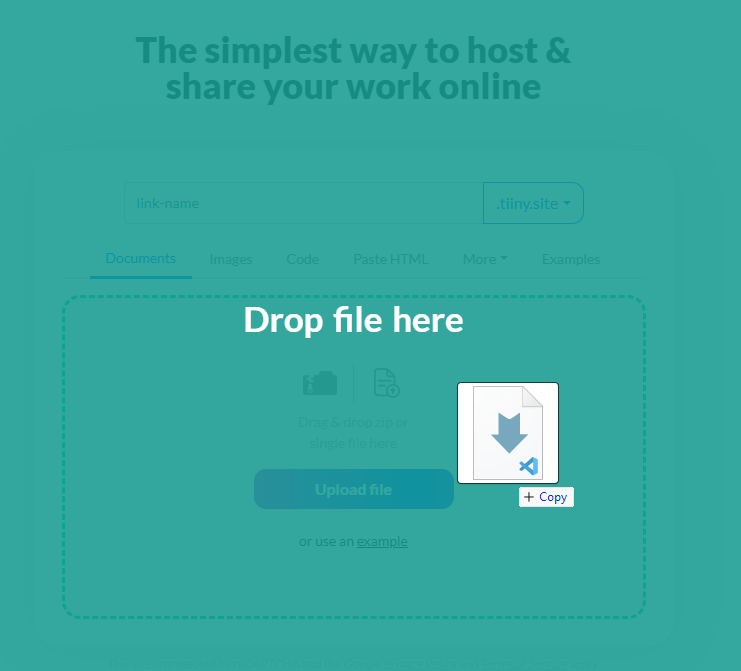
- Go toTiiny.host

- Upload your .md file
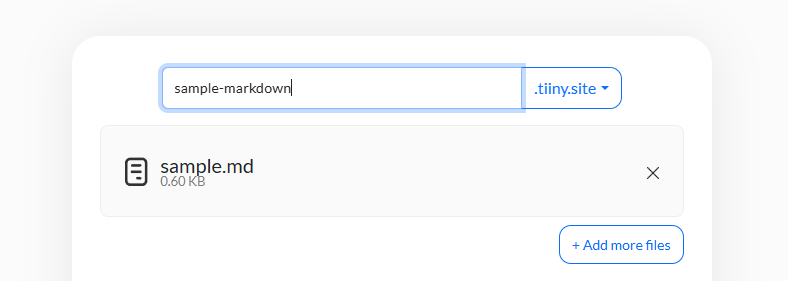
- Give it a link-name for a customised subdomain
-
Hit publish and you have your file ready to be viewed and shared!
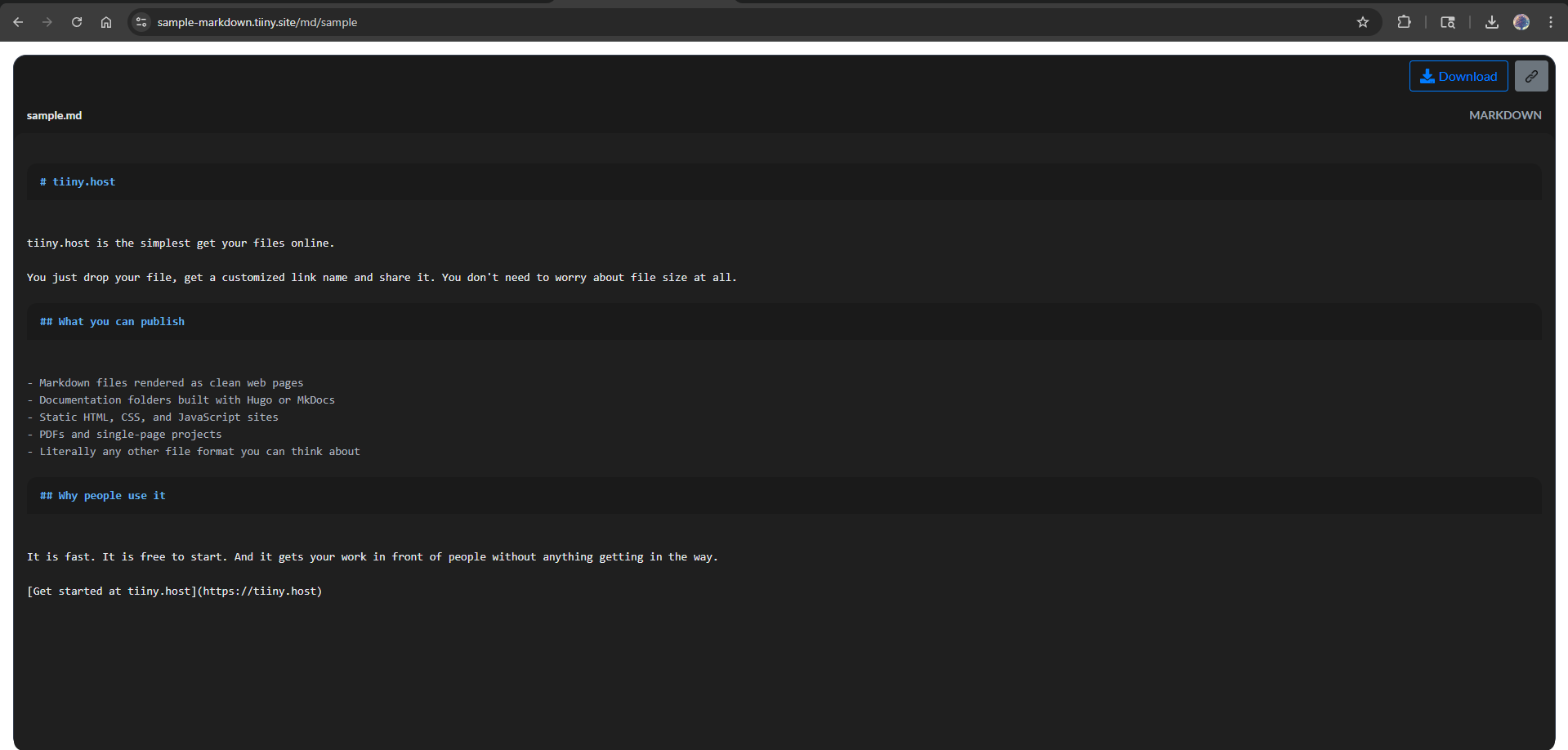
That’s it! You get your link, which you can send to anyone or see on any web browser. Don’t want to share publicly? Protect your website with password protection before sharing.
Step 8: Version control it
Add your .md files to a Git repository now. This will help you move back if you make any changes, and it doesn’t render well.
When you push an update, you can redeploy or push directly from the VSCode extension.
And that’s it, you created your first Markdown file, saved and published it!
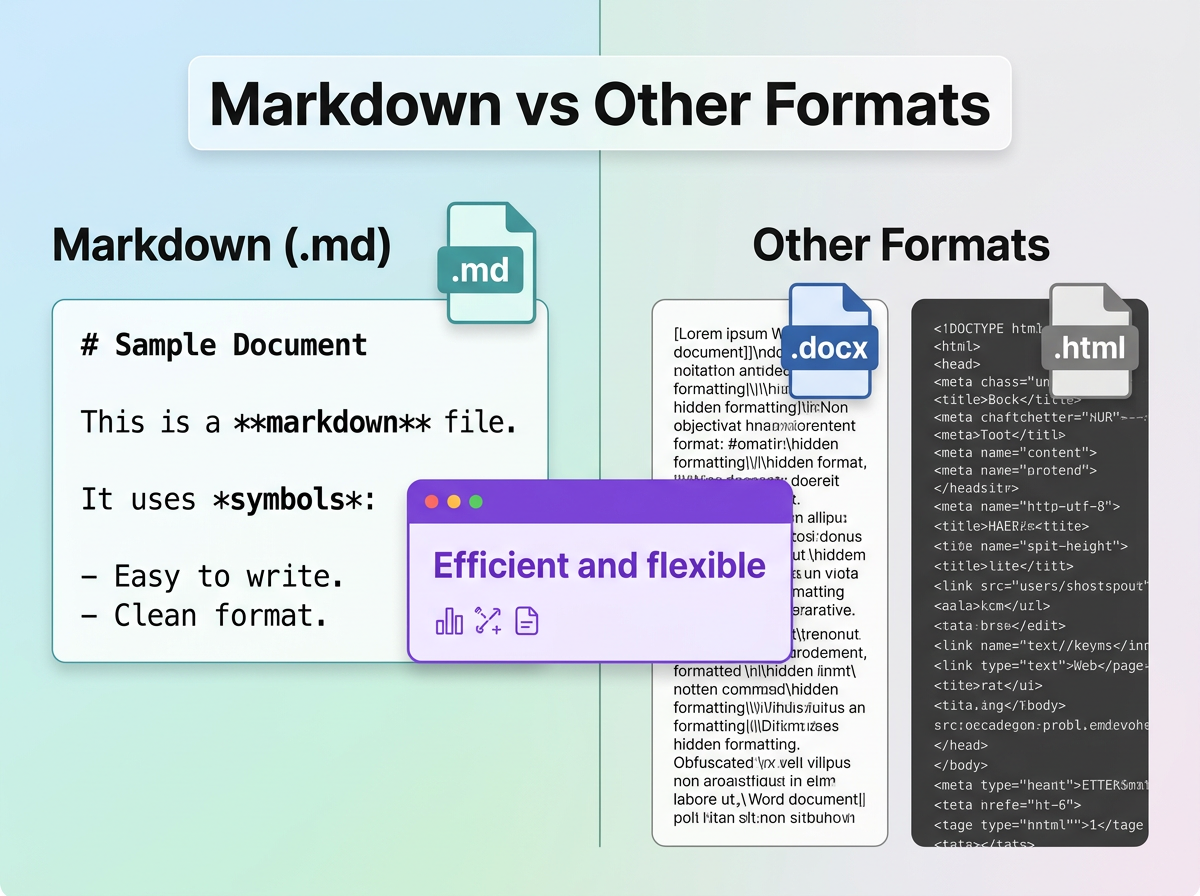
You know, a lot of people ask me why I choose a Markdown file when there are so many other formats that can do the same thing. Let’s do a simple comparison.
How .md compares to other formats
| Format | Readable as raw text? | Version control? | Converts to HTML? | Best for |
| .md | Yes | Excellent | Yes, via parser | Docs, blogs, notes, wikis |
| .txt | Yes | Excellent | No | Simple notes, no formatting |
| .html | Difficult | Poor | Yes, natively | Complex web layouts |
| .docx | No | Poor | No, needs export | Business documents |
| .rst | Moderate | Good | Yes, via Sphinx | Python ecosystem docs |
| .adoc | Moderate | Good | Yes, via Asciidoctor | Technical books, complex manuals |
As .md files are plain text, they work seamlessly with Git and so developers use it widely over other formats. When you edit a Markdown file, Git shows exactly the changes made. This isn’t possible for binary formats like .docx where version control tools cannot register changes for them. While most of the tools above do their job individually, an MD file can be used to to read, write or present.
Frequently Asked Questions about MD Files
What does .md stand for?
MD stands for “Markdown documentation.”
What isREADME.md?
AREADME.md file is a standard documentation file in software repositories. On GitHub, it is automatically rendered as the landing page of the project. It is the first thing which people see when they visit any repository on GitHub.
Is a .md file the same as a .txt file?
Both of them are plain text files, but a .txt file does not have any formatting options as it is plain text format. With the .md file, you can use syntax which lets tools render the output.
Can I open a .md file without special software?
Any basic text editor would work for Markdown files. You can open MD files on Microsoft Notepad on Windows, TextEdit on Mac or any other editor. You can also use VS Code on any system.
How do I convert a .md file to PDF?
You can use Pandoc from the command line, Typora or a VS Code extension too to convert markdown formatted document into any other file extension. Do not use “Save as PDF” on any GitHub page, as it removes code block styling.
Does Google index Markdown files?
Google can crawl .md files, but they offer no SEO advantage. John Muller from Google confirmed in early 2026 that search engines rank based on what users see, not bot-targeted file versions. For proper SEO, you can convert .md files to an HTML file using a static site generator.
Markdown files power the entire system
Docs-as-Code
Many SaaS and developer teams manage documentation regularly. All changes go through pull requests and are peer reviewed. Documentation gets linted, versioned and deployed through CI/CD pipelines.
This is called docs-as-code where you treat the documentation like the code and makes the docs very accurate.
Static site generation
There are so many Static site generators like Hugo, Jekyll, MkDocs and Docusaurus that generate a website from a Markdown file without any other files.
Within a few minutes, you can turn Markdown-formatted text into HTML and then you can host your first web page live.
Personal knowledge management
Obsidian built an entire ecosystem around the idea that a personal knowledge base should be saved in local .md files. Every note links to others using double-bracket wiki links. With this, you can search for them in any text editor and carry them to any tool.
Here’s a quick refresher of the tools you can work with if you want to create or edit .md files:
The best tools for working with .md files
For writing and editing:
| Tool | Best for | Pricing |
| VS Code | Developers editing .md alongside code | Free |
| Typora | Writers who want WYSIWYG | Paid (one-time) |
| Obsidian | Note-taking and knowledge management, local-first | Free (sync paid) |
| iA Writer | Focused long-form writing, especially on Mac and iOS | Paid |
| HackMD | Real-time collaborative editing with a team | Free tier + paid |
| Dillinger.io | Quick experiments, no installation needed | Free |
For converting and publishing:
| Tool | What it does |
| Pandoc | Converts .md to PDF, Word, HTML, ePub, and dozens of other formats |
| MkDocs | Builds documentation websites from Markdown files with a single config file |
| Hugo | Fast static site generator for blogs and docs |
| Jekyll | GitHub Pages’ native generator. Converts md files into HTML |
| Docusaurus | An open-source documentation framework widely used across the SaaS ecosystem |
For reference:
| Resource | What it is |
| Markdown Guide | The best vendor-neutral reference for syntax and tools |
| CommonMark | The formal specification for standardized Markdown |
| GitHub Flavored Markdown Spec | Official GFM specification from GitHub |
| Dillinger.io | Browser-based Markdown editor with live preview; no installation required |
| Babelmark 3 | Shows how the same Markdown renders across 20+ parsers |
A format that quietly changed the internet
Markdown started as a small project created by two people to write for the web without touching HTML.
Twenty years later, it powers documentation worldwide. It is also part of online communities like Reddit and Stack Overflow for posts and comments.
It is an output and context format for AI assistants. Also, it is the backbone of personal knowledge bases for writers and researchers.
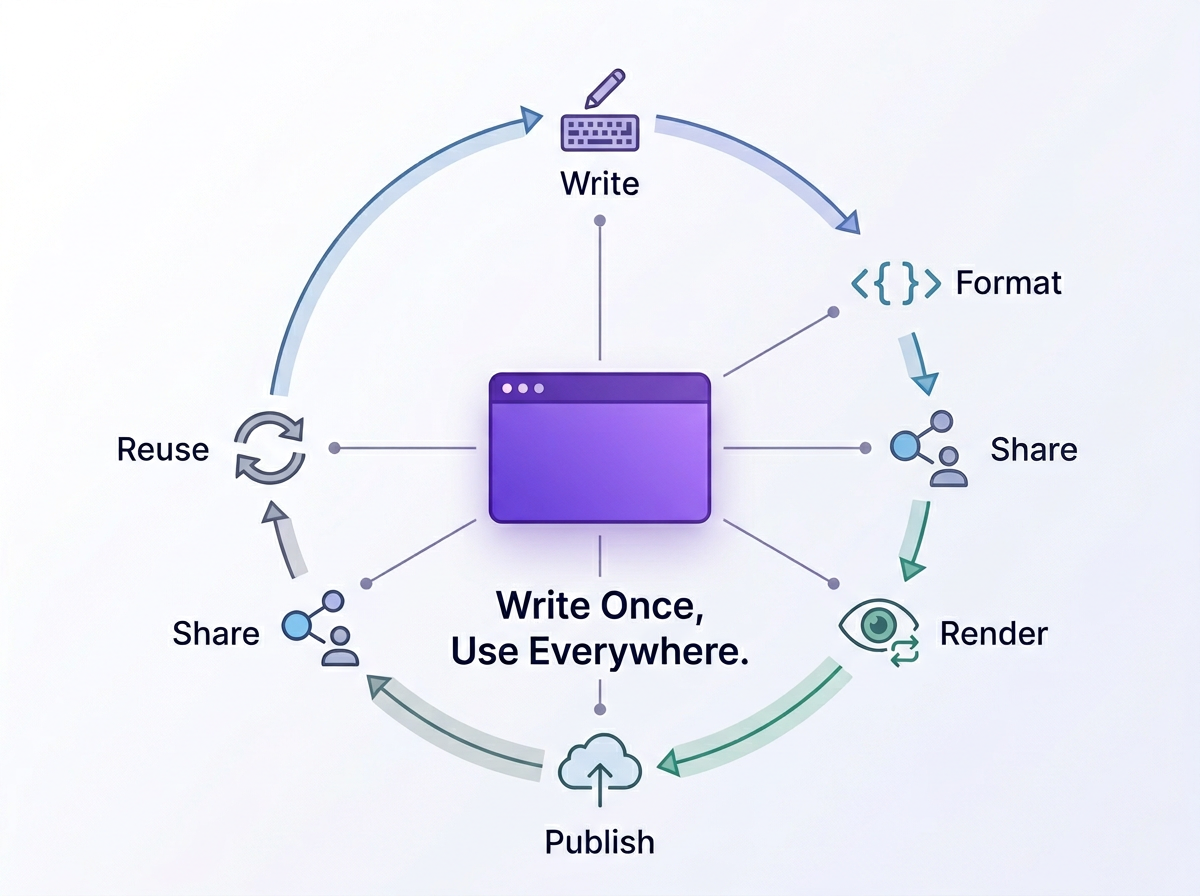
I hope you have all the knowledge needed for MD files and you create your file very soon! Open your code editor, create a new file, save it as .md, start your first heading with #, and add some sentences. Your file is ready.
Want to publish your Markdown content online in minutes? Try tiiny.host and start sharing your Markdown file.